
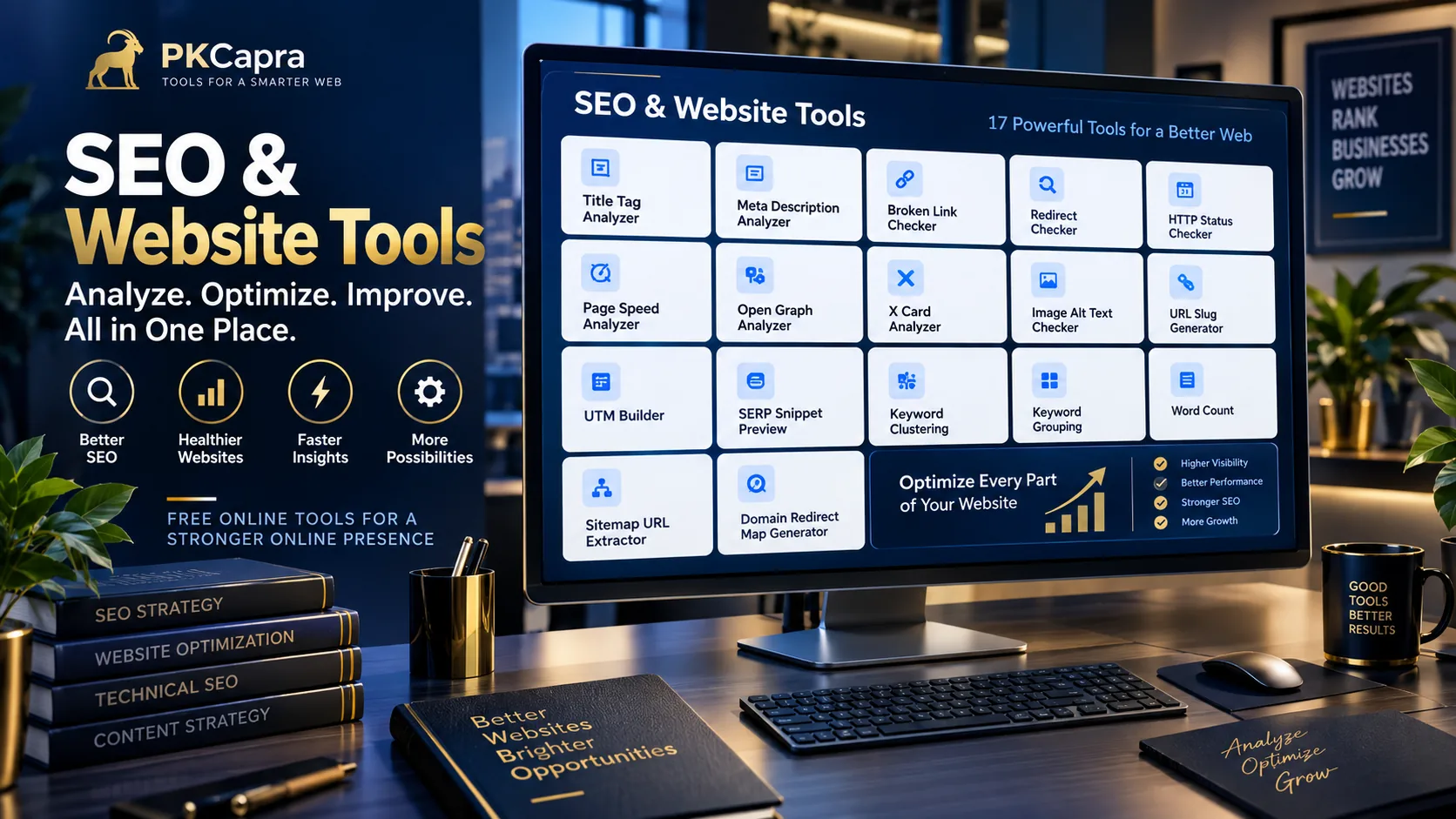
Improve your website’s search visibility, technical health, on-page SEO, and content structure with PKCapra’s collection of free SEO & Website Tools.
Whether you are a website owner, SEO professional, content creator, developer, digital marketer, or agency, these tools help you analyze important website signals, organize keyword research, review search snippets, inspect technical issues, and prepare websites for migrations.
Our SEO & Website Tools are designed to make common SEO tasks faster and easier without requiring complicated software or expensive SEO platforms.
Free SEO & Website Tools
PKCapra brings together practical tools for technical SEO, on-page optimization, keyword research, search-result optimization, website analysis, and migration planning.
Title Tag Analyzer
A page title is an important part of how a webpage is represented in search results. The Title Tag Analyzer helps you review your title tag and identify potential optimization issues.
Use it when creating new pages or reviewing existing website titles.
Meta Description Analyzer
The Meta Description Analyzer helps you review your meta description and evaluate its length, structure, and optimization signals.
Use it alongside your title analysis when preparing search-result snippets.
Broken Link Checker
Broken links can create poor user experiences and make website maintenance more difficult. The Broken Link Checker helps identify links that may need attention.
Regular link checks can be useful after website redesigns, content changes, or migrations.
Redirect Checker
The Redirect Checker helps you inspect redirect behavior for URLs and understand how one URL leads to another.
It can be particularly useful when troubleshooting redirects, reviewing website migrations, or checking whether a URL is passing through unnecessary redirect steps.
HTTP Status Checker
The HTTP Status Checker helps you inspect the HTTP response status associated with a URL.
Status codes such as 200, 301, 302, 404, and 500 can provide important clues when troubleshooting website availability and technical SEO issues.
Page Speed Analyzer
Website performance can affect user experience and technical quality. The Page Speed Analyzer helps you review available page-speed and performance information for a webpage.
Use performance analysis alongside broader technical and UX improvements rather than treating a single speed score as the complete picture of website quality.
Open Graph Analyzer
The Open Graph Analyzer helps inspect Open Graph metadata used when pages are shared across supported social platforms.
You can review important properties such as page title, description, URL, image, and other Open Graph information.
X Card Analyzer
The X Card Analyzer helps inspect X/Twitter Card metadata used to describe how webpages can appear when shared on X.
Review your card metadata to make sure the important social-preview information is present and consistent.
Image Alt Text Checker
Images need appropriate alternative text when that text is meaningful for accessibility and content understanding. The Image Alt Text Checker helps identify missing, empty, weak, excessively long, and duplicate alt text that may deserve review.
Remember that an empty alt attribute can be appropriate for genuinely decorative images.
URL Slug Generator
Clean and readable URLs are easier for people to understand and manage. The URL Slug Generator converts titles and phrases into clean, lowercase, hyphen-separated URL slugs.
It can be useful when creating new blog posts, landing pages, product pages, and other website content.
UTM Builder
The UTM Builder helps create campaign URLs containing UTM parameters such as source, medium, campaign, term, and content.
Use consistent UTM naming conventions when tracking marketing campaigns and traffic sources.
SERP Snippet Preview
Want to see how your page title, URL, and meta description could look together in a search-result layout?
The SERP Snippet Preview lets you preview your search-result information in desktop and mobile-style layouts before publishing.
Search engines can generate or rewrite search-result elements, so a preview should be treated as an optimization reference rather than an exact prediction.
Keyword Clustering
Large keyword lists can become difficult to organize manually. The Keyword Clustering Tool groups related keywords based on similarity to help identify potential topic clusters.
It can support keyword research and content planning, but keyword clustering should still be reviewed against search intent and actual search results.
Keyword Grouping
The Keyword Grouping Tool helps organize keywords into practical topic and search-intent groups.
You can use it to separate keywords into areas such as informational, commercial, transactional, and navigational intent while planning content and SEO campaigns.
Word Count
The Word Count Tool provides quick text measurements including word count, character count, sentence count, paragraph count, and estimated reading time.
It is useful for blog posts, website copy, assignments, articles, marketing content, and other writing tasks.
Word count is a measurement tool, not a guaranteed SEO ranking formula. Content should be written to satisfy the reader’s needs rather than an arbitrary word-count target.
Sitemap URL Extractor
XML sitemaps can contain large numbers of URLs, making manual inspection inconvenient. The Sitemap URL Extractor helps extract URLs from supported XML sitemaps and inspect sitemap-index structures.
It can be useful for technical SEO audits, URL inventories, website migrations, and sitemap analysis.
Domain Redirect Map Generator
Website migrations often require careful mapping between old URLs and new URLs. The Domain Redirect Map Generator helps create old-to-new URL mappings and prepare redirect output for supported Apache and Nginx workflows.
Always review and test generated redirect rules before deploying them to a production website.
What Can You Do With These SEO Tools?
PKCapra’s SEO & Website Tools can support several stages of a website optimization workflow.
Analyze On-Page SEO
Start by reviewing important page elements such as your title and meta description.
The Title Tag Analyzer and Meta Description Analyzer can help identify areas that may need attention.
Improve Search-Result Presentation
Use the SERP Snippet Preview to review how your title, URL, and description work together as a search-result snippet.
Organize Keyword Research
Use the Keyword Clustering Tool and Keyword Grouping Tool to turn raw keyword lists into more organized research.
Review Website Technical Issues
Use tools such as the Broken Link Checker, Redirect Checker, and HTTP Status Checker when investigating technical website problems.
Improve Website Content
The Word Count Tool can help measure text length, while the URL Slug Generator can help create clean URL slugs for new content.
Prepare Marketing Campaigns
The UTM Builder can help you create consistently structured campaign URLs for marketing measurement.
Review Social Sharing Metadata
Use the Open Graph Analyzer and X Card Analyzer to inspect social-sharing metadata.
Prepare Website Migrations
Website migrations require careful URL planning. The Sitemap URL Extractor can help build URL inventories, while the Domain Redirect Map Generator can help organize old-to-new URL mappings.
A Practical SEO Workflow
You do not need to use every tool for every website.
A practical workflow might look like this:
1. Review page optimization
Start with your title and meta description.
2. Check technical links and responses
Inspect broken links, redirects, and HTTP status codes.
3. Review website performance
Use the Page Speed Analyzer to identify performance information that may require further investigation.
4. Review social metadata
Check Open Graph and X Card information for important pages.
5. Review images
Check image alt text and identify areas that deserve improvement.
6. Organize keywords
Use keyword clustering and grouping to organize research before creating content.
7. Create optimized URLs
Use the URL Slug Generator when preparing new pages.
8. Review search snippets
Use the SERP Snippet Preview before publishing important pages.
9. Track campaigns
Create consistent UTM URLs for external marketing campaigns.
10. Prepare migrations carefully
Extract sitemap URLs and create redirect mappings before changing domains or URL structures.
Built for Practical SEO Work
PKCapra’s approach is focused on practical utilities rather than overwhelming dashboards.
Each tool is designed around a specific task so you can quickly perform an analysis, review the result, and move to the next step.
The tools can be useful for:
- Website owners
- SEO professionals
- Freelancers
- Digital marketing agencies
- Content teams
- Bloggers
- Developers
- Webmasters
- E-commerce businesses
- Students and researchers
Important SEO Reminder
SEO is not based on a single metric or tool.
A good technical SEO process considers multiple signals, including crawlability, indexability, page experience, content relevance, internal linking, structured data, redirects, canonicalization, and other factors relevant to the website.
The results from any individual PKCapra tool should therefore be treated as an analysis aid rather than a guarantee of search-engine rankings.
Privacy and Processing
PKCapra tools use different processing methods depending on the individual utility.
Some tools perform processing directly in your browser, while URL-analysis tools may need to retrieve publicly accessible webpage information.
Do not submit passwords, private URLs, confidential business information, or other sensitive data unless you are comfortable with the processing requirements of the specific tool.
Frequently Asked Questions
Are PKCapra SEO tools free?
PKCapra’s SEO & Website Tools are designed as free online utilities for common SEO and website-analysis tasks.
Which tool should I use first?
It depends on your objective. For on-page optimization, start with your title and meta description. For technical troubleshooting, review links, redirects, and HTTP responses. For keyword research, start with keyword clustering and grouping.
Can these tools guarantee Google rankings?
No. SEO tools can identify information and potential issues, but no individual tool can guarantee search rankings.
Can I use these tools for client websites?
Yes. They can be useful for SEO audits, website maintenance, content workflows, and migration planning, subject to the individual tool’s limitations.
Are these tools suitable for technical SEO?
Yes. The collection includes tools for redirects, HTTP status, links, page speed, sitemaps, social metadata, URLs, and domain migration workflows.
Can these tools replace a complete SEO platform?
They are designed as focused utilities rather than a replacement for every feature of a comprehensive SEO platform. Different SEO projects may require additional crawling, analytics, search-console, backlink, or competitive-research data.
Explore More PKCapra Tools
The SEO & Website Tools category is part of PKCapra’s wider collection of free online utilities.
Explore the All Free Online Tools section to discover additional tools across the PKCapra platform.
Start Optimizing Your Website
Whether you are troubleshooting a technical issue, preparing new content, organizing keyword research, reviewing search snippets, or planning a website migration, PKCapra’s SEO & Website Tools give you practical utilities for the job.
Choose the tool that matches your task, analyze the relevant information, and use the results as part of a broader SEO workflow.
Explore the tools above and make your next SEO task faster and more organized.