

Analyze the meta tags and SEO metadata of any public webpage in seconds. Our free Meta Tags Analyzer checks your title tag, meta description, canonical URL, robots directives, Open Graph tags, Twitter/X cards, and other important metadata signals.
Enter a webpage URL below to see what search engines and social platforms can read from the page. No CMS login, hosting access, or technical knowledge required.
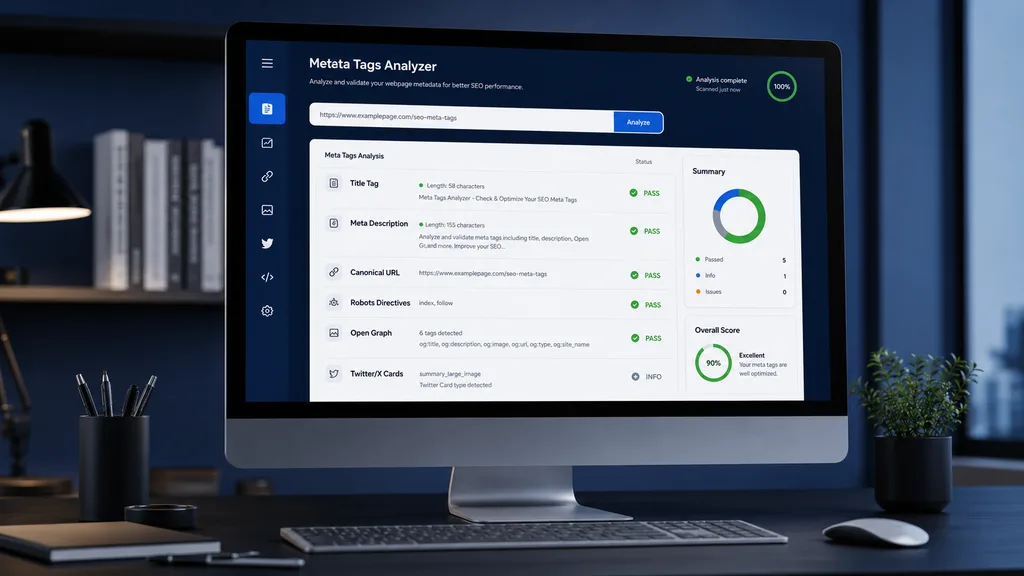
Free Meta Tags Analyzer
Deeply inspect the meta tags and metadata exposed by any public webpage — including search metadata, canonical signals, robots directives, Open Graph and Twitter/X cards.
Enter the full URL of any public webpage and run a free metadata audit. The analyzer fetches the publicly available HTML and identifies important meta tags, their values, missing elements, and potential issues.
Each result is classified clearly as PASS, WARNING, MISSING, ERROR, or INFO, so you can quickly understand what needs attention and what is already configured correctly.
What This Meta Tags Analyzer Checks
A webpage can contain many different metadata signals. Our Meta Tags Analyzer focuses on the elements that are most useful for understanding how a page communicates its information to search engines, browsers, and social platforms.
Title Tag
Check whether the page has a title element and review the actual title used by the webpage. The analyzer also provides length information as guidance rather than treating a fixed character count as a ranking rule.
Meta Description
Check whether a unique meta description exists and inspect its content and length. A useful description can help communicate the page’s purpose and improve how the result is presented in search.
Canonical URL
Verify whether the page declares a canonical URL and whether the canonical points to the expected preferred URL.
Robots Directives
Inspect robots meta directives such as index, noindex, follow, and nofollow. The analyzer also distinguishes informational directives from actual indexability concerns.
Open Graph
Check important Open Graph metadata including
og:title,og:description,og:url,og:image,og:type, and other available properties used for social sharing.
Twitter/X Cards
Inspect Twitter/X card metadata and identify whether the page provides the information needed for rich social previews.
Additional Metadata
Review other metadata signals such as language, charset, viewport, author information, theme color, referrer policy, keywords, favicon detection, and related page metadata.
Metadata Integrity
The analyzer also looks for structural problems such as duplicate title elements and other metadata inconsistencies that can make a page’s signals less clear.
Why Meta Tags Matter for SEO
Meta tags help communicate important information about a webpage. They can tell search engines what a page is about, identify preferred URLs, control certain crawler behavior, and provide information used when a page is shared on social platforms.
Not every meta tag is a Google ranking factor, and missing optional metadata does not automatically mean that a page has an SEO problem. That’s why our analyzer separates actionable issues from informational recommendations.
Better Search Result Messaging
A well-written title and meta description help clearly communicate the purpose of a page when it appears in search results.
Clear Canonical Signals
Canonical metadata can help communicate which URL represents the preferred version of a page when multiple URL versions exist.
For more detail on how Google handles canonical URLs and duplicate versions of pages, see the Google Search Central guide to canonicalization
Better Social Sharing
Open Graph and Twitter/X metadata can control how a webpage is represented when it is shared across supported social platforms.
Cleaner Technical Signals
Consistent metadata makes it easier to understand how a page communicates its identity, preferred URL, crawler directives, and social information.
How to Use the Meta Tags Analyzer
1. Enter a webpage URL
Paste the complete public URL you want to inspect into the analyzer.
2. Start the analysis
Click Analyze URL and allow the tool to retrieve the publicly accessible HTML.
3. Review the metadata
Examine the detected title, description, canonical, robots directives, Open Graph tags, Twitter/X cards, and other metadata.
4. Check the status indicators
Use the status indicators to quickly distinguish correctly configured elements from warnings, missing metadata, errors, and informational items.
5. Fix important issues
Prioritize actionable problems first. Optional metadata should only be added when it is relevant to the page and its purpose.
Understanding Your Meta Tags Report
The report is designed to make technical metadata easier to understand without requiring SEO expertise.
PASS
The expected metadata signal was detected and passed the analyzer’s current check.
WARNING
The metadata exists or the page has a condition worth reviewing, but it may benefit from improvement.
MISSING
The expected metadata element was not detected in the public HTML.
ERROR
A significant technical or structural problem was detected.
INFO
The item is informational or optional and does not necessarily represent an SEO problem.
Important: A missing optional meta tag is not automatically an SEO failure. The analyzer therefore does not treat every absence as a ranking problem.
Meta Tags Analyzer FAQ
What is a Meta Tags Analyzer?
A Meta Tags Analyzer is an online SEO tool that examines the metadata exposed by a webpage and helps identify important elements such as the title tag, meta description, canonical URL, robots directives, Open Graph tags, and Twitter/X metadata.
Is this Meta Tags Checker free?
Yes. You can use the PKCapra Meta Tags Analyzer to inspect publicly accessible webpage metadata without requiring CMS access or a website login.
Does the analyzer need access to my website?
No. The analyzer works with publicly accessible HTML. You do not need to provide WordPress, hosting, FTP, or CMS credentials.
What does a missing meta description mean?
It means the analyzer did not find a meta description element in the webpage’s public HTML. If the page is intended to appear in search results, adding a useful and unique description can improve how the page communicates its purpose.
Is a long or short title automatically bad for SEO?
No. Title length should not be judged by a rigid character limit alone. Search engines can truncate titles depending on available display space, so the title should primarily be descriptive, relevant, and useful.
Does missing Open Graph metadata hurt Google rankings?
Open Graph metadata is primarily intended for social sharing and does not function as a direct Google ranking factor. Missing Open Graph tags can nevertheless affect how a page is represented when shared on supported platforms.
Is Twitter/X metadata required?
No. Twitter/X metadata is optional, and supported platforms may use other available metadata as fallbacks. The analyzer distinguishes optional metadata from core issues.
What is a canonical URL?
A canonical URL is a page-level signal that identifies the preferred URL for a piece of content when similar or duplicate URL versions may exist.
Does a canonical guarantee that Google will index that URL?
No. A canonical declaration is a signal, not a guarantee. Search engines consider canonicalization together with other technical and content signals.
Does this tool guarantee Google rankings?
No. A metadata audit can identify technical opportunities, but rankings depend on many factors including content quality, relevance, authority, competition, crawling, indexing, links, user experience, and search-engine systems.
Did the analyzer replace Google Search Console?
No. This tool analyzes publicly exposed webpage metadata. It does not provide Google Search Console data, indexing decisions, search performance data, or guaranteed rich-result eligibility.
More Free SEO Tools
PKCapra SEO Tools is being built as a practical collection of free website analysis tools. Use the tools below to investigate different technical and SEO signals without requiring direct access to your website’s CMS.
- Robots.txt Analyzer
- XML Sitemap Analyzer
- Schema Markup Analyzer
- HTTP Header & Security Analyzer
- Hreflang & International SEO Analyzer
- Indexability & Crawlability Analyzer
- Mobile SEO & Mobile-First Analyzer
- Internal Links & Crawl Path Analyzer
- Duplicate Content & URL Consistency Analyzer
Analyze Your Meta Tags for Free
Find missing metadata, review important SEO signals, and understand how your webpage communicates with search engines and social platforms.