
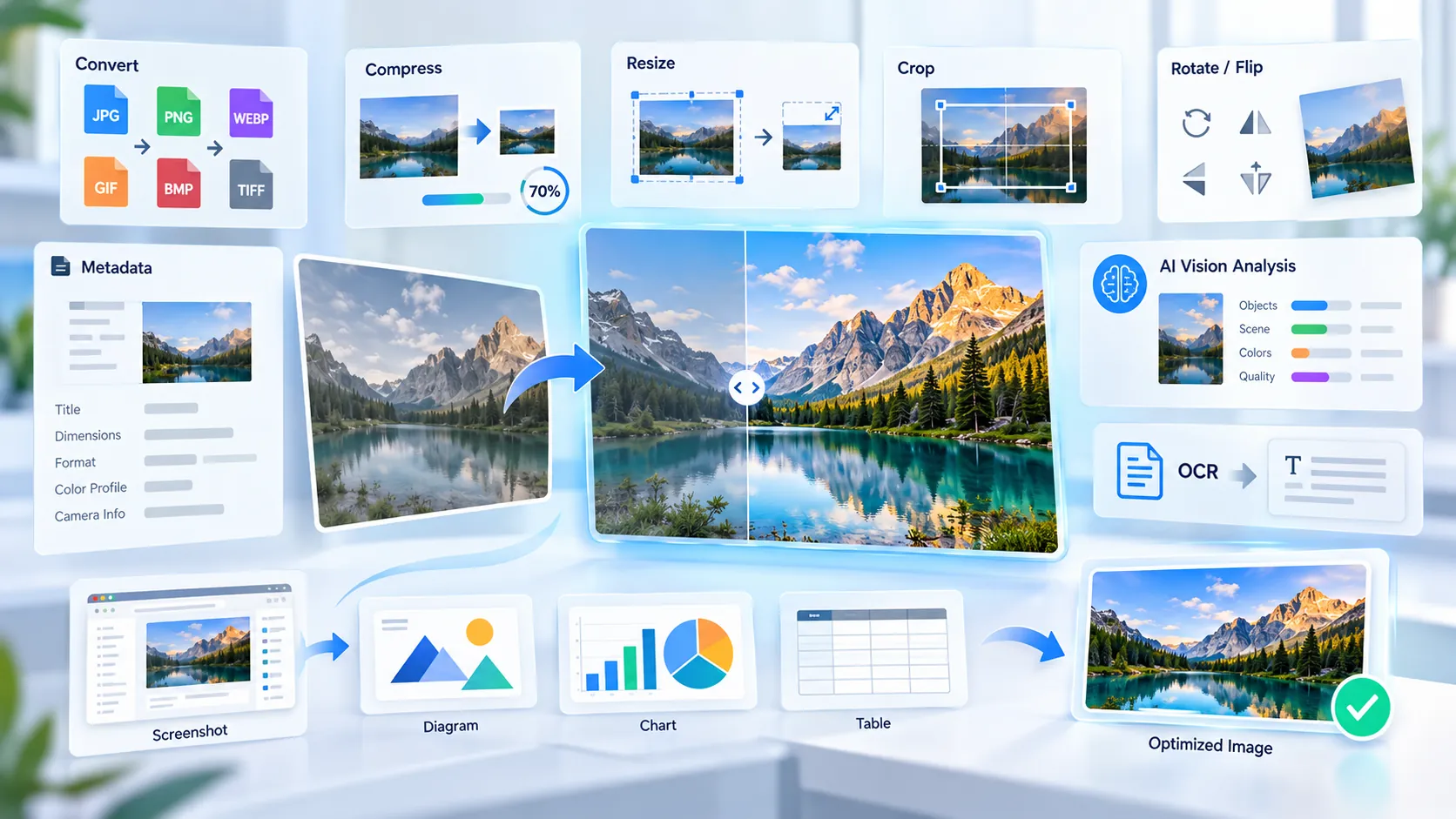
PKCapra Image Tools is a browser-side image utility suite for preparing visual assets for both modern web delivery and AI-assisted image workflows. The suite follows two parallel tracks: traditional Web SEO optimization for file efficiency, responsive delivery, and Core Web Vitals mitigation, and Generative Engine Optimization (GEO) for making visual assets more extractable and readable by multimodal AI systems.
The traditional track handles format conversion, compression, resizing, cropping, and distribution preparation, while the AI-oriented track performs vision-model pre-flight analysis for screenshots, text, diagrams, charts, tables, and general visual content. This separation lets you optimize an image for the browser that delivers it and for the multimodal systems that may later ingest, interpret, or retrieve information from it.
Client-Side Architecture & Complete Privacy Assurance
PKCapra’s image analysis and preparation workflow is designed around client-side browser processing, where supported operations execute locally using JavaScript, HTML5 Canvas APIs, and browser memory rather than requiring an image upload to a processing server. The browser loads the selected file, performs the relevant transformation or visual analysis locally, and produces the result directly on the user’s device.
For the browser-side tools in this suite, sensitive corporate images, documents, screenshots, diagrams, and other visual inputs are intended to remain within the local processing workflow rather than being transmitted to an external image-processing server. This zero-server processing model is particularly useful when working with internal interfaces, confidential documents, unpublished designs, or proprietary screenshots.
Traditional Web & SEO Optimization Tools
Image format conversion and compression directly affect how efficiently visual assets can be delivered to browsers. Choosing an appropriate format, reducing unnecessary bytes, and controlling image dimensions can reduce transfer overhead and support faster rendering and Core Web Vitals mitigation.
Image Format Converters
JPG to PNG — Converts JPEG images to PNG when lossless storage, transparency support, or sharper graphical edges are more important than JPEG’s smaller photographic file size.
PNG to JPG — Converts photographic or non-transparent PNG assets to JPEG when a smaller raster file is preferable for conventional web delivery.
WEBP to JPG — Converts WebP assets to broadly compatible JPEG output when the destination workflow requires JPEG rather than a modern WebP file.
JPG to WEBP — Converts JPEG images to WebP for modern web deployment where smaller encoded files can reduce image transfer overhead while retaining practical visual quality.
PNG to WEBP — Converts PNG assets to WebP when reducing delivery size is more important than retaining the original PNG encoding.
HEIC to JPG — Converts HEIC photographs into JPEG for workflows, browsers, publishing systems, and applications that expect conventional JPEG input.
WEBP to PDF — Packages WebP imagery into PDF format when the image needs to move from a web-oriented raster workflow into a document-oriented distribution format.
PNG to PDF — Converts PNG graphics into PDF when a fixed document container is more appropriate for sharing, archiving, printing, or document workflows.
Image Editing & Layout Utilities
Image Compressor — Reduces image file size to lower transfer overhead and help control the performance cost of large visual assets, particularly when images contribute significantly to page load weight.
Image Resizer — Changes image dimensions before publication so browsers do not have to download unnecessarily large source pixels for a smaller rendered display.
Image Cropper — Removes irrelevant visual regions and creates a tighter composition, which can reduce file dimensions while also improving the useful information density of an image.
Image Rotator — Corrects image orientation or creates deliberate rotations without requiring a separate desktop graphics application.
Image Flipper — Mirrors an image horizontally or vertically for layout, presentation, design, or publishing workflows.
Image Watermark — Places a visible ownership or attribution mark onto an image before public distribution, helping identify the source and establish a visible intellectual-property layer.
Generative Engine Optimization (GEO) & AI-Oriented Tools
Multimodal AI systems interpret images through combinations of visual feature extraction, layout analysis, OCR-style text recognition, and representation or embedding pipelines. Images with weak resolution, poor contrast, excessive clutter, soft boundaries, or unsafe cropping can make important visual information harder for an AI system to extract reliably.
PKCapra approaches this as vision-model pre-flight analysis: instead of sending the image to an external AI service merely to ask whether it is usable, the browser evaluates measurable visual conditions locally and reports where the image may need preparation. The result is a practical GEO workflow for improving the machine-readability of visual assets before they enter an AI or OCR pipeline.
Core AI & Extractability Checkers
AI Image Readiness Checker — Establishes a broad baseline for visual ingestion by examining image characteristics such as dimensions, visual detail, contrast, sharpness, file efficiency, and transparency.
AI Vision Extractability Checker — Evaluates spatial and visual conditions that influence how clearly important structures, boundaries, and fine details can be extracted from an image.
Screenshot AI Extractability Checker — Targets application screenshots by examining small-detail visibility, text/background contrast, structural boundaries, layout signals, visual complexity, and screenshot scale.
AI Vision Crop Safety Checker — Evaluates whether important visual information is concentrated near vulnerable edges or positioned in ways that can become problematic when an image is adapted to common aspect ratios.
Text, Document, & OCR Optimization Analysers
Image OCR Readiness Analyzer — Identifies image conditions that can make text extraction harder, including insufficient resolution, weak text/background contrast, limited character-scale detail, soft boundaries, and inconsistent backgrounds.
Image Text Legibility Analyzer — Measures visual conditions around typographic clarity so text embedded inside screenshots, documents, graphics, or other images has a stronger baseline for character-level extraction.
Structured Data Readability Frameworks
Image Diagram AI Readability Checker — Audits diagram-oriented visual signals such as fine detail, connector lines, contrast, structural organization, visual clutter, and image scale.
Chart Image AI Readability Checker — Evaluates chart labels, structural signals, data marks, contrast, layout balance, clutter, and image scale to identify conditions that may interfere with chart interpretation.
Table Image AI Readability Checker — Checks table-oriented visual characteristics including text detail, row and column structure, cell separation, contrast, layout consistency, clutter, and image scale.
Active Image Transformation
Image-to-AI Input Optimizer — Goes beyond diagnosis by generating a prepared copy of the source image through browser-side optimization profiles, including balanced preparation, text-heavy image preparation, and visual-detail preparation. The workflow can resize, normalize contrast, apply controlled sharpening, handle transparency, and select an appropriate output format while leaving the original file unchanged.
Image Optimization Matrix for Modern Workflows
| Core Task / User Intent | Recommended PKCapra Tool | Processing Engine (Local Browser) | Primary AI / SEO Benefit |
|---|---|---|---|
| Establish general image readiness | AI Image Readiness Checker | JavaScript + Canvas | Identifies baseline visual and delivery issues before web or AI use |
| Improve general visual extractability | AI Vision Extractability Checker | JavaScript + Canvas | Highlights resolution, contrast, edge, detail, and complexity conditions |
| Prepare application screenshots | Screenshot AI Extractability Checker | JavaScript + Canvas | Improves screenshot conditions for machine-readable interface analysis |
| Protect important content from cropping | AI Vision Crop Safety Checker | JavaScript + Canvas | Identifies edge and aspect-ratio vulnerabilities |
| Prepare images for OCR | Image OCR Readiness Analyzer | JavaScript + Canvas | Detects resolution, contrast, character-detail, and background issues |
| Check embedded text clarity | Image Text Legibility Analyzer | JavaScript + Canvas | Improves the visual baseline for character-level extraction |
| Prepare technical diagrams | Image Diagram AI Readability Checker | JavaScript + Canvas | Evaluates connectors, structure, contrast, clutter, and scale |
| Prepare visual charts | Chart Image AI Readability Checker | JavaScript + Canvas | Checks labels, marks, structure, contrast, and chart scale |
| Prepare image-based tables | Table Image AI Readability Checker | JavaScript + Canvas | Evaluates matrix structure, cell separation, text detail, and contrast |
| Generate an optimized AI input copy | Image-to-AI Input Optimizer | JavaScript + Canvas | Actively prepares a new image for text-heavy or visual-detail workflows |
| Reduce web image payload | Image Compressor | Local browser processing | Reduces unnecessary transfer weight and supports performance optimization |
| Deliver correctly sized images | Image Resizer | Local browser processing | Avoids oversized source dimensions for smaller display contexts |
| Convert for modern web delivery | JPG to WEBP / PNG to WEBP | Local browser processing | Provides a modern web-oriented raster format for efficient delivery |
Frequently Asked Questions
What makes PKCapra different from standard online converters?
Client-side processing and AI-oriented pre-flight analysis distinguish PKCapra from a conventional converter. Standard converters primarily change an image from one format to another, while PKCapra also provides browser-side analysis for AI extractability, OCR readiness, screenshot interpretation, diagrams, charts, tables, cropping, and active AI-input preparation.
Why do images need specific preparation for AI workflows?
Image preparation improves the amount of useful visual information available to downstream AI processing. Better resolution, contrast, character detail, structural separation, and framing can reduce avoidable extraction errors and make visual information easier for multimodal systems to process without wasting processing capacity on ambiguous or unreadable regions.
Do I need an API key or a user account to process images?
No, the browser-side PKCapra image tools do not require an API key or user account for their core local processing workflow. The selected image is handled by the browser for the supported analysis or transformation instead of requiring an external AI API call.
Does PKCapra upload my image to an AI model?
The browser-side AI-oriented tools are designed to analyze the image locally rather than sending it to an external vision model. Their scores and checks are based on measurable image characteristics, so they should not be confused with a live query to GPT, Claude, Gemini, or another hosted vision API.
Are these tools replacements for actual AI vision models?
No, these tools are pre-flight analyzers and image preparation utilities rather than general-purpose AI vision models. They evaluate measurable visual conditions and prepare images so that a later OCR, multimodal RAG, computer-vision, or AI workflow has a stronger input baseline.
When should I use the AI tools instead of a normal image compressor?
Use an AI-oriented checker when the image will be interpreted rather than merely displayed. A compressor primarily addresses file size, while the AI tools examine factors such as text detail, structural boundaries, contrast, layout, cropping, and visual complexity that can affect machine interpretation.