
A page can be beautifully designed, technically perfect, and full of useful information — yet its search result can still look weak.
Sometimes the problem is hiding in just one line of HTML:
<title>
Your title tag is one of the first things search engines and people encounter when your page appears in search. It tells search engines what the page is about, helps users decide whether the result is worth clicking, and gives your page a clear identity before anyone even visits it.
That is why a good title is not simply a collection of keywords.
It needs to be clear. Specific. Relevant. Natural. And written for an actual person who is deciding what to click.
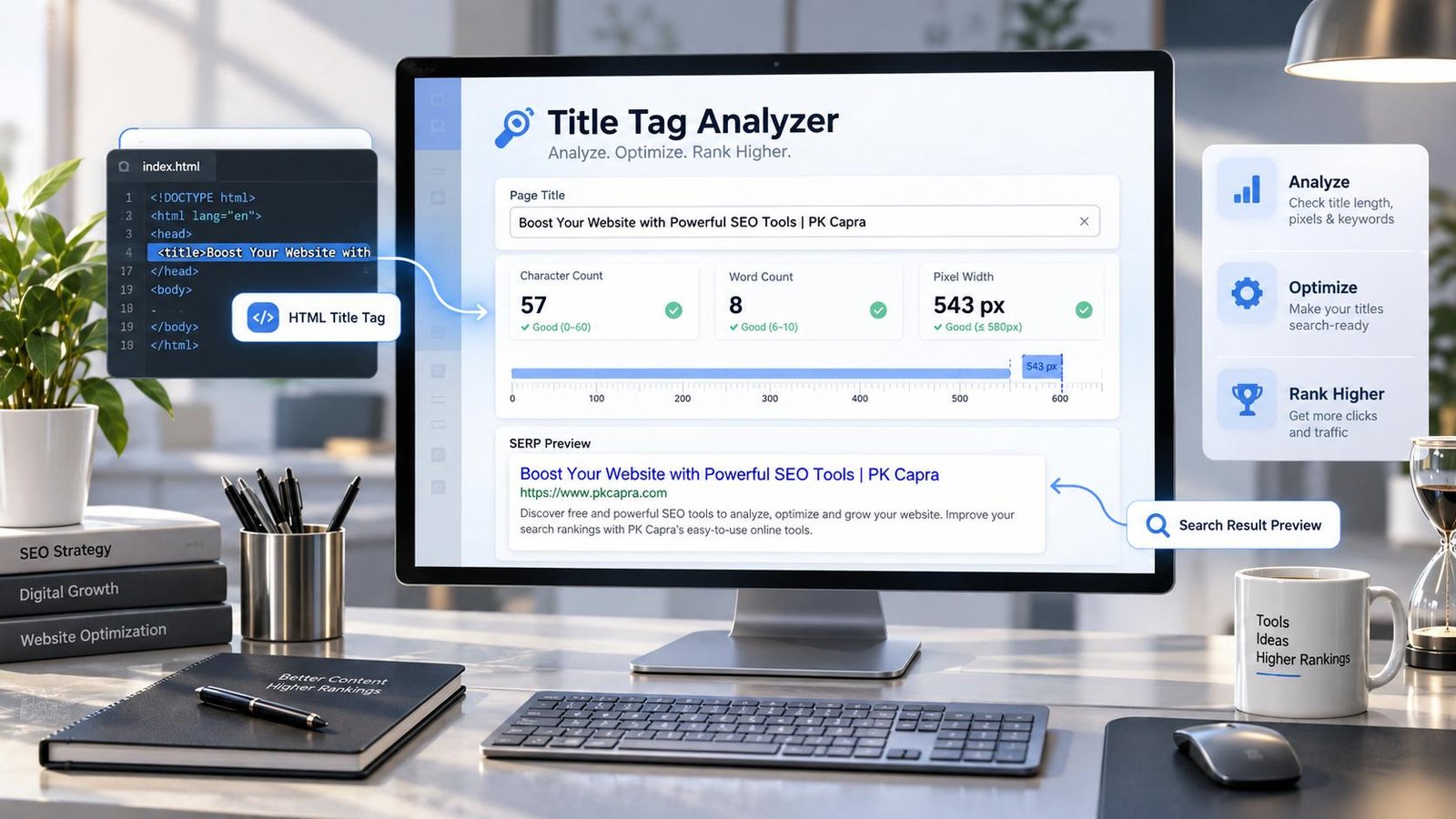
Our Title Tag Analyzer lets you check a webpage’s title tag in seconds and see what a searcher is likely to encounter before clicking your result.
Enter any public webpage URL, run the analysis, and get a quick view of the detected title, its length, estimated display width, and how well it fits common SEO considerations.
Title Tag Analyzer
Check a webpage title for SEO length, display width, quality signals and search preview.
Analysis uses the public webpage URL you provide. Do not submit private or authenticated URLs.
Why Your Title Tag Deserves More Attention
A surprisingly large number of websites treat the title tag as an afterthought.
Someone creates a page, writes a heading, publishes it, and assumes the title is finished. Months later, the page may have impressions in Google but a disappointing click-through rate — and nobody thinks to inspect the title.
The title is often the first piece of your page that a searcher sees.
Think about what happens on a normal Google search:
You scan the results.
You don’t read every description.
You don’t open every website.
Your eyes move quickly from one result to another, and the title is doing a huge amount of work during that split second.
A strong title can communicate:
- What the page is about
- What the user can expect
- Which topic or intent the page addresses
- Whether the result appears relevant
- Why this particular result deserves attention
A weak title can do the opposite.
It can be vague, repetitive, stuffed with keywords, unnecessarily long, misleading, or so generic that it gives the searcher no reason to choose it.
That is where a title tag analyzer becomes useful.
What Is a Title Tag?
The title tag is the HTML <title> element found in the <head> section of a webpage.
For example:
<title>Free Title Tag Analyzer for SEO</title>
It is not the same thing as the visible H1 on the page.
Your H1 is part of the page’s visible content.
Your title tag is metadata that identifies the document and can contribute to how the page is represented in search results and browser interfaces.
The two can be related, but they do not have to be identical.
A useful way to think about it is this:
H1 = what the visitor sees on the page.
Title tag = how you identify that page to search engines, browsers, and search users.
Google may also generate or modify the title link shown in search instead of simply displaying the exact <title> element you supplied. Google documents several sources it can use when generating title links, which is another reason to make the page’s title, visible heading, and surrounding content consistent rather than relying on one isolated tag.
What Does the PKCapra Title Tag Analyzer Check?
The tool is designed to answer a very practical question:
“What title does this webpage actually have, and does that title look healthy from an SEO perspective?”
After you enter a public URL, the analyzer checks the webpage and extracts the title information it can find.
You can review:
Detected Title
See the actual title tag found on the webpage instead of guessing what is inside the HTML.
This is particularly useful when you’re auditing websites built with WordPress, Shopify, custom frameworks, website builders, or templates where the title may be generated automatically.
Character Count
The analyzer counts the characters in your title.
This gives you a quick indication of whether your title is unusually short, excessively long, or sitting in a sensible range for the topic.
There is an important distinction here: there is no universal “magic character limit” that guarantees your title will display perfectly in Google.
Search engines work with rendered title links and available display space rather than a simple character counter.
So don’t obsess over hitting one exact number.
Use length as a diagnostic signal, not as a ranking formula.
Word Count
Word count gives you another quick way to understand the structure of the title.
A title containing only one or two generic words may not communicate enough information.
A title containing a huge number of words may be trying to say too much.
The goal is not “more words.”
The goal is enough information to make the page unmistakably relevant.
Estimated Pixel Width
Characters are not visually equal.
A narrow letter such as “i” does not occupy the same horizontal space as a wide letter such as “W”.
That is why pixel width can sometimes be more useful than character count when thinking about how a title may appear in a search interface.
Our analyzer provides an estimated pixel width to help you spot titles that may be visually excessive.
It is an estimate, not Google’s private rendering engine, so treat it as a practical SEO diagnostic rather than an exact prediction of what Google will display.
SEO Status Checks
The analyzer also gives you quick signals about potential title issues.
Instead of making you inspect HTML manually, it turns the title into something you can evaluate at a glance.
What Makes a Good SEO Title?
A good title starts with search intent.
Before asking, “How many characters should my title contain?”, ask a better question:
“What is the person searching for actually trying to find?”
Imagine someone searches for:
free image compressor
A title such as:
Image Compressor
is understandable, but it doesn’t communicate much.
A more useful title might be:
Free Image Compressor – Compress JPG, PNG & WebP Online
Now the searcher immediately understands the subject and what the page offers.
But there is another trap.
You could keep adding keywords:
Free Image Compressor JPG PNG WebP Image Compressor Online Best Free Image Compression Tool
Technically, the page is still talking about image compression.
But it sounds terrible.
It doesn’t sound like a person wrote it.
It looks like someone wrote the title for a crawler instead of a customer.
That distinction matters.
Google explicitly warns against keyword stuffing, including repeating words and phrases so frequently that the writing becomes unnatural.
The best title is usually the one that communicates the page’s value with the least unnecessary noise.
A Simple Title Formula That Actually Works
There is no single formula that works for every page, but this structure is useful:
Primary topic + useful qualifier + brand when appropriate
For example:
Meta Tags Analyzer – Check SEO Meta Data Online | PKCapra
Or:
XML Sitemap Generator – Create a Sitemap Online | PKCapra
Or for an informational page:
How to Fix Missing Image Alt Text – Practical SEO Guide
Notice what these examples have in common.
They don’t attempt to include every related keyword.
They identify the page.
That’s the job.
Don’t Write Titles for Robots
One of the easiest SEO mistakes to make is forgetting that search results are read by humans.
Imagine you are searching for something yourself.
Which result would you trust more?
Title Tag Analyzer | Title Tag Checker | SEO Title Checker | Meta Title Analyzer | SEO Tool
Or:
Title Tag Analyzer – Check Your SEO Title Before You Publish
The second one communicates a clear purpose.
You know what the tool does.
You know why you might use it.
And it doesn’t feel like a bag of keywords.
That is the direction we recommend.
Title Tag vs H1: Are They Supposed to Match?
Not necessarily.
Your title tag and H1 should normally describe the same underlying topic, but they serve different purposes.
For example, the page H1 might simply be:
Title Tag Analyzer
While the title tag could be:
Title Tag Analyzer – Check SEO Titles Online | PKCapra
The H1 keeps the page clean.
The title tag gives search users additional context.
What you should avoid is creating completely different messages.
If your title says the page is an “SEO Title Analyzer” but the visible page is actually about something unrelated, you create confusion for both users and search systems.
Consistency is much more valuable than trying to make every element contain a different keyword.
Why Title Length Alone Does Not Determine SEO Quality
This is one of the biggest misconceptions surrounding title optimization.
You will often see advice saying that your title must be exactly a certain number of characters.
Real SEO is more complicated.
Google’s own documentation distinguishes between the HTML <title> element and the title link shown in Search. Google can generate title links using multiple signals and may adjust them when it believes another representation better describes the page.
That means a character counter should never become your entire SEO strategy.
A 55-character title can be terrible.
A 70-character title can be useful.
A short title can be too vague.
A longer title can sometimes communicate the topic much better.
The analyzer gives you the measurement.
You still have to make the editorial decision.
And that is exactly how SEO tools should work.
They should help you think better, not replace thinking.
When Should You Use a Title Tag Analyzer?
You don’t need to analyze only your homepage.
The tool can be useful whenever you’re auditing or publishing pages such as:
- Service pages
- Product pages
- Blog posts
- Landing pages
- Category pages
- Location pages
- Tool pages
- Comparison pages
- Documentation
- Ecommerce collections
- Old pages being refreshed
- Pages that receive impressions but few clicks
It is especially useful during a website-wide SEO audit.
Instead of opening source code for hundreds of pages and manually searching for <title>, you can use an analyzer to quickly inspect individual URLs and identify obvious problems.
Use It Before You Publish — Not Only After Something Goes Wrong
SEO audits often happen too late.
A page is published.
Google crawls it.
The page gets indexed.
Weeks pass.
Then someone notices the title is duplicated across several URLs.
A better workflow is:
Write → analyze → improve → publish.
For important pages, that small extra step can prevent a surprisingly large amount of cleanup later.
If you are working through a broader technical SEO audit, you can also use PKCapra’s other SEO utilities to examine related areas such as meta tags, canonical URLs, heading structure, keyword density, robots.txt, XML sitemaps, schema markup, and indexability and crawlability.
The reason these checks work well together is simple: a title is only one part of a search-friendly page.
A Title Audit Should Lead to a Page Audit
Suppose your title looks perfect.
That doesn’t automatically mean the page is optimized.
You should still ask:
Does the page answer the searcher’s question?
Is the content genuinely useful?
Can search engines crawl the page?
Is the correct canonical URL being used?
Are important pages discoverable?
Does the page have a sensible heading structure?
Are images described appropriately?
Does the page contain unnecessary duplication?
Are internal links helping visitors discover related content?
This is why title optimization works best as part of a larger SEO workflow rather than as an isolated trick.
Google’s documentation also emphasizes that search appearance is influenced by many aspects of a page and site, not by one metadata field acting as a guaranteed ranking switch.
How to Improve a Weak Title
If the analyzer shows a title that needs work, don’t immediately rewrite it with more keywords.
Try this instead.
1. Identify the Main Search Intent
What does someone want when they arrive at this page?
Information?
A tool?
A product?
A service?
A comparison?
A solution to a problem?
Make that obvious.
2. Put the Important Topic Where It Makes Sense
If the primary subject can naturally appear early in the title, that’s often useful.
But don’t sacrifice readability just to force a keyword into the first position.
3. Remove Empty Words
Words that add no useful meaning are often the first things to cut.
4. Add a Meaningful Differentiator
If appropriate, explain what makes the page useful:
- Free
- Online
- Step-by-step
- Calculator
- Checker
- Guide
- Template
- Comparison
Only use these when they accurately describe the page.
5. Read It Out Loud
This sounds almost too simple.
Do it anyway.
If the title sounds like something a human would never say, rewrite it.
What About Google Rewriting My Title?
It can happen.
And it doesn’t automatically mean your title tag is “broken.”
Google may generate the title link shown in Search from several sources and may modify the displayed title when it believes the supplied title does not adequately represent the page. Google has specifically documented that title links can be generated from the <title> element and other prominent page content, among other sources.
The practical lesson is not to panic when Google changes a title.
Instead, make the page internally consistent.
Your title tag, H1, visible content, internal links, and overall page topic should tell the same story.
When those signals agree, you are giving search engines a much cleaner understanding of the page.
Title Tags Are About Clicks as Much as They Are About SEO
A title doesn’t exist only for an algorithm.
It exists in a search result that another human is scanning.
That person has a problem.
They typed something into Google because they want an answer, a service, a product, a tool, or a solution.
Your title has one small opportunity to say:
“Yes. This page is probably what you’re looking for.”
That is why we prefer useful titles over clever titles.
Clear over complicated.
Specific over vague.
Natural over stuffed.
And helpful over formulaic.
A Better Way to Use This Tool
If you’re auditing a website, don’t stop after checking one page.
Create a small list of your most important URLs.
Start with:
- Homepage
- Main service pages
- Revenue-generating pages
- Important category pages
- High-traffic blog posts
- Pages with strong impressions but weak clicks
- Older pages that haven’t been reviewed recently
Analyze the titles.
Look for patterns.
If ten pages use almost the same title, that’s more interesting than finding one slightly long title.
If several pages are extremely vague, fix the templates.
If product or service pages all contain unnecessary brand repetition, rethink the structure.
The goal is not to make every title “perfect.”
The goal is to make every important page clearly distinguishable and genuinely useful.
One More Thing: Don’t Chase a Magic Number
SEO has a strange habit of turning useful guidelines into rigid rules.
Title length is a perfect example.
A measurement is helpful.
A measurement is not a strategy.
Use the character count.
Use the estimated width.
Look at the preview.
Then step back and ask the most important question:
Would I click this result if I were searching for this topic?
If the answer is no, another five characters aren’t going to save it.
Rewrite the title.
Frequently Asked Questions
What is a title tag analyzer?
A title tag analyzer is an SEO tool that checks the <title> element of a webpage and provides information that can help you evaluate and improve the page’s search title.
Is a title tag the same as an H1?
No. The title tag is an HTML metadata element, while the H1 is a visible heading within the webpage. They should describe the same core topic, but they can be written differently.
How long should an SEO title be?
There is no universal character count that guarantees a title will display exactly as written in Google. Length and visual width are useful checks, but relevance, clarity, and usefulness matter more than hitting an arbitrary number.
Can Google change my title?
Yes. Google may generate or adjust the title link shown in search using information from the page and other signals. A well-written title still gives Google a strong starting point.
Should I put my keyword at the beginning of the title?
If it reads naturally and accurately represents the page, placing the main topic early can be useful. But forcing a keyword into the first position at the expense of readability is rarely a good trade.
Should every page have a unique title?
Important pages should generally have titles that clearly distinguish them from other pages. If many different URLs use the same or nearly identical titles, it becomes harder for users to understand what makes each result different.
Can a good title improve rankings?
A title tag is important for describing a page and influencing how its result may appear in search, but there is no single title format that guarantees rankings. Search visibility depends on many signals and on whether the page genuinely satisfies the user’s intent.
Is the pixel width shown by this tool exact?
No. The analyzer provides an estimated pixel width as a practical diagnostic. Search interfaces can render text differently depending on fonts, devices, layouts, and Google’s own processing.
Is the Title Tag Analyzer free?
Yes. You can use the PKCapra Title Tag Analyzer to inspect a public webpage URL and review its title information without manually opening the source code.
Start With the Title — Then Improve the Page
A title tag takes only a few words.
But those words introduce your page before the visitor ever reaches it.
Make them count.
Enter a public webpage URL into the PKCapra Title Tag Analyzer, inspect the title that is actually being served, look beyond the character count, and decide whether the result communicates the page’s purpose clearly.
Then do something even more important:
Make the page itself worthy of the title.
Because the strongest SEO title in the world cannot rescue a page that doesn’t satisfy the person who clicked it.
Good SEO starts before the click.
Great SEO continues after it.