
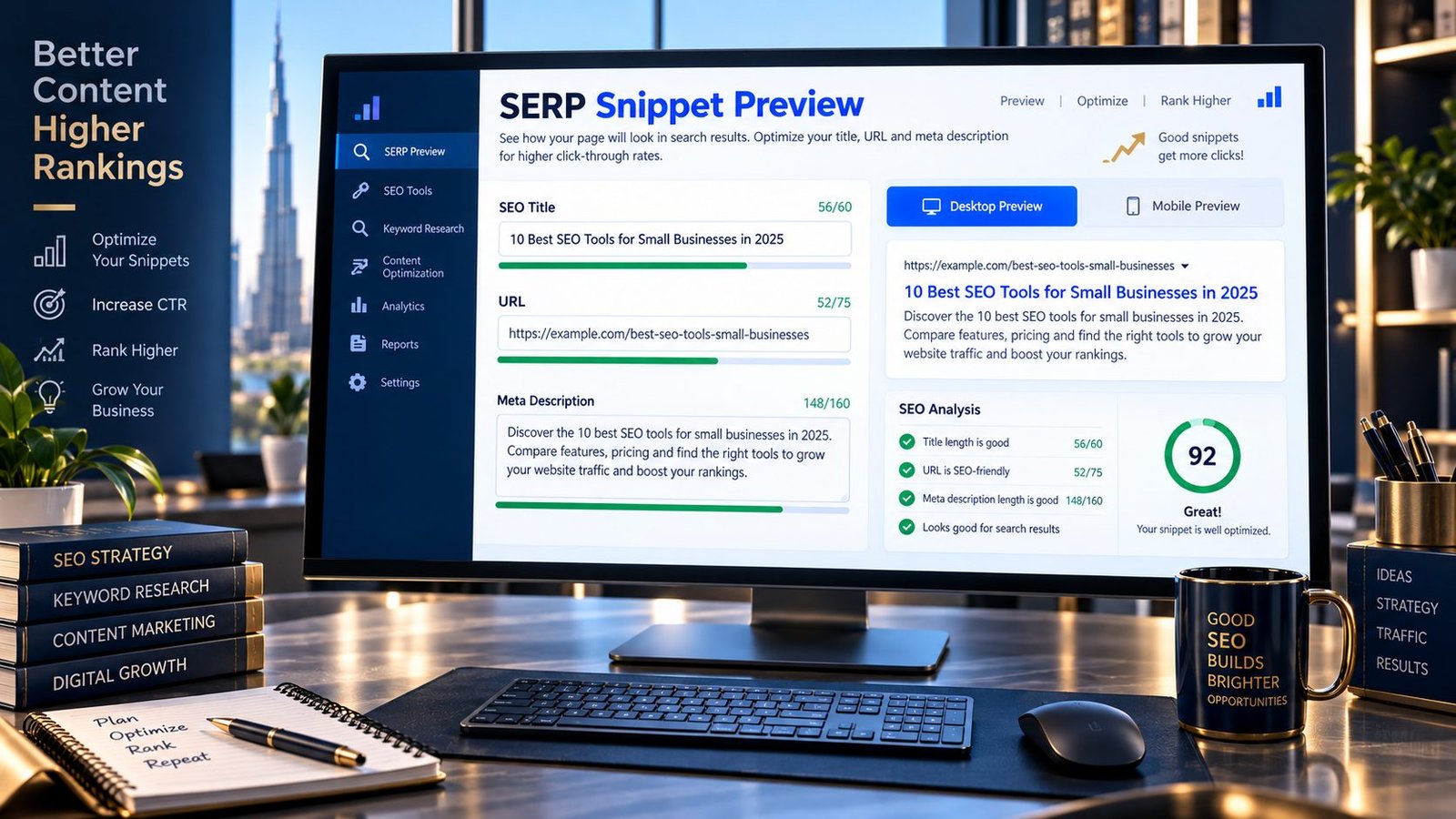
See how your page title, URL and meta description may appear together in a search-result layout before publishing.
PKCapra’s SERP Snippet Preview lets you experiment with your search-result text, check character counts, compare desktop and mobile layouts, and improve readability before your page goes live.
A preview is useful for evaluating how your search-result information looks together, but it cannot guarantee the exact title or snippet Google will ultimately display. Google may generate title links and snippets from different information on the page.
SERP Snippet Preview
Preview how your page title, URL and meta description may appear in a Google-style search result.
- Write a clear title that accurately describes the page and its purpose.
- Keep the meta description useful and specific; search engines may choose a different snippet.
- Use a readable URL that reflects the page topic and avoids unnecessary parameters.
- Preview both desktop and mobile layouts because available snippet space can vary.
This preview is an estimation for planning and editing. Search engines can rewrite titles or descriptions and the actual result can vary by query, device and search context.
What Is a SERP Snippet?
A SERP snippet is the descriptive portion of a search result that helps users understand what a webpage is about.
A typical organic result can contain elements such as:
- Website or site name
- Page title
- URL or breadcrumb information
- Search-result snippet
- Additional search features when eligible
Google explains that snippets are primarily generated from the page’s content, although other sources can influence what appears.
This means your SEO title and meta description are important inputs to consider, but they should not be treated as guaranteed search-result text.
Why Preview Your Search Snippet?
A page can have technically valid SEO metadata and still produce a poor-looking search result.
A preview helps you evaluate:
- Whether the title communicates the page topic clearly
- Whether the description explains the page’s value
- Whether the text looks readable at a glance
- Whether important information is unnecessarily pushed toward the end
- Whether your wording is appealing and relevant to the intended search
- How the result behaves in a narrower mobile layout
The goal is not to make a simulated result look exactly like Google. The goal is to make your page’s search-facing information clearer and more useful.
What Does PKCapra’s SERP Snippet Preview Check?
The tool provides a visual environment for working with the main search-result elements you control.
SEO Title
Enter the title you want to evaluate.
You can check its length and see how it appears in the preview.
URL
Enter the page URL or path you want to display.
This lets you see how the destination information fits into the result.
Meta Description
Enter your proposed meta description and review its appearance alongside the title and URL.
Character Counts
The tool provides live character counts so you can see how much text you’re using.
Character counts are useful for editing, but they should not be treated as a fixed Google display limit. Search-result presentation can vary by device, query and other factors.
Desktop Preview
Review the search result in a wider desktop-style layout.
Mobile Preview
Switch to a narrower mobile-style layout to check whether the result remains readable.
How to Use the SERP Snippet Preview
Step 1: Enter Your SEO Title
Start with a concise, descriptive title that accurately represents the page.
For example:
URL Slug Generator – Create SEO-Friendly URLs
Step 2: Add Your URL
Enter the page URL or representative URL structure.
Example:
Step 3: Write Your Meta Description
Summarize what the visitor will find on the page and communicate its value naturally.
Step 4: Review the Preview
Check both desktop and mobile layouts.
Look for:
- clarity
- unnecessary repetition
- awkward wording
- truncated-looking important information
- confusing URL presentation
Step 5: Refine the Copy
Make changes based on usefulness and clarity rather than trying to hit an arbitrary character number.
Step 6: Publish and Monitor
After publishing, use your actual search-result data and Search Console observations to understand how the page performs.
How Long Should an SEO Title Be?
There is no single guaranteed character limit that determines whether Google will display your complete title.
Google can generate title links from multiple sources and may modify them when it believes another version better represents the page or query. Google has also documented og:title as one possible source for title links.
Instead of focusing exclusively on a character limit:
- Put the important topic early.
- Make the title descriptive.
- Avoid unnecessary repetition.
- Match the actual page content.
- Write primarily for users.
How Long Should a Meta Description Be?
There is also no universal fixed character limit that guarantees a particular snippet length.
Google may generate a snippet from the page’s content rather than simply displaying the meta description exactly as written. Google’s documentation identifies page content as the primary source for snippets.
A good meta description should therefore focus on communicating useful information rather than trying to fill a predetermined number of characters.
Can Google Change My Meta Description?
Yes.
Google can generate a different snippet from the page content when it determines that another portion of the page is more useful for the user’s query.
This is one of the most important limitations to understand when using any SERP preview tool.
The PKCapra preview shows your proposed metadata, not a guaranteed copy of Google’s future result.
Can Google Change My Title?
Yes.
Google’s title-link documentation explains that title links can be generated from multiple sources and may be adjusted to better represent the page.
Therefore, a SERP simulator should be used to improve your source title rather than to predict Google’s exact final rendering.
SERP Preview vs Actual Google Result
These are different things.
PKCapra Preview
Shows:
- Your proposed title
- Your proposed URL
- Your proposed description
- Approximate visual layout
- Desktop/mobile presentation
- Character counts
Actual Google Result
May depend on:
- Search query
- Page content
- Title and other metadata
- Search context
- Device
- Search features
- Google’s automated systems
Google can choose different text for different queries and situations.
How to Write a Better Search Result Title
Describe the Page Clearly
The title should tell users what the page actually provides.
For example:
SERP Snippet Preview – Preview Your Search Result
is more informative than:
Amazing SEO Tool
Put the Main Topic in a Prominent Position
Users should quickly understand what the page is about.
Avoid Keyword Stuffing
Do not repeat the same phrase simply to make the title appear more optimized.
Keep Branding Useful
Add your brand when it provides value, but don’t allow unnecessary branding to obscure the main topic.
Match the Page
If the page is a SERP Snippet Preview, the title should describe that function rather than promise unrelated SEO capabilities.
How to Write a Better Meta Description
A useful description should:
- Explain what the page offers
- Match the actual content
- Use natural language
- Give users a reason to investigate the result
- Avoid exaggerated promises
- Avoid repetitive keyword insertion
For a tool page, clearly describing the tool’s main function is usually more useful than filling the description with generic SEO terminology.
Use the Primary Keyword Naturally
Your target phrase can appear in your title and description when it fits naturally.
For example:
SERP Snippet Preview – Preview Your Search Result
The keyphrase is present without making the title awkward.
The same principle applies to the meta description.
Don’t Write for a Fake Character Limit
Character counts can be useful editing signals, but search results are not governed by a simple universal character cutoff.
A better workflow is:
Write → preview → improve clarity → check length → publish → observe actual results.
Common SERP Snippet Mistakes
1. Keyword Stuffing
Repeating the same keyword several times can make the result look unnatural.
2. Generic Titles
Titles such as:
Home | Website
provide little information.
3. Duplicate Titles
Using the same title across many pages makes it harder to distinguish pages.
4. Misleading Descriptions
The description should represent what visitors actually find on the page.
5. Ignoring Mobile
A result that looks acceptable on a wide screen can become harder to scan on mobile.
6. Treating the Preview as a Guarantee
No visual simulator can guarantee exactly what Google will display.
7. Optimizing Only Metadata
The page itself still needs useful, relevant content. Google can draw snippet information from the page content.
Does a SERP Preview Improve Rankings?
The preview itself does not directly improve rankings.
Its purpose is to help you review and improve search-facing page information.
Better titles and descriptions can help users understand a result, but you should not treat a particular title length, snippet appearance or preview score as a guaranteed ranking factor.
Does Meta Description Affect Rankings?
A meta description should be treated primarily as a search-result description rather than a guaranteed direct ranking mechanism.
Google may also choose different page content for the snippet depending on the search query.
Focus on accurately communicating the page rather than trying to manipulate rankings through keyword repetition.
Why Search Snippets Change
The same page can potentially be represented differently depending on the search context.
Google’s search systems may generate title links and snippets dynamically using available page information.
This is why your SERP preview should be viewed as an optimization workspace, not a prediction engine.
SERP Snippet Preview Features
PKCapra’s tool provides:
- SEO title preview
- URL preview
- Meta description preview
- Desktop SERP-style layout
- Mobile SERP-style layout
- Live character counts
- Title length feedback
- Description length feedback
- Search-result readability review
- Easy editing
- Reset/example controls
- Responsive interface
- Browser-side processing
Privacy
The SERP Snippet Preview is designed as a browser-based editing and preview tool.
The information you enter is used to generate the preview within the tool. You do not need to provide login credentials or connect your Google Search Console account to use it.
Avoid entering passwords, API keys or other sensitive information into any public web tool.
A Practical SEO Workflow
For a new page, use this workflow:
1. Understand the search intent
Determine what the visitor actually wants.
2. Write the page title
Make the topic and purpose immediately clear.
3. Write the meta description
Explain what the page provides.
4. Preview the result
Use PKCapra’s SERP Snippet Preview.
5. Check mobile readability
Make sure important information remains clear.
6. Review the actual page
Make sure the metadata accurately represents the content.
7. Publish
Use the final metadata on the page.
8. Monitor Search Console
Compare your intended metadata with how Google actually represents the page over time.
Frequently Asked Questions
What is a SERP snippet preview?
A SERP snippet preview is a tool that lets you visualize how your proposed page title, URL and description could appear together in a search-result layout.
Is a SERP preview exact?
No. It is a visual approximation. Google can generate or modify title links and snippets based on multiple signals and the search context.
Can Google rewrite my title?
Yes. Google can use different sources to generate a title link and may modify the title shown in search results.
Can Google rewrite my meta description?
Yes. Google may generate a snippet from page content rather than using the meta description exactly as written.
What should I put in my SEO title?
Use a clear, accurate description of the page’s main topic or purpose. Avoid unnecessary repetition and keyword stuffing.
What should I put in my meta description?
Briefly explain what the page offers and why it is relevant to the searcher. Keep it natural and accurate.
Is there a perfect title length?
There is no universal fixed character limit that guarantees how Google will display a title. Use length as an editing signal rather than a hard SEO rule.
Is there a perfect meta description length?
There is no universal fixed length that guarantees the exact snippet Google will display.
Does SERP preview help SEO?
It helps you review search-facing content, but using the preview itself does not guarantee higher rankings.
Can I preview mobile search results?
Yes. PKCapra’s SERP Snippet Preview includes a mobile-style preview so you can evaluate the result in a narrower layout.
Related PKCapra Tools
When optimizing a search result, use the Title Tag Analyzer to examine title-related issues and the Meta Description Analyzer to review meta descriptions.
For broader page metadata analysis, the Meta Tags Analyzer can provide an additional technical check.
You can also use the URL Slug Generator when creating a clean, readable URL slug.
Final Takeaway
A SERP preview is useful because it lets you see your proposed search-result information before publishing.
But the objective should not be to create a fake-perfect Google result.
Instead, use the preview to make your title clear, description useful, URL readable and overall search presentation easy to understand.
Google can change title links and snippets based on page content, search context and other signals, so treat the preview as an editing and quality-control tool rather than an exact prediction.