
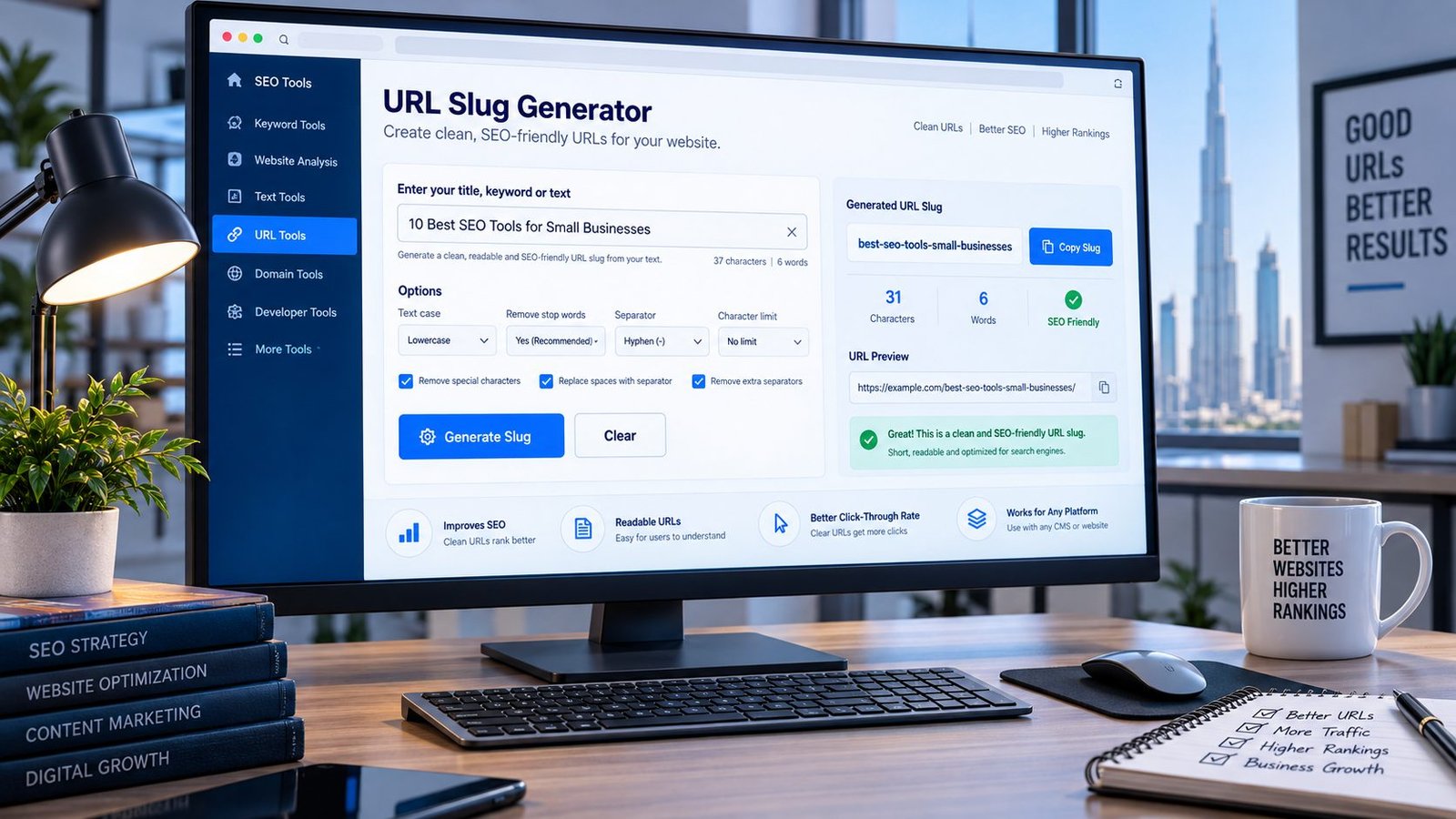
Create Clean, SEO-Friendly URL Slugs
Turn page titles, article headlines and phrases into clean, readable URL slugs in seconds. PKCapra’s URL Slug Generator removes unnecessary characters and converts your text into a URL-friendly format you can copy and use in your website.
A good slug should be easy for people to understand and should accurately describe the page. This tool helps you create a clean starting point without manually editing every character.
Example:
10 Best SEO Tools for Small Businesses
becomes:
best-seo-tools-small-businesses
URL Slug Generator
Turn a page title or phrase into a clean, readable URL slug you can use in a website address.
https://example.com/- Keep the slug readable and closely related to the page topic.
- Use a consistent separator; hyphens are the default choice for readable URLs.
- Avoid unnecessary dates, tracking parameters, repeated words and keyword stuffing.
- Changing an existing published URL can create broken links unless you plan the redirect.
This generator transforms the text you enter in your browser. It does not publish or change your website URL automatically.
What Is a URL Slug?
A URL slug is the readable part of a webpage URL that normally identifies a specific page.
For example:
The slug is:
seo-tools
Instead of using an unclear or automatically generated string, a descriptive slug can make the URL easier to understand.
URL structure is only one part of SEO, so a good slug should describe the page without trying to manipulate search rankings.
Why Are Clean URL Slugs Important?
Better Readability
A descriptive URL lets visitors understand what a page is about before opening it.
Easier Website Management
Consistent slugs make large websites easier to organize and maintain.
Clearer Internal Links
When URLs are descriptive, internal links are easier for editors and users to recognize.
Better Content Organization
Short, meaningful slugs can reinforce the relationship between a page and its topic.
Avoid Unnecessary URL Changes
Once a page is established, changing its URL should be handled carefully. Google recommends mapping old URLs to new URLs and implementing appropriate redirects when URLs are changed.
What Makes a Good URL Slug?
A practical SEO-friendly slug is usually:
- Descriptive
- Readable
- Relevant to the page
- Concise
- Easy to type
- Consistent with your site’s URL structure
For example:
Good:
/technical-seo-tools/
Less useful:
/page?id=48392
The goal is not to make every slug as short as possible. The goal is to make the URL useful and understandable.
How to Use PKCapra URL Slug Generator
Step 1: Enter Your Title
Paste your page title, article title or phrase into the generator.
Step 2: Choose Your Options
Use the available options to control capitalization, separators, stop-word removal and length.
Step 3: Review the Slug
Check the generated result before using it on your website.
Step 4: Copy the Slug
Click Copy Slug and paste the result into your CMS, website builder or publishing workflow.
Should You Remove Stop Words From a URL?
Not always.
Words such as “the,” “a,” “for,” and “and” can sometimes be removed when doing so makes the URL cleaner.
For example:
how-to-create-a-website
could become:
create-website
But aggressive stop-word removal can also make a URL less natural or change its meaning.
Use readability and accuracy as the priority rather than removing words simply because they are common.
Should URL Slugs Use Hyphens or Underscores?
For typical website URLs, hyphens are the better practical choice for separating words.
For example:
seo-tools-for-beginners
is easier to read than:
seo_tools_for_beginners
PKCapra therefore makes hyphen-separated slugs easy to generate.
Should URL Slugs Be Short?
Shorter is not automatically better.
A useful slug should contain enough information to communicate what the page is about without becoming unnecessarily long.
For example:
/image-alt-text-checker/
is much more informative than:
/tool-123/
Don’t remove meaningful words merely to hit an arbitrary character count.
Should You Put Keywords in a URL Slug?
A relevant word or phrase can make a URL descriptive, but avoid keyword stuffing.
For example:
/image-alt-text-checker/
is naturally descriptive for an image alt-text checking tool.
A URL such as:
/image-alt-text-checker-image-alt-text-alt-checker-seo/
is unnecessarily repetitive.
Use the wording that best describes the actual page.
URL Slug vs Full URL
A slug is only one part of a URL.
For example:
contains:
- Protocol:
https:// - Domain:
pkcapra.com - Path/slug:
url-slug-generator
PKCapra’s tool focuses on generating the clean slug portion.
Important: Changing an Existing URL
If a page is already published and indexed, don’t casually change its slug.
Changing a URL can affect existing links and search discovery. If you must change it, create an appropriate redirect from the old URL to the new URL and update your internal links.
Google’s site-move guidance specifically recommends preparing URL mappings, implementing redirects, checking canonical and robots directives, and updating links when URLs change.
For checking the resulting HTTP behavior, you can also use PKCapra’s HTTP Status Checker and Redirect Checker.
URL Slug Generator Features
PKCapra’s URL Slug Generator provides:
- Clean slug generation
- Lowercase conversion
- Hyphen-separated URLs
- Optional stop-word removal
- Separator options
- Length controls
- Live URL preview
- Character count
- Word count
- One-click copy
- Mobile-friendly interface
- Browser-side processing
The tool is designed to help you generate a clean slug quickly rather than manually editing URLs character by character.
URL Slug Best Practices
Before publishing a URL, ask:
- Does the slug accurately describe the page?
- Is it easy to read?
- Is unnecessary punctuation removed?
- Are words separated clearly?
- Is it unnecessarily repetitive?
- Does it match the site’s URL structure?
- Is this an existing URL that should remain unchanged?
A clean slug is useful, but it should be treated as part of a broader technical SEO workflow.
Related PKCapra SEO Checks
After creating a URL slug, you can review other important on-page and technical elements with PKCapra tools such as the Title Tag Analyzer, Meta Description Analyzer, Canonical URL Checker, HTTP Status Checker, Redirect Checker, Page Speed Analyzer, Open Graph Analyzer, X Card Analyzer, and Image Alt Text Checker.
These checks complement one another: a clean slug does not replace title optimization, canonicalization, performance checks, social metadata or image accessibility.
Privacy
The URL Slug Generator processes the text you enter directly in your browser. You do not need to submit your website to PKCapra simply to generate a slug.
Avoid entering confidential information into any online tool unless you understand how that tool processes and stores submitted data.
FAQ
What is a URL slug?
A URL slug is the readable portion of a webpage URL that identifies a specific page, usually appearing after the domain name.
What is an SEO-friendly URL slug?
An SEO-friendly slug is a clear, relevant and readable URL path that accurately represents the page’s content.
Should URL slugs be lowercase?
Lowercase slugs are generally a clean and consistent convention and can help avoid unnecessary URL variations.
Should I use hyphens in URL slugs?
Yes. Hyphens provide clear visual separation between words and are a practical choice for readable URLs.
Should I remove stop words from URLs?
Only when doing so improves the URL. Removing every stop word is unnecessary and can sometimes make a slug less natural.
Can I change a slug after publishing?
You can, but changing an established URL should be handled carefully. Use an appropriate redirect and update internal links when necessary.
Does a URL slug guarantee better Google rankings?
No. A clean URL is only one part of a website’s overall SEO and does not guarantee rankings.