
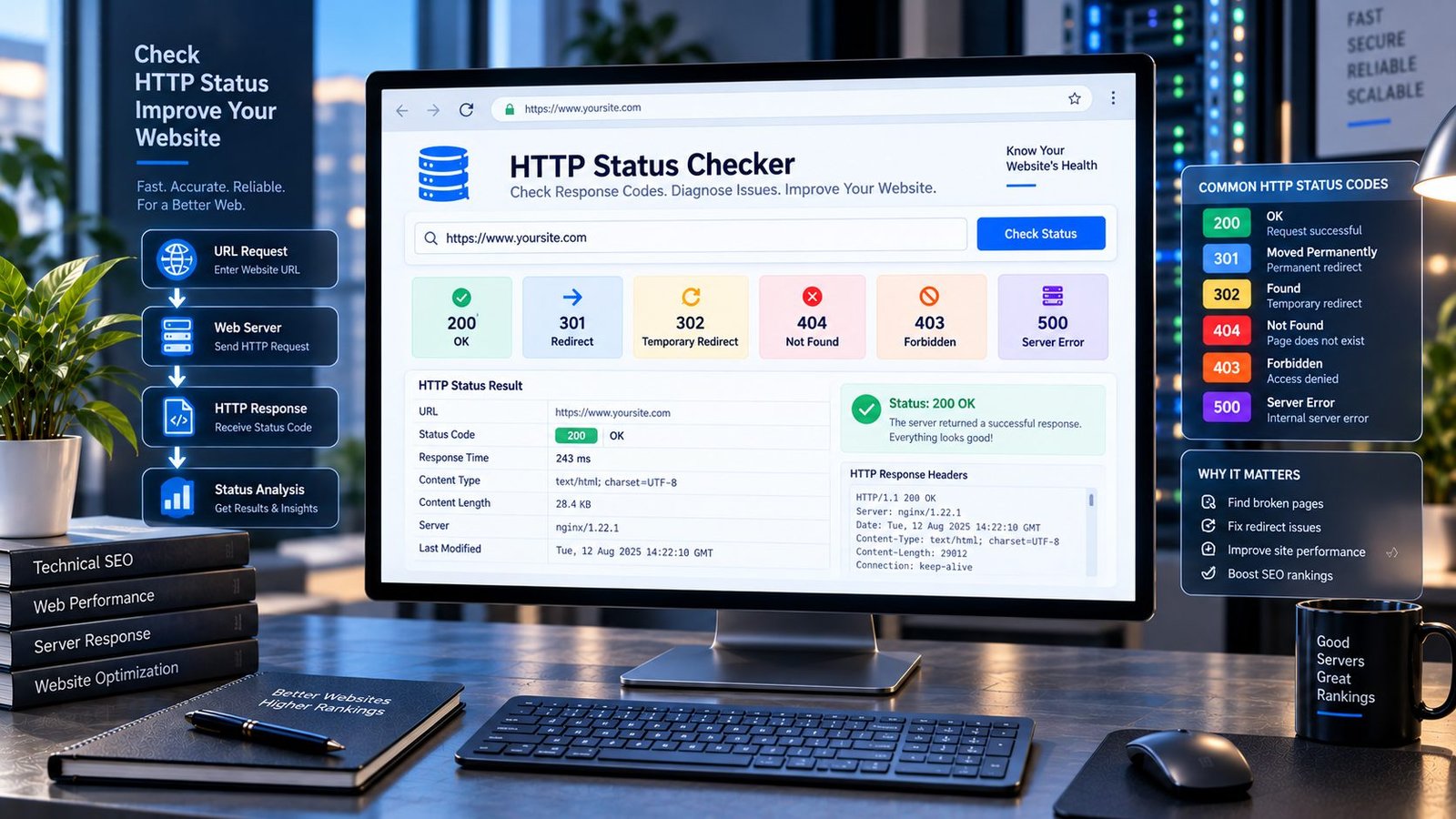
Know What Your URL Is Actually Returning
A URL can look perfectly normal in a browser and still be returning the wrong HTTP status code.
That matters more than many website owners realize.
A page might appear to load, while the server is quietly returning a redirect. Another URL may return a 404 when you expected a real page. A server error can affect only certain requests. A supposedly secure HTTPS page may behave differently from its HTTP version. And during a website migration, hundreds or thousands of URLs can end up with unexpected responses.
The HTTP Status Checker helps you see what is happening behind the URL.
Enter a public webpage URL and check the HTTP response returned by the server. Instead of guessing whether a page is working, redirecting, missing, or failing, you can inspect the response directly and use that information to decide what needs attention.
For a broader technical review, you can also compare the result with the findings from our Redirect Checker, Broken Link Checker, Canonical URL Checker, and Indexability & Crawlability Analyzer.
HTTP Status Checker
Check the HTTP response code and key response details for any public URL.
—
Analysis uses the public URL you provide. Do not submit private, authenticated, or sensitive URLs.
What Is an HTTP Status Code?
Every time a browser, search engine crawler, app, or another client requests a webpage, the web server returns a response.
Part of that response is an HTTP status code.
It is a short numerical signal that tells the requesting client what happened.
For example:
- 200 means the request was successful.
- 301 means the requested resource has been permanently redirected.
- 302 indicates a temporary redirect.
- 404 means the requested resource could not be found.
- 403 means access to the resource is forbidden.
- 410 indicates that a resource is gone.
- 500 indicates an internal server error.
- 503 generally indicates that the service is temporarily unavailable.
These numbers are not simply technical information for developers.
They can affect crawling, redirects, broken links, website migrations, user experience, troubleshooting, and the way a website behaves when accessed by different systems.
That is why checking the actual HTTP response can be much more useful than simply opening a URL and looking at the page.
Why a Page Looking Fine Does Not Always Mean the URL Is Fine
This is one of the easiest mistakes to make during a website audit.
You open a URL.
The page appears.
Everything looks normal.
You assume the URL is returning 200 OK.
But you do not actually know that just from looking at the page.
A URL may redirect before reaching the final page. A proxy, CDN, firewall, cache layer, hosting configuration, or application can influence the response. A server can also return different responses under different circumstances.
That is why technical SEO audits should separate what the browser displays from what the server actually returns.
An HTTP Status Checker gives you that missing piece of information.
What PKCapra HTTP Status Checker Checks
PKCapra’s HTTP Status Checker is designed for quick URL-level diagnostics.
Enter a publicly accessible HTTP or HTTPS URL and the tool can examine the server response and present useful information such as:
- HTTP status code
- Status category
- Status description
- Response time
- Content type
- Server information when exposed
- Redirect location when provided by the response
- Whether the request succeeded or encountered an HTTP-level problem
The goal is simple:
Turn an invisible server response into information you can understand and act on.
You do not need to open browser developer tools just to answer the basic question:
“What HTTP status is this URL actually returning?”
The Five Main HTTP Status Categories
HTTP status codes are grouped into five broad classes.
1xx — Informational
These responses indicate that the request has been received and processing is continuing.
They are generally not the codes website owners are looking for during a normal SEO URL audit.
The important point is that an HTTP response is more than simply “working” or “not working.” The status code belongs to a larger communication system between clients and servers.
2xx — Successful Responses
A 2xx response generally indicates that the request was successfully processed.
The most familiar example is:
200 OK
For a normal webpage that is intended to be directly accessible, a successful response is usually what you would expect.
But even here, context matters.
A 200 response does not automatically mean the page is useful, indexable, relevant, or optimized. It simply tells you that the server successfully returned a response for the request.
This distinction is extremely important in technical SEO.
A page can return 200 and still have:
- weak content
- incorrect canonicalization
- a
noindexdirective - poor headings
- missing metadata
- duplicate content
- poor internal linking
- structured-data problems
- slow performance
That is why HTTP status checking should be treated as one layer of a larger website audit.
3xx — Redirect Responses
A 3xx response tells the client that the requested resource involves redirection.
Common examples include:
301 — Moved Permanently
302 — Found / Temporary Redirect
Redirects are useful when URLs genuinely change.
They are common during:
- website migrations
- domain changes
- HTTP-to-HTTPS migrations
- URL restructuring
- content consolidation
- permalink changes
- deleted-page replacements
- domain consolidation
- canonical URL normalization
The problem is not that redirects exist.
The problem is when redirects are unnecessary, incorrect, excessive, chained, or pointing somewhere that does not make sense.
For a deeper look at the path a URL takes, use the Redirect Checker alongside this tool.
4xx — Client Error Responses
A 4xx response generally means that the request could not be fulfilled because of something associated with the request or the requested resource.
Some familiar examples include:
400 — Bad Request
The server could not process the request because it was considered invalid.
401 — Unauthorized
Authentication is required.
403 — Forbidden
The server understood the request but is refusing access.
404 — Not Found
The requested resource could not be found.
410 — Gone
The resource is no longer available and has been intentionally removed.
429 — Too Many Requests
The client has made too many requests within a particular period.
These codes can mean very different things operationally.
For example, a genuine deleted page returning 404 is not the same situation as an important product page unexpectedly returning 404.
The number alone is not the diagnosis.
The URL’s purpose is part of the diagnosis.
5xx — Server Error Responses
A 5xx response indicates that the server encountered a problem while trying to fulfill the request.
The best-known example is:
500 Internal Server Error
Other examples include:
- 502 Bad Gateway
- 503 Service Unavailable
- 504 Gateway Timeout
These errors deserve attention because they can indicate problems beyond the individual webpage itself.
Possible causes can include:
- hosting problems
- overloaded servers
- application failures
- PHP errors
- database issues
- reverse-proxy problems
- CDN or gateway failures
- temporary infrastructure outages
- configuration mistakes
If an important URL intermittently returns server errors, checking it once may not tell the whole story.
Repeated monitoring and server-side investigation may be necessary.
200 Does Not Mean “SEO Perfect”
This deserves its own section because it causes so much confusion.
A 200 OK response tells you that the request succeeded.
It does not tell you:
- that Google will index the page
- that the page will rank
- that the content is good
- that the canonical URL is correct
- that the page has a good title
- that the page has a useful meta description
- that the page is mobile-friendly
- that the page has valid structured data
- that the page is internally well linked
Think of the HTTP status as the first question:
“Did the server successfully answer?”
SEO asks many additional questions after that.
For example, once you know a URL returns 200, you may want to inspect its metadata with the Meta Tags Analyzer, its title with the Title Tag Analyzer, its headings with the SEO Heading Analyzer, and its crawlability with the Indexability & Crawlability Analyzer.
That is how individual checks become a meaningful technical SEO workflow.
404 Is Not Automatically a Disaster
There is a persistent idea that every 404 page is an SEO emergency.
It is not.
A 404 can be completely appropriate.
Imagine a website previously had a temporary page that was intentionally removed. If there is no relevant replacement, returning a genuine not-found response can be the correct behavior.
The problem occurs when a URL that should exist suddenly returns 404.
Examples include:
- a published article disappearing
- a product page becoming inaccessible
- an important service page returning not found
- an internal link pointing to a deleted URL
- a migration accidentally dropping URLs
- a permalink change breaking existing pages
The question should therefore never be:
“Do I have any 404s?”
A better question is:
“Which URLs are returning 404, and should they?”
That small change in thinking produces much better audits.
404 vs 410: Why the Difference Matters
Both 404 and 410 indicate that content is unavailable, but they communicate different intentions.
A 404 generally means:
“This resource could not be found.”
A 410 communicates:
“This resource is gone.”
For website owners, the important part is understanding what actually happened to the content.
If a page was accidentally deleted, the solution may be restoring it.
If it was permanently removed without a relevant replacement, allowing the correct unavailable response may be appropriate.
If it was replaced by a substantially equivalent page, a properly configured redirect may be more suitable.
There is no universal rule that says every removed URL should be redirected somewhere.
The destination has to make sense.
Redirects Are Not the Same as HTTP Success
Consider this example:
A visitor requests:
The server responds:
301
and sends the visitor to:
The browser eventually displays the new page.
From the user’s perspective, everything may appear normal.
But the original URL did not return 200.
It returned a redirect.
That distinction matters during:
- technical SEO audits
- migrations
- redirect testing
- broken-link investigations
- canonicalization checks
- URL restructuring
This is exactly why an HTTP Status Checker and a Redirect Checker complement each other rather than replacing one another.
HTTP Status Checker vs Redirect Checker
These two tools answer related but different questions.
HTTP Status Checker:
“What HTTP response is this URL returning?”
Redirect Checker:
“Where does this URL go, and what happens at each redirect step?”
If you are investigating a suspicious URL, using both can provide a much clearer picture.
For example:
HTTP Status Checker → 301
Then:
Redirect Checker → old URL → new URL → final destination
That gives you both the immediate response and the journey behind it.
HTTP Status Codes and Website Migrations
Website migrations are one of the best reasons to perform systematic HTTP status checks.
A migration can involve:
- changing domains
- changing URL structures
- moving from HTTP to HTTPS
- changing CMS platforms
- restructuring categories
- changing permalink formats
- consolidating content
- moving from one hosting environment to another
During a migration, thousands of URLs may be affected.
One incorrect rule can create a surprisingly large problem.
A proper migration process should not rely on randomly opening a handful of pages and assuming everything else is fine.
Create a URL inventory.
Identify important old URLs.
Check their responses.
Verify redirects.
Check final destinations.
Then review the new URLs.
Google’s own migration guidance recommends mapping old URLs to their corresponding new URLs and using appropriate permanent redirects where URLs genuinely move. It also recommends avoiding unnecessary redirect chains.
That is where an HTTP Status Checker becomes particularly useful as part of a larger migration checklist.
HTTP Status Codes and Internal Links
Internal links are supposed to help visitors and crawlers move through your website.
But an internal link can quietly become outdated.
For example:
Article A → Service Page → Old URL
If the old URL now returns a redirect, the link may still work.
But the cleaner solution may be to update the internal link so it points directly to the current destination.
If the old URL returns 404, the situation is more serious.
That is why HTTP status information pairs naturally with a Broken Link Checker.
One tool helps identify problematic links.
The other helps you understand the server response behind a URL.
Together, they provide more useful information than either check alone.
HTTP Status Codes and Canonical URLs
HTTP status codes and canonical tags solve different problems.
A redirect tells the client that the requested URL should lead somewhere else.
A canonical tag tells search engines which URL you consider the preferred version among duplicate or similar URLs.
They should not be treated as interchangeable.
For example, two URLs might both return 200 while one declares the other as canonical.
Another URL might return 301, meaning the user should be moved elsewhere entirely.
If you suspect URL duplication or conflicting signals, check the HTTP response first and then inspect the page’s canonical configuration with the Canonical URL Checker.
Google also notes that canonicalization can be influenced by several technical signals, including redirects and canonical link elements, so unexpected URL behavior should be investigated rather than assumed.
HTTP Status Codes and Robots.txt
Robots.txt is another place where HTTP responses matter.
A robots.txt file is not simply a text file sitting somewhere on your server. Crawlers have rules for interpreting whether it can be successfully retrieved.
Google documents different handling for successful, redirect, client-error, and server-error responses when retrieving robots.txt.
That is why a robots.txt audit should consider both its content and whether the file is actually being served correctly.
If you are troubleshooting crawl behavior, combine this check with the Robots.txt Analyzer rather than looking at the text alone.
When Should You Use an HTTP Status Checker?
You do not need to check every URL every day.
The tool becomes particularly useful when:
A page suddenly disappears
Check whether the URL returns 404, 410, a redirect, or a server error.
A migration has just happened
Test representative old and new URLs.
You changed permalinks
Verify that old URLs behave as intended.
You installed a redirect plugin
Test the rules instead of assuming they work.
A visitor reports that a page is unavailable
Check the actual HTTP response.
Search Console reports unexpected crawl problems
Use status checking as one part of the investigation.
A website is returning intermittent errors
Check the affected URLs and compare response behavior over time.
You are performing a technical SEO audit
HTTP status is one of the fundamental technical signals worth reviewing.
A Better Way to Audit HTTP Status Codes
Do not approach status checking as a hunt for scary numbers.
Approach it as a classification exercise.
For every important URL, ask:
What should this URL do?
Then compare that expectation with:
What is the server actually doing?
For example:
| URL Purpose | Expected Behavior |
|---|---|
| Live article | Successful response |
| Live service page | Successful response |
| Permanently moved page | Appropriate permanent redirect |
| Temporarily moved page | Appropriate temporary redirect |
| Deleted page with no replacement | Appropriate unavailable response |
| Existing product page | Successful response |
| Old URL with valid replacement | Redirect to relevant replacement |
| Broken internal destination | Fix or remove the link |
| Temporarily unavailable service | Investigate server response |
This approach is much more useful than declaring every non-200 response “bad.”
Response Time Is Worth Watching Too
HTTP status is only one part of the response.
Response time can provide another useful clue.
A URL might return 200, but if the server takes an unusually long time to respond, there may still be a performance or infrastructure problem worth investigating.
Response time can be influenced by many things, including:
- hosting
- server workload
- database queries
- application code
- CDN behavior
- geographic distance
- caching
- network conditions
A single response-time measurement should not be treated as a definitive performance benchmark.
But it can be a useful diagnostic signal.
For serious performance analysis, use a dedicated Page Speed Analyzer rather than treating HTTP response time as the complete picture.
Why HTTP Status Checking Matters for Technical SEO
Technical SEO often feels complicated because hundreds of individual signals interact.
But some checks are foundational.
A search engine needs to discover a URL.
It needs to request the URL.
The server needs to respond.
The response needs to make sense.
Then the page itself needs to provide usable content and appropriate technical signals.
HTTP status codes sit near the beginning of that chain.
If an important page cannot be retrieved correctly, optimizing its title or rewriting its meta description will not solve the underlying availability problem.
That is why status checking belongs near the beginning of a technical audit.
Do HTTP Status Codes Directly Determine Rankings?
Not in the simplistic way many SEO articles suggest.
There is no rule saying:
“200 = ranking”
or:
“404 = ranking penalty.”
HTTP status codes communicate what happened when a resource was requested.
Their SEO importance comes from what those responses mean for crawling, accessibility, redirects, content availability, and website architecture.
A healthy SEO workflow therefore looks at the status code in context.
A 404 for a deliberately removed page can be normal.
A 404 for your highest-value landing page is a serious problem.
A 301 during a planned migration can be exactly what you want.
A 301 accidentally applied to hundreds of unrelated URLs is a completely different situation.
The number is only the beginning of the investigation.
Common HTTP Status Checker Mistakes
Mistake 1: Assuming every URL should return 200
Not every URL is supposed to return 200.
Some URLs legitimately redirect.
Some resources are intentionally unavailable.
The correct response depends on the URL’s purpose.
Mistake 2: Fixing every 404 with a redirect
Redirecting every deleted URL to the homepage is not a universal solution.
The destination should be relevant.
Mistake 3: Ignoring redirects because the page opens
A redirect can work perfectly for users while still being important during an SEO audit.
Mistake 4: Testing only the homepage
The homepage can work while important internal pages fail.
Mistake 5: Checking only one URL after a migration
Large migrations require representative and systematic testing.
Mistake 6: Treating a status code as the complete SEO audit
HTTP status is one technical layer.
It does not replace content, indexing, canonical, metadata, structured data, internal-linking, or performance analysis.
HTTP Status Checker for WordPress Websites
WordPress websites can generate complex URL behavior because several systems may influence the final response.
These can include:
- permalink settings
- redirect plugins
- SEO plugins
- caching plugins
- security plugins
- CDN configuration
- hosting rules
.htaccessrules- application-level redirects
- custom code
That means a URL can behave differently after what appears to be a small configuration change.
When troubleshooting a WordPress URL, check the actual response before changing several settings at once.
Otherwise, it becomes difficult to know which change fixed the problem—or created another one.
HTTP Status Checker During a Website Redesign
Redesigns are another overlooked source of URL problems.
A new design often comes with:
- new templates
- renamed pages
- changed categories
- new navigation
- different permalink structures
- removed content
- changed internal links
The visual redesign may look excellent while the URL architecture has quietly broken.
Before launching a redesigned website, test important URLs.
After launch, test them again.
The objective is not merely to make the new website look better.
It is to make sure the existing web of URLs still behaves as intended.
HTTP Status Checker for Developers
Developers often have access to browser developer tools, command-line utilities, server logs, and monitoring platforms.
That does not make a simple status checker useless.
Sometimes you need a fast answer to a very small question:
“What does this public URL return?”
A lightweight URL checker can be useful during:
- deployment testing
- redirect-rule changes
- staging-to-production launches
- CMS migrations
- debugging
- QA
- client audits
- SEO investigations
The value is speed.
You do not always need a complete crawling system to answer one URL-level question.
HTTP Status Checker for SEO Professionals
For SEO professionals, status checking becomes more valuable when it is part of a repeatable audit process.
A practical workflow can look like this:
Step 1: Identify the important URL.
Step 2: Check its HTTP response.
Step 3: If it redirects, inspect the redirect chain.
Step 4: If it returns an error, determine whether the response is intentional.
Step 5: If it returns 200, inspect indexing and on-page signals.
Step 6: Check the canonical configuration.
Step 7: Review internal links pointing to the URL.
Step 8: Check whether the URL appears in the sitemap when appropriate.
Step 9: Fix the underlying issue.
Step 10: Recheck the URL after the change.
This creates a much more reliable audit than simply collecting a list of HTTP numbers.
The Difference Between “URL Works” and “URL Is Correct”
These two statements are not the same.
A URL can technically work and still be wrong for the website.
Imagine:
/old-services
returns:
301 → /services
The URL works.
But if hundreds of internal links still point to /old-services, the website architecture could be cleaner.
Now imagine:
/premium-service
returns:
404
The server is behaving correctly from a protocol perspective.
But if the page is supposed to be live, the website has a real problem.
This is why good technical auditing requires context.
The goal is not to make every URL return the same status.
The goal is to make every important URL return the right response for its purpose.
A Simple HTTP Status Audit Checklist
Before considering an important URL healthy, ask:
- Does the URL return the expected HTTP status?
- Is the status code intentional?
- Is the URL supposed to be live?
- If it redirects, is the destination relevant?
- Is there an unnecessary redirect chain?
- Does the final destination return the expected response?
- Are internal links pointing directly to the preferred URL?
- Is the canonical URL consistent with the intended version?
- Is the URL indexable when it should be?
- Is it included in the XML sitemap when appropriate?
- Does the page contain the expected metadata?
- Are there other technical problems affecting the page?
This checklist turns one small HTTP response into a much more meaningful SEO investigation.
HTTP Status Checker FAQs
What is an HTTP Status Checker?
An HTTP Status Checker is a tool that checks the HTTP response returned when a public URL is requested. It helps identify successful responses, redirects, client errors, server errors, and other HTTP-level conditions.
What does HTTP 200 mean?
HTTP 200 OK indicates that the request was successfully processed. It does not automatically mean that the page is optimized, indexable, or ranking well.
What does HTTP 301 mean?
A 301 indicates a permanent redirect. It is commonly used when a URL has permanently moved to another location.
What does HTTP 302 mean?
A 302 indicates a temporary redirect scenario. The correct redirect type depends on what the website owner actually intends.
Is a 404 always bad for SEO?
No. A 404 can be appropriate when a requested resource genuinely does not exist. The important question is whether the URL should exist.
Should every 404 be redirected?
No. A redirect should normally lead users to a genuinely relevant replacement. A missing page without an appropriate replacement may be better handled as an actual unavailable response.
What is the difference between an HTTP Status Checker and a Redirect Checker?
An HTTP Status Checker focuses on the response returned by a URL. A Redirect Checker focuses on the redirect path and final destination.
Can an HTTP Status Checker tell me why a website is slow?
It can provide response-time information that may help with diagnosis, but it is not a complete page-speed testing system.
Can HTTP status codes affect SEO?
They can matter to technical SEO because they communicate whether resources are available, redirected, missing, forbidden, or experiencing server problems. Their significance depends on the URL and the situation.
Should my homepage return 200?
If the homepage is intended to be directly accessible, a successful response is generally expected. If it redirects to another canonical version, the initial URL may instead return a redirect.
Why does a URL return 301 instead of 200?
Because the server is telling the requesting client to go somewhere else. The next step is to determine whether that redirect is intentional and whether the destination is correct.
Why does a URL sometimes return 500?
A 500 response indicates a server-side problem. The exact cause requires investigation of the application, server, hosting environment, logs, or other infrastructure.
Can one website have many different HTTP status codes?
Absolutely. Different URLs can legitimately return different responses depending on whether they are live, redirected, deleted, protected, unavailable, or experiencing an error.
HTTP Status Codes Are Signals, Not Judgments
The most useful way to think about HTTP status codes is not as a scoreboard of good and bad URLs.
They are signals.
A 200 tells you one thing.
A 301 tells you something else.
A 404 tells you something else again.
A 500 raises an entirely different question.
The real skill is understanding what the response means for that particular URL.
That is what turns a basic HTTP check into useful technical SEO work.
If you are auditing a website, start with the response.
Then investigate the reason behind it.
Then fix the underlying problem.
Then check again.
That final step matters.
Technical SEO is not finished when you change a setting. It is finished when you verify that the URL now behaves the way you intended.
Build a Stronger Technical SEO Audit
HTTP status is only one layer of website health.
Once you know how a URL responds, move deeper.
Use the Redirect Checker when you need to understand redirect paths.
Use the Broken Link Checker to find links leading to unavailable destinations.
Use the Canonical URL Checker when duplicate URL versions or canonical signals need investigation.
Use the Indexability & Crawlability Analyzer when a page is accessible but you need to understand whether search engines can properly crawl and index it.
Use the Robots.txt Analyzer when crawl directives may be involved.
Use the XML Sitemap Analyzer to inspect sitemap structure and URL discovery.
For on-page signals, review the page with the Title Tag Analyzer, Meta Description Analyzer, SEO Heading Analyzer, and Meta Tags Analyzer.
The strongest audits do not rely on one magic checker.
They connect the evidence from several small checks until the website’s technical picture becomes clear.
Final Thoughts
A website does not communicate with search engines through what the page looks like alone.
It communicates through responses, headers, redirects, directives, links, markup, content, and many other technical signals.
HTTP status codes are one of the simplest signals to inspect—and one of the easiest to misunderstand.
A page that looks fine can be redirecting.
A missing page can be returning exactly the response it should.
A 200 page can still have serious SEO problems.
A 301 can be the correct solution or a completely unnecessary detour.
A 500 can reveal an infrastructure problem that no amount of on-page optimization will fix.
That is why the right question is not:
“Is this URL working?”
The better question is:
“Is this URL responding exactly the way it should?”
Use the HTTP Status Checker to find out.
Then use the rest of your technical SEO workflow to understand what the response means, fix what needs fixing, and verify the result.