
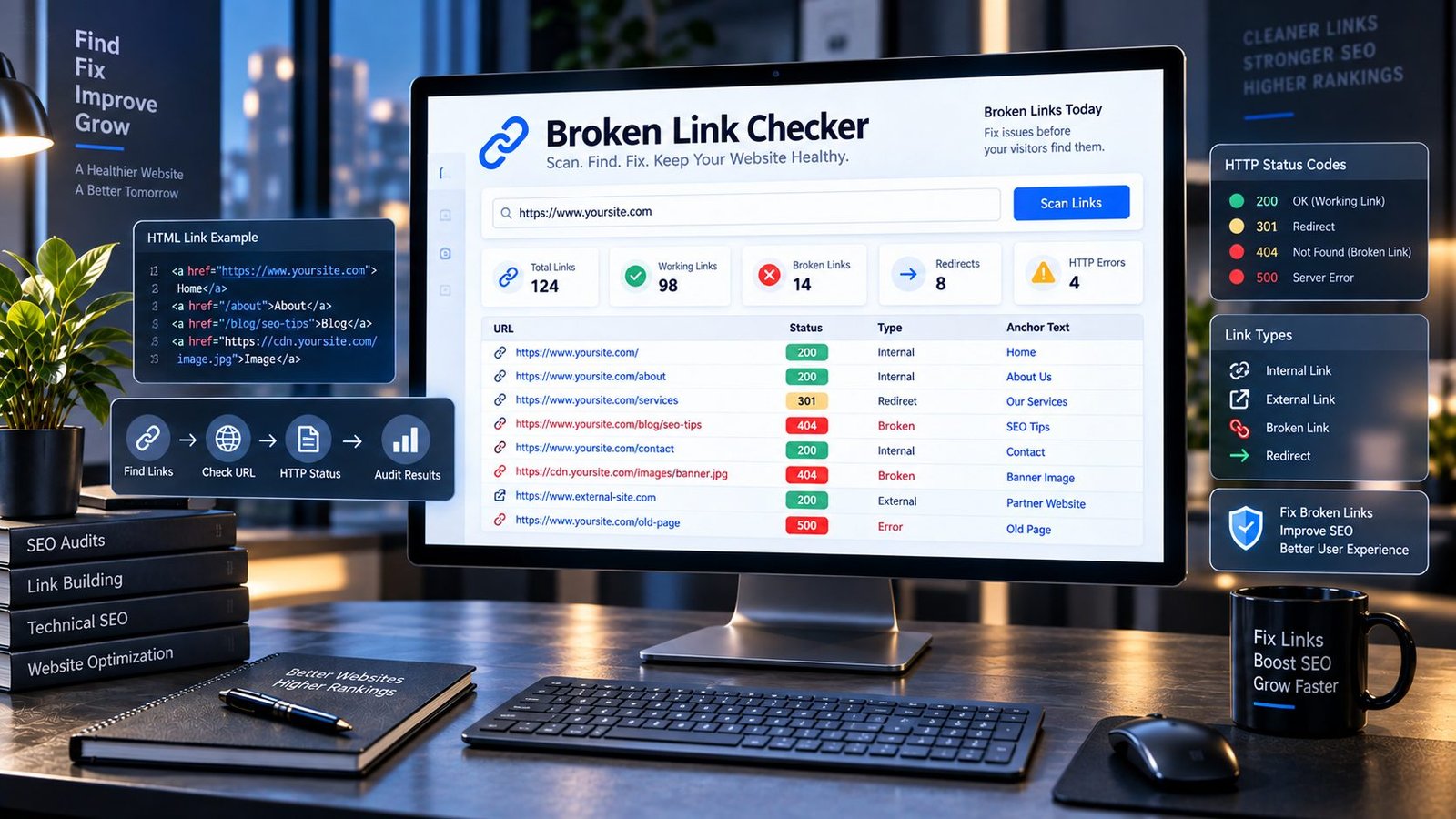
Broken Links Are Small Problems Until They Start Costing You Visitors
A website can look completely normal and still have links quietly leading visitors nowhere.
A page gets redesigned. A product is removed. An old article is moved to a new URL. A service page changes its structure. Another website you linked to disappears. Someone updates a menu and accidentally breaks a destination URL.
Nothing may look wrong from the homepage.
But behind the scenes, your website can slowly collect broken links.
That is exactly why a Broken Link Checker is useful.
PKCapra lets you enter a public webpage and check the links found on that page, helping you identify links that return errors, redirect somewhere else, or cannot be reached. Instead of manually opening every link one by one, you can use the checker as a quick diagnostic step before deciding what needs fixing.
And there is an important distinction here: finding a broken link is not the same thing as saying your entire website is broken. A link checker gives you evidence about individual destinations so you can investigate the problem intelligently.
Broken Link Checker
Scan a public webpage and find broken, redirected, unreachable and working links.
| Status | Type | Anchor text | URL | HTTP |
|---|
Analysis uses the public webpage URL you provide. Private, authenticated and non-web links are not fetched.
What Is a Broken Link?
A broken link is a hyperlink that no longer takes a visitor to the intended resource.
The destination might return a 404 Not Found, a 410 Gone, another client or server error, or fail to respond properly.
Sometimes the problem is obvious.
You click a link and get:
Page not found.
Sometimes it is less obvious.
The URL may redirect through several destinations. The server may be temporarily unavailable. The destination may have moved. The linked domain may have disappeared completely.
There are also links that look like URLs but are not web pages at all.
For example:
mailto:links open email applicationstel:links initiate phone calls- anchor links such as
#contactjump to a section on the same page - JavaScript links may behave differently from ordinary hyperlinks
A useful broken link checker should therefore distinguish between different kinds of links instead of treating every href value as an ordinary webpage.
Why Broken Links Deserve Your Attention
Broken links create friction.
A visitor clicks because something on your page promised a useful destination. When that destination fails, the visitor has to decide what to do next.
Most people simply go back.
That matters because a good website should make the next step obvious. Whether the link points to another article, a product, documentation, a service page, a reference, or an external resource, the destination should work as expected.
Broken links can also make content maintenance harder. You may have a beautifully written article with several useful references, but one outdated link can quietly reduce its usefulness.
This is why link checking belongs in a broader website maintenance workflow alongside tools such as the SEO Heading Analyzer, Meta Tags Analyzer, Canonical URL Checker, and Indexability & Crawlability Analyzer.
Each tool answers a different question.
A broken link checker asks a very simple one:
“Do the links on this page still lead somewhere useful?”
What Does the PKCapra Broken Link Checker Do?
The tool is designed to make a normally tedious check easier.
Enter a publicly accessible webpage URL and PKCapra examines the links it can find on that page.
The results can help you understand:
- which links are working
- which links return HTTP errors
- which links redirect
- whether a link is internal or external
- what anchor text is being used
- whether a destination could be reached
- which links may require manual investigation
This is intentionally different from blindly labeling every unusual response as “broken.”
A temporary server response, a redirect, and a genuine 404 are not the same problem.
Good SEO work starts by understanding the difference.
What Is an HTTP Status Code?
When your browser requests a URL, the server normally responds with an HTTP status code.
These codes provide useful information about what happened.
200 — OK
The request succeeded.
For a normal webpage, this generally means the destination responded successfully.
301 — Permanent Redirect
The requested URL has permanently moved to another location.
A redirect is not automatically a broken link. However, if your page still links to an old URL when the final destination is known, updating the link can make the path cleaner and easier to maintain.
302 — Temporary Redirect
The resource is temporarily available at another location.
Again, this is not automatically a broken link, but it deserves context.
404 — Not Found
The requested resource could not be found.
This is one of the most common signals associated with a broken link.
410 — Gone
The server is explicitly indicating that the resource is no longer available.
This usually deserves attention when your website still links to that URL.
500-Level Errors
A 5xx response indicates a server-side problem.
That does not necessarily mean the destination has permanently disappeared. It may be temporary, which is why a responsible link-checking workflow should distinguish an error response from a permanently dead destination.
For a deeper understanding of how HTTP responses work, Google’s web documentation and the HTTP specifications are useful references when diagnosing technical problems rather than guessing from a single browser result.
A Broken Link Is Not Always a 404
This is one of the easiest mistakes to make.
People often assume:
404 = broken
200 = good
Real websites are more complicated.
A URL returning 200 may still lead to an unexpected page. A redirect may eventually reach a perfectly valid destination. A server error may disappear later. A page may require authentication. A website may block automated requests.
That is why the result of a link checker should be treated as a diagnostic signal, not as an automatic instruction to delete every URL that produces an unexpected response.
Look at the destination.
Understand the response.
Then decide what action makes sense.
Internal Links vs External Links
A website normally contains two broad types of hyperlinks.
Internal links
These point to another URL on your own website.
For example, an article about meta descriptions might naturally reference your Meta Description Analyzer.
Internal links help visitors discover related content and help search engines understand relationships between pages.
When an internal link breaks, you have direct control over the solution.
You can usually:
- correct the URL
- update the link
- replace the destination
- remove the link
- redirect the old page when appropriate
External links
These point to another website.
For example, an article may reference an official documentation page, research source, government website, or another authoritative resource.
You do not control the external destination.
If that page disappears, your options may include finding a better replacement, removing the reference, or updating the URL.
That is why identifying internal and external links separately is useful when reviewing a broken-link report.
Why Anchor Text Matters Too
A link is not only a URL.
The words surrounding that URL tell readers what they should expect when they click.
Compare:
Click here
with:
Learn how to analyze your website’s meta tags
The second gives much more context.
When reviewing broken links, look at the anchor text alongside the destination URL.
If a broken URL has highly specific anchor text, you may be able to replace it with a more relevant resource rather than simply deleting the link.
This turns broken-link maintenance into a content improvement opportunity.
Should You Remove Every Broken Link?
No.
Not immediately.
First understand why the link is broken.
Imagine an old article links to:
example.com/old-guide
The destination now returns 404.
You have several possible solutions.
Option 1: Update the URL
If the guide still exists at a new address, replace the old URL with the current one.
Option 2: Find a better replacement
If the original resource disappeared, another authoritative resource may provide better information.
Option 3: Remove the link
If the reference no longer adds value, remove it.
Option 4: Review the surrounding content
Sometimes the broken link reveals something larger: the paragraph itself may now be outdated.
This is particularly important for older tutorials, product guides, statistics pages, and resource lists.
A broken link can be a small symptom of an older piece of content that needs a refresh.
Broken Links and SEO: What You Should Actually Know
There is a lot of exaggerated advice about broken links.
You may see claims that a few broken links will automatically destroy rankings.
That is not a useful way to think about SEO.
Search engines evaluate pages using many signals, and a single broken link does not magically make a page worthless.
The practical concern is quality and usability.
If a page contains outdated references, inaccessible resources, misleading destinations, or a large number of dead links, visitors may have a poorer experience.
Broken internal links can also interfere with the paths through which users and crawlers discover content.
That is why fixing broken links is best viewed as part of normal website quality maintenance rather than as a magic ranking trick.
For current guidance about how Google Search works, it is worth checking Google Search Central’s documentation.
Broken Links Can Reveal Bigger Website Problems
Sometimes the link itself is not the real problem.
Imagine discovering dozens of broken internal URLs.
That could indicate:
- a recent website migration
- changed permalink structure
- deleted pages
- incorrect redirects
- inconsistent URL formats
- an incomplete redesign
- old content that was never updated
- links copied from staging environments
- changes to product or service structures
In other words, a broken-link report can become a useful website maintenance diagnostic.
If many internal links suddenly fail after a redesign, do not manually repair them one by one before investigating what changed.
Look for the underlying pattern.
What About Redirects?
Redirects deserve their own category.
Suppose your page links to:
example.com/old-page
and that URL redirects to:
example.com/new-page
The link is not necessarily broken.
The visitor may still reach the intended content.
But if you control the source page, linking directly to the final URL can often make the relationship cleaner and avoid unnecessary redirect steps.
The right question is not:
“Is every redirect bad?”
It is:
“Does this redirect still make sense, and is the final destination correct?”
What About External Websites That Block Automated Requests?
This is another important limitation.
A website can respond differently to automated requests than it does to a normal human browser.
Some servers use:
- bot protection
- rate limiting
- firewalls
- authentication
- geographic restrictions
- security rules
- unusual request filtering
As a result, a checker may sometimes report that a URL could not be verified even though the page opens normally in your browser.
That does not mean you should immediately delete the link.
Treat an unreachable result as something to investigate.
Why a One-Page Link Checker Is Useful
There is a difference between checking one page and crawling an entire website.
A one-page checker is useful when you want a focused answer.
For example:
- you just published an article
- you updated an old post
- you changed several references
- you edited a resource page
- you are auditing an important landing page
- you want to verify links before publishing
- you suspect one particular page contains outdated URLs
You can start with the page that matters instead of launching a huge crawl.
That makes the tool particularly useful during everyday content maintenance.
A Simple Workflow for Fixing Broken Links
Here is a practical workflow that does not require complicated SEO software.
Step 1: Choose the page
Start with an important page rather than randomly checking everything.
Step 2: Run the Broken Link Checker
Enter the public URL and review the returned links.
Step 3: Separate real problems from special links
Ignore things such as:
mailto:tel:- page anchors
- other non-web destinations
unless you specifically want to audit those elements.
Step 4: Review HTTP responses
Pay particular attention to:
- 404
- 410
- 4xx errors
- 5xx errors
- unreachable destinations
Step 5: Investigate redirects
Check whether redirected URLs still lead to the correct destination.
Step 6: Fix the source page
Update, replace, remove, or otherwise correct the problematic link.
Step 7: Check the page again
After making important changes, run another check.
This final step is easy to skip.
Do not.
The Best Pages to Check First
If your website has hundreds or thousands of pages, you do not have to start everywhere.
Prioritize pages that matter most.
Your homepage
It is often the most visited and most linked page on a website.
Main service pages
A broken link on a commercial landing page can create unnecessary friction at exactly the wrong moment.
Product pages
Especially important for ecommerce websites where products, categories, and inventory URLs change frequently.
High-traffic articles
Old content often accumulates outdated references over time.
Resource pages
These commonly contain large numbers of external links.
Recently redesigned pages
A migration or redesign is one of the best times to run a link check.
Broken Internal Links Deserve Special Attention
When an internal link breaks, you control both sides of the problem.
That makes it one of the easiest technical issues to fix.
Suppose an old article links to:
/services/company-formation/
but your new page is:
/services/company-formation-dubai/
You should investigate why the old URL stopped working.
Perhaps the page was renamed.
Perhaps a redirect is missing.
Perhaps the link was simply typed incorrectly.
Do not assume the solution is always “create a new page.”
Sometimes the correct solution is simply fixing the existing link.
What Makes a Good Internal Linking Structure?
A healthy internal linking system should feel natural to a visitor.
A useful page should lead naturally to another useful page.
For example, a page discussing broken links might naturally lead readers to tools for analyzing:
- page headings
- meta tags
- canonical URLs
- indexability
- robots.txt
- XML sitemaps
- structured data
That is why PKCapra’s SEO tools are designed as a connected toolkit rather than isolated utilities.
If you are investigating technical SEO, you can move from the Broken Link Checker to the Robots.txt Analyzer, XML Sitemap Analyzer, Schema Markup Analyzer, or HTTP Header Security Analyzer depending on what you are trying to diagnose.
The goal is not to create more links.
The goal is to create useful next steps.
Don’t Confuse Broken Links With Broken Pages
There is another subtle distinction worth remembering.
A page can be perfectly accessible while one of the links inside it is broken.
For example:
Article: works perfectly
Image: loads correctly
Navigation: works
One external reference: returns 404
The page itself is not broken.
One destination is.
This distinction becomes especially important when reporting technical SEO issues to clients, developers, or content teams.
Be precise about what failed.
Broken Images Are a Different Problem
A traditional broken-link check primarily deals with hyperlinks.
Images are different.
An image can fail because its src points to a missing resource, but that is not necessarily the same as an <a href> link leading to a dead webpage.
If you want to audit images, you should use a dedicated image-related workflow and also check whether important images have meaningful alternative text.
For that type of on-page audit, a dedicated Image Alt Text Checker is more appropriate than treating every missing image as a broken hyperlink.
Broken Links After a Website Migration
Website migrations deserve special attention.
Changing:
- domains
- URL structures
- folders
- categories
- permalink formats
- product URLs
- service URLs
can create a large number of old references.
Before and after a migration, review important pages and important internal destinations.
If URLs have genuinely moved, implement appropriate redirects where necessary and update internal links to point to the current canonical destinations.
Do not rely on redirects as an excuse to leave an entire website pointing to obsolete URLs.
How Often Should You Check Broken Links?
There is no universal schedule that fits every website.
A small brochure website that changes once every few months does not need the same maintenance routine as a large ecommerce website publishing and removing products every day.
A practical approach is:
Check important pages after major edits.
Then perform broader periodic checks according to how frequently your website changes.
If your site publishes constantly, sells products, or depends heavily on external resources, more frequent monitoring makes sense.
The right frequency is the one that catches meaningful problems before visitors repeatedly encounter them.
What If a Broken Link Is on Another Website?
You cannot repair somebody else’s website.
If another website removed the page you referenced, you have three realistic choices:
- Find the new location.
- Replace the reference with a better source.
- Remove the reference if it is no longer useful.
This is one reason external links should be reviewed as part of content updates.
An article written three years ago may contain references that made perfect sense at publication but no longer represent the best available source today.
Broken Links and Content Refreshes
Here is a useful habit:
Whenever you refresh an old article, check its links.
You are already opening the article.
You are already reviewing the information.
You are already changing headings, examples, statistics, screenshots, or paragraphs.
That is the perfect moment to check whether the links still make sense.
A content refresh should not only make an article newer.
It should make the entire experience more reliable.
A Broken Link Can Be an Editorial Signal
Imagine an old article contains a link to a product that no longer exists.
You could simply delete the link.
But ask a better question:
What was this link trying to help the reader accomplish?
Maybe the reader needed:
- a replacement product
- a newer guide
- a current service
- updated documentation
- a current statistic
- a different category page
The broken link may therefore reveal an opportunity to improve the article rather than simply remove an HTML element.
That is where technical SEO and editorial SEO meet.
Don’t Turn Link Checking Into a Numbers Game
It is tempting to celebrate a report showing:
47 links checked
46 working
1 broken
But the number alone is not the objective.
One broken link can matter more than twenty harmless redirects.
For example, if that one broken link is the “Apply Now” button on your main service page, it deserves immediate attention.
Meanwhile, an old external reference buried deep inside a low-traffic article may be much less urgent.
Always consider:
What does this link do for the visitor?
That question is often more useful than the raw count.
What Should You Do When the Checker Finds a Broken Link?
Use this simple decision process:
Does the original resource still exist somewhere else?
If yes, update the URL.
Does an equivalent authoritative resource exist?
If yes, replace the old destination.
Is the information no longer needed?
Remove the link.
Is the response temporary or unclear?
Investigate before deleting it.
Is the URL behind authentication or bot protection?
Verify it manually.
Is it an internal URL that should still exist?
Investigate your website’s URL structure, redirects, and content status.
This approach prevents unnecessary changes.
Broken Link Checker FAQs
What is a Broken Link Checker?
A Broken Link Checker is a tool that examines hyperlinks on a webpage and helps identify destinations that return errors, redirect, or cannot be reached.
What causes broken links?
Common causes include deleted pages, changed URLs, website migrations, expired domains, incorrect URLs, removed products, changed permalink structures, and external resources being taken offline.
Is a 404 link always bad for SEO?
A 404 response does not automatically mean your entire page has an SEO problem. However, a broken link can create a poor user experience and should be reviewed, particularly when it points to an important internal or external resource.
Should I remove every 404 link?
No. First determine whether the resource moved, whether a replacement exists, or whether the link should simply be removed.
Are redirects considered broken links?
Not necessarily. A redirect can successfully take visitors from an old URL to a valid destination. However, unnecessary redirects are worth reviewing, especially when you control the source page.
Can a broken link checker check external links?
Yes, a link checker can attempt to verify external HTTP or HTTPS destinations, although external websites may use security systems that prevent automated verification.
Can I check an entire website with this tool?
The PKCapra Broken Link Checker is designed for focused webpage-level checking rather than pretending that one page scan is a complete site crawl. For large websites, check important pages systematically or use a dedicated crawler when you need a full-site audit.
Does the tool check mailto and telephone links?
These are different from normal HTTP/HTTPS webpages. A link checker should distinguish them rather than incorrectly reporting them as broken web pages.
Why does a URL sometimes work in my browser but fail in a checker?
Websites can treat automated requests differently from normal browser requests. Bot protection, rate limits, authentication, firewalls, geographic restrictions, or temporary server issues can affect automated verification.
How often should I check my website for broken links?
It depends on how frequently your website changes. At minimum, check important pages after major edits, migrations, or URL changes. Websites with frequently changing content may benefit from more regular checks.
Are broken internal links more important than broken external links?
They can be because you have direct control over internal destinations. A broken internal link may also indicate a deeper issue with your site’s URL structure or navigation.
Can fixing broken links improve rankings?
There is no legitimate promise that fixing a particular broken link will automatically increase rankings. The value is broader: better usability, cleaner site maintenance, stronger internal navigation, and more reliable content.
Your Website Should Not Send Visitors Down Dead Ends
A website earns trust one click at a time.
A visitor clicks a reference because you gave them a reason to believe the next page will be useful.
That next page should exist.
The point of a Broken Link Checker is not to turn SEO into a hunt for red warning signs. It is to help you find the places where your website’s promises no longer match reality.
Check the link.
Understand the response.
Look at the destination.
Then make the right editorial or technical decision.
That is a much better approach than blindly deleting anything that looks unusual.
And once your links are healthy, continue the wider audit. Check your metadata, headings, canonical signals, indexability, structured data, and other technical elements as part of a complete SEO maintenance process.
Because a strong website is not built by fixing one problem.
It is built by making sure all the small things work together.