
A search result has very little space to earn a click.
Your title gets attention. The text underneath it has a different job: it gives the searcher enough context to decide whether your page is worth opening.
That short piece of text is where your meta description can make a difference.
It sounds simple. Write a sentence, add a keyword, keep it short, and move on.
In practice, good meta descriptions are much harder to write.
A description that is too vague says nothing. One that is stuffed with keywords feels artificial. One copied across dozens of pages wastes an opportunity to explain what makes each page different.
And sometimes the description you carefully wrote isn’t even the text Google chooses to display.
That is exactly why checking the actual HTML matters.
Our Meta Description Analyzer lets you inspect the description currently being served by a public webpage and evaluate it from a practical SEO perspective.
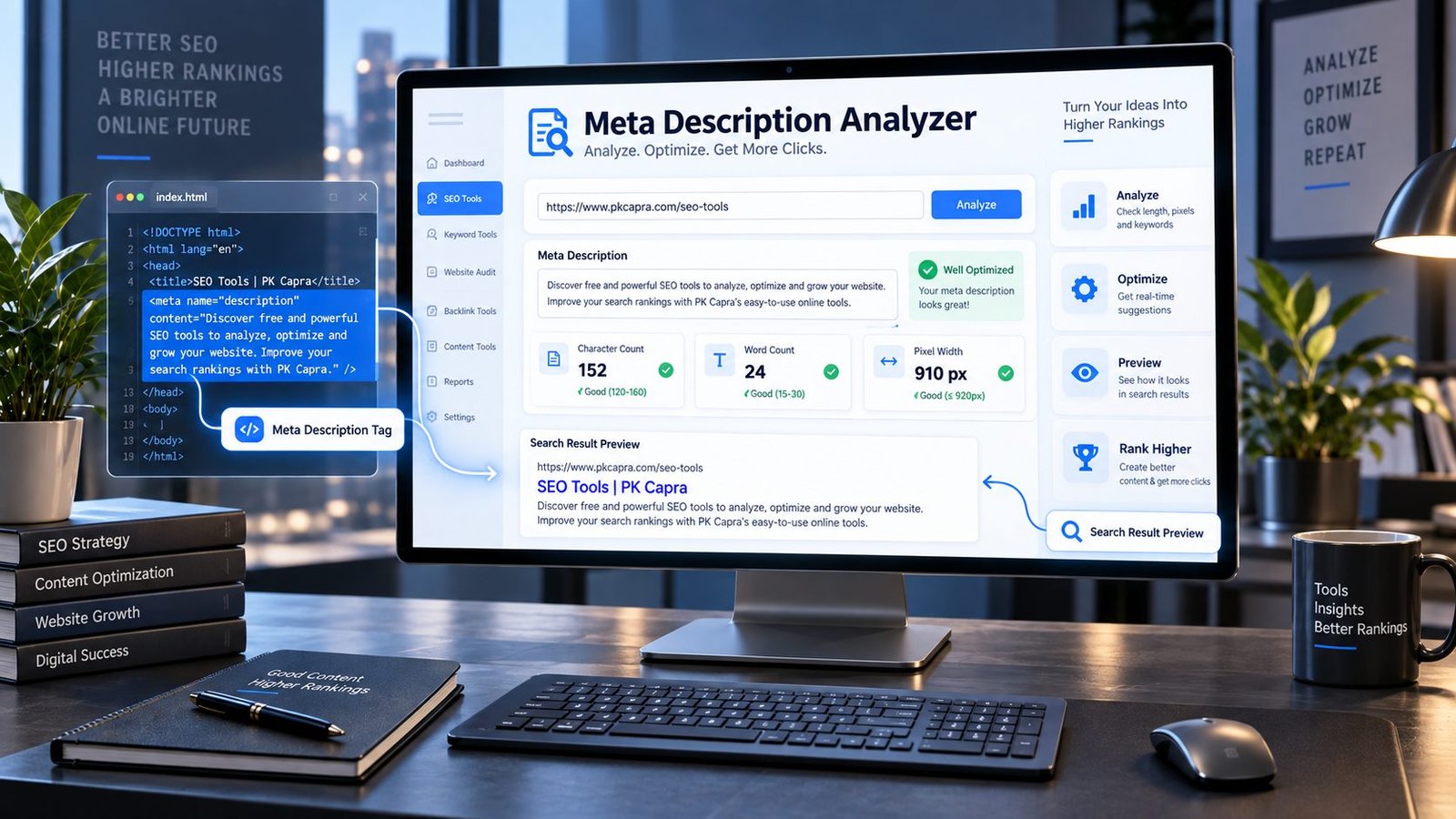
Enter a URL, analyze the page, and see the description, its length, word count, estimated display width, and search-result preview in one place.
Meta Description Analyzer
Check the meta description of a public webpage for length, clarity signals and search-result preview.
Analysis uses the public webpage URL you provide. Do not submit private or authenticated URLs.
What Is a Meta Description?
A meta description is an HTML <meta> element that provides a description of a webpage.
A typical example looks like this:
<meta name="description" content="Compare online tools for checking, improving, and auditing your website's SEO.">
Unlike a normal paragraph, the description sits inside the page’s HTML rather than being part of the main visible article.
Its intended purpose is to give search engines useful information about the page.
But there is an important detail that gets lost in a lot of SEO advice:
A meta description is not a guaranteed script for Google’s search snippet.
Google can use the meta description when generating a snippet, but it may also choose other text from the page when that text better matches a particular search. Google’s current documentation specifically notes that the primary source of search-result snippets is page content, while the meta description can be used when it better describes the page.
That changes how you should think about meta descriptions.
Don’t write them as instructions to Google.
Write them as a useful description of the page.
Why a Meta Description Still Matters
Imagine two search results.
The first says:
SEO Tools | PKCapra
And underneath:
Free online tools for websites and SEO.
The second says:
Meta Description Analyzer – Check Your SEO Description
And underneath:
Check the actual meta description on any public URL, measure its length and estimated width, and preview how your search result may look.
Which one gives you a reason to click?
The second result tells you what the page does.
That’s the real opportunity.
A strong description can help communicate:
- What the page is about
- What the visitor can do there
- What makes the page useful
- Which problem the page solves
- What someone should expect after clicking
It doesn’t need to sound like an advertisement.
It needs to sound like a clear answer to the searcher’s question:
“Why should I open this result?”
What Does the PKCapra Meta Description Analyzer Check?
The tool is built around one simple principle:
Don’t optimize what you think your page contains. Check what the page actually contains.
When you enter a public webpage URL, the analyzer retrieves the page and looks for its meta description.
You can then review several useful signals.
Detected Meta Description
The first thing you need to know is whether the page has a meta description at all.
The analyzer extracts the description it finds in the page source so you can inspect the actual value instead of relying on a WordPress editor, SEO plugin preview, or memory.
This is particularly useful when working with large websites where descriptions may be generated automatically.
Character Count
The analyzer counts the characters in the detected description.
This gives you a quick way to identify descriptions that are extremely short, unusually long, or potentially too verbose.
But don’t turn character count into a rigid SEO rule.
There is no magic number that guarantees Google will display your entire description exactly as written.
Search snippets depend on the search query, available space, device, and Google’s systems.
Length is a useful diagnostic.
It is not a ranking formula.
Word Count
Word count gives you another perspective.
A description with only a few generic words may fail to communicate the value of the page.
A description containing an enormous number of words may be trying to explain an entire article in one sentence.
The objective isn’t maximum length.
It is maximum useful information without unnecessary language.
Estimated Pixel Width
This is where the analysis becomes more practical.
Two descriptions containing the same number of characters can occupy very different amounts of horizontal space because individual letters have different widths.
The analyzer therefore provides an estimated pixel width as an additional visual signal.
It is a heuristic — not Google’s private rendering system.
Use it to identify descriptions that may be visually excessive, not as a promise that Google will truncate the description at a particular pixel measurement.
Description Status
The analyzer also provides practical checks that help you identify obvious issues.
Instead of manually inspecting source code and counting characters, you get a quick overview of whether the description looks worth revisiting.
The Biggest Meta Description Mistake: Writing for a Character Limit
SEO has produced a lot of “rules” that sound precise because they involve numbers.
Meta descriptions are one of the best examples.
You’ll often hear something like:
“Your meta description must be exactly 155 characters.”
It sounds authoritative.
It isn’t.
Search snippets are dynamic.
Google can show different amounts of text depending on the search and the available space. More importantly, Google can choose a snippet from the actual page content rather than using your meta description exactly as written.
So don’t write:
“I have 160 characters, therefore my SEO is perfect.”
Write:
“I have enough space to clearly explain why someone should choose this page.”
That is a much healthier SEO mindset.
A Meta Description Should Complete the Title
Your title and description shouldn’t compete with each other.
They should work as a pair.
Think of the title as the headline.
Think of the description as the reason to continue.
For example:
Title:
Meta Description Analyzer – Check SEO Descriptions Online
Description:
Check the actual meta description of any public URL, measure its length and estimated width, and review a realistic search-result preview.
The title tells you what the page is.
The description tells you what you can do with it.
That’s a much stronger relationship than repeating the same phrase twice.
Don’t Repeat the Title
A surprisingly common description looks like this:
Title:
Meta Description Analyzer
Description:
Meta Description Analyzer is a meta description analyzer that analyzes meta descriptions.
Nothing is technically mysterious about it.
It’s simply useless.
The visitor already knows the page name.
The description should add information.
Tell them what happens after they click.
Tell them what problem the tool solves.
Tell them what they can check.
Give them a reason to care.
Don’t Stuff Keywords Into the Description
Suppose your target phrase is:
meta description analyzer
You could write:
Meta description analyzer, meta description checker, SEO meta description analyzer, meta description tool, free SEO description checker online.
Every word is related.
Almost nobody would enjoy reading it.
A better version would be:
Check the meta description used by any public webpage, measure its length and width, and see how the description fits into a realistic search-result preview.
The topic is obvious without forcing the keyword repeatedly into the sentence.
That is the difference between optimization and keyword stuffing.
Should You Include Your Keyword?
If your primary topic naturally belongs in the description, absolutely.
But don’t treat the meta description like a keyword container.
Google’s systems understand page content in context, and the description is most useful when it accurately summarizes the page.
Write the sentence first.
Then ask:
Did I naturally explain what this page is about?
If yes, stop.
You don’t need to repeat the phrase three more times.
What Happens When Google Ignores Your Meta Description?
This is one of the most misunderstood parts of on-page SEO.
You write a carefully crafted description.
You publish the page.
Later, you search for it.
Google displays completely different text.
That doesn’t necessarily mean your description was wrong.
Google may select text from the page itself when it believes that text better answers the searcher’s query. Google’s documentation has recently clarified that page content is the primary source for search snippets and that the meta description isn’t necessarily what appears in the result.
This leads to an important SEO lesson:
Your meta description should describe the page accurately, but your page content must also stand on its own.
You can’t outsource snippet quality to one HTML tag.
Write for the Query, Not Just the Page
A good meta description answers the question behind the search.
Consider a page about an image compressor.
A generic description might say:
Free online image compression tool for optimizing images.
That’s fine.
But imagine the searcher’s actual concern is:
“How do I reduce an image size without installing software?”
A more useful description might say:
Compress JPG, PNG, and WebP images online without installing software. Reduce file size quickly while keeping your images practical for web use.
Now the description is speaking to a real problem.
That’s what makes search-result copy useful.
Meta Description vs Search Snippet
These terms are often treated as if they mean the same thing.
They don’t.
Your meta description is the HTML value you provide.
Your search snippet is the text Google displays beneath a search result.
Sometimes they are nearly identical.
Sometimes they are different.
Sometimes Google uses page content instead.
The distinction matters because a meta description analyzer can tell you what you actually supplied — but no tool can guarantee exactly what Google will eventually display for every query.
That isn’t a weakness of the tool.
It’s simply how modern search works.
When Should You Analyze a Meta Description?
You can use the analyzer during almost any SEO audit.
It is particularly useful for:
- Homepage audits
- Service pages
- Product pages
- Category pages
- Blog posts
- Landing pages
- Location pages
- Tool pages
- Ecommerce collections
- Older pages being refreshed
- Pages receiving impressions but fewer clicks than expected
- Large sites using automatically generated metadata
If a website has hundreds or thousands of URLs, manually opening page source becomes tedious very quickly.
A dedicated analyzer gives you a faster way to inspect individual pages and identify obvious metadata problems.
The Pages Worth Checking First
Don’t start by analyzing random pages.
Start with pages that matter.
A sensible order is:
1. Homepage
Your homepage often represents the broadest understanding of the site.
2. Money pages
Check the pages that generate leads, sales, bookings, or meaningful business value.
3. High-impression pages
If Search Console shows that a page is appearing frequently but attracting fewer clicks than you’d expect, its search presentation deserves attention.
4. Important evergreen content
Pages that should remain useful for months or years deserve better metadata than a quick autogenerated sentence.
5. Old pages
Metadata often becomes outdated while the actual content evolves.
That’s an easy problem to miss.
A Better Meta Description Workflow
Here’s the workflow we recommend:
Find → Inspect → Understand → Rewrite → Compare → Publish → Monitor
First, find the actual description.
Then inspect it.
Ask whether it accurately represents the page.
Rewrite it for the person searching.
Compare it with the title.
Publish.
Then watch how the page performs.
This is much better than blindly changing descriptions every few days.
SEO needs enough time and data to tell you whether a change was actually useful.
What Makes a Meta Description Feel Human?
Read it like a customer.
If the sentence sounds like:
“Our premium innovative solution provides users with the best comprehensive world-class experience…”
delete it.
Nobody searches that way.
Nobody talks that way.
And nobody trusts vague marketing language simply because it contains impressive adjectives.
Human descriptions usually do something simpler.
They say what the page does.
They say who it is for.
They explain the useful outcome.
And they stop.
For example:
Check any public URL to see its actual meta description, character count, estimated width, and search-result preview before you publish or update the page.
That’s not trying to impress anyone.
It is simply useful.
Don’t Promise What the Page Doesn’t Deliver
This is more important than clever wording.
If your page is a free checker, say it is a checker.
If it only analyzes public URLs, don’t imply that it can inspect private pages.
If your tool estimates pixel width, call it an estimate.
If Google may rewrite the snippet, don’t promise that your description will appear exactly as written.
Accurate copy creates better expectations.
Better expectations create better clicks.
And better clicks lead to better user experiences.
Meta Descriptions and Other On-Page Signals
A meta description is only one part of the page.
If you’re performing a serious SEO audit, you should also examine the page’s title, headings, canonical URL, indexability, structured data, internal links, and crawlability.
For example, after checking your description, you can continue with the Title Tag Analyzer to inspect the page title.
You can then review the Meta Tags Analyzer for a broader look at metadata.
For URL consistency, use the Canonical URL Checker.
If the page has indexing concerns, the Indexability / Crawlability Analyzer can help you investigate whether search engines can access and index the page as intended.
For content structure, the SEO Heading Analyzer is useful for reviewing heading organization.
And when you’re looking at search-focused content itself, the SEO Content Readability Analyzer can help you assess whether the writing is easy to consume.
These tools answer different questions.
That’s important.
A page can have an excellent meta description and still have a serious technical SEO problem.
What About Duplicate Meta Descriptions?
If fifty pages have essentially the same description, you’re missing an opportunity.
Imagine a website with:
- 20 service pages
- 50 product pages
- 30 category pages
If every page says:
“Learn more about our products and services. Contact us today.”
the description isn’t helping anyone distinguish one URL from another.
A better approach is to describe the specific page.
The description for a web design service should sound different from the description for an SEO audit.
A product page should describe the product.
A category page should describe the category.
The more specific the page, the more specific the description should usually be.
What If a Page Has No Meta Description?
Don’t panic.
A missing description doesn’t automatically mean the page cannot rank.
Search engines can generate snippets from page content.
But for important pages, providing a concise, relevant description gives you an additional piece of metadata that can help communicate what the page is about.
Think of it as giving Google a useful candidate rather than leaving the entire job to automatic generation.
Can a Meta Description Improve Rankings?
Don’t treat the meta description as a direct ranking switch.
Its bigger value is in search-result communication and click decisions.
Google’s documentation describes search appearance as something influenced by multiple systems and page signals, rather than one metadata field guaranteeing a particular search result.
So the goal isn’t:
“Write the perfect meta description and rank #1.”
The real goal is:
“Make the search result accurately explain why this page deserves attention.”
That is a much more useful objective.
A Simple Test for Every Description
Before publishing a meta description, ask yourself four questions:
Does it describe the actual page?
If not, rewrite it.
Does it tell the searcher something useful?
If not, add the missing value.
Does it sound like a human wrote it?
If not, remove the marketing fluff.
Would I click this result?
If the answer is no, don’t blame Google.
Rewrite it.
Frequently Asked Questions
What is a meta description analyzer?
A meta description analyzer is an SEO tool that checks the <meta name="description"> element of a webpage and provides information such as the detected description, character count, word count, estimated display width, and search-result preview.
What is a meta description?
A meta description is an HTML metadata element that provides a description of a webpage. Search engines may use it when creating the snippet displayed beneath a search result.
How long should a meta description be?
There is no universal character limit that guarantees your entire description will appear in Google. Length is useful to monitor, but clarity, relevance, and usefulness matter more than hitting an exact number.
Does Google always use my meta description?
No. Google may use the meta description, but it can also generate a snippet from the visible content of the page when that text better matches the search query.
Should every page have a meta description?
Important pages should generally have a useful, page-specific description when practical. However, the absence of a meta description does not prevent a page from appearing in search.
Should I put my keyword in the meta description?
If the keyword naturally belongs in the sentence, yes. But don’t repeat it unnecessarily. A useful description is more important than keyword repetition.
Can I use the same meta description on multiple pages?
You can, but it is usually a missed opportunity when the pages have different purposes. Important pages benefit from descriptions that clearly distinguish one page from another.
Is the pixel width in this analyzer exact?
No. The analyzer provides an estimated pixel width to help you evaluate the visual length of the description. Search-result rendering can vary.
Why does Google show different text from my description?
Google can generate a snippet from the page’s visible content when it believes that content is a better match for the searcher’s query. This is normal search behavior.
Can a good meta description guarantee higher rankings?
No. There is no meta description formula that guarantees a ranking position. The description is one part of your search presentation, while overall search visibility depends on many signals and on the usefulness of the page.
Your Meta Description Is an Invitation, Not a Ranking Spell
There is a temptation in SEO to treat every HTML element like a secret switch.
Put in the right keyword.
Hit the right character count.
Get the green score.
Rank.
Real websites don’t work that neatly.
A meta description is much more useful when you treat it as a tiny piece of editorial writing.
Someone searched for something.
Your page appeared.
They are deciding whether to give you their next few seconds.
Use those few words to make the decision easier.
Tell them what they’ll find.
Tell them why it matters.
Don’t exaggerate.
Don’t stuff keywords.
Don’t write for a robot.
And don’t worry if Google occasionally chooses different text — its job is to generate the snippet it believes is most useful for the search.
Use the PKCapra Meta Description Analyzer to see what your page is actually serving, measure the description, inspect the search preview, and make a better decision before you publish.
Because good metadata isn’t about making a search engine happy.
It’s about making the right person think:
“Yes. This is exactly what I was looking for.”