
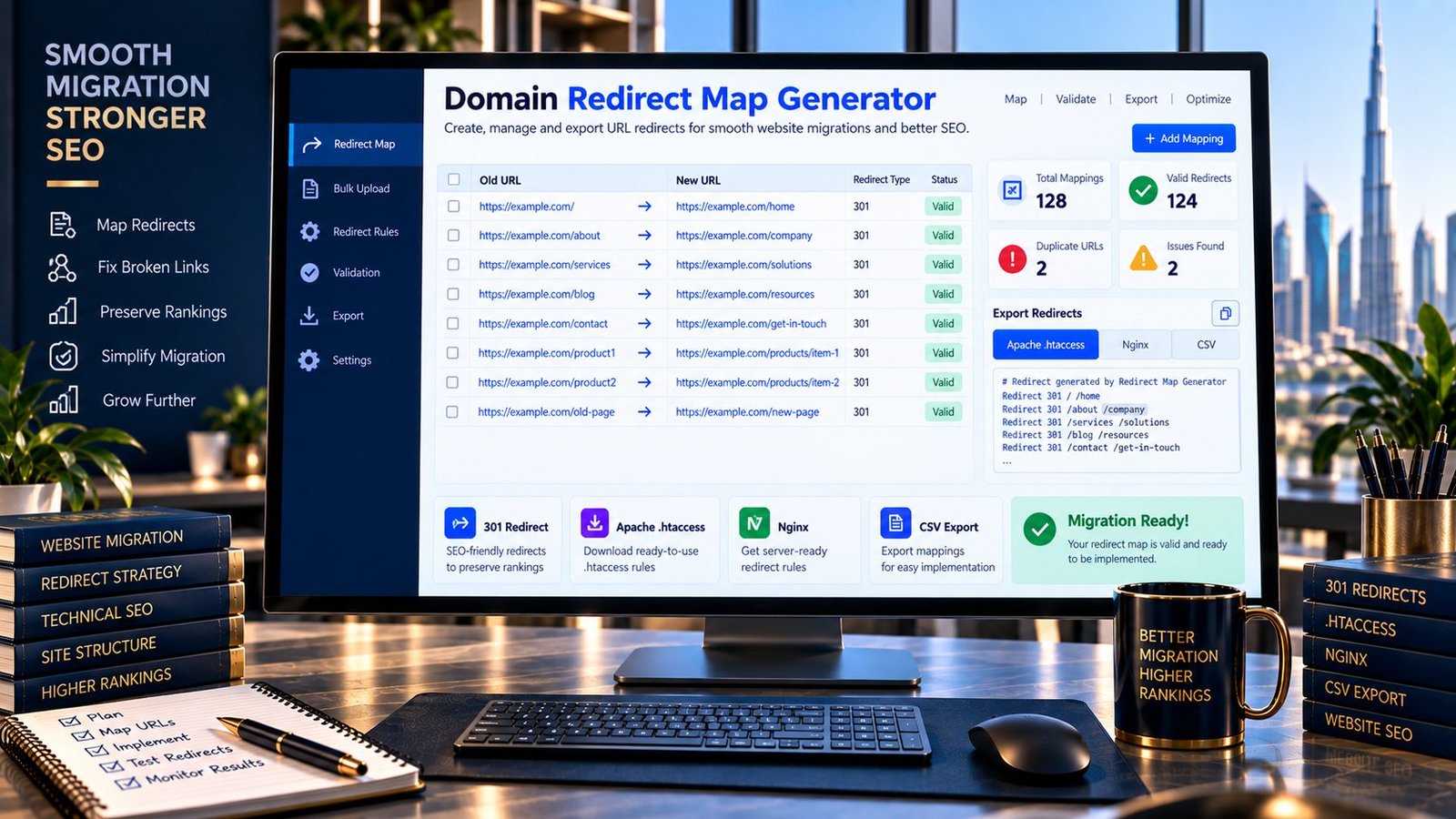
Create a Domain Redirect Map Online
Moving a website to a new domain or changing your URL structure? PKCapra’s Domain Redirect Map Generator helps you create an organized mapping between old URLs and their corresponding new URLs.
Enter your old and new domains, choose a mapping method, and generate redirect output that you can review before implementing it on your server.
The tool supports same-path domain migrations as well as paired URL mappings, with output formats for Apache .htaccess, Nginx, CSV, and plain URL mappings.
Domain Redirect Map Generator
Create a clean 301 redirect map when moving a website to a new domain.
A redirect map is a migration planning aid. Review every destination before publishing redirects. Test representative old URLs, avoid redirect chains and loops, and keep redirects in place long enough for the migration to settle.
What Is a Domain Redirect Map?
A domain redirect map is a structured list showing which old URLs should redirect to which new URLs.
For example:
https://old-example.com/about/
        ↓
https://new-example.com/about/
A redirect map is particularly useful when a website changes domains but keeps a similar URL structure.
It can also be used when individual pages move to different locations:
Old URL                         New URL
/old-service/                   /services/new-service/
/old-blog-post/                 /blog/new-blog-post/
The map provides a clear reference before redirect rules are implemented.
Why Create a Redirect Map?
A carefully prepared redirect map can make website migration work more organized.
It can help you:
- Document old-to-new URL relationships.
- Prepare 301 redirect rules.
- Review URL mappings before deployment.
- Identify missing destination URLs.
- Detect duplicate mappings.
- Maintain a migration checklist.
- Prepare Apache or Nginx redirect configurations.
- Export mappings for technical teams.
- Reduce manual work when handling many URLs.
A redirect map is a planning and implementation aid. Creating the map itself does not activate redirects on your website.
When Do You Need a Redirect Map?
A redirect map can be useful during:
Domain Changes
When moving from one domain to another while preserving page paths.
Website Redesigns
When pages are reorganized and their URLs change.
URL Structure Changes
When an existing URL pattern is replaced by a new structure.
Website Consolidation
When content from multiple websites is moved into one domain.
Content Migration
When individual articles, services, products, or other pages receive new URLs.
HTTPS or Hostname Changes
When URLs move between different hostnames or protocol configurations, depending on the migration architecture.
Same-Path Domain Migration
If the old and new domains use the same URL paths, the Same-Path Migration approach can simplify mapping.
For example:
Old:
https://oldsite.com/services/company-formation/

New:
https://newsite.com/services/company-formation/
The path remains unchanged while the domain changes.
A generated mapping can therefore associate the old domain with the corresponding new domain while preserving the path.
This is useful when a website migration does not involve a major URL restructuring.
Paired URL Mapping
Not every migration preserves the same URL structure.
With paired mapping, you can explicitly provide an old URL and its corresponding new URL.
Example:
Old URL:
https://oldsite.com/about-us/

New URL:
https://newsite.com/about/
Another example:
Old URL:
https://oldsite.com/blog/seo-guide/

New URL:
https://newsite.com/resources/seo-guide/
This approach provides more control when individual pages have moved to different paths.
How to Use the Domain Redirect Map Generator
Step 1: Choose a Mapping Method
Select Same-Path Migration when the old and new domains use matching paths.
Choose Paired URL Mapping when individual old URLs need to be matched with specific new URLs.
Step 2: Enter Your URLs
Provide the required old and new domain or URL information.
Step 3: Generate the Mapping
Run the generator to create your redirect map.
Step 4: Review the Results
Check the mappings for duplicates, missing pairs, incorrect paths, and unexpected destinations.
Step 5: Choose an Output Format
Generate the format appropriate for your workflow, such as Apache .htaccess, Nginx, CSV, or plain URL mapping.
Step 6: Review Before Publishing
The generated rules should be tested and reviewed before being deployed to a production website.
Apache .htaccess Redirects
Apache servers can use .htaccess rules for redirects when the server configuration permits it.
A typical domain migration rule can look conceptually like:
RewriteEngine On
RewriteCond %{HTTP_HOST} ^old-example\.com$ [NC]
RewriteRule ^(.*)$ https://new-example.com/$1 [R=301,L]
The exact rule required depends on the website’s server configuration, domain variants, protocol, paths, existing rules, and migration requirements.
Do not blindly paste generated rules into production. Review them against your existing server configuration first.
Nginx Redirects
Nginx uses a different configuration syntax from Apache.
A basic domain migration can use a server configuration concept such as:
server {
    server_name old-example.com;
    return 301 https://new-example.com$request_uri;
}
The correct configuration depends on your Nginx setup and existing server blocks.
Always test configuration changes before deploying them to a production environment.
What Is a 301 Redirect?
A 301 redirect indicates that a URL has been permanently moved to another location.
During a legitimate website migration, redirects can help visitors and crawlers reach the corresponding new URLs instead of encountering outdated addresses.
A redirect should point users to the most appropriate new destination rather than automatically sending every old URL to an unrelated page.
Redirect Mapping Best Practices
Map Relevant URLs
Each important old URL should have an appropriate destination where one exists.
Avoid Unrelated Redirects
Do not redirect every old URL to the homepage simply because creating individual mappings is inconvenient.
Check Destination URLs
Make sure destination URLs exist and return the expected response.
Avoid Redirect Chains
Where practical, redirect the original URL directly to the final destination rather than creating multiple sequential redirects.
Check for Loops
A redirect loop can prevent visitors and crawlers from reaching the intended page.
Preserve Important Paths Carefully
When performing a same-path migration, verify that the path structure genuinely remains compatible between the two domains.
Test Before Deployment
Review and test redirect rules before applying them to a production server.
Redirect Maps and SEO
Redirect mapping can be an important part of technical SEO during website migrations.
However, redirects do not guarantee that rankings, traffic, or indexing will remain unchanged after a migration.
Search engines need to process the new URLs and understand the relationship between old and new locations.
A migration should therefore involve more than simply generating redirect rules.
Depending on the migration, you may also need to review:
- Internal links
- Canonical URLs
- XML sitemaps
- Robots directives
- Indexability
- HTTP status codes
- Structured data
- Analytics
- Search Console configuration
- External links
- Old and new URL inventories
For canonical signals, you can use PKCapra’s Canonical URL Checker. For response codes, the HTTP Status Checker can help verify individual URLs.
Domain Migration Workflow
A practical migration workflow can look like this:
Before Migration
Create an inventory of important existing URLs.
Build the Redirect Map
Match each old URL with its appropriate new destination.
Generate Redirect Rules
Create the required server configuration.
Review
Look for duplicate, missing, incorrect, or unexpected mappings.
Implement
Deploy the approved redirects on the appropriate server.
Test
Check representative old URLs and confirm that they redirect to the intended destinations.
Update Internal Links
Update links within the new website so they point directly to the new URLs.
Update Sitemap
Generate or update the XML sitemap so it reflects the new URL structure.
Monitor
Continue checking the migrated website for crawl, indexing, redirect, and technical issues.
Common Redirect Mapping Mistakes
Redirecting Everything to the Homepage
A blanket homepage redirect can provide a poor destination for visitors who were looking for specific content.
Forgetting Important URLs
Missing high-value or heavily linked URLs can create unnecessary migration problems.
Creating Redirect Chains
Multiple redirects between the original and final URL add unnecessary complexity.
Creating Redirect Loops
Incorrect rules can cause URLs to redirect back to themselves or repeatedly between destinations.
Mixing Domains Incorrectly
Review domain variants such as www and non-www, as well as HTTP and HTTPS, according to the migration architecture.
Implementing Without Testing
A syntactically valid rule can still behave incorrectly within a real server configuration.
Key Features
Same-Path Domain Migration
Create mappings when old and new domains share compatible URL paths.
Paired URL Mapping
Map individual old URLs directly to their intended new URLs.
Apache Output
Generate .htaccess-style redirect rules for review.
Nginx Output
Generate Nginx-style redirect configuration for review.
CSV Export
Export your mapping for documentation, auditing, or team workflows.
Plain URL Mapping
View the old-to-new relationships in a simple format.
Duplicate Detection
Identify duplicate mapping entries.
Unmatched-Pair Detection
Highlight incomplete paired mappings.
Query String Handling
Choose whether query strings should be preserved in supported generated mappings.
Browser-Side Processing
The mapping interface performs its core processing in your browser.
Privacy & Processing
The redirect mapping interface is designed to process the mapping data in your browser.
No external SEO API is required to create the mapping output.
Do not enter confidential URLs, private infrastructure information, credentials, or other sensitive information into an online tool unless you are comfortable with its processing model.
Generating a redirect map does not change your website’s server configuration.
You must review and deploy the generated configuration separately.
Important Limitations
A generated redirect rule is not automatically guaranteed to be correct for every server configuration.
Apache and Nginx configurations can vary significantly depending on hosting architecture, existing rules, application routing, caching, proxies, CDNs, and other infrastructure.
Always test redirects before production deployment.
A redirect map also cannot determine the correct business or editorial destination for an old URL automatically in every migration. Human review is important when URLs have changed substantially.
Frequently Asked Questions
What is a domain redirect map?
A domain redirect map is a list that connects old website URLs with their corresponding new URLs, commonly used during domain and website migrations.
What is a 301 redirect?
A 301 redirect indicates that a URL has been permanently moved to another location.
Can I generate redirects for an entire domain?
Yes. The same-path migration mode can generate mappings when the old and new domains use compatible paths.
Can I map different old and new URLs?
Yes. Paired URL Mapping allows individual old URLs to be matched with specific new URLs.
Does the tool automatically install redirects?
No. It generates redirect mapping and configuration output for review. It does not modify your server.
Does a redirect map improve SEO?
A redirect map can support a technically organized website migration, but generating a map does not itself improve rankings.
Can I generate Apache redirects?
Yes. The tool provides Apache .htaccess-style output for supported mappings.
Can I generate Nginx redirects?
Yes. Nginx-style redirect configuration is available as an output format.
Should every old URL redirect to the homepage?
Not necessarily. Where an appropriate new destination exists, mapping an old URL to its relevant replacement is generally more useful than using a blanket homepage redirect.
Should I test redirects before publishing?
Yes. Review the generated mappings and test representative URLs before deploying changes to production.
Related PKCapra Tools
During a website migration, you can use the Redirect Checker to inspect existing redirect behavior, the HTTP Status Checker to verify response codes, and the Canonical URL Checker to review canonical signals.
The Sitemap URL Extractor can help you extract URLs from XML sitemaps for migration inventories, while the Internal Links & Crawl Path Analyzer can help review internal linking after the migration.
Final Takeaway
A good redirect map gives a website migration a clear old-to-new URL plan.
Use the Domain Redirect Map Generator to organize mappings, generate configuration output, and prepare your migration for implementation.
Before publishing redirects, review the mappings carefully, test representative URLs, and check the wider technical SEO setup.
A redirect generator creates the rules; careful migration planning and testing determine whether those rules are appropriate for your website.