
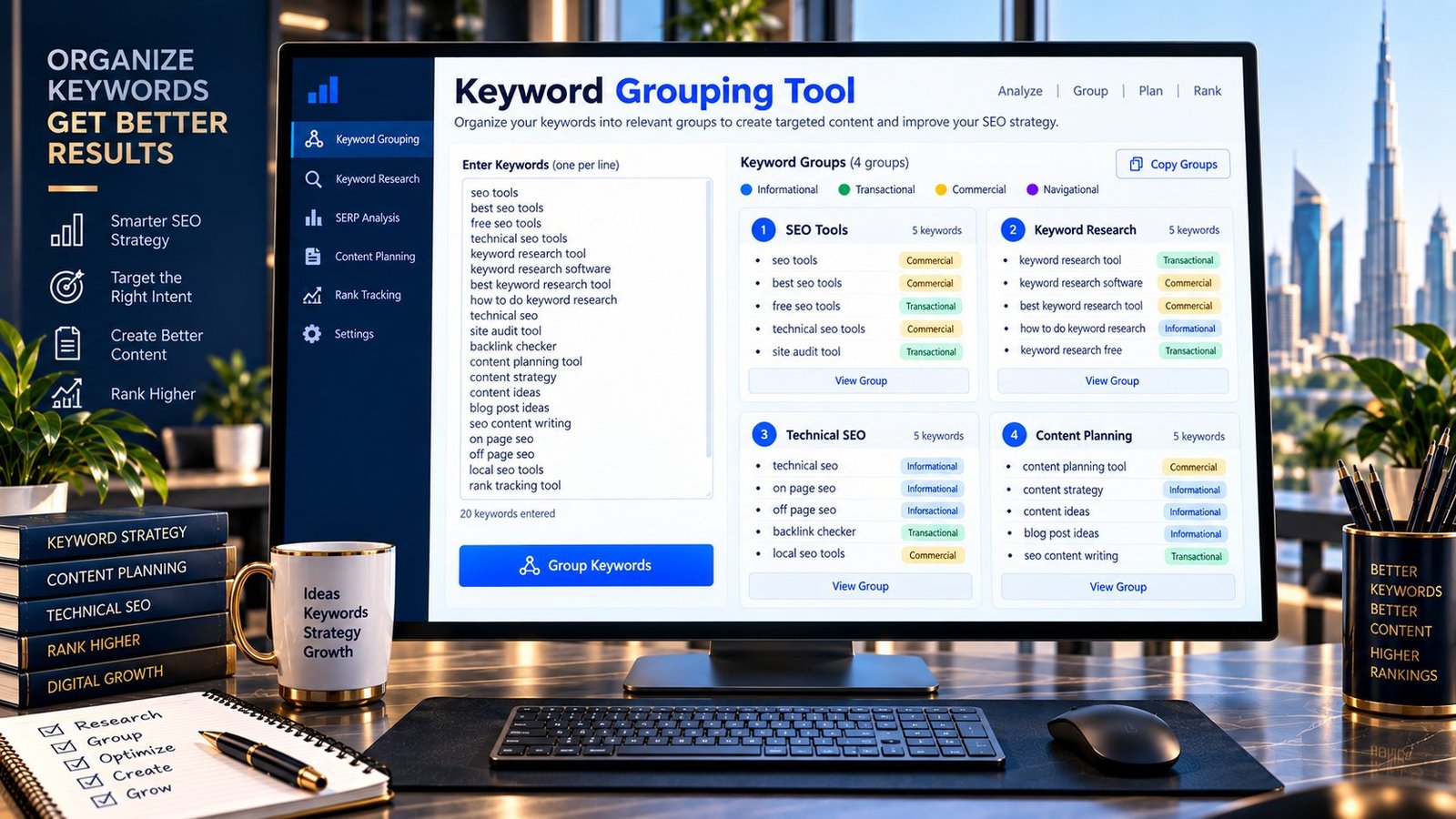
Organize a messy keyword list into practical SEO groups with PKCapra’s Keyword Grouping Tool.
Paste your keywords, let the tool identify topic and search-intent signals, and organize related terms into groups that can make keyword research and content planning easier.
The tool is designed for quick browser-based research and does not require a Google account, external SEO API or paid keyword database.
Important: Automated keyword grouping is a research aid. A group does not automatically mean every keyword should target the same page. Review search intent and relevant search results before making final content or URL decisions.
Keyword Grouping
Organize keywords into practical SEO groups using topic words and search-intent signals.
- Use grouping to organize research, not to automatically decide your final URLs.
- Review search intent before combining keywords on one page.
- Commercial, informational, transactional and navigational terms may need different content even when wording overlaps.
- Use actual SERP research for important content-architecture decisions.
Grouping is performed in your browser. It does not use Google Search, live SERPs, search volume, keyword difficulty or analytics data.
How to Use the Keyword Grouping Tool
Sorting disorganized search term datasets into clear topical clusters can be executed instantly inside your local browser environment:
- Prepare Your Keyword List: Collect your search terms from your target research tools and arrange them with one distinct keyword or phrase parameter per line.
- Paste the Keywords: Drop your raw, unorganized keyword list directly into the designated input workspace area box.
- Generate Groups: Check your preferred parameters (Normalize keywords, Include search-intent grouping, or Ignore common stop words) and click the primary Group Keywords action button.
- Review and Export: Analyze the generated topic elements and intent classification signals displayed across the responsive dashboard cards, then click Copy Groups to clear your clipboard and save the organized blocks.
Understanding Your Grouping Dashboard Metrics
Our app processes text lists dynamically, organizing strings into a responsive framework categorized across three main data parameters:
- Unique Keywords Counter: Identifies the exact baseline payload volume by automatically stripping out and ignoring redundant duplicate terms.
- Groups Render Matrix: Displays the total count of isolated topical clusters generated by matching shared vocabulary paths and core search intent modifiers.
- Unassigned Keywords Array: Tracks outlier phrases that do not share structural boundaries with the rest of your dataset list. Treat unassigned keywords as high-value signals pointing to standalone content opportunities that require independent URL architectures rather than combined pages.
Why Is Automated Keyword Grouping Critical for SEO Content Planning?
Keyword research frequently produces far more search strings than a standard site architecture can manage individually. Modern search engine algorithms evaluate core entity networks and semantic topical silos rather than isolated keyword repetitions. Grouping keywords into logical themes allows you to map intent accurate content hubs, reduce repetitive copywriting tasks, build clear keyword maps, and systematically protect your site against keyword cannibalization loops.
Keyword Grouping vs. Keyword Clustering: Which Engine Is Right for You?
While PKCapra provides both search optimization applications natively, they run on entirely separate data-processing rules to support your content silos:
- Keyword Clustering System: Focuses strictly on direct lexical similarity rules. It analyzes text strings to isolate terms sharing identical word footprints and letter arrays. To match files by raw vocabulary paths, use our dedicated Keyword Clustering Tool.
- Keyword Grouping Engine: Evaluates transactional, commercial, navigational, and informational intent signals to separate mixed data assets into functional marketing categories, regardless of direct lexical overlaps.
Search Intent Classes Explained
To ensure your structured data groups map smoothly to your content plans, our lexicon matrix classifies records across four broad user intent pathways:
- Informational Intent: The user wants to discover comprehensive concepts or solve queries (e.g.,
what is technical SEO,how does SEO work). These group targets should align with educational guides. - Transactional Intent: The user wants to execute an immediate operational action, download an asset, or utilize an utility tool (e.g.,
buy SEO software,image compression tool). - Commercial Intent: The user is evaluating structural options, comparative matrices, or testing reviews prior to making a commitment (e.g.,
best SEO tools,seo software comparison). - Navigational Intent: The searcher is typing specific brand names or exact URLs to locate a fixed destination profile (e.g.,
Google Search Console,PKCapra).
Developer Snippets (Automate High-Volume Keyword Silos in Python)
When analyzing enterprise-level raw exports containing over 20,000 rows that saturate browser interface memory allocation arrays, use this native Python script pipeline to process string matching structures locally using your system’s hardware execution blocks:
import pandas as pd
from collections import defaultdict

# Load your unstructured keyword research CSV export file
data_source = pd.read_csv('raw_keyword_data.csv')
keyword_records = data_source['Keyword'].astype(str).tolist()

# Initialize data bucket dict structures
topical_silos = defaultdict(list)

# Run direct root modifier matching calculations
for phrase in keyword_records:
    words = phrase.strip().lower().split()
    # Leverage the root descriptor token as the clustering anchor key
    cluster_key = words if len(words) > 0 else 'unsorted_terms'
    topical_silos[cluster_key].append(phrase)

# Compile sorted lists back into a unified flat dataframe framework
compiled_export = [{"Silo Header": key, "Grouped Keywords": ", ".join(values)} for key, values in topical_silos.items()]
output_matrix = pd.DataFrame(compiled_export)

# Save the final structured output sheet directly to an Excel file
output_matrix.to_excel('automated_keyword_groups.xlsx', index=False, engine='openpyxl')
How to Validate an Automated Keyword Group
Automated grouping provides a fast research layer that should be paired with quick manual verification steps before executing site structural changes:
- Assess User Goals: Analyze the keyword group strings to verify that every keyword variation represents a unified matching intent path.
- Check SERP Overlap: Input a few terms from your new group card into Google. If identical competitor page layouts consistently rank for those different terms, it confirms they can share a single URL.
- Map the Keywords: Align your validated data groups to your editorial calendar, structural silos, or content brief scripts. When turning an intent-mapped group header into a live page path, use our free URL Slug Generator to format clean, readable address tracks.
Common Keyword Grouping Mistakes to Avoid
- Treating Automation as Final Architecture: Always review layout parameters manually to verify search intent before building structural internal landing pages.
- Grouping Only by Word Patterns: Two search phrases can contain identical words while targeting completely opposite user intents. Separating these parameters avoids ranking dilution.
- Over-Splitting Pages: Not every single keyword modifier requires an independent web address. Combine close matching terms on comprehensive content hubs to maximize PageRank.
Keyword Grouping Without an External API
PKCapra’s application executes code routines locally, removing the need for third-party SEO platform integrations, paid database keys, or Google API token connections. Your data processes cleanly inside your local browser cache window, ensuring your proprietary search volume lists and research campaigns remain 100% secure and private.
Frequently Asked Questions
What is keyword grouping?
Keyword grouping is the programmatic process of organizing disorganized search term lists into logical, thematic clusters based on shared vocabulary attributes, topic parameters, and search intent signals.
What is a keyword grouping tool?
A keyword grouping tool is a data utility application that ingests unstructured search metrics and runs classification filters to separate data lists into distinct topic buckets, making content mapping and campaign planning faster.
Is keyword grouping the same as keyword clustering?
Not necessarily. While keyword clustering focuses strictly on the lexical and linguistic similarity of the raw word strings, keyword grouping analyzes broader context, semantic definitions, and user intent indicators to organize files.
What search intents does PKCapra identify?
Our client-side processing script scans your input lists to identify signals for four distinct search intent paths: Informational (educational research), Transactional (direct tool operations or file downloads), Commercial (comparative market research), and Navigational (brand destination searches).
Does the PKCapra Keyword Grouping Tool use live Google SERPs?
No. Our tool executes all data calculations locally within your web browser window using a built-in lexicon matching matrix. It does not pull live Google SERP positions, keyword difficulty ranks, or active search volume data, ensuring your proprietary research lists remain completely private.
Can keyword groups automatically determine my website structure?
They provide valuable structural data inputs for your campaign planning, but they should not act as a permanent template rule. Always validate your automated group outputs against live competitor layouts before finalizing your URL directories or content silos.
Can keyword grouping help create content clusters?
Yes. By grouping search terms by root topics, you can cleanly isolate a primary landing page theme along with its supporting informational guides, allowing you to build tight, authoritative content silos.
Should every single keyword get its own page?
No. Forcing every minor keyword variation into its own URL layout triggers immediate keyword cannibalization errors. Group related phrases representing a unified user goal onto a single comprehensive page to maximize domain authority.
Can I group large keyword lists?
Yes. The client-side engine accepts large text array blocks. If you are managing extreme, high-volume files with tens of thousands of rows that slow down standard text area copy-pasting, utilize our local Python script framework to process the files offline.
What should I do after grouping my keywords?
Review the generated group cards, validate the matching user goals against live search results, copy the data assets, and map them directly into your editorial calendar. To format clean web directories for your new content hubs, use our free URL Slug Generator utility.