
Count Words and Characters Online
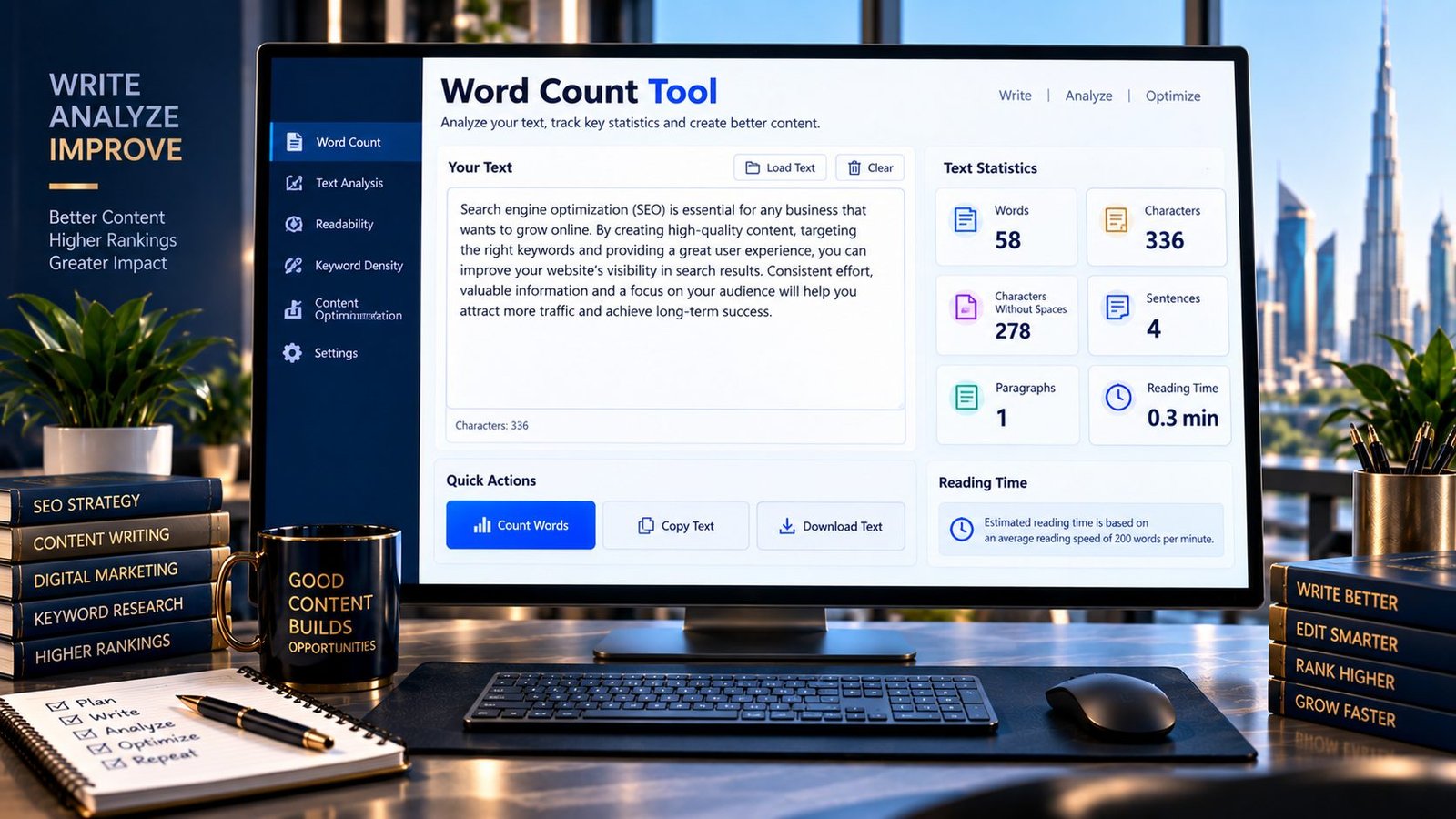
Need to know how many words are in your text? PKCapra’s Word Count Tool lets you instantly count words, characters, sentences, and paragraphs from text you type or paste.
The tool processes your text directly in your browser, making it useful for articles, blog posts, essays, social media content, website copy, assignments, emails, and other writing tasks.
Simply enter or paste your text to see the counts update in real time.
Word Count
Count words, characters, sentences, paragraphs and reading time instantly.
Words are counted from non-whitespace text tokens. Punctuation stays attached to words, while repeated whitespace does not create extra words. Sentence count is a practical punctuation-based estimate, not a linguistic parser.
What Is a Word Count Tool?
A word count tool calculates the number of words contained in a piece of text. Depending on the tool, it may also calculate characters, sentences, paragraphs, and estimated reading time.
Word counts are useful when a document, assignment, article, application, advertisement, or other piece of content needs to stay within a particular length.
PKCapra’s tool provides several measurements in one place so you can understand the overall size of your text quickly.
What Does This Tool Count?
The PKCapra Word Count Tool provides several useful text statistics:
- Words — the estimated number of words in your text.
- Characters — the total number of characters, including spaces.
- Characters without spaces — characters counted after spaces are excluded.
- Sentences — an estimated sentence count based on common sentence-ending punctuation.
- Paragraphs — paragraphs detected from separated blocks of text.
- Reading time — an estimated reading duration based on the selected words-per-minute speed.
These measurements are useful for both everyday writing and content production.
Why Is Word Count Important?
Word count can help you control the length and structure of your writing.
For example, you may need to:
- Meet an assignment’s required word range.
- Keep a blog article within a planned content length.
- Check the size of website copy.
- Prepare social media posts within platform limits.
- Estimate how long an article may take to read.
- Compare the length of different drafts.
- Edit unnecessarily long content.
- Create consistent content across a website.
Word count is a measurement, not a direct indicator of content quality. A shorter piece can be more useful than a longer one when it answers the reader’s question clearly.
How to Use the Word Count Tool
Step 1: Enter Your Text
Type your content directly into the text area or paste existing text into the tool.
Step 2: Review the Statistics
The tool automatically calculates your word, character, sentence, and paragraph counts.
Step 3: Check Reading Time
Review the estimated reading time and change the reading-speed setting when appropriate.
Step 4: Edit Your Content
Use the statistics to decide whether your text needs to be shortened, expanded, or reorganized.
Word Count vs. Character Count
Word count and character count measure different things.
Word count measures the number of words in a text.
Character count measures individual characters and normally includes spaces unless you specifically use the characters-without-spaces measurement.
For example, character limits can be particularly important for short-form content, titles, descriptions, advertisements, forms, and social media copy.
When a requirement specifies a character limit, use character count rather than relying on word count.
How Reading Time Is Estimated
Reading time is an estimate based primarily on the number of words and the selected reading speed.
For example, if text contains 1,000 words and the selected reading speed is 200 words per minute, the estimated reading time is approximately five minutes.
Actual reading time can vary because people read at different speeds. Technical writing, unfamiliar terminology, tables, headings, and other content formats can also affect how quickly someone reads.
Therefore, reading-time results should be treated as an estimate rather than an exact measurement.
Word Count for SEO Content
Word count can be useful during SEO content planning, but there is no universal word count that automatically makes a page rank.
Instead of writing to reach an arbitrary number, focus on satisfying the searcher’s intent and covering the information genuinely needed for the topic.
For a content workflow, you can first organize your keyword research with the Keyword Grouping Tool, then develop the article structure and review the finished text with the SEO Content Readability Analyzer.
For headings and content structure, the SEO Heading Analyzer can also help you review your heading organization.
This approach keeps word count as a practical editing measurement rather than treating length as an SEO ranking formula.
Word Count for Blog Posts
Blog writers can use word counting to compare planned content length with the finished draft.
A simple workflow is:
- Define the reader’s goal.
- Outline the important sections.
- Write the content naturally.
- Check the word count.
- Remove unnecessary repetition.
- Add missing information where useful.
- Review readability and structure.
The goal should be useful content rather than a specific word-count target.
Word Count for Essays and Assignments
Students can use a word counter to check whether an essay or assignment meets a required word range.
Always follow the specific counting rules provided by your school, university, instructor, or examination body. Different systems can treat headings, citations, footnotes, references, or other elements differently.
PKCapra provides a general text measurement and should not be treated as an official institutional word-counting standard.
Word Count for Website Content
Website owners and content teams can use word counts to maintain consistency across pages.
For example, you can compare:
- Product descriptions
- Blog articles
- Landing-page copy
- FAQs
- Service pages
- About-page content
- Email drafts
- Marketing copy
However, consistency should not come at the expense of usefulness. Different page types naturally require different amounts of content.
Common Word Count Mistakes
Confusing Words With Characters
A 500-word document can contain several thousand characters. Make sure you are measuring the unit required by your content specification.
Chasing an Arbitrary Word Count
Adding filler just to reach a number can make content less useful. Write enough to address the user’s needs.
Assuming Reading Time Is Exact
Reading-time calculations are estimates. Individual reading speeds vary.
Ignoring Formatting Requirements
Some organizations have their own rules about what counts toward a required word limit. Check the applicable instructions before submitting important work.
Treating Word Count as an SEO Ranking Factor
Content length alone does not guarantee better search visibility. Relevance, usefulness, clarity, technical accessibility, and many other factors matter.
Key Features
PKCapra’s Word Count Tool includes:
- Real-time word counting
- Character count
- Character count without spaces
- Sentence count
- Paragraph count
- Estimated reading time
- Multiple reading-speed options
- Copy text functionality
- Clear/reset functionality
- Browser-side processing
- No API required
- Mobile-friendly interface
Privacy and Processing
Your text is processed directly in your browser by the tool. The tool does not need an external API to calculate the displayed statistics.
Avoid entering confidential, private, or sensitive information into any online tool unless you are comfortable with how that particular service processes data.
Important Limitations
Word-counting methods can differ between software applications because different systems may handle punctuation, symbols, whitespace, special characters, or other text structures differently.
Sentence detection is an estimate based on common punctuation patterns and should not be considered a full linguistic analysis.
Reading time is also an estimate.
For official submissions, always follow the counting rules specified by the relevant institution or platform.
Frequently Asked Questions
How do I count words online?
Paste or type your text into PKCapra’s Word Count Tool. The tool automatically displays the number of words along with characters, sentences, paragraphs, and estimated reading time.
Is the PKCapra Word Count Tool free?
Yes. The tool is designed as a free online text-counting utility.
Does the tool count characters?
Yes. It displays both total characters and characters without spaces.
Can I use this tool for essays?
Yes. It can provide a quick general word count for essays and assignments. However, follow your institution’s official counting rules if they differ.
Does word count include spaces?
Word count and character count are different measurements. The tool provides total characters as well as characters without spaces so you can see both measurements.
Is reading time accurate?
Reading time is an estimate based on word count and the selected reading speed. Actual reading time varies between readers.
Does word count affect SEO rankings?
There is no universal word-count target that guarantees search rankings. Content should be sufficiently useful and relevant to satisfy the searcher’s intent.
Can I count words from a long article?
Yes, you can paste the article text into the tool, subject to the practical limits of the browser and the tool interface.
Related PKCapra Tools
When planning SEO content, you can organize research with the Keyword Grouping Tool, identify similar keyword topics with the Keyword Clustering Tool, review content readability with the SEO Content Readability Analyzer, and check heading structure with the SEO Heading Analyzer.
For published pages, the Meta Description Analyzer and Title Tag Analyzer can help review important on-page elements.
Final Takeaway
Word count is a simple but useful measurement for writers, students, marketers, bloggers, editors, and website owners.
Use it to understand the size of your text, control content length, check requirements, and estimate reading time—but don’t confuse a numerical word-count target with content quality.
Write for the reader first, then use word count to refine the result.