
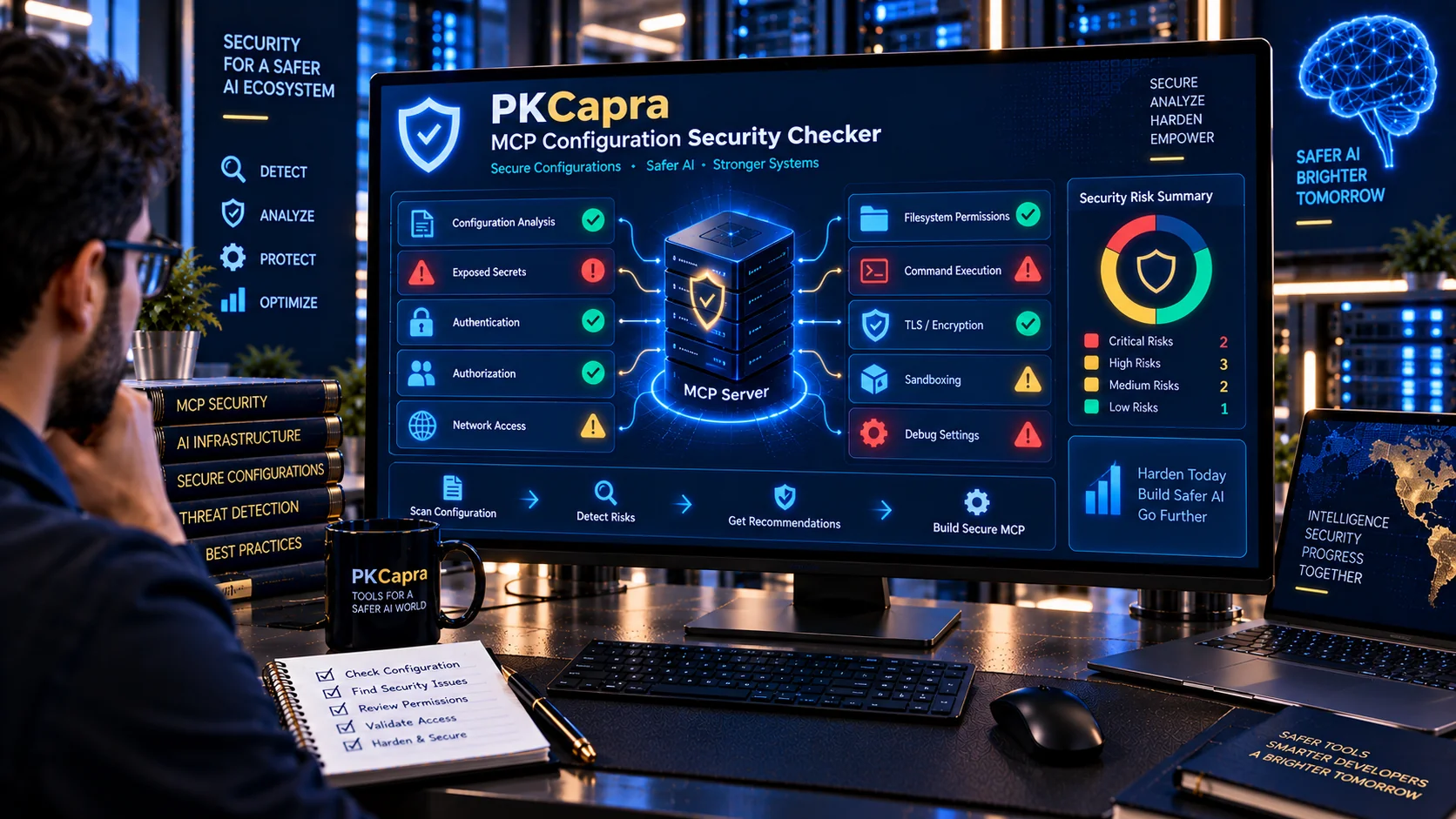
MCP Configuration Security Checker helps developers and security teams review Model Context Protocol (MCP) server configurations for security risks before connecting them to AI applications. It checks exposed secrets, authentication and authorization settings, network exposure, command execution, filesystem access, TLS configuration, sandboxing, debug settings, excessive permissions, sensitive logging, and other configuration signals that can increase the attack surface of an MCP deployment.
MCP Configuration Security Checker
Audit an MCP server configuration for exposed secrets, unsafe commands, excessive permissions, weak authentication, unrestricted network access, insecure TLS, disabled isolation, debug exposure, and other configuration-level security signals before deployment.
Security Summary
Configuration Security Checks
Findings
What Is an MCP Configuration Security Checker?
An MCP Configuration Security Checker is a security-focused utility for reviewing the configuration of an MCP server or MCP-related runtime setup.
MCP configurations can define how a server connects to clients, what resources it can access, what permissions it receives, and which runtime capabilities are available. A configuration that works correctly from a functional perspective may still contain security weaknesses.
The MCP Configuration Security Checker focuses specifically on configuration-level security signals so developers can identify potentially risky settings before deployment.
Why Check MCP Configuration Security?
MCP servers can connect AI applications with files, APIs, databases, command execution environments, networks, and other external systems.
Because of this, configuration decisions can directly affect the security boundary of an AI-enabled application.
A configuration security review can help identify:
- Exposed API keys and tokens
- Passwords and other secrets
- Excessive permissions
- Unrestricted filesystem access
- Shell or command execution
- Broad network access
- Missing authentication
- Weak authorization boundaries
- Disabled TLS verification
- Missing sandboxing
- Unsafe debug settings
- Sensitive information in logs
- Shared high-privilege identities
- Unsafe runtime defaults
Finding these issues early can make it easier to reduce unnecessary exposure before an MCP server is connected to an AI agent.
What Does the MCP Configuration Security Checker Check?
The checker analyzes configuration content for security-related patterns and produces findings based on the signals it detects.
Exposed Secrets
The checker looks for configuration values that may contain:
- API keys
- Access tokens
- Authentication tokens
- Passwords
- Secret keys
- Credential-like values
- Private-key indicators
- Other secret-like configuration fields
Secrets should not be unnecessarily exposed inside configuration files or shared configuration artifacts.
Excessive Permissions
Broad permissions can increase the potential impact of a compromised or misused MCP server.
The checker looks for signals associated with:
- Wildcard permissions
- Unrestricted access
- Broad filesystem permissions
- Administrative privileges
- Excessive write access
- Delete permissions
- Broad execution capabilities
Configuration should provide only the access required for the intended MCP server function.
Shell and Command Execution
Command execution can create a significant security boundary.
The checker identifies configuration signals associated with:
- Shell execution
- Command execution
- Arbitrary process execution
- Unrestricted executable access
- Dangerous command capabilities
Command execution should be isolated and restricted whenever it is genuinely required.
Filesystem Access
Filesystem permissions can determine what an MCP server can read, write, modify, or delete.
The checker reviews configuration signals associated with:
- Broad filesystem access
- Root-level paths
- Wildcard paths
- Write access
- Delete access
- Sensitive directories
- Unrestricted local file access
Restricting filesystem access to the smallest required scope can reduce unnecessary exposure.
Network Access
Network access can expand the attack surface of an MCP deployment.
The checker looks for signals associated with:
- Unrestricted outbound network access
- Broad host access
- Wildcard network permissions
- External API access
- Network-enabled execution
- Potentially unrestricted connectivity
Network access should be limited to the services and destinations actually required.
Authentication
Remote MCP deployments should have appropriate authentication controls.
The checker reviews configuration signals related to:
- Missing authentication
- Disabled authentication
- Authentication configuration
- Credential handling
- Shared authentication settings
- Weak authentication boundaries
Authentication requirements should match the sensitivity and exposure of the MCP server.
Authorization
Authentication establishes identity, while authorization determines what an authenticated client or user is allowed to do.
The checker looks for configuration signals involving:
- Missing authorization
- Broad authorization scope
- Wildcard access
- Administrative access
- Shared permissions
- Unrestricted tool access
Authorization should follow least-privilege principles.
TLS and Certificate Verification
Remote MCP communication may require encrypted transport and appropriate certificate validation.
The checker looks for configuration signals such as:
- Disabled TLS
- Disabled certificate verification
- Insecure transport settings
- Plaintext remote connections
- Unsafe certificate configuration
TLS-related configuration should be reviewed carefully before exposing an MCP server remotely.
Sandbox and Isolation
Local MCP servers may have access to the host environment depending on how they are executed.
The checker identifies signals associated with:
- Disabled sandboxing
- Disabled isolation
- Full host access
- Unrestricted process execution
- Broad filesystem access
- Unrestricted network access
Isolation can reduce the impact of a compromised or misused server.
Debug and Verbose Modes
Debugging features can expose information that should not be available in production.
The checker reviews configuration signals associated with:
- Debug mode
- Verbose logging
- Development-only settings
- Diagnostic output
- Detailed error exposure
Development settings should be reviewed before an MCP server is moved into a production environment.
Sensitive Data Logging
Logs can unintentionally contain credentials, personal information, tool arguments, file contents, or other sensitive data.
The checker looks for configuration signals that may indicate:
- Credential logging
- Token logging
- Sensitive request logging
- Excessive debug output
- Verbose tool-call logging
Security-sensitive configurations should avoid unnecessary exposure of secrets and sensitive information through logs.
Environment Variable Access
Environment variables can contain credentials, API keys, tokens, database connection strings, and other sensitive configuration values.
Broad environment-variable access can therefore create additional exposure.
The checker reviews configuration patterns associated with unrestricted or excessive environment access.
Administrative and Privileged Access
Administrative permissions can significantly increase the potential impact of an MCP server compromise.
The checker looks for signals involving:
- Root access
- Administrator privileges
- Privileged execution
- System-level operations
- Broad administrative permissions
Privileged capabilities should only be granted when they are required.
Local MCP Configuration Security
Local MCP servers can still present security risks because they may execute with the privileges of the local user or development environment.
Important areas include:
- Filesystem permissions
- Shell execution
- Environment variables
- Local credentials
- Network access
- Sandbox configuration
- Debug settings
- Automatic execution behavior
A local deployment should not automatically be considered safe simply because it is not publicly accessible.
Remote MCP Configuration Security
Remote MCP servers introduce additional network and authentication considerations.
Security review should consider:
- Authentication
- Authorization
- TLS
- Certificate verification
- Network exposure
- Session handling
- Host binding
- Rate limits
- Credential storage
- Remote access scope
Remote MCP configurations should receive particular attention when they expose sensitive tools or data.
MCP Configuration and Least Privilege
Least privilege means giving an MCP server only the permissions required for its intended purpose.
For example, a tool that only needs to read files should not automatically receive:
- Write access
- Delete access
- Shell execution
- Administrative privileges
- Broad network access
- Credential access
Reducing unnecessary capabilities can limit the potential impact of security incidents and configuration mistakes.
MCP Configuration and Secrets Management
Secrets should be handled separately from ordinary configuration wherever practical.
Avoid unnecessarily storing sensitive values directly inside:
- Configuration files
- Source code
- Public repositories
- Debug output
- Logs
- Shared deployment files
A configuration security review should identify secret-like values that require separate handling.
For broader sensitive-data detection, the AI PII & Secret Scanner can help identify PII and secret-like patterns in supported content.
MCP Configuration and Tool Security
Configuration security and tool security are related but different areas.
An MCP configuration may appear secure while an exposed tool has excessive capabilities.
For tool-level security analysis, use the AI Tool Security Checker.
The MCP Tool Schema Validator can also be used to review the structural quality of MCP tool schemas.
MCP Configuration and Tool Poisoning
Configuration security does not replace inspection of tool descriptions and metadata.
MCP tool definitions can contain descriptions, schemas, and other model-facing information that deserve separate review.
For suspicious instructions and tool-poisoning signals, use the AI Tool Poisoning Scanner.
For MCP tool description quality and suspicious instruction patterns, use the MCP Tool Description Checker.
MCP Configuration Security vs MCP Configuration Validation
These two checks have different purposes.
The MCP Server Configuration Validator focuses primarily on configuration structure, expected settings, and common configuration problems.
The MCP Configuration Security Checker focuses specifically on security-related risks such as:
- Secrets
- Excessive permissions
- Network exposure
- Command execution
- Filesystem access
- Authentication
- Authorization
- TLS settings
- Sandboxing
- Debug configuration
- Sensitive logging
Using both checks can provide broader configuration coverage.
MCP Configuration Security Workflow
A practical MCP security review can follow this process:
- Export or prepare the MCP configuration.
- Remove unnecessary sensitive values before sharing configuration data.
- Run the configuration through the MCP Configuration Security Checker.
- Review Critical and High-risk findings first.
- Investigate exposed secrets.
- Review filesystem and network permissions.
- Check command and code execution capabilities.
- Review authentication and authorization.
- Check TLS and certificate verification settings.
- Review sandbox and isolation settings.
- Check debug and verbose logging configuration.
- Review environment-variable access.
- Apply least-privilege changes.
- Re-run the security analysis.
- Perform human security review before production deployment.
MCP Configuration Security in Development
Security checks should be performed during development rather than only after deployment.
Configuration can change when:
- A new MCP server is added
- A new tool is enabled
- Permissions are expanded
- Network access is added
- Authentication changes
- Debugging is enabled
- A server is moved between environments
- New credentials are introduced
Testing configuration security before deployment can help prevent insecure defaults from reaching production.
MCP Configuration Security in Production
Production configurations should receive additional scrutiny because they may have access to real systems and sensitive data.
Review:
- Authentication
- Authorization
- Secrets
- TLS
- Network exposure
- Filesystem permissions
- Administrative access
- Logging
- Sandbox configuration
- Environment separation
- Credential storage
- Tool permissions
Development and production configurations should not automatically share the same privileges.
Browser-Based MCP Configuration Analysis
PKCapra is designed to perform the configuration analysis in the browser.
The checker does not require an external AI API to perform its heuristic security analysis.
This can be useful when reviewing development configuration because the configuration can be analyzed locally in the browser rather than being sent to an external AI analysis service.
However, browser-side processing does not make the source configuration inherently safe. Avoid unnecessarily entering live credentials or production secrets into any analysis interface.
Security Score and Risk Levels
The MCP Configuration Security Checker provides a security-oriented result based on the findings identified during analysis.
Results can help prioritize configuration issues such as:
- Critical risks
- High-risk findings
- Medium-risk findings
- Lower-risk warnings
- Informational observations
A security score is an analytical indicator, not a guarantee that an MCP deployment is secure.
A configuration can pass automated checks while still containing implementation, infrastructure, authorization, or operational risks that require human review.
JSON Security Reports
The checker can generate a structured JSON report containing the analysis results.
JSON output can be useful for:
- Security reviews
- Documentation
- Development workflows
- Internal audits
- CI/CD-related processes
- Configuration comparison
- Security tracking
The report can be copied or downloaded for further processing.
Important Limitations
The MCP Configuration Security Checker uses heuristic configuration analysis.
It identifies patterns and configuration signals that may represent security concerns, but it cannot determine with certainty whether an MCP server is secure in every environment.
The checker does not replace:
- Source-code review
- Penetration testing
- Authorization testing
- Infrastructure security testing
- Dependency auditing
- Runtime monitoring
- Secrets-management controls
- Human security review
- Organizational security policies
A clean result means that the checker did not identify the specific configuration patterns it is designed to detect. It should not be interpreted as a guarantee of security.
Frequently Asked Questions
What is an MCP Configuration Security Checker?
It is a utility that analyzes MCP server configuration content for security-related risks involving secrets, permissions, network access, authentication, authorization, execution, TLS, sandboxing, logging, and other configuration settings.
What types of MCP configuration risks can it detect?
It can identify configuration signals related to exposed secrets, excessive permissions, filesystem access, network access, command execution, authentication, authorization, TLS settings, sandboxing, debug modes, environment variables, and sensitive logging.
Does the checker scan MCP tool descriptions?
Configuration security is the primary purpose of this tool. For MCP tool-description analysis, use the MCP Tool Description Checker.
Does it validate MCP tool schemas?
Tool schema validation is a separate task. Use the MCP Tool Schema Validator for detailed schema analysis.
Does a high Security Score mean my MCP server is completely secure?
No. The score represents the results of the configuration checks performed by the analyzer. Secure deployment also depends on implementation, permissions, authentication, authorization, infrastructure, dependencies, monitoring, and runtime behavior.
Should I check local MCP servers?
Yes. Local MCP servers can still have access to files, credentials, commands, environment variables, and other host resources.
Should I check remote MCP servers?
Yes. Remote deployments introduce additional concerns involving authentication, authorization, TLS, network exposure, sessions, and remote access controls.
Does PKCapra send my MCP configuration to an external AI API?
The checker is designed for browser-side heuristic analysis and does not require an external AI API for its configuration checks.
Should I enter production secrets into the checker?
Avoid entering live production secrets unnecessarily. If configuration contains real credentials, remove or replace them with safe placeholders before analysis whenever possible.
What should I do after finding a critical configuration issue?
Investigate the specific configuration setting, remove unnecessary privileges or exposure, rotate compromised credentials when appropriate, apply the required security control, and run the analysis again before deployment.
Related PKCapra Tools
For MCP server configuration validation, use the MCP Server Configuration Validator.
For MCP tool schema validation, use the MCP Tool Schema Validator.
For MCP tool description and metadata review, use the MCP Tool Description Checker.
For MCP capability analysis, use the MCP Capability Analyzer.
For broader AI tool security analysis, use the AI Tool Security Checker.
For tool-poisoning detection, use the AI Tool Poisoning Scanner.
For AI agent permission analysis, use the AI Agent Permission Analyzer.
For configuration-level AI agent security review, use the AI Agent Configuration Security Checker.
For changes between agent permission configurations, use the AI Agent Permission Diff Checker.