
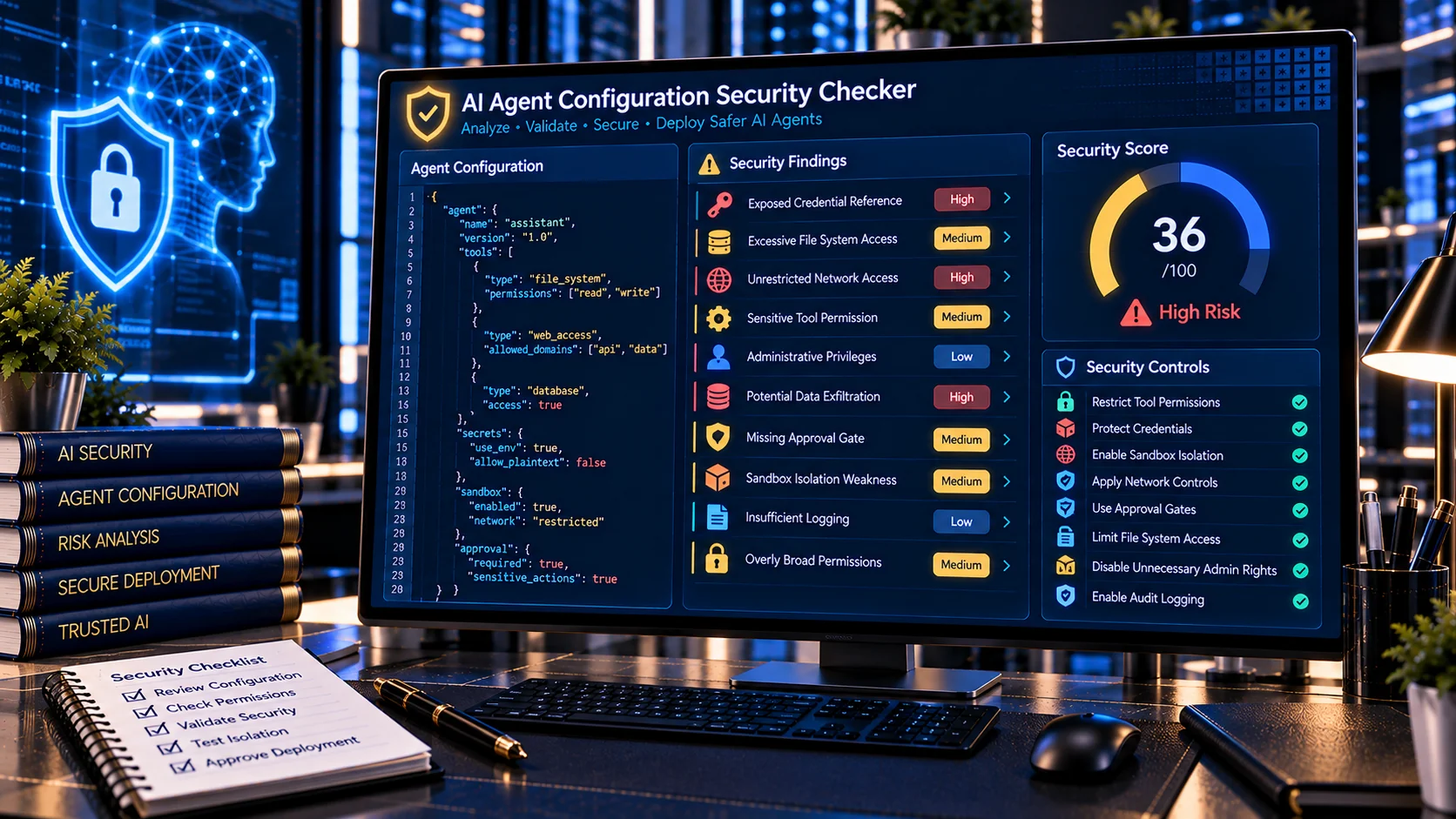
AI Agent Configuration Security Checker helps developers and security teams review AI agent configuration files for unsafe defaults, exposed secrets, excessive permissions, unrestricted capabilities, weak authorization controls, insecure runtime settings, and other configuration-level security risks. The browser-based checker provides a structured heuristic review before an AI agent configuration is deployed or promoted to production.
AI Agent Configuration Security Checker
Audit AI agent configuration text for unsafe defaults, exposed secrets, excessive permissions, weak isolation, unrestricted tools, disabled approvals and other configuration security risks.
Configuration Security Findings
Configuration Summary
What Is an AI Agent Configuration Security Checker?
An AI Agent Configuration Security Checker is a security utility that examines the configuration of an AI agent for settings that could increase its attack surface or give the agent more access than its intended task requires.
AI agents can interact with tools, files, APIs, databases, networks, credentials, and external systems. Configuration mistakes can therefore create security problems even when the underlying model and prompts are functioning as intended.
OWASP identifies excessive functionality, excessive permissions, excessive autonomy, sensitive-data exposure, tool abuse, and high-impact actions as important risks in agentic AI systems.
Why AI Agent Configuration Security Matters
An agent configuration determines important aspects of how an AI system operates.
Depending on the platform, configuration may define:
- Available tools
- File-system access
- Network access
- API permissions
- Credentials
- Environment variables
- Execution capabilities
- Administrative privileges
- Approval requirements
- Sandbox settings
- Logging behavior
- Retry limits
- Tool-chain limits
- Data-access scope
- Runtime restrictions
A configuration that grants more capability than the agent actually needs increases the potential impact of misuse, prompt injection, compromised tools, or unexpected model behavior.
OWASP recommends granting agents only the minimum tools and permissions required for their specific task and applying per-tool permission scoping.
What the AI Agent Configuration Security Checker Checks
PKCapra analyzes configuration text for a range of security-relevant signals.
Exposed Secrets and Credentials
Configuration files sometimes contain credentials directly or reference sensitive authentication material.
The checker can identify patterns associated with:
- API keys
- Access tokens
- Passwords
- Secret keys
- Private keys
- Credentials
- Authentication headers
- Connection strings
- Environment secrets
- Cloud credentials
Secrets should generally be managed through appropriate secret-management mechanisms rather than hardcoded into configuration files.
OWASP recommends fine-grained access control for secrets and applying least privilege to secret access.
Excessive Permissions
An AI agent should normally have only the permissions required to complete its intended task.
The checker looks for configuration signals suggesting broad or unrestricted access, including:
- Wildcard permissions
- Full administrative access
- Unrestricted file access
- Unrestricted network access
- Broad database permissions
- Global resource access
- Cross-user access
- Cross-tenant access
- Unrestricted tool execution
Excessive permissions can increase the impact of prompt injection, compromised tools, or unintended agent behavior.
File-System Access
File-system access can expose sensitive information or enable destructive operations.
The scanner checks for broad capabilities such as:
- Read access to unrestricted directories
- Write access to broad locations
- Delete permissions
- Access to hidden configuration files
- Access to credential directories
- Wildcard file paths
- Root-level or system-wide access
A configuration that only needs to read application documents should not automatically receive unrestricted read, write, or delete access.
Network Access
Network permissions can create additional attack and data-exfiltration paths.
Potential configuration signals include:
- Unrestricted outbound network access
- Arbitrary URL access
- Wildcard hosts
- Broad HTTP permissions
- External API access without scope restrictions
- Network access when the agent does not require it
OWASP recommends restricting agent capabilities and applying least privilege to tool and network access.
Code and Shell Execution
Code execution is one of the higher-impact capabilities an AI agent can receive.
The checker looks for signals associated with:
- Shell execution
- Command execution
- Arbitrary code execution
- Script execution
- Terminal access
- Dynamic code evaluation
- Unrestricted command patterns
OWASP specifically recommends avoiding open-ended extensions where possible and replacing them with narrowly scoped functionality.
Administrative and Privileged Access
Administrative capabilities can significantly increase an agent’s potential impact.
The scanner checks for configuration indicators associated with:
- Root access
- Administrator privileges
- Privilege escalation
- IAM changes
- Permission management
- Security-policy changes
- System configuration changes
- Production administration
OWASP’s agent-security guidance identifies unauthorized configuration and permission changes as a risk when agents have excessive autonomy or broad action scope.
Human Approval and Authorization Controls
High-impact agent actions should not rely solely on the model deciding whether an operation is appropriate.
The checker looks for configuration signals related to:
- Human approval
- Confirmation requirements
- Approval bypass
- Auto-approval
- Unrestricted autonomous actions
- Missing authorization boundaries
- Disabled safety gates
OWASP recommends explicit authorization for sensitive operations and additional controls for destructive, financial, administrative, and externally visible actions.
Sandbox and Isolation Settings
Agent runtime isolation can reduce the potential impact of compromised instructions, tools, or dependencies.
The checker looks for signals related to:
- Disabled sandboxing
- Unrestricted execution
- Host access
- Container escape exposure
- Privileged runtime settings
- Broad filesystem mounts
- Unrestricted process access
For AI coding and agentic environments, OWASP recommends sandboxed execution environments, restricted shells or containers, tool allowlists, and limits on access to sensitive directories and credentials.
Debug and Logging Exposure
Debug settings can sometimes expose information that should not be available in normal production operation.
Potential findings include:
- Debug mode enabled
- Verbose logging
- Sensitive request logging
- Credential logging
- Full tool arguments in logs
- Environment-variable logging
- Internal configuration exposure
Sensitive information should not be unnecessarily retained in agent logs or runtime output. OWASP recommends minimizing sensitive data in agent context and protecting confidential information.
Retry, Loop and Tool-Chain Limits
Agentic workflows can make repeated model and tool calls.
Without appropriate limits, an agent may consume excessive resources or repeatedly execute actions.
The scanner can identify configuration signals related to:
- Unlimited retries
- Unlimited tool calls
- Unlimited recursion
- Missing chain-depth limits
- Unbounded execution
- Missing timeout controls
- Missing cost controls
OWASP identifies unbounded agent loops as a potential denial-of-wallet risk and recommends token, cost, retry, and tool-chain limits.
Environment Variables and Sensitive Runtime Data
Environment variables can contain API credentials, cloud tokens, database passwords, private keys, and other sensitive values.
The checker can flag broad environment-variable access or configuration patterns that expose sensitive runtime information.
An agent that only needs one specific API credential should not automatically receive unrestricted access to the complete environment.
Production vs Development Configuration
Security requirements can differ between development, staging, and production environments.
A configuration that is acceptable for local testing may be inappropriate for production if it includes:
- Debug mode
- Auto-approval
- Broad filesystem access
- Development credentials
- Unrestricted shell access
- Verbose logs
- Disabled TLS verification
- Test endpoints
- Temporary administrative permissions
Review configurations separately for each environment rather than assuming that a development configuration can be safely promoted unchanged.
TLS and Certificate Verification
Configuration files may contain settings that weaken transport security.
The scanner can identify signals such as:
- Disabled certificate verification
- Insecure HTTP endpoints
- TLS verification bypasses
- Development-only transport settings
- Unsafe proxy configurations
These findings should be reviewed in the context of the actual deployment environment.
Cross-User and Cross-Tenant Access
Multi-user and multi-tenant AI systems require careful access boundaries.
An agent should not automatically receive access to information belonging to other users or tenants merely because a shared service identity has broad privileges.
OWASP highlights insufficient access validation and over-permissioned connectors as risks when agents can access sensitive data beyond the user’s authorization.
AI Agent Configuration and Excessive Agency
Excessive agency occurs when an AI system has more functionality, permissions, or autonomy than necessary.
OWASP identifies three major causes:
- Excessive functionality
- Excessive permissions
- Excessive autonomy
For example, an agent that only needs to read documents may receive a connector capable of reading, modifying, and deleting documents. The additional capabilities increase the possible impact of unexpected or manipulated behavior.
An AI Agent Configuration Security Checker helps identify configuration signals associated with these risks before deployment.
Configuration Security and Prompt Injection
Prompt injection can cause an agent to attempt actions that were not intended by the developer.
The risk becomes more significant when the agent configuration gives it broad permissions.
For example, a prompt injection may attempt to convince an agent to:
- Read sensitive files
- Access environment variables
- Call an unrelated tool
- Send information externally
- Execute commands
- Modify configuration
- Delete resources
OWASP recommends validating tool calls against user permissions and session context and restricting tool access according to least privilege.
For dedicated injection analysis, use the AI Prompt Injection Scanner.
Configuration Security vs Permission Analysis
These two security checks complement each other.
An AI Agent Configuration Security Checker examines the configuration itself for unsafe defaults, exposed secrets, excessive capabilities, weak controls, and risky runtime settings.
An AI Agent Permission Analyzer focuses specifically on the agent’s declared tools and permissions.
Using both checks can provide a broader view of an agent’s security posture.
Configuration Security vs Tool Security
Tool-level security and agent-level configuration security are related but different.
An AI Tool Security Checker examines individual tool definitions and their capabilities.
The AI Agent Configuration Security Checker examines the broader configuration in which those tools operate.
A secure agent workflow should consider both the tools themselves and the permissions and runtime settings assigned to the agent.
How to Use the AI Agent Configuration Security Checker
- Open the AI Agent Configuration Security Checker.
- Paste the relevant agent configuration.
- Run the security analysis.
- Review the detected findings.
- Examine the severity and affected location.
- Investigate exposed secrets and credentials.
- Review tool, filesystem, network, and execution permissions.
- Check authorization and human-approval settings.
- Review sandbox, logging, retry, and runtime controls.
- Remove unnecessary capabilities.
- Re-run the scan after making changes.
- Validate the final configuration in the intended deployment environment.
Recommended AI Agent Security Workflow
A useful agent-security workflow can combine configuration, permission, tool, prompt, and change analysis.
Start with the AI System Prompt Security Checker to review system-level instructions and security boundaries.
Use the AI Tool Security Checker to inspect individual tool capabilities.
Use the AI Agent Permission Analyzer to map the agent’s access.
Use the AI Agent Permission Diff Checker to identify permission changes between configurations.
Use the AI Tool Poisoning Scanner to inspect tool descriptions for suspicious behavioral instructions.
Finally, re-check the complete agent configuration after material changes to tools, prompts, retrieval systems, memory, policies, or model providers. OWASP recommends structured adversarial testing after such changes.
Browser-Based Security Analysis
PKCapra’s AI Agent Configuration Security Checker is designed for browser-based heuristic analysis.
The tool can help developers inspect configuration text without requiring an external AI API to perform the basic pattern-based security review.
This makes it useful for reviewing:
- Agent configuration files
- Tool configurations
- MCP-related configurations
- Development agent settings
- Production configuration snapshots
- Security test configurations
- CI/CD agent settings
- Local AI coding-agent configurations
Do not paste live production credentials or other highly sensitive information into an online tool unless the processing model is appropriate for your environment.
Security Score and Risk Findings
The scanner provides a structured assessment to help prioritize configuration issues.
Detected findings can be categorized by severity, including:
- Critical
- High
- Medium
- Low
The tool also provides a Security Score and overall risk information based on the detected configuration signals.
The score is a diagnostic aid, not a formal security certification. A low-risk result does not guarantee that an agent configuration is secure, and a high-risk result should be investigated in the context of the actual deployment architecture.
Important Limitations
The AI Agent Configuration Security Checker uses heuristic analysis and pattern detection.
It cannot independently determine whether a configuration is secure in every deployment environment. A configuration may be appropriate in one controlled environment but unsafe in another.
The scanner may also produce findings that require human review because security-sensitive configuration depends on:
- Application architecture
- Identity model
- Network topology
- User roles
- Data sensitivity
- Tool implementation
- Runtime isolation
- Deployment environment
- Authorization infrastructure
Automated configuration scanning should therefore complement, rather than replace, manual security review and appropriate testing.
Frequently Asked Questions
What is an AI Agent Configuration Security Checker?
It is a security tool that reviews AI agent configuration files for unsafe defaults, exposed secrets, excessive permissions, risky capabilities, weak authorization controls, and other configuration-level security signals.
What configuration risks can it detect?
It can identify patterns associated with secrets, unrestricted permissions, filesystem access, network access, code execution, administrative privileges, disabled safeguards, insecure TLS settings, debug exposure, unlimited retries, and other security-relevant settings.
Why is least privilege important for AI agents?
Least privilege limits an agent to the tools, resources, and permissions required for its intended task. This reduces the potential impact of unintended or manipulated actions. OWASP recommends minimum necessary tool access and scoped permissions.
Can an AI agent configuration expose API keys?
Yes. Configuration files can contain or reference API keys, tokens, passwords, private keys, and other credentials. Sensitive credentials should be managed using appropriate secret-management controls rather than unnecessarily embedding them in configuration files.
Should AI agents have unrestricted shell access?
Unrestricted shell access can create a broad attack surface. OWASP recommends avoiding open-ended extensions where possible and using narrowly scoped functionality instead.
Does the scanner guarantee that my AI agent is secure?
No. It is a heuristic diagnostic tool. A complete security review also requires architecture review, permission validation, runtime controls, testing, monitoring, and appropriate authorization mechanisms.
Should I scan agent configurations after changes?
Yes. Configuration changes can introduce new permissions, capabilities, credentials, or security settings. OWASP recommends security testing after material changes to prompts, tools, memory, retrieval, policies, or model providers.
Can this tool replace an AI security audit?
No. It provides a focused configuration-level review and should be used as one component of a broader AI security process.
Related PKCapra AI Security Tools
Use the AI System Prompt Security Checker to review system prompts for leakage, conflicting instructions, unsafe tool authority, and weak boundaries.
Use the AI Tool Security Checker to inspect individual AI tool capabilities and permissions.
Use the AI Agent Permission Analyzer to analyze declared agent permissions and access scope.
Use the AI Agent Permission Diff Checker to compare agent permissions and identify security-relevant changes.
Use the AI Tool Poisoning Scanner to inspect MCP and AI tool definitions for suspicious hidden instructions.
Use the AI Prompt Injection Scanner to detect broader prompt-injection patterns.
Use the AI PII & Secret Scanner to identify sensitive information before AI processing.