
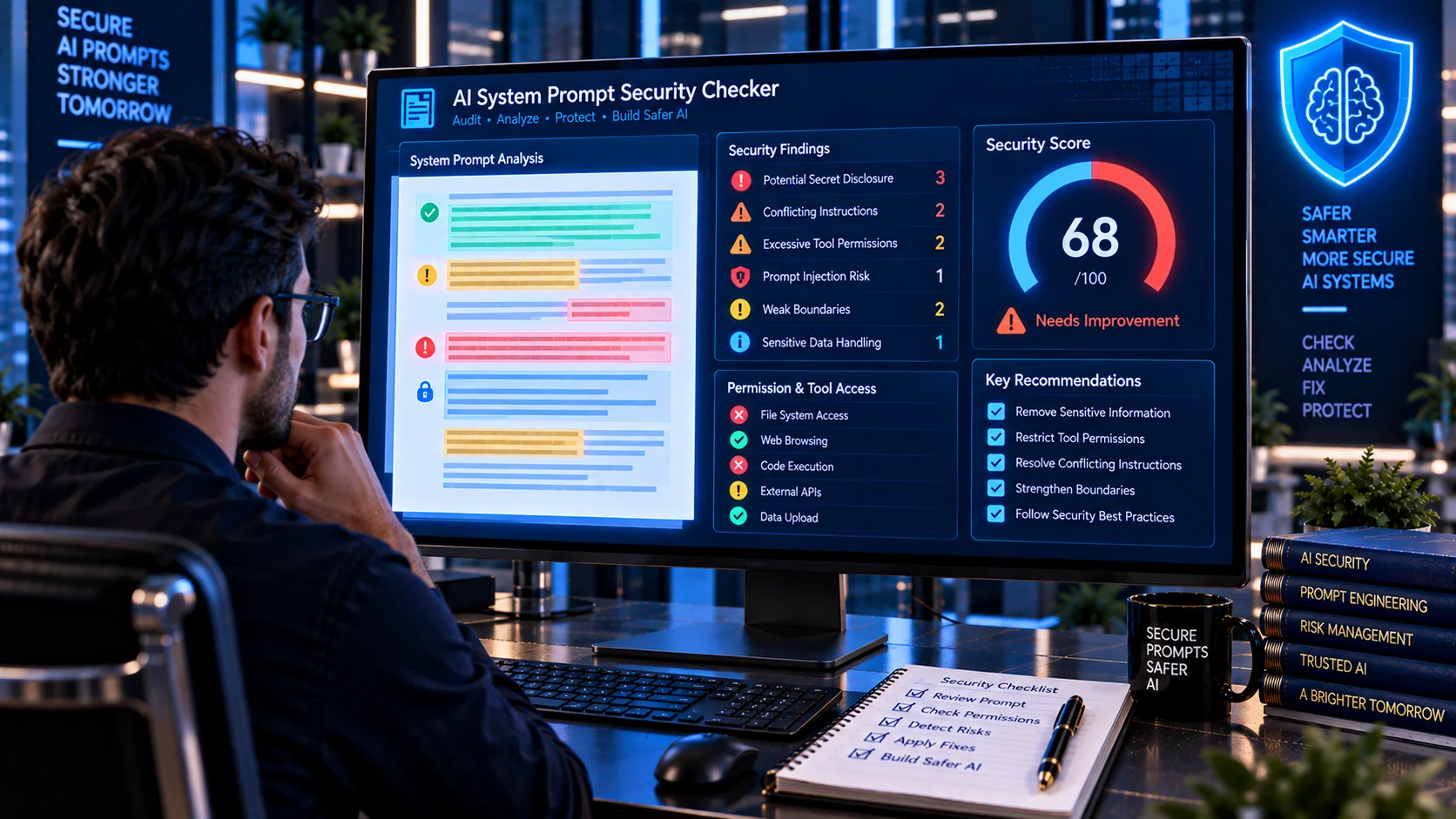
AI System Prompt Security Checker helps you review system prompts for common security weaknesses before they are used in an AI application or agent workflow. It checks for potential prompt leakage, embedded secrets, conflicting instructions, excessive tool authority, missing authorization boundaries, unsafe action permissions, weak trust boundaries, and other security-related patterns that can make an AI system harder to control.
A system prompt can define an AI application’s role, behavior, constraints, available capabilities, and interaction rules. However, security-critical controls should not depend entirely on instructions inside the prompt. OWASP recommends keeping sensitive information out of system prompts and enforcing critical authorization and privilege controls outside the language model.
AI System Prompt Security Checker
Review a system prompt for leakage risks, conflicting rules, unsafe tool authority, missing security boundaries, secret-like content, and other AI security signals.
Security Findings
What Is a System Prompt?
A system prompt is a set of instructions used to establish an AI model’s intended role, behavior, capabilities, constraints, or operating context.
Depending on the application, a system prompt may define:
- The AI assistant’s role
- Allowed tasks
- Response requirements
- Formatting rules
- Safety boundaries
- Tool usage instructions
- Data-handling expectations
- Restrictions on external actions
- Rules for handling untrusted content
- Escalation or approval requirements
Because system prompts can influence how an AI application behaves, they should be reviewed as part of the application’s overall security architecture.
Why Review System Prompts for Security?
A system prompt can accidentally contain sensitive information, overly broad permissions, conflicting instructions, or assumptions that should instead be enforced by application code.
OWASP’s guidance on system prompt leakage specifically warns against placing credentials, connection strings, API keys, or other sensitive information directly inside system prompts. It also recommends that important security controls such as authorization and privilege separation be enforced independently of the LLM.
A security review can therefore help identify weaknesses before a prompt becomes part of a production AI application.
What Does the AI System Prompt Security Checker Analyze?
The PKCapra AI System Prompt Security Checker analyzes submitted prompt content for security-related signals, including:
- Potential prompt leakage risks
- API keys and credential-like content
- Secrets and sensitive configuration
- Conflicting instructions
- Instruction hierarchy problems
- Unsafe tool authority
- Destructive action permissions
- Missing authorization boundaries
- Excessive model privileges
- Weak data-access boundaries
- Untrusted-content handling issues
- Missing human approval requirements
- External-action permissions
- System behavior disclosure patterns
- Weak failure or escalation instructions
- Ambiguous security responsibilities
The results are intended to help developers identify areas that deserve closer review.
System Prompt Leakage
One important security concern is system prompt leakage.
A system prompt may contain internal implementation details, role definitions, tool descriptions, permissions, architecture information, or accidentally embedded secrets.
OWASP classifies system prompt leakage as an LLM security risk and explains that sensitive information should not be stored inside system prompts. It also emphasizes that the exact system-prompt wording should not itself be treated as the application’s primary security boundary.
The scanner can flag prompt patterns that appear to expose or request sensitive internal information.
Never Store Secrets in a System Prompt
A system prompt should not be used as a secret store.
Avoid placing items such as:
- API keys
- Access tokens
- Passwords
- Database credentials
- Connection strings
- Private keys
- Authentication secrets
- Long-lived credentials
- Sensitive internal configuration
inside the prompt.
OWASP recommends separating sensitive information from system prompts and keeping security-sensitive data in systems that the model cannot directly access.
If a prompt contains credential-like strings, the scanner can identify them as security signals for further investigation.
Conflicting System Instructions
Large system prompts can accumulate instructions from multiple sources.
For example, one section may instruct the model to refuse an action while another section appears to authorize the same action. Other instructions may establish different priorities for data access, tool use, or external communication.
Conflicting instructions can make application behavior harder to predict and harder to secure.
The scanner checks for patterns that may indicate contradictory or competing security instructions.
Tool Authority and AI Agents
System prompts become particularly important when an AI model can interact with external tools.
An agent may have access to:
- APIs
- Databases
- Files
- Web services
- Code execution
- Business systems
- Search tools
- MCP servers
- Other application functions
If a system prompt gives the model broad authority over these capabilities without clear boundaries, a successful prompt injection or unexpected model decision may have consequences outside the conversation.
Microsoft’s current agent security guidance recommends constraining agent instructions and scope, validating untrusted content, and controlling which tools can be chained.
Check for Excessive Tool Permissions
A system prompt should clearly describe the intended scope of tools rather than giving an AI agent unnecessarily broad authority.
For example, an application that only needs read access should not depend on a prompt to prevent a tool from performing writes or deletions.
Security controls should be enforced by the application and tool authorization layer.
Microsoft recommends treating tools that modify data, send communications, make purchases, access sensitive information, or perform irreversible operations as higher-risk capabilities that may require approval.
Destructive Action Warnings
AI agents may be able to perform actions such as:
- Delete files
- Modify records
- Send emails
- Publish content
- Change account settings
- Execute commands
- Transfer information
- Trigger external workflows
A system prompt should make the intended boundaries clear, but the actual authorization should not depend solely on natural-language instructions.
The scanner looks for patterns associated with destructive or externally consequential actions so developers can review whether those capabilities have appropriate controls.
Authorization Boundaries
A secure AI application should distinguish between what the model is allowed to suggest and what the application is actually allowed to execute.
For example, a model may be permitted to recommend deleting a file, while the application should separately require authorization before the deletion occurs.
OWASP recommends that critical controls such as privilege separation and authorization checks be enforced independently from the LLM rather than delegated to system-prompt instructions.
Human Approval for High-Risk Actions
Some AI workflows should require human approval before an external action is performed.
Examples include:
- Sending an important email
- Deleting records
- Making a purchase
- Publishing content
- Changing permissions
- Executing sensitive commands
- Sharing confidential information
Microsoft recommends human-in-the-loop controls for risky actions as part of defense against indirect prompt injection.
A system prompt can instruct an agent to request approval, but the application should ideally enforce the approval requirement independently.
Untrusted Content Boundaries
AI applications increasingly process information from sources outside the system prompt.
These sources can include:
- User messages
- Uploaded files
- Webpages
- Retrieved documents
- RAG chunks
- Tool responses
- Email messages
- External APIs
- Agent-to-agent messages
Microsoft recommends treating prompts, documents, retrieved content, tool responses, and memory as untrusted input rather than automatically treating them as trusted instructions.
A secure system prompt should clearly distinguish trusted application instructions from untrusted content.
Prompt Injection and System Prompts
Prompt injection attempts can try to override or manipulate an AI application’s intended behavior.
OWASP describes both direct and indirect prompt injection. Direct injection comes from user-controlled input, while indirect injection can arrive through external sources such as websites or files.
A system prompt may contain instructions telling the model to ignore attempts to modify its rules, but this should not be treated as a complete security solution.
Defense should include input handling, authorization controls, tool restrictions, monitoring, and external guardrails.
You can use the AI Prompt Injection Scanner to inspect general text for suspicious prompt-injection patterns.
System Prompt Security and RAG
RAG systems introduce additional trust boundaries because retrieved documents become part of the model’s context.
A document retrieved from a knowledge base may contain instructions that were not intended to become AI commands.
For this reason, a system prompt should clearly establish how retrieved information is treated and should not assume that every piece of contextual content is trustworthy.
Microsoft recommends source provenance, permission-aware retrieval, and validation of retrieved content rather than treating retrieved data as trusted instructions.
System Prompt Security for AI Agents
AI agents require additional consideration because they can combine reasoning with tools and external actions.
The agent’s orchestration layer may determine:
- What instructions it follows
- Which tools it selects
- Which data it accesses
- Which actions it performs
- How many steps it can take
- Which other agents it can communicate with
Microsoft identifies the orchestration layer as an important area for prompt-injection-to-action risk and recommends limiting agent scope, validating untrusted content, applying planning guardrails, and restricting tool chains.
Least Privilege for AI Systems
Least privilege means giving an AI application only the access required for its intended task.
Instead of allowing an agent to access every available capability, restrict it to the minimum set of tools and permissions necessary.
For example:
- A summarization agent may only need read access.
- A customer-support agent may need limited customer-record access.
- A reporting agent may need read-only database access.
- A content assistant may need draft permissions but not publishing permissions.
The system prompt can describe these boundaries, but technical authorization should enforce them outside the model.
Review Output and Failure Behavior
A secure system prompt should also define what the AI should do when it cannot safely complete an action.
Useful instructions may establish behavior such as:
- Ask for clarification
- Refuse unauthorized actions
- Request human approval
- Avoid exposing sensitive information
- Stop when required information is unavailable
- Escalate security-sensitive situations
- Avoid treating external content as instructions
These instructions can improve predictable behavior, but application-level controls should remain responsible for enforcing critical restrictions.
Browser-Based Security Analysis
The PKCapra AI System Prompt Security Checker is designed for browser-side heuristic analysis.
The submitted prompt is analyzed locally in the browser rather than being sent to an external AI API for security analysis.
This makes the tool useful for preliminary reviews of:
- System prompts
- Developer instructions
- Agent instructions
- AI application configuration text
- Tool-use instructions
- Security policies
- Prompt templates
For confidential material, always follow your organization’s data-handling requirements before submitting content to any online tool.
What the Security Checker Does Not Guarantee
A system prompt scanner cannot prove that an AI application is secure.
The checker uses heuristic pattern analysis to identify security signals. A prompt may contain a serious weakness that does not match a known pattern, while a legitimate instruction may resemble a suspicious pattern.
Therefore:
- A clean scan does not guarantee security.
- A finding does not automatically mean the prompt is vulnerable.
- Natural-language instructions should not replace technical authorization.
- Secrets should not be stored in system prompts.
- High-risk tools should have independent authorization controls.
- Untrusted content should remain separated from trusted instructions.
- Production systems should use defense in depth.
OWASP notes that system prompts should not be treated as a security control and recommends enforcing critical security boundaries outside the LLM.
A Practical System Prompt Security Review
A useful review process can follow these steps:
Scan → Review → Remove Secrets → Clarify Rules → Restrict Authority → Enforce Controls → Test
First scan the prompt for suspicious patterns. Review the findings and remove sensitive information. Resolve conflicting instructions and clearly define the model’s intended role. Restrict tool authority and data access to the minimum necessary scope. Then enforce important permissions outside the LLM and test the complete workflow against adversarial inputs.
Microsoft recommends using multiple security layers rather than depending on one prompt-level defense.
Frequently Asked Questions
What is an AI System Prompt Security Checker?
An AI System Prompt Security Checker reviews system prompts for security-related patterns such as secrets, prompt leakage risks, conflicting instructions, excessive tool authority, weak authorization boundaries, and unsafe action permissions.
Can a system prompt contain API keys?
It should not. OWASP specifically recommends keeping credentials, connection strings, API keys, and other sensitive information outside system prompts.
Is a system prompt a security boundary?
No. A system prompt can guide model behavior, but critical authorization, privilege, and access controls should be enforced independently by the application.
Can this tool detect every system prompt vulnerability?
No. It performs heuristic analysis and cannot identify every possible design flaw, novel attack, or application-level security issue.
Does finding a suspicious pattern mean my system prompt is unsafe?
Not necessarily. A finding is a signal for review. Its significance depends on the application’s architecture, permissions, tools, data sources, and intended behavior.
Should system prompts contain sensitive business logic?
Sensitive implementation details and security-critical information should be minimized. OWASP recommends separating sensitive data and critical security controls from system prompts.
How should AI tool permissions be controlled?
Use technical authorization controls and least-privilege permissions outside the language model. The model should not be the sole authority deciding whether an operation is permitted.
Should AI agents require human approval?
High-risk or irreversible actions may require human approval depending on the application. Microsoft recommends approval controls for actions such as data modification, external communications, and other consequential operations.
What is the difference between system prompt security and prompt injection scanning?
System prompt security focuses on reviewing the trusted instructions that define an AI application’s behavior and capabilities. Prompt injection scanning focuses on detecting potentially malicious instructions in input or external content.
Can I use both scanners together?
Yes. The AI Prompt Injection Scanner can help inspect potentially untrusted input, while the AI System Prompt Security Checker focuses on the application’s system-level instructions.
Related AI Security Tools
For a broader AI security workflow, you can also use: