
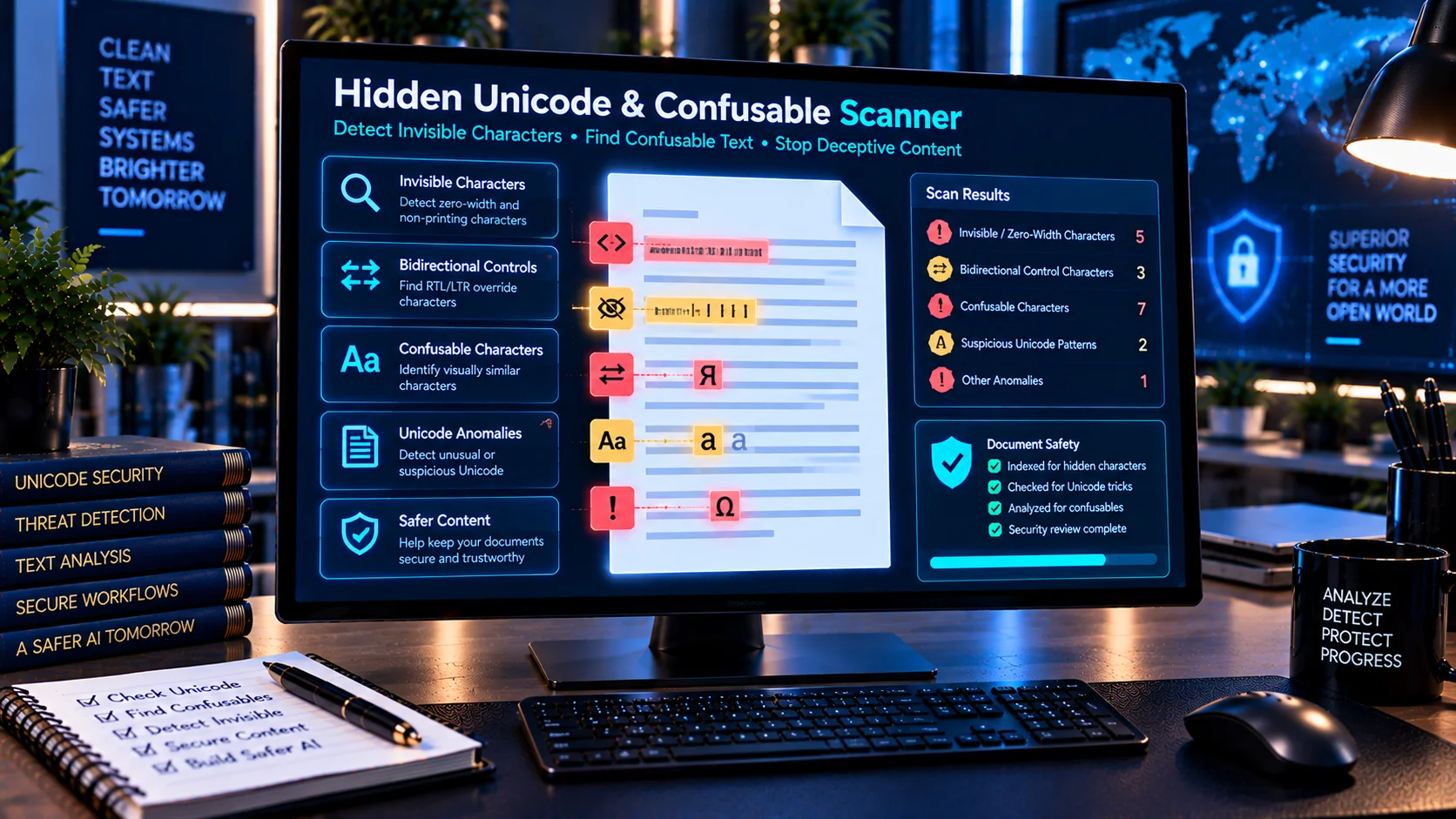
Documents and text can contain invisible, directional, zero-width, or visually deceptive Unicode characters that are difficult to notice during normal reading. These characters can change how content is displayed, copied, interpreted, or processed by software and AI systems. PKCapra’s Hidden Unicode / Confusable Scanner helps inspect text for suspicious Unicode characters, identify where they occur, and provide a structured report for review.
Why Hidden Unicode Characters Matter
Unicode supports thousands of characters across different writing systems and includes characters that may not be visible during ordinary reading. Some characters control text direction or formatting, while others occupy no visible space.
This can create problems when text is:
- Copied between applications
- Imported into databases
- Processed by scripts
- Used in prompts
- Added to AI knowledge bases
- Included in RAG documents
- Reviewed for security purposes
- Compared automatically
- Used in usernames, identifiers, URLs, or filenames
A document can therefore appear normal to a person while containing characters that deserve additional inspection.
What the Hidden Unicode Scanner Detects
PKCapra’s scanner checks text for several categories of potentially problematic Unicode characters.
Zero-Width and Invisible Characters
Zero-width characters may occupy no visible space while still being present in the underlying text.
The scanner can identify these characters and show where they occur so they can be investigated before the text is reused.
Bidirectional Unicode Controls
Bidirectional control characters can influence the visual direction in which text is displayed.
They can be useful for legitimate multilingual text handling, but unexpected use can make text difficult to inspect accurately. The scanner identifies relevant directional control characters for review.
Unicode Formatting Characters
Some Unicode characters affect formatting or text behavior without appearing as ordinary visible letters or symbols.
Identifying these characters can help when investigating unusual copy-and-paste behavior or unexpected text processing results.
Confusable Characters
Characters from different writing systems can sometimes look similar even though they have different Unicode code points.
For example, a character from one script may visually resemble a Latin character. These confusable characters can create ambiguity in identifiers, text comparisons, and automated processing.
Find the Exact Character and Location
When a suspicious Unicode character is detected, the scanner can provide useful information about the finding, including:
- Character
- Unicode code point
- Character category
- Line location
- Column location
- Detection type
- Risk classification
This makes it easier to locate the character in the original text and decide whether it is expected or requires cleanup.
Hidden Unicode and AI Security
Unicode manipulation can become particularly important when documents are processed by AI systems.
Text may pass through multiple stages such as document extraction, preprocessing, chunking, retrieval, prompting, and model processing. Characters that are difficult for humans to notice can therefore deserve additional inspection before content enters an AI workflow.
This is especially relevant for documents originating from external or untrusted sources.
Hidden Characters in RAG Documents
RAG systems often ingest large collections of documents and later retrieve portions of those documents as AI context.
Before adding external material to a knowledge base, checking for unusual Unicode can help identify unexpected characters that may affect:
- Text normalization
- Search and matching
- Chunk boundaries
- Document comparison
- Retrieval
- Human review
- AI processing
Unicode inspection can therefore be one useful step in a broader document-preparation workflow.
Detect Unicode Before Copying or Reusing Text
A simple workflow can help identify unexpected characters before text is reused:
- Paste or provide the text for inspection.
- Scan for hidden and confusable Unicode characters.
- Review the reported code points and locations.
- Determine whether each character is intentional.
- Remove or normalize unexpected characters where appropriate.
- Recheck the cleaned text.
- Continue with the intended document or AI workflow.
This is particularly useful when working with text copied from websites, PDFs, emails, messaging systems, or third-party documents.
Useful for Developers and Security Teams
The scanner can be useful for developers, security analysts, AI engineers, data teams, and anyone investigating unusual text behavior.
Potential use cases include:
- AI document security
- Prompt security review
- RAG document preparation
- Text sanitization
- Unicode troubleshooting
- Identifier inspection
- Data-quality checks
- Security research
- Document preprocessing
- Input validation
Browser-Based Unicode Analysis
PKCapra’s Hidden Unicode / Confusable Scanner is designed for browser-side analysis. The scanning process does not require an external AI service or API call.
This makes it convenient for inspecting text directly in the browser before moving it into another application, document-processing pipeline, or AI workflow.
Important Limitations
Not every unusual Unicode character is malicious or problematic. Unicode is essential for multilingual text, accessibility, formatting, and many legitimate technical applications.
A detection result therefore indicates that a character deserves inspection; it does not automatically mean that the text is malicious.
Similarly, automated detection cannot guarantee that every possible visually confusing or security-relevant character has been identified. Important security-sensitive workflows should combine automated checks with appropriate human review.
A Practical AI Document Security Workflow
Unicode inspection works best as part of a broader document-security process. Depending on the document and workflow, you may also want to check for sensitive information, secrets, suspicious instructions, and other potentially unsafe content before sending the document to an AI system.
A practical workflow is:
Document → Unicode Scan → PII/Secret Review → Prompt Injection Review → Content Cleanup → Human Review → AI Processing
This provides multiple inspection points before potentially untrusted content reaches an AI system.
Frequently Asked Questions
What is a hidden Unicode character?
A hidden Unicode character is a character that may not appear visibly in normal text but is still stored in the underlying character sequence. Zero-width and certain formatting or directional characters are examples.
What are Unicode confusable characters?
Unicode confusable characters are characters that can look similar to other characters even though they have different Unicode code points. They can come from the same or different writing systems.
Can hidden Unicode characters affect AI systems?
They can potentially affect how text is represented, displayed, compared, normalized, or processed. The actual effect depends on the software and AI pipeline handling the text.
Are bidirectional Unicode characters always dangerous?
No. Bidirectional characters have legitimate uses, particularly for multilingual text. Unexpected or inappropriate use is what may warrant investigation.
Can this tool remove hidden Unicode characters?
The scanner is primarily intended to detect and report suspicious characters. Any cleanup or removal should be performed deliberately after reviewing whether the characters are required.
Why check Unicode before using a document with RAG?
RAG systems process and retrieve document content as AI context. Checking unusual Unicode before ingestion can help identify unexpected characters before they become part of a larger retrieval and AI-processing workflow.
Does the scanner use an AI API?
No. The scanner is designed for browser-side Unicode analysis and does not require an external AI or API call.
Related AI Document Security Tools
Unicode inspection is one part of preparing documents for safer AI processing. You can combine it with the AI Document Safety Scanner to review broader document-security indicators, the AI PII & Secret Scanner to identify possible personal information and credentials, and the AI Prompt Injection Document Scanner to look for suspicious instruction-like content before documents are processed by AI systems.