
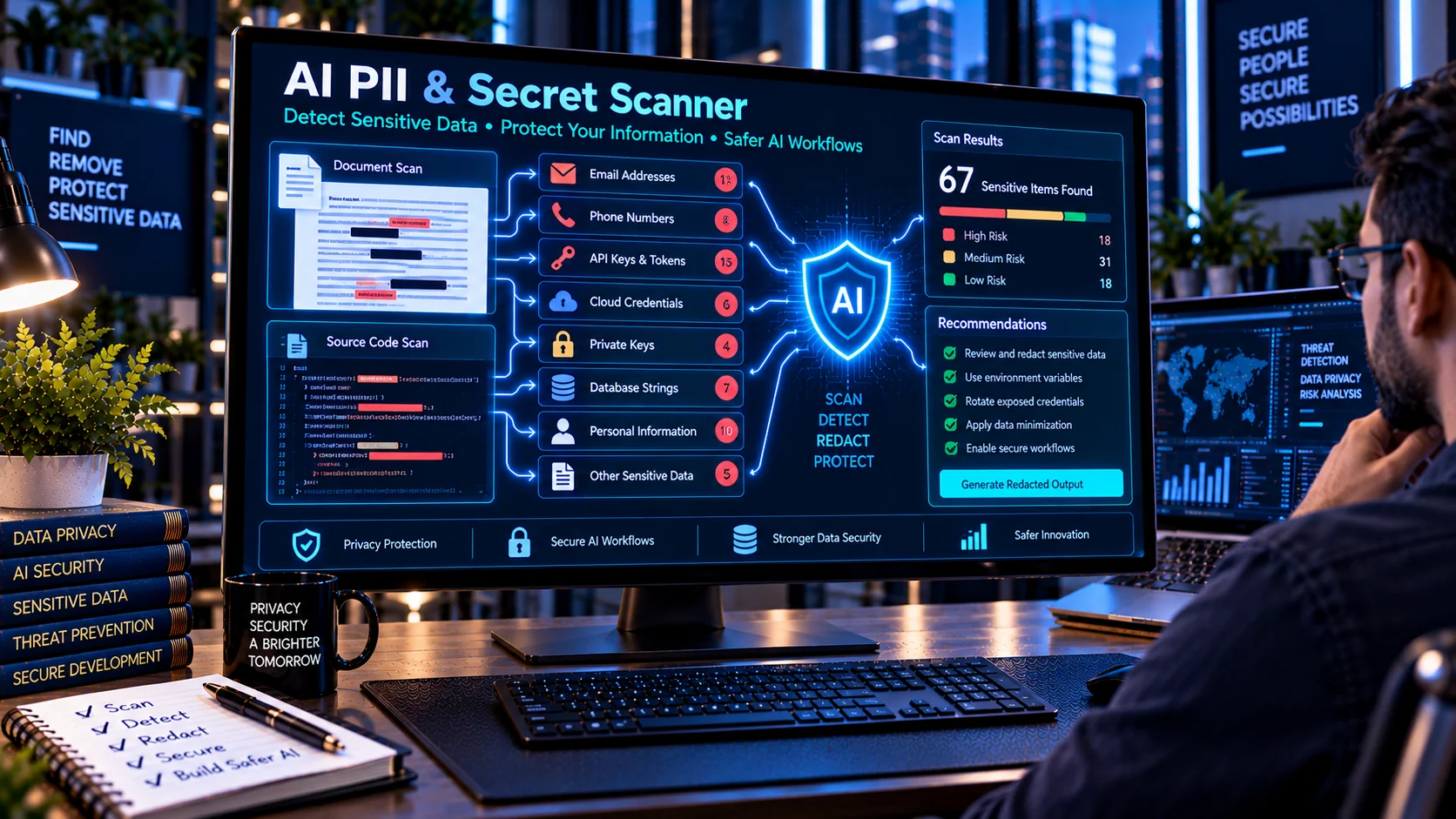
AI PII & Secret Scanner helps you identify potentially sensitive personal information, credentials, tokens, API keys, and other secret-like patterns before submitting text or documents to an AI system. It provides a browser-based first-pass scan with categorized findings and risk indicators, helping developers review content before it enters AI, RAG, automation, or document-processing workflows.
AI PII & Secret Scanner
Browser-side pattern scanner. Matches are indicators for review, not proof that a value is valid, active, or sensitive in context.
What Is an AI PII & Secret Scanner?
An AI PII & Secret Scanner is a privacy and security utility designed to detect information that may require protection before content is sent to an AI service.
AI workflows can process customer information, internal documents, source code, configuration files, logs, and other data. These materials may unintentionally contain credentials or personally identifiable information.
The PKCapra AI PII & Secret Scanner checks supplied content for recognizable patterns associated with personal information and secrets, allowing users to review potential exposures before continuing with an AI workflow.
Why Scan for PII and Secrets Before Using AI?
Sensitive information can appear in content without being obvious at first glance.
Examples include:
- Email addresses
- Phone numbers
- Identification numbers
- Payment-card-like numbers
- API keys
- Access tokens
- Authentication tokens
- Cloud credentials
- Password-like values
- Private keys
- Database connection strings
Sending such information to an AI system without appropriate controls can create unnecessary privacy or security exposure.
A pre-processing scan can provide an additional opportunity to identify and review potentially sensitive content.
What Can the AI PII & Secret Scanner Detect?
Email Addresses
The scanner can identify email-address patterns within supplied content.
An email address is not automatically sensitive in every context, so findings should be reviewed based on the purpose and source of the content.
Phone Numbers
The scanner can identify recognizable phone-number patterns.
This can be useful when reviewing customer records, documents, support conversations, or other text before AI processing.
Identification Numbers
The scanner can identify patterns resembling certain personal identification numbers.
Pattern detection should be treated as an indicator for review rather than confirmation that a value is a valid identity document number.
Payment-Card-Like Numbers
The scanner can identify number patterns that resemble payment-card information.
A detected pattern should be reviewed carefully and handled according to applicable privacy and security procedures.
AWS Access Keys
Cloud credentials can create significant security risk if exposed.
The scanner checks for recognizable AWS access-key patterns that may warrant immediate investigation.
GitHub Tokens
Source-code content and configuration files can sometimes contain authentication tokens.
The scanner can identify recognizable GitHub-token patterns for review.
API Keys
API-key-like strings can appear in source code, logs, configuration files, documentation, and copied text.
The scanner identifies recognizable API-key patterns so developers can investigate whether the values should be removed or protected.
Authentication and Access Tokens
The scanner can identify patterns associated with access or authentication tokens.
This can help identify credentials that may otherwise be overlooked during manual review.
Bearer Tokens
HTTP authorization values using Bearer-style authentication can appear in logs, API examples, configuration files, or copied requests.
The scanner can flag recognizable bearer-token patterns.
Private Keys
Private-key blocks should receive particular attention because they can represent cryptographic credentials.
The scanner can identify recognizable private-key block patterns.
Password-Like Assignments
Configuration files and source code may contain assignments such as password or secret values.
The scanner can identify password-like assignment patterns for further review.
Database Connection Strings
Connection strings can contain usernames, passwords, hostnames, ports, and other connection information.
The scanner can identify recognizable database connection-string patterns.
Internal Hostnames
Internal-domain-like or private infrastructure references may reveal information that should not be included in external AI workflows.
The scanner can identify recognizable internal-hostname patterns for review.
How to Use the AI PII & Secret Scanner
1. Prepare Your Content
Provide the text or document content you want to inspect.
The tool can be used with pasted text or supported uploaded content.
2. Start the Scan
Run the content through the scanner.
The tool checks the available content against its detection patterns.
3. Review the Findings
Examine each detected item and its category.
Pay particular attention to credentials, tokens, private keys, and other authentication-related findings.
4. Assess the Context
Not every detected pattern represents a real secret or sensitive record.
For example, documentation may intentionally contain example credentials or placeholder values.
Review each finding before deciding what action is required.
5. Remove or Protect Sensitive Information
If a finding represents genuine sensitive information, consider removing, redacting, replacing, or otherwise protecting it before submitting the content to an AI system.
6. Scan Again
After sanitizing the content, perform another scan to check whether other potentially sensitive patterns remain.
AI PII & Secret Scanning for RAG
RAG systems often ingest documents from multiple sources.
Before adding documents to a knowledge base, developers can inspect them for personal information and credentials that should not be indexed or exposed through downstream retrieval workflows.
A practical workflow is:
Source Document → PII & Secret Scan → Review → Sanitize → Index → Retrieve
This can reduce the chance that unnecessary sensitive information becomes part of an AI-accessible knowledge base.
AI PII & Secret Scanner vs AI Document Safety Scanner
The AI Document Safety Scanner provides broader document-level screening.
It can look for indicators such as instruction-like content, hidden Unicode, PII, secrets, URLs, embedded content, and script-related elements.
The AI PII & Secret Scanner focuses specifically on personal information and secret-like patterns.
In simple terms:
- AI Document Safety Scanner: broader document safety screening.
- AI PII & Secret Scanner: focused PII and credential/secret detection.
Using both can provide broader pre-processing coverage.
AI PII & Secret Scanner vs AI Prompt Injection Document Scanner
The AI PII & Secret Scanner focuses on sensitive information such as credentials and personal data.
The AI Prompt Injection Document Scanner focuses on instruction-like content that may attempt to influence an AI system when a document is processed.
These are different security concerns and can be checked independently.
Common Places Where Secrets Are Accidentally Exposed
Sensitive patterns can appear in:
Source Code
Developers may accidentally leave API keys or credentials inside source files.
Configuration Files
Environment or configuration files can contain database credentials, tokens, or connection strings.
Logs
Application logs may unintentionally capture authorization headers, customer information, or other sensitive values.
Documentation
Copied API requests and configuration examples can sometimes contain real credentials instead of placeholders.
Support Conversations
Customer support transcripts may include personal information or authentication-related data.
AI Prompts
Developers may paste production data, logs, code, or configuration into an AI assistant during debugging.
Uploaded Documents
Business documents can contain personal information or credentials that were not intended for external processing.
Recommended AI Data-Sanitization Workflow
Before submitting sensitive content to an AI system:
- Collect the content.
- Scan it with the AI PII & Secret Scanner.
- Review detected findings.
- Determine which findings represent genuine sensitive information.
- Remove or sanitize unnecessary sensitive values.
- Scan the cleaned content again.
- Submit only the appropriate content to the AI workflow.
For documents entering an automated pipeline, combine this process with broader document safety screening.
Benefits of AI PII & Secret Scanning
A pre-processing scan can help developers:
- Identify potential PII exposure
- Find credential-like strings
- Detect API keys
- Find authentication tokens
- Identify private-key blocks
- Review database connection strings
- Inspect source code before AI processing
- Reduce accidental data exposure
- Build safer RAG ingestion workflows
- Add an additional privacy checkpoint
Important Limitations
Pattern-based scanning is not a guarantee that all personal information or secrets will be detected.
False positives are possible, and real sensitive information may use formats that are not recognized by the scanner.
A detected pattern also does not prove that a credential is valid, active, or usable.
The scanner should therefore be treated as a first-pass screening layer rather than a complete data-loss-prevention or secrets-management solution.
For production environments, use appropriate access controls, secret-management systems, privacy controls, logging policies, and organizational security procedures.
Frequently Asked Questions
What is an AI PII & Secret Scanner?
It is a tool that scans content for recognizable patterns associated with personal information, API keys, credentials, tokens, private keys, and other potentially sensitive data.
Why scan content before sending it to AI?
Scanning provides an opportunity to identify potentially sensitive information before it is submitted to an AI service or incorporated into an AI workflow.
Can it detect API keys?
Yes. It checks for recognizable API-key-like patterns.
Can it detect passwords?
It can identify password-like assignments and related patterns, but it cannot determine whether every detected value is a valid or active password.
Can it detect AWS credentials?
Yes. The scanner includes detection for recognizable AWS access-key patterns.
Can it detect private keys?
Yes. Recognizable private-key blocks can be flagged for review.
Can it scan source code?
Yes. Source code can be scanned when provided as supported text or content.
Does the scanner verify whether a detected secret actually works?
No. It identifies patterns for review and does not authenticate against external services to test whether credentials are valid.
Does the tool send my content to an external AI API?
The PKCapra AI PII & Secret Scanner is designed for browser-side scanning and does not require an external AI API for its pattern-based detection.
Does finding no secrets mean my content is completely safe?
No. A clean scan only means that the configured detection patterns did not identify matching indicators. It does not guarantee that content contains no sensitive information.
Conclusion
AI PII & Secret Scanner provides a focused privacy and security checkpoint for AI workflows. It can identify recognizable patterns associated with personal information, API keys, authentication tokens, cloud credentials, private keys, passwords, database connection strings, and other potentially sensitive data.
Use it before submitting documents, source code, logs, customer content, or other material to AI systems. For broader coverage, combine PII and secret scanning with document safety inspection, prompt-injection detection, sanitization, and appropriate application-level security controls.