
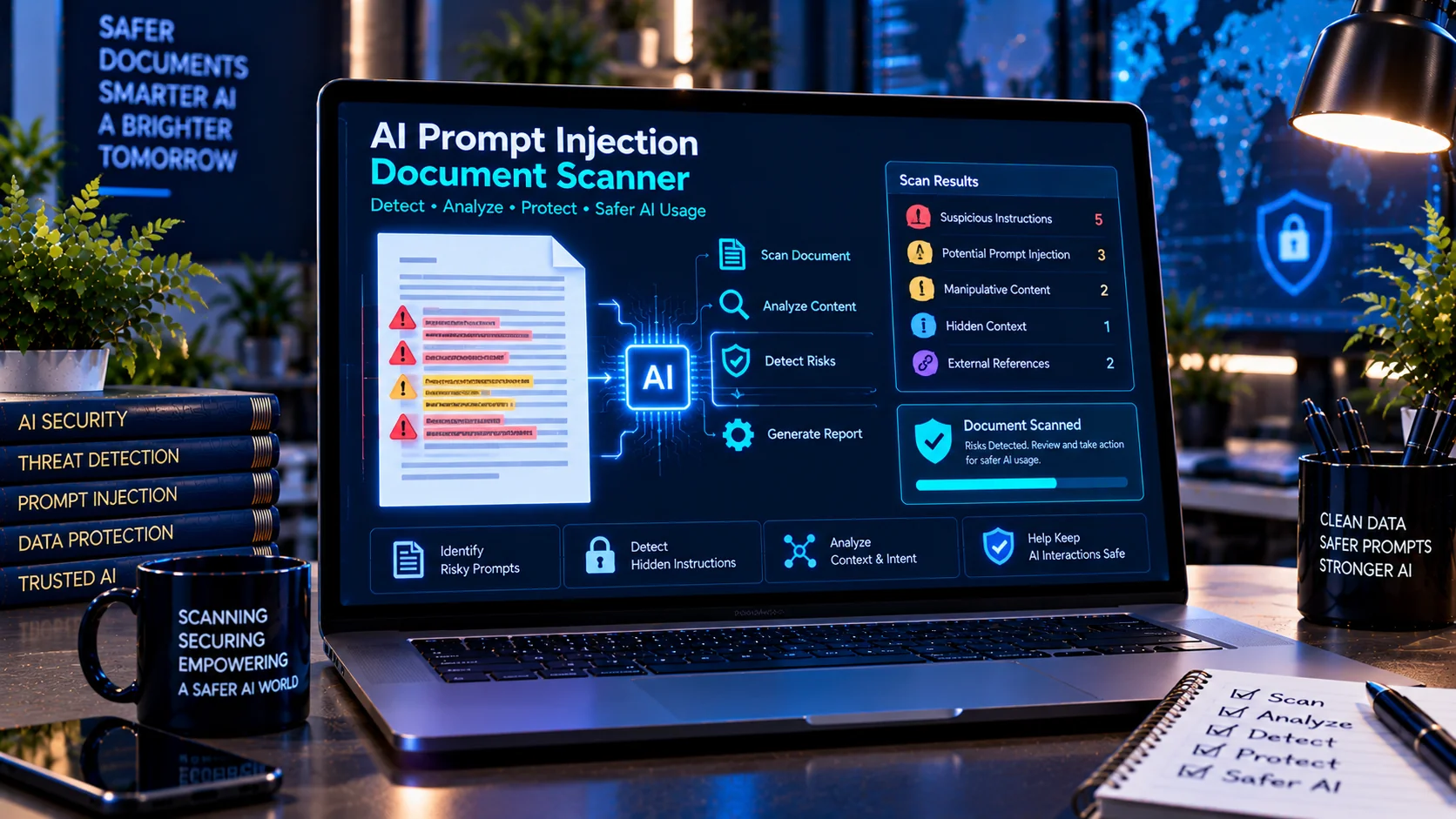
Documents processed by AI systems can contain instruction-like text that was never intended to be treated as normal document content. A document may include hidden or embedded instructions that attempt to influence an AI model, override its expected behavior, expose context, or trigger actions. PKCapra’s AI Prompt Injection Document Scanner helps inspect document text for suspicious instruction patterns before the content is passed to an AI system, RAG pipeline, document-processing workflow, or AI agent.
AI Prompt Injection Document Scanner
Browser-side heuristic scanner. It identifies suspicious instruction-like patterns for authorized defensive review; it does not prove malicious intent or compromise.
Bilkul bhai. C3 — AI Prompt Injection Document Scanner ke liye SEO content yeh raha, Master Workflow ke mutabiq. Source workflow mein C3 ka core purpose “documents intended for AI processing” mein suspicious instruction-like content detect karna hai. PKCapra_UNIQUE_MASTER_WORKFLOW_…
Protect AI Workflows from Malicious Document Instructions
Documents processed by AI systems can contain instruction-like text that was never intended to be treated as normal document content. A document may include hidden or embedded instructions that attempt to influence an AI model, override its expected behavior, expose context, or trigger actions. PKCapra’s AI Prompt Injection Document Scanner helps inspect document text for suspicious instruction patterns before the content is passed to an AI system, RAG pipeline, document-processing workflow, or AI agent.
What Is Prompt Injection in a Document?
Prompt injection occurs when content inside a document attempts to influence how an AI system interprets or processes that content.
Unlike traditional prompts that are intentionally written by the user, document-based injections can appear inside:
- Reports and business documents
- PDFs and text exports
- Research material
- Web content saved for analysis
- Knowledge-base documents
- RAG datasets
- Customer-submitted files
- AI training or evaluation material
- Imported documentation
For example, a document might contain an instruction telling an AI system to ignore previous instructions, reveal hidden information, change its role, or perform an unrelated action.
The scanner helps identify these instruction-like patterns so they can be reviewed before the document enters an AI workflow.
What the AI Prompt Injection Document Scanner Checks
PKCapra’s scanner analyzes text for multiple categories of suspicious content.
Instruction Override Patterns
The scanner can identify language that attempts to override previously established instructions, including patterns resembling requests to ignore or replace existing rules.
Hidden or Context-Extraction Instructions
Documents may contain language attempting to expose system, developer, hidden, or contextual information. These patterns are flagged for human review.
Role Manipulation
Some injection attempts try to change the AI’s assigned role or establish a new authority hierarchy. The scanner checks for role-manipulation indicators.
Concealment Instructions
Suspicious content may instruct an AI system to hide its actions, conceal information, or avoid revealing certain processing steps. These patterns can be identified during scanning.
Embedded Instructions
Instruction-like text can be embedded within otherwise ordinary document content. The scanner examines document text for these patterns rather than assuming every sentence is harmless data.
Authority Claims
A document can contain statements claiming to be system-level, developer-level, administrative, or otherwise authoritative instructions. These claims can be flagged for review.
AI Tool and Action Instructions
Some document content may attempt to instruct an AI system to call tools, access information, send data, or perform actions. The scanner identifies relevant instruction patterns for inspection.
Conditional Injection Patterns
Injection attempts can also be conditional, such as instructions that tell an AI system what to do only when a particular condition occurs.
Processing-Behavior Overrides
The scanner can identify content that attempts to change how the AI should process, interpret, summarize, classify, or otherwise handle the document.
Attention-Manipulation Indicators
Certain document instructions attempt to direct the AI’s attention toward or away from specific content. These patterns can be included in the scan findings.
Detect Suspicious Unicode Characters
Prompt injection does not always rely on obvious visible text. Documents can contain Unicode characters that are difficult to notice during normal reading.
PKCapra’s scanner checks for indicators including:
- Zero-width Unicode characters
- Bidirectional Unicode control characters
- Other suspicious instruction-formatting patterns
These findings can help identify content that deserves closer inspection before AI processing.
Scan Document Text Before AI Processing
A practical workflow is to inspect document content before sending it into an AI system.
- Extract or provide the document text.
- Run the text through the AI Prompt Injection Document Scanner.
- Review detected findings.
- Investigate suspicious lines or instructions.
- Remove or isolate untrusted instructions when appropriate.
- Review the cleaned document.
- Only then continue with the intended AI workflow.
This approach is particularly useful when documents originate from external users, websites, shared repositories, or other sources that cannot be fully trusted.
Review Findings by Line Number
Finding the suspicious text is often as important as detecting it.
PKCapra’s scanner reports relevant findings with line information where available, helping you locate the potentially problematic content in the source document.
This can make manual review easier when working with long documents containing hundreds or thousands of lines.
Risk Levels for Faster Review
The scanner organizes findings using risk levels such as:
- None — no relevant injection indicators detected
- Low — limited indicators requiring review
- Medium — potentially significant suspicious content detected
- High — multiple or stronger injection indicators require closer investigation
These classifications are diagnostic indicators, not guarantees that a document is malicious or safe.
Useful for RAG and AI Document Pipelines
Prompt injection is especially important when external documents are added to retrieval-augmented generation (RAG) systems.
A document can become part of a knowledge base and later be retrieved as context for an AI model. If the document contains instruction-like content, that content may be presented to the model alongside legitimate information.
Scanning documents before ingestion can therefore become one step in a broader document-security workflow.
Browser-Based Document Scanning
PKCapra’s AI Prompt Injection Document Scanner is designed to perform its analysis in the browser.
The tool does not require an external AI or API call for its scanning process. This makes it suitable for reviewing text locally in the browser before incorporating the content into an AI workflow.
For sensitive documents, users should still follow their organization’s privacy, security, and document-handling requirements.
Important Limitations
A prompt-injection scanner is a defensive detection aid, not a guarantee that a document contains no malicious instructions.
Detection can produce false positives, and new or carefully disguised injection techniques may not match known patterns. A document that produces no findings should therefore not automatically be treated as completely safe.
Human review remains important for sensitive, high-impact, or security-critical workflows.
AI Document Security Workflow
For stronger document preparation, prompt-injection detection can be combined with other checks such as reviewing personally identifiable information, credentials, suspicious links, embedded content, and hidden characters.
A practical AI document-security process can include:
Document → Safety Scan → PII & Secret Review → Prompt Injection Review → Content Cleanup → Human Review → AI Processing
This helps separate ordinary document content from potentially unsafe instructions before the document reaches an AI system.
Who Can Use This Tool?
The AI Prompt Injection Document Scanner can be useful for:
- AI developers
- RAG developers
- AI security teams
- Prompt engineers
- Data engineers
- Knowledge-base administrators
- Document-processing teams
- AI researchers
- Security analysts
- Businesses processing customer documents
- Teams preparing documents for AI assistants
Frequently Asked Questions
What is an AI prompt injection document?
An AI prompt injection document is a document containing text that attempts to influence an AI system’s behavior rather than simply providing information for the AI to process.
Can a PDF contain prompt injection?
Yes. A PDF can contain ordinary visible text or other text content that may include instruction-like language. Whether it can affect an AI system depends on how the PDF is extracted, processed, and supplied to that system.
Does this tool remove prompt injection automatically?
No. The scanner is designed to detect and report suspicious instruction-like content. Reviewers can then investigate and decide how the document should be handled.
Does the scanner use an AI API?
No. The scanner is designed for browser-side analysis and does not require an external AI or API call to perform its detection.
Is a document safe if the scanner finds nothing?
Not necessarily. Automated pattern detection has limitations and cannot guarantee that a document is completely safe. Important documents should still receive appropriate human and security review.
Why scan documents before using them with RAG?
Documents become part of the information available to a retrieval system. Checking them before ingestion can help identify suspicious instructions before they enter an AI knowledge workflow.
What types of injection patterns can be detected?
The scanner checks for indicators such as instruction overrides, role manipulation, hidden-context extraction attempts, concealment instructions, embedded instructions, authority claims, AI action instructions, conditional injections, processing overrides, and suspicious Unicode indicators.
Prepare Documents More Carefully for AI
AI systems increasingly process documents from users, websites, databases, knowledge bases, and third-party sources. Treating every document as trusted input can create unnecessary security risks.
Using a prompt-injection document scan before AI processing provides an additional review step for identifying instruction-like content that may otherwise be overlooked.
Bilkul bhai — end mein yeh section add kar do. Is mein existing relevant PKCapra tools ke internal links naturally placed hain:
Related AI Document Security Tools
Before sending documents into an AI workflow, it can be useful to perform several complementary security checks. Use the AI PII & Secret Scanner to identify possible personal information, API keys, credentials, and other sensitive data, then use the AI Document Safety Scanner for a broader review of suspicious document content, hidden instructions, external URLs, and embedded-content indicators. For documents containing potentially deceptive or hidden characters, the Hidden Unicode / Confusable Scanner can help identify zero-width, directional, and confusable Unicode characters before the content reaches an AI system. Together, these checks provide a more comprehensive workflow for preparing documents for safer AI processing, RAG pipelines, and AI-powered document analysis.