
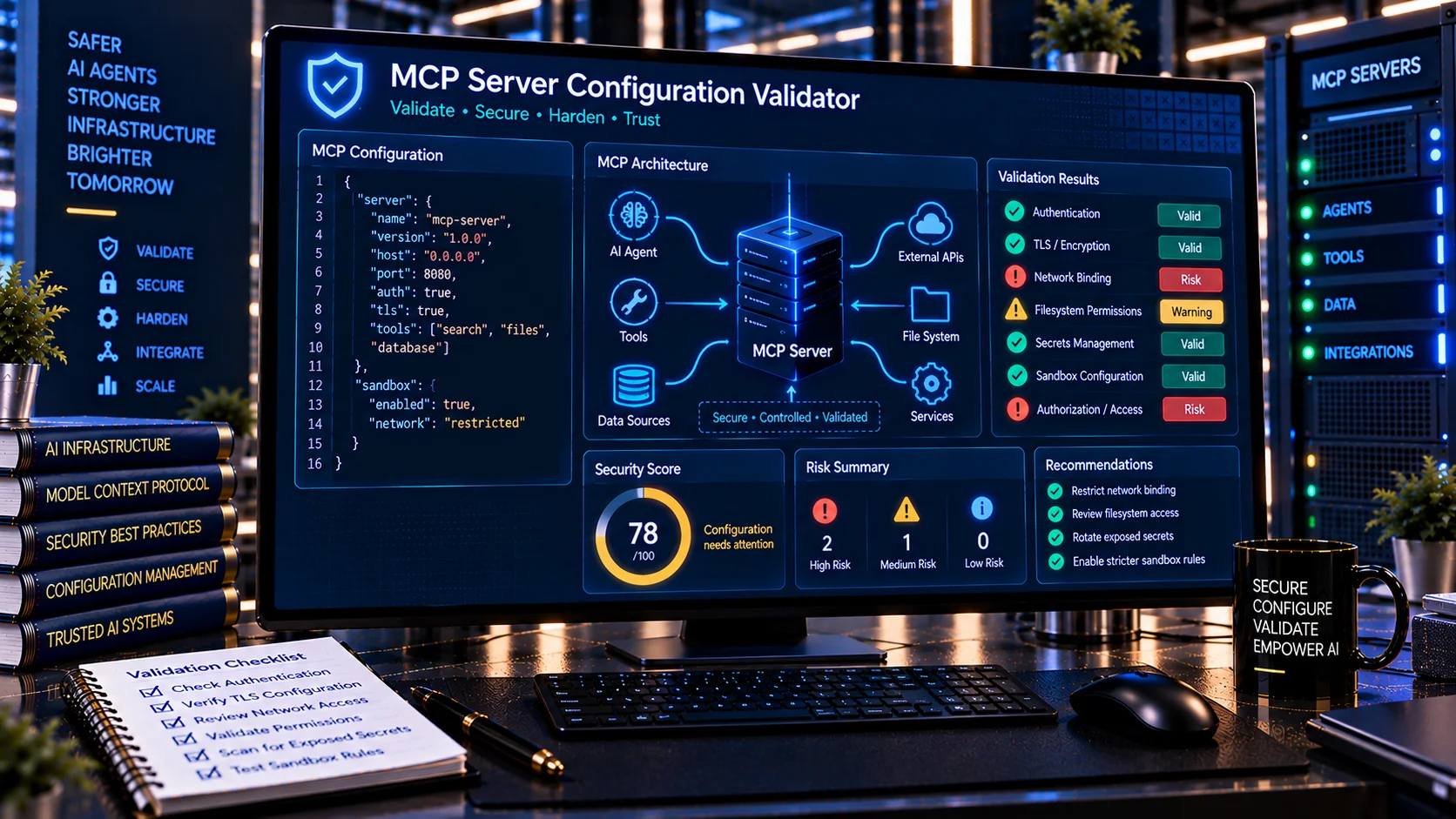
MCP Server Configuration Validator helps developers and security teams review Model Context Protocol (MCP) server configurations for common security and deployment risks. Check transport settings, authentication, authorization, exposed secrets, network binding, TLS, filesystem access, network permissions, command execution, sandboxing, debug settings, and other configuration signals before connecting an MCP server to an AI application.
MCP Server Configuration Validator
Validate an MCP server configuration for risky transports, exposed secrets, broad permissions, unsafe network binding, missing authentication, disabled TLS verification, debugging exposure, unrestricted filesystem or network access, and other security-sensitive configuration signals.
Detected Configuration Signals
Security Findings
Configuration Summary
What Is an MCP Server Configuration Validator?
An MCP Server Configuration Validator is a security-focused configuration analysis tool for Model Context Protocol servers.
MCP servers can expose tools, resources, and other capabilities to AI applications. Because these capabilities may connect an AI system to files, databases, APIs, networks, or other external resources, the server configuration becomes an important part of the overall security boundary.
OWASP describes MCP as an additional attack surface involving AI applications, MCP clients, MCP servers, tools, data sources, and the connections between them. Its security guidance recommends least privilege, secure transport, authentication, sandboxing, input validation, and careful server isolation.
Why Validate an MCP Server Configuration?
An MCP server can be technically functional while still being configured with unnecessary or unsafe access.
Examples include:
- Binding a remote service to an overly broad network interface
- Running without appropriate authentication
- Using insecure transport
- Exposing unnecessary filesystem paths
- Allowing unrestricted network access
- Running commands with excessive privileges
- Storing secrets directly in configuration
- Disabling certificate verification
- Running without sandboxing
- Enabling excessive debug output
- Granting broad permissions to a server that needs only a narrow capability
Configuration validation helps identify these signals before the server becomes part of an AI workflow.
What Does the MCP Server Configuration Validator Check?
PKCapra’s MCP Server Configuration Validator analyzes configuration content for security-relevant signals such as:
- MCP transport configuration
stdioand HTTP/SSE-related settings- Authentication configuration
- Authorization and scope settings
- OAuth-related signals
- API keys and access tokens
- Passwords and secrets
- Network binding
- Broad host interfaces
- Plain HTTP
- TLS and certificate verification
- Filesystem permissions
- Network access
- Shell or command execution
- Sandbox and isolation settings
- Debug and verbose modes
- Shared credentials
- Automatic installation or connection behavior
The results are intended to help developers identify configurations that deserve additional review.
MCP Transport Configuration
MCP deployments can use different transport approaches depending on the environment.
Local MCP servers may use standard input/output (stdio), while remote deployments can use network-based transports.
The appropriate transport depends on the architecture and trust boundary.
OWASP’s MCP guidance describes stdio as a local transport and HTTP/SSE as remote transport and recommends applying appropriate security controls to the selected deployment model.
A configuration validator can help identify transport-related settings that may require review.
Local MCP Server Security
Local MCP servers can have direct access to the environment in which they run.
Depending on their configuration, they may potentially access:
- Local files
- Environment variables
- Credentials
- Network resources
- Operating-system commands
- Development tools
- User data
Running a local MCP server with unrestricted host access can significantly increase its potential impact.
OWASP recommends sandboxing local MCP servers and restricting filesystem and network access to only what is required.
Remote MCP Server Security
Remote MCP servers introduce network security considerations.
A remote MCP endpoint may require:
- Authentication
- Authorization
- Secure transport
- Session controls
- Resource limits
- Request validation
- Secure server binding
- Monitoring and logging
Remote services should not be treated as trusted simply because they are inside a private network.
OWASP recommends authentication for remote MCP endpoints and secure TLS-based transport for remote connections.
Authentication Checks
Authentication determines whether a connecting client can establish an authorized relationship with an MCP server.
The validator can identify configuration signals associated with:
- Missing authentication
- API keys
- Bearer tokens
- OAuth
- Authentication toggles
- Authentication bypass settings
- Shared credentials
The exact authentication requirements depend on whether the server is local, remote, private, public, or integrated into another authenticated environment.
Authorization and Scope
Authentication alone does not determine what an MCP client is allowed to do.
Authorization controls should restrict access to the resources and operations actually required.
OWASP recommends least-privilege permissions for MCP servers and scoped credentials rather than broad access.
For example, a server that only needs read-only access to a particular data source should not automatically receive unrestricted modification or administrative capabilities.
OAuth and Permission Scope
Remote MCP deployments may use OAuth-based authorization.
Configuration review should consider whether scopes are broader than required.
A server requiring read-only access should not unnecessarily request permissions equivalent to full modification or administrative access.
The principle is simple: grant the minimum authorization necessary for the intended operation.
Detecting Exposed Secrets
Configuration files sometimes contain sensitive values such as:
- API keys
- Access tokens
- Passwords
- Client secrets
- Private keys
- Database credentials
- Service credentials
Hard-coded credentials create unnecessary exposure and can also make rotation and incident response more difficult.
The validator can flag configuration patterns that appear to contain secrets so they can be reviewed and moved to an appropriate secure credential-management mechanism.
Do not treat every token-like string as a confirmed credential. Pattern-based detection can produce false positives.
Network Binding Security
A server’s network binding determines which interfaces can accept connections.
An overly broad binding can expose a service to interfaces that were never intended to reach it.
OWASP specifically recommends binding MCP HTTP/SSE servers to specific interfaces such as 127.0.0.1 where appropriate rather than broadly exposing them on 0.0.0.0 without a deliberate requirement.
A configuration validator can flag broad network-binding patterns for review.
HTTP and HTTPS
Remote MCP traffic can contain sensitive information, credentials, tool parameters, and responses.
Unencrypted HTTP can expose communications to interception or manipulation.
OWASP’s transport-security guidance recommends TLS for sensitive web-service communication and secure configuration of TLS.
The MCP validator can identify configuration signals associated with plain HTTP or insecure transport so developers can review whether encrypted transport is required.
TLS and Certificate Verification
TLS protects network communication and also helps clients establish the identity of the server.
Disabling certificate verification can weaken these protections.
Configuration review can identify settings that appear to disable:
- TLS verification
- Certificate validation
- Secure transport requirements
- Server identity checks
OWASP recommends properly configured TLS and server certificate verification for secure service communication.
Filesystem Access
MCP servers may expose filesystem-related tools.
A configuration that grants access to an entire filesystem can create unnecessary risk if the server only requires a small directory.
Potential concerns include:
- Root filesystem access
- Home-directory access
- Credential directories
- Configuration directories
- Temporary-file access
- Broad wildcard paths
- Sensitive project directories
OWASP recommends restricting filesystem access to only the directories required by the MCP server.
Network Access and Egress
An MCP server may need network connectivity to perform its intended function.
However, unrestricted outbound access can increase the impact of compromised or manipulated tools.
Potential configuration concerns include:
- Any-host network access
- Unrestricted outbound requests
- Arbitrary URL fetching
- Internal network access
- Cloud metadata access
- Unrestricted API connections
OWASP recommends disabling network access for local MCP servers unless it is explicitly required and validating URL-based requests to reduce SSRF-related risks.
Shell and Command Execution
Some MCP servers may expose operating-system or command-execution functionality.
This can be legitimate in controlled development workflows, but unrestricted command execution can create a much larger attack surface.
Configuration review should consider:
- Whether command execution is actually required
- Which user runs the process
- Whether commands are restricted
- Whether the server is sandboxed
- Whether filesystem access is limited
- Whether network access is restricted
Least privilege should apply to command execution just as it does to other MCP capabilities.
Sandbox and Isolation Checks
Sandboxing can reduce the potential impact of a compromised or manipulated MCP server.
The validator can identify configuration signals related to:
- Sandbox settings
- Isolation
- Container execution
- Restricted environments
- Host access
- Privileged execution
OWASP recommends sandboxing local MCP servers and isolating sensitive servers from general-purpose MCP services.
A missing sandbox configuration does not automatically mean that a server is insecure because the deployment environment may provide isolation elsewhere. It is a signal for architectural review.
Debug and Verbose Modes
Debug and verbose modes can sometimes expose information that should not appear in normal production operation.
Potentially sensitive information may include:
- Request parameters
- Tool arguments
- File paths
- Authentication details
- Internal errors
- Environment information
- API responses
The validator can flag debug or verbose configuration signals for review.
Shared Credentials
Using the same high-privilege credential across multiple MCP servers can make isolation and incident response more difficult.
OWASP recommends scoped, per-server credentials rather than sharing tokens across servers.
A secure architecture should make it possible to revoke or rotate access for one MCP server without unnecessarily affecting unrelated services.
Automatic Installation and Connection Behavior
Automatically installing or connecting MCP servers can introduce supply-chain and consent risks.
An AI application should not blindly trust an MCP server simply because configuration content or external instructions request installation.
OWASP recommends reviewing MCP server sources, showing clear consent before connecting new servers, and avoiding installation triggered by untrusted web content.
MCP Server Configuration and Least Privilege
Least privilege is one of the most important principles when securing MCP infrastructure.
A server should receive only:
- The tools it needs
- The filesystem paths it needs
- The network access it needs
- The credentials it needs
- The API scopes it needs
- The execution privileges it needs
OWASP’s authorization guidance similarly recommends assigning only the minimum privileges required for a task.
Configuration Security for Development and Production
Development configurations often have broader access because developers need flexibility.
However, development settings should not automatically become production settings.
Review differences such as:
- Debug enabled vs disabled
- Localhost vs public binding
- Development credentials vs production secrets
- Broad filesystem access vs restricted directories
- Unrestricted network vs allowlisted egress
- Sandbox disabled vs enabled
- Authentication optional vs required
A configuration that is acceptable in an isolated development environment may be inappropriate for a public production deployment.
MCP Server Configuration Review Workflow
A practical workflow is:
- Export or copy the MCP server configuration.
- Remove or mask live credentials before sharing it.
- Run the configuration through the validator.
- Review Critical and High findings first.
- Check authentication and authorization.
- Review network binding and transport security.
- Review filesystem and network scope.
- Review command execution and sandboxing.
- Remove unnecessary permissions.
- Re-run the validation after changes.
- Test the server in an isolated environment.
- Monitor the server after deployment.
Configuration validation should be combined with actual runtime security testing.
MCP Configuration and Tool Security
Server configuration is only one part of MCP security.
A secure MCP deployment should also review the tools exposed by the server.
Tool descriptions and parameter schemas can themselves become security-sensitive because they are provided to the AI model.
OWASP recommends inspecting tool descriptions, parameter names, types, and return schemas and treating the schema as a potential injection surface.
For this reason, MCP configuration validation works well alongside tool-schema and tool-security analysis.
Browser-Based Configuration Analysis
PKCapra’s MCP Server Configuration Validator is designed for browser-side heuristic analysis.
The configuration is analyzed locally rather than requiring an external AI API to interpret the configuration.
This can be useful when performing:
- Pre-deployment reviews
- Security assessments
- Development checks
- MCP server audits
- Configuration troubleshooting
- Architecture reviews
Avoid pasting live secrets into any browser-based analysis workflow unless you have verified that doing so is appropriate for your environment.
Security Score and Risk Levels
The validator provides a security-oriented score based on detected configuration signals.
Findings can include:
- Finding category
- Risk level
- Description
- Line number
- Column position
- Relevant configuration
- Recommended review area
Risk levels can range from Low and Medium to High and Critical depending on the detected configuration pattern.
The score is a heuristic assessment and does not prove that an MCP server is secure or insecure.
Important Limitations
Configuration analysis cannot determine the complete security posture of an MCP deployment.
Actual security depends on:
- Operating-system permissions
- Container configuration
- Network firewalls
- Identity provider settings
- OAuth implementation
- Reverse proxies
- TLS configuration
- Runtime authorization
- Tool implementation
- Dependency security
- Host security
- Cloud infrastructure
- Monitoring
- Incident-response controls
A configuration can appear secure while the surrounding infrastructure introduces a vulnerability.
Likewise, a flagged configuration may be intentional and appropriately protected elsewhere.
Always validate findings against the actual deployment architecture.
Frequently Asked Questions
What is an MCP Server Configuration Validator?
It is a security tool that analyzes MCP server configuration files for potentially unsafe settings involving authentication, authorization, transport, secrets, network access, filesystem permissions, sandboxing, command execution, and other security controls.
What is MCP?
MCP, or Model Context Protocol, is a protocol for connecting AI applications with external tools, data sources, and services. MCP servers can expose capabilities that AI applications can use during an interaction.
Why should MCP server configurations be validated?
An MCP server can have excessive permissions or insecure runtime settings even when the configuration successfully works. Validation helps identify configuration signals that deserve security review before deployment.
Does the validator detect exposed API keys?
It can identify patterns that resemble API keys, tokens, passwords, and other secrets. Detection is heuristic and should be manually verified.
Should an MCP server bind to 0.0.0.0?
That depends on the architecture. Broad binding can expose a service to more interfaces than intended. OWASP recommends specific interface binding such as localhost where appropriate rather than broad exposure without a deliberate requirement.
Does an MCP server need authentication?
Remote MCP servers generally need appropriate authentication and authorization controls based on their exposure and resources. Local deployments may have different security requirements.
Is HTTPS required for MCP?
Remote deployments carrying sensitive information should use appropriately configured TLS. The exact transport architecture determines the required implementation.
Does this tool guarantee MCP security?
No. It performs configuration-oriented heuristic analysis. Runtime infrastructure, authentication, authorization, tool implementation, dependencies, sandboxing, network controls, and monitoring must also be reviewed.
Should MCP servers run with full filesystem access?
Generally, filesystem access should be limited to the directories required for the server’s intended function. Least privilege reduces unnecessary exposure.
Related PKCapra Tools
For MCP and AI-agent security, also use the AI Tool Schema Validator, AI Tool Security Checker, AI Tool Poisoning Scanner, AI Tool Call Risk Analyzer, and AI Agent Configuration Security Checker.
For prompt-injection and content security, use the Generic Prompt Injection Detector, AI Prompt Injection Scanner, and AI Document Safety Scanner.