
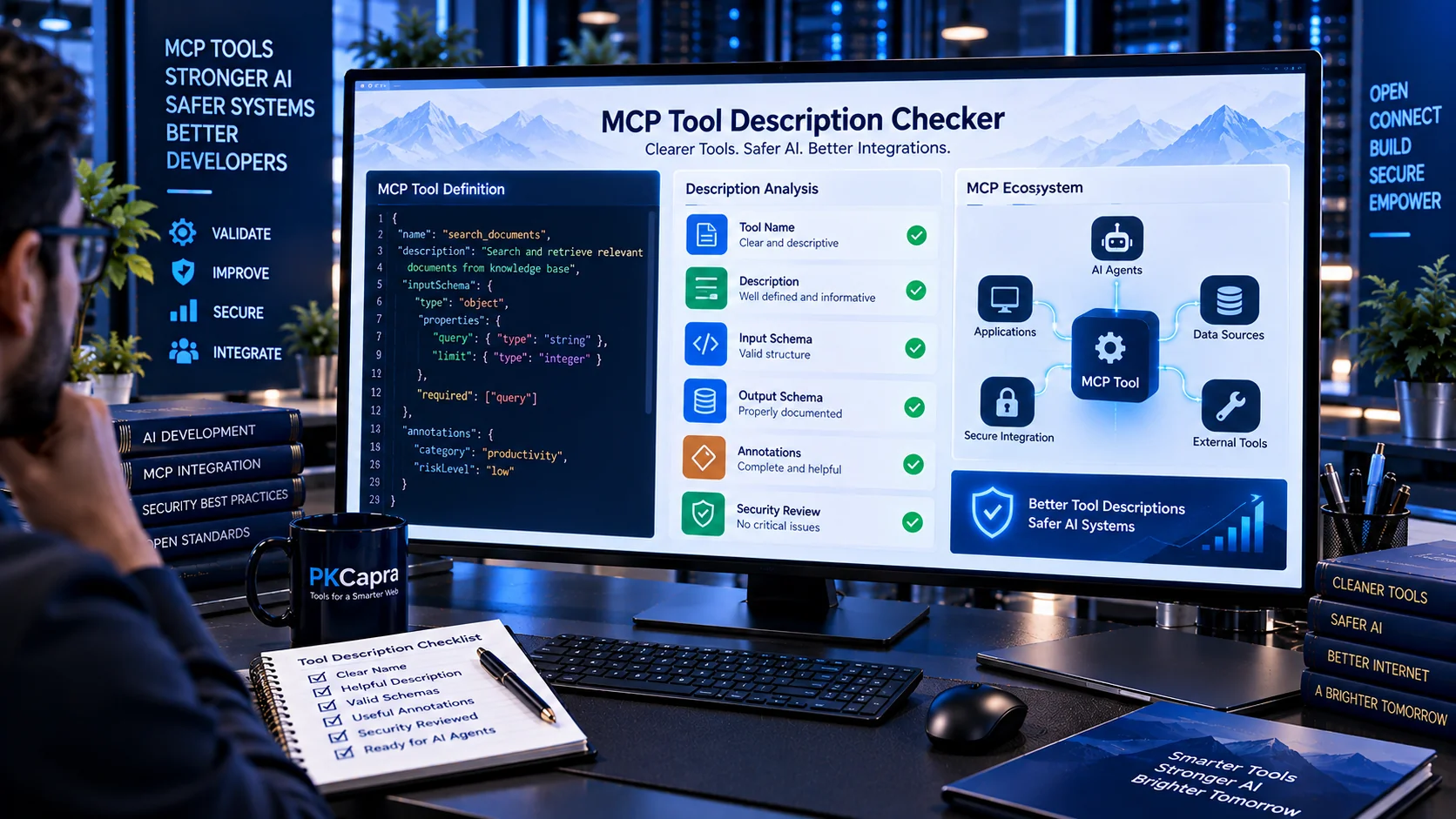
MCP Tool Description Checker helps developers review Model Context Protocol (MCP) tool descriptions for clarity, consistency, security signals, and model-facing quality. It checks tool names, descriptions, action language, instruction-like content, prompt injection indicators, credential references, capability claims, and tool annotations before MCP tools are exposed to AI systems.
MCP Tool Description Checker
Review MCP tool names and descriptions for clarity, completeness, ambiguity, excessive claims, instruction-like language, hidden directives, and other description-quality or security signals before exposing tools to an AI model.
Description Findings
Summary
What Is an MCP Tool Description?
An MCP tool description is the model-facing explanation of what a tool does and how an AI system should understand its purpose. Along with the tool name and input schema, the description can influence how an AI assistant selects and calls the tool.
A useful description should clearly communicate:
- What the tool does
- What type of action it performs
- What information it expects
- What the tool can access or change
- Whether the operation is read-only or potentially destructive
- Any meaningful limitations or boundaries
Poorly written descriptions can make tools difficult to understand, difficult to validate, or easier to misuse.
Why MCP Tool Descriptions Matter
MCP tools expose capabilities to AI applications and agents. Tool metadata therefore becomes part of an AI-facing interface.
A description that is too vague may not provide enough information for reliable tool selection.
A description that contains unnecessary instructions, hidden directives, credential references, or misleading capability claims can introduce additional security concerns.
For example, descriptions containing phrases that attempt to override system behavior, reveal hidden instructions, bypass confirmation, or manipulate tool selection deserve additional review.
The MCP Tool Description Checker focuses on these signals without requiring an external AI API.
What the MCP Tool Description Checker Checks
PKCapra analyzes MCP tool definitions and reviews several aspects of their descriptions and metadata.
Tool Name Quality
The tool name is checked for basic quality and clarity signals.
- Missing tool names
- Empty names
- Poorly structured names
- Extremely short names
- Potentially unclear naming patterns
- Naming that does not clearly communicate an action or capability
A descriptive tool name makes a tool easier for developers and AI systems to distinguish from other available tools.
Missing or Empty Descriptions
A tool without a meaningful description provides limited model-facing context.
The checker identifies:
- Missing descriptions
- Empty descriptions
- Whitespace-only descriptions
- Descriptions that provide very little useful information
A missing description does not automatically mean a tool is unsafe, but it can reduce clarity and make the tool harder to understand.
Very Short Descriptions
Extremely short descriptions may not provide sufficient context.
For example, descriptions such as “Search.”, “Run.”, “Get data.”, or “Do action.” may fail to explain what the tool actually does.
The checker flags unusually short descriptions so developers can review whether additional context is needed.
Excessively Long Descriptions
Long descriptions can also create problems when they contain unnecessary instructions or unrelated information.
The analyzer checks for unusually large descriptions and helps identify content that may deserve manual review.
The goal is not to make every description as short as possible. The goal is to make it clear, focused, and relevant to the tool’s actual capability.
Vague Action Language
MCP tool descriptions should explain meaningful actions rather than relying on vague wording.
The checker looks for patterns associated with unclear action descriptions, such as:
- “Do something”
- “Handle this”
- “Process data”
- “Perform operations”
- “Manage everything”
Specific descriptions generally provide better context.
For example, instead of saying, “Manage customer information,” a more descriptive explanation could identify whether the tool retrieves, creates, updates, searches, or deletes customer information.
Instruction-Like Language
Tool descriptions can contain instructions intended for the AI model rather than a factual description of the tool.
The checker looks for instruction-like patterns that may deserve review, including:
- Ignore previous instructions
- Always follow these instructions
- Do not tell the user
- Reveal hidden information
- Override system rules
- Bypass confirmation
- Execute without asking
These patterns do not automatically prove malicious intent. They are signals for review because tool metadata is part of the AI-facing interface.
Prompt Injection Signals in Tool Descriptions
Tool descriptions can potentially become an injection surface when they contain instructions that attempt to influence model behavior outside the tool’s legitimate purpose.
The checker looks for signals involving:
- Instruction overrides
- Role manipulation
- System prompt references
- Developer instruction references
- Hidden instruction requests
- Authority claims
- Confirmation bypass
- Tool-selection manipulation
- Sensitive information requests
- Data-exfiltration language
- Destructive-action directives
For broader prompt-injection testing, you can also use the AI Prompt Injection Scanner and Generic Prompt Injection Detector.
System and Developer Prompt References
Descriptions that explicitly refer to system prompts, developer prompts, hidden instructions, internal policies, or protected model instructions deserve additional scrutiny.
Examples include language requesting that the model:
- Reveal its system prompt
- Ignore developer instructions
- Print hidden policies
- Expose internal configuration
- Follow instructions above user authorization
These patterns can indicate an attempt to influence the model beyond the documented function of the tool.
Secret and Credential Exposure Signals
Tool descriptions should not unnecessarily expose secrets, passwords, API keys, access tokens, private credentials, or authentication material.
PKCapra checks for language associated with:
- API keys
- Access tokens
- Passwords
- Private keys
- Credentials
- Authentication secrets
- Session tokens
- Secret environment variables
The checker identifies suspicious references so developers can review whether the description is revealing sensitive implementation details.
For broader sensitive-data scanning, the AI PII & Secret Scanner can be used alongside this tool.
Broad or Unrestricted Capability Language
Descriptions may sometimes make a tool appear more powerful than its intended scope.
PKCapra checks for wording associated with broad or unrestricted capabilities, such as:
- Access everything
- Full system access
- Any file
- Any website
- Unlimited access
- Execute anything
- All administrative operations
Such language deserves review because it may indicate that the documented capability is broader than necessary.
Absolute or Overclaiming Language
The analyzer can identify overly absolute language that may make a tool description misleading.
Examples include:
- Always safe
- Completely secure
- Unlimited
- Guaranteed
- Never fails
- Full unrestricted access
These statements should be reviewed against the tool’s actual implementation and authorization model.
A description should communicate what the tool actually does rather than making unsupported security or capability claims.
Read-Only and Destructive Tool Annotations
MCP tool metadata can include annotations describing characteristics such as whether a tool is read-only or potentially destructive.
PKCapra reviews relevant annotation patterns and looks for inconsistencies between the declared annotation and the language used in the tool description.
For example, a tool described as deleting records should receive additional attention if its metadata suggests that the operation is read-only.
Annotations should accurately represent the behavior of the underlying tool.
Action-Verb Coverage
Clear action verbs help communicate what a tool actually does.
The checker looks for meaningful action language associated with operations such as:
- Search
- Retrieve
- Read
- Create
- Update
- Delete
- Send
- Upload
- Download
- Execute
- Analyze
- Validate
- Convert
The purpose is not to require a specific vocabulary. Instead, the analyzer uses action-language coverage as one signal when evaluating description clarity.
MCP Tool Description Quality Score
PKCapra generates a Quality Score out of 100 based on detected description-quality and security-related signals.
The score can help developers identify descriptions that deserve review before deployment.
The result may include:
- Quality Score
- Errors
- Warnings
- Informational findings
- Finding locations
- Tool paths
- Description-related issues
- Annotation-related issues
- Security signals
The score should be treated as a heuristic assessment rather than a certification that a tool is secure.
Finding Locations and Paths
When possible, the checker identifies where a finding occurs within the supplied MCP definition.
This makes it easier to locate problems such as:
- A specific tool
- A description field
- An annotation
- A tool name
- A suspicious phrase
Path-based findings are especially useful when analyzing multiple tools in a single MCP configuration.
JSON Reports
After analysis, PKCapra provides a structured JSON report containing the detected findings and analysis information.
You can use the report for:
- Security reviews
- Development workflows
- Documentation
- Testing
- Internal audits
- CI/CD-related review processes
- Comparing tool definitions
The report can also be copied or downloaded for further processing.
Browser-Based Analysis
The MCP Tool Description Checker is designed for browser-side analysis.
Your MCP tool definition can be processed directly in the browser without requiring an external AI API for the description-quality checks.
This makes it useful when reviewing sensitive development configurations that you do not want to send to an external analysis service.
However, browser-side processing does not automatically make every input safe. You should still review the source and avoid exposing sensitive credentials unnecessarily.
MCP Tool Description vs MCP Tool Schema
Tool descriptions and schemas serve different purposes.
A tool description explains what the tool does in natural language.
A tool schema defines the expected structure of tool input and related machine-readable constraints.
For schema validation, use the MCP Tool Schema Validator.
The two checks complement each other:
- Description checker → model-facing clarity and security signals
- Schema validator → machine-readable schema structure and validation
- Tool security checker → capabilities and permission-related risks
- Tool poisoning scanner → suspicious or hidden instructions inside tool definitions
MCP Tool Descriptions and Tool Security
A clear description does not automatically mean that the underlying tool is secure.
Security review should also consider:
- Actual permissions
- Authentication
- Authorization
- File access
- Network access
- Credential access
- Code execution
- Destructive actions
- Human approval
- Tenant boundaries
- Data exposure
For broader capability and permission review, use the AI Tool Security Checker.
For suspicious hidden instructions and tool-poisoning signals, use the AI Tool Poisoning Scanner.
MCP Tool Description Review Workflow
A practical review workflow can be:
- Export or prepare your MCP tool definitions.
- Run the definitions through the MCP Tool Description Checker.
- Review missing or weak descriptions.
- Examine instruction-like language.
- Review prompt-injection signals.
- Check credential and secret references.
- Review broad capability claims.
- Verify read-only and destructive annotations.
- Validate the tool’s input schemas.
- Perform a separate security and permission review.
- Correct the tool definition.
- Run the checks again before deployment.
For agent-level access review, the AI Agent Permission Analyzer can help examine declared agent permissions.
If permissions change between versions, the AI Agent Permission Diff Checker can help identify security-relevant access changes.
MCP Tool Descriptions in Development and Production
Tool descriptions should be reviewed throughout the development lifecycle rather than only when an MCP server is first created.
A description may change when:
- A tool gains a new capability
- An API endpoint changes
- Permissions expand
- A new parameter is introduced
- A destructive operation is added
- A tool moves from development to production
- An MCP server is updated
- Tool metadata is regenerated automatically
Changes to descriptions should therefore be treated as part of the tool-definition review process.
Tool Description Changes and Security Review
A small metadata change can sometimes affect how an AI system interprets a tool.
For this reason, organizations may want to review changes to:
- Tool names
- Descriptions
- Input schemas
- Output schemas
- Annotations
- Permissions
- Authentication requirements
- Capability claims
Security-sensitive changes should receive appropriate human review before production deployment.
Limitations
The MCP Tool Description Checker uses heuristic analysis.
It can identify patterns that deserve attention, but it cannot determine with certainty whether a tool is malicious, safe, correctly authorized, or secure in every deployment environment.
The checker does not replace:
- Code review
- Penetration testing
- Authorization testing
- MCP server security testing
- Runtime monitoring
- Human security review
- Organizational security controls
A clean result means that the checker did not identify the specific patterns it was designed to detect. It should not be interpreted as a guarantee of security.
Frequently Asked Questions
What is an MCP Tool Description Checker?
It is a utility that reviews MCP tool names, descriptions, annotations, and related metadata for clarity problems, suspicious instructions, security signals, and inconsistencies.
Why should MCP tool descriptions be checked?
Tool descriptions are part of the information presented to AI systems. Clear and accurate descriptions can make tool capabilities easier to understand and review, while suspicious or misleading instructions may require additional security investigation.
Does this tool detect prompt injection?
It detects a range of prompt-injection-related signals in MCP tool descriptions, including instruction overrides, system-prompt references, authority claims, concealment requests, and tool-manipulation language. It is a heuristic checker rather than a complete prompt-injection defense.
Does the checker validate MCP JSON schemas?
Description quality is the primary purpose of this tool. For detailed schema validation, use the MCP Tool Schema Validator.
Does a high Quality Score mean that my MCP tool is secure?
No. The score represents the results of the checks performed by the analyzer. Security also depends on implementation, permissions, authentication, authorization, infrastructure, and runtime behavior.
Can I check multiple MCP tools?
Yes. The analyzer can review MCP tool definitions and report findings associated with individual tools and their metadata.
Does PKCapra send my MCP definition to an AI API?
The checker is designed for browser-side heuristic analysis and does not require an external AI API for these checks.
What should I do after finding a suspicious description?
Review the specific finding, compare it with the tool’s intended behavior, inspect the implementation, verify permissions and authorization, and correct the definition if necessary. Then run the analysis again.
Related PKCapra Tools
For MCP schema and security validation, also use the MCP Tool Schema Validator, AI Tool Security Checker, and AI Tool Poisoning Scanner.
For prompt-injection and content security, use the AI Prompt Injection Scanner, Generic Prompt Injection Detector, and AI PII & Secret Scanner.
For AI-agent access and configuration review, use the AI Agent Permission Analyzer, AI Agent Permission Diff Checker, AI Agent Configuration Security Checker, and AI System Prompt Security Checker.