
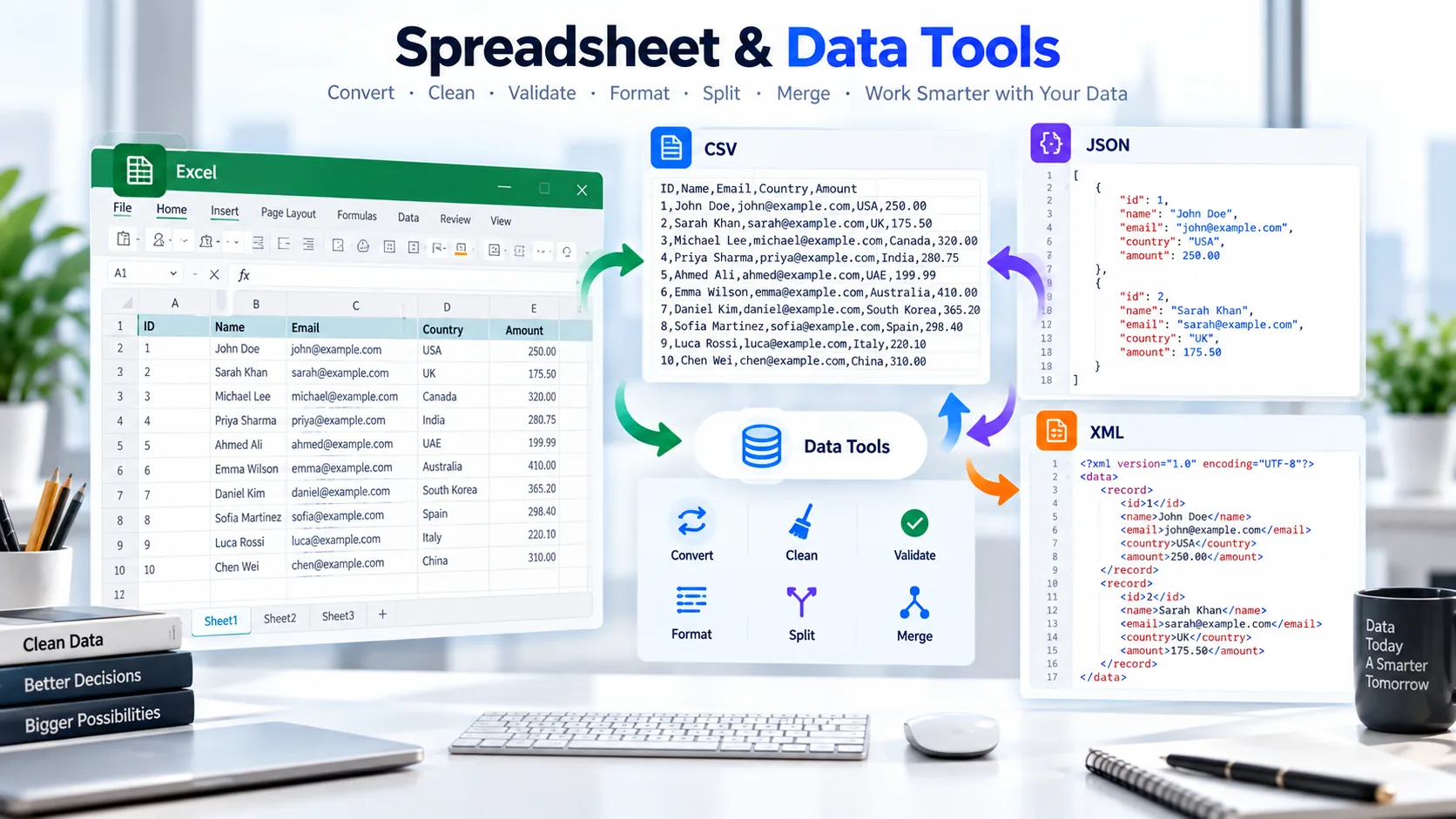
Work with Excel spreadsheets, CSV files, JSON data and XML documents using a collection of practical online tools. Convert files, clean datasets, split large files, merge CSV data, remove duplicate rows, format structured data and check JSON or XML for common syntax problems.
Whether you are preparing a spreadsheet for another application, cleaning an exported CSV, checking structured data or converting information between formats, PKCapra gives you a focused tool for the job.
Free Spreadsheet & Data Tools
Choose the tool that matches what you need to do.
PDF to Excel
Turn suitable PDF table content into an Excel spreadsheet for easier editing, organization and further data work.
If you have tabular information stored in a PDF and need it in spreadsheet form, start with PDF to Excel.
CSV to PDF
Convert CSV data into a PDF document that is easier to view, print or share.
This can be useful when spreadsheet-style data needs to be presented as a fixed document rather than an editable table.
CSV to Excel
Convert CSV data into an Excel-compatible spreadsheet so you can work with rows and columns in a familiar spreadsheet environment.
It is a practical option when you receive data in CSV format but need to continue working with it as a spreadsheet.
Excel to CSV
Convert supported Excel spreadsheets into CSV format for simpler data exchange and compatibility with applications that work with comma-separated data.
CSV is commonly useful when a full spreadsheet workbook is unnecessary and you need a straightforward tabular data file.
Excel to JSON
Convert spreadsheet rows and columns into JSON data for applications, scripts, APIs and other structured-data workflows.
This is useful when information maintained in a spreadsheet needs to move into a JSON-based workflow.
JSON to Excel
Convert JSON data into an Excel spreadsheet so structured information can be viewed and organized in rows and columns.
It can be especially useful when you have JSON output from an application or API and want to inspect the data in a spreadsheet.
XML to Excel
Convert structured XML data into an Excel spreadsheet for easier viewing, organization and analysis.
If an XML export is difficult to inspect as raw markup, converting it into spreadsheet form can make the underlying data easier to work with.
Excel Splitter
Split a large Excel workbook into smaller files when a single spreadsheet has become difficult to manage or share.
Breaking a large workbook into smaller pieces can also make individual datasets easier to distribute.
CSV Splitter
Split a large CSV file into smaller CSV files based on the number of rows you need in each output.
This is useful when another application has a file-size or row-count limitation, or when a large dataset needs to be divided into manageable parts.
CSV Merger
Combine multiple CSV files into a single CSV file when related datasets need to be brought together.
It is useful for consolidating exports from different periods, sources or files into one dataset.
CSV Cleaner
Clean common CSV issues such as unnecessary spaces, completely empty rows, empty columns and inconsistent headers.
A quick cleanup can make exported data easier to process before importing it into another application.
Duplicate Row Remover
Remove duplicate rows from CSV data and choose whether duplicate records should be identified using all columns or selected columns.
This is useful when repeated records appear after combining exports or collecting data from multiple sources.
JSON Formatter
Format JSON into a more readable structure or create a compact version when you need minified JSON.
If you work with API responses, configuration data or development files, formatting can make nested JSON much easier to inspect.
JSON Validator
Check JSON for syntax and parsing problems before using it in an application, API workflow or development project.
When JSON is not valid, identifying the problem early can save time during testing and integration.
XML Formatter
Format XML into a cleaner, easier-to-read structure or create a compact version when needed.
It is useful when XML has been compressed into a single line or otherwise become difficult to inspect.
XML Validator
Check XML for well-formedness and common parsing problems such as malformed tags, mismatched elements and incorrect nesting.
Use it when you need to confirm that XML can be parsed successfully before moving it into another workflow.
Find the Right Spreadsheet or Data Tool
Different file formats are useful for different jobs, so the best tool depends on what you are working with.
Working With Excel?
If your starting point is an Excel spreadsheet, you can convert it to CSV with Excel to CSV, turn spreadsheet data into JSON with Excel to JSON, or divide a large workbook with Excel Splitter.
If you receive CSV data and want to work with it in a spreadsheet, CSV to Excel is the more suitable starting point.
Working With CSV Files?
CSV is often used for exports, imports and simple tabular data exchange.
If you need to prepare a CSV file, you can use CSV Cleaner to handle common cleanup tasks or Duplicate Row Remover to remove repeated records.
For larger datasets, CSV Splitter can divide the file into smaller pieces, while CSV Merger can combine multiple CSV files into one.
If you need a document version of your data, use CSV to PDF.
Working With JSON?
JSON is widely used for structured data, applications and APIs.
Use JSON Formatter when you need to make JSON easier to read, and JSON Validator when you need to check whether the JSON is syntactically valid.
You can also move between spreadsheet and JSON formats with Excel to JSON and JSON to Excel.
Working With XML?
XML is still used in feeds, integrations, configuration files and many structured-data workflows.
For readability, use XML Formatter. When you need to check whether XML is well-formed, use XML Validator.
If you need the information in spreadsheet form, XML to Excel can be a more convenient option.
Need Spreadsheet Data From a PDF?
When your source is a PDF containing suitable table data, PDF to Excel is the appropriate tool in this category.
Convert Data Between Common Formats
Data rarely stays in one format from beginning to end.
A spreadsheet might start as an Excel workbook, become CSV for import into another system, and later be converted into JSON for an application. Similarly, structured XML data may need to be moved into a spreadsheet for easier inspection.
PKCapra provides several tools for these common transitions:
- Excel to CSV for moving Excel spreadsheet data into CSV.
- CSV to Excel for turning CSV data into an Excel-compatible spreadsheet.
- Excel to JSON for converting spreadsheet data into JSON.
- JSON to Excel for turning JSON data into spreadsheet rows and columns.
- XML to Excel for working with XML data in spreadsheet form.
- CSV to PDF when tabular data needs to be presented as a PDF document.
The goal is not to force one format into every workflow. Instead, choose the format that fits the application or person receiving the data.
Clean and Organize Your Data
Data exported from software systems is not always ready to use immediately.
CSV files can contain unnecessary spaces, empty rows, empty columns or inconsistent headers. Datasets can also contain duplicate records after multiple exports have been combined.
For these situations, CSV Cleaner can help tidy common CSV issues, while Duplicate Row Remover can help remove repeated records.
If the file is simply too large to handle comfortably as one dataset, CSV Splitter provides a way to divide it into smaller files.
When several CSV files need to become one dataset, use CSV Merger.
This gives you a practical workflow:
Clean → remove duplicates → split or merge → convert → use the data.
Format and Validate Structured Data
JSON and XML are structured formats, but readability and validity are two different things.
If JSON is difficult to read because everything is compressed into a single line, JSON Formatter can make its structure easier to inspect.
If you are unsure whether the JSON syntax is valid, use JSON Validator.
The same distinction applies to XML. XML Formatter is intended to improve readability, while XML Validator checks whether the XML is well-formed and can be parsed.
Formatting does not automatically mean that a document is valid, and validation does not replace schema-specific checks where a particular application requires them.
Why Use a Focused Data Tool?
You do not always need a full desktop application for a small data task.
If you only need to convert a file, clean a CSV, check JSON syntax or format XML, a focused online utility can be quicker and simpler than opening a large application with features you do not need.
PKCapra organizes these utilities around specific jobs, so you can go directly to the tool that matches your current task.
The broader All Free Online Tools page can be used when you are not sure which category contains the tool you need.
You can also browse the main Categories page to explore other PKCapra tool groups.
Common Spreadsheet & Data Tasks
Here are some of the everyday jobs covered by this category:
- Convert PDF tables to Excel
- Convert CSV to Excel
- Convert Excel to CSV
- Convert Excel data to JSON
- Convert JSON data to Excel
- Convert XML data to Excel
- Convert CSV data to PDF
- Split large Excel workbooks
- Split large CSV files
- Merge CSV files
- Clean CSV data
- Remove duplicate CSV rows
- Format JSON
- Validate JSON
- Format XML
- Validate XML
Each task has its own dedicated tool, so you can work directly with the format or operation you need.
Frequently Asked Questions
What are Spreadsheet & Data Tools?
Spreadsheet and data tools are online utilities for working with spreadsheets and structured data. They can help with file conversion, cleaning, splitting, merging, formatting and validation.
What spreadsheet formats are supported?
This category currently covers workflows involving Excel, CSV, JSON, XML and PDF-based spreadsheet extraction.
Can I convert Excel to CSV online?
Yes. Use Excel to CSV to convert supported Excel spreadsheet data into CSV format.
Can I convert CSV to Excel?
Yes. CSV to Excel converts supported CSV data into an Excel-compatible spreadsheet.
Can I convert Excel data to JSON?
Yes. Excel to JSON is designed for converting spreadsheet data into JSON.
Can I convert JSON to Excel?
Yes. JSON to Excel converts supported JSON data into spreadsheet form.
How can I clean a CSV file?
Use CSV Cleaner to handle common cleanup tasks such as trimming unnecessary spaces and dealing with empty rows, empty columns and inconsistent headers.
How can I remove duplicate rows?
Use Duplicate Row Remover to identify and remove duplicate CSV rows.
Can I split a large CSV file?
Yes. CSV Splitter can divide a CSV file into smaller output files according to the number of rows you choose.
Can I merge multiple CSV files?
Yes. CSV Merger is designed to combine multiple CSV files into a consolidated CSV file.
How do I validate JSON?
Use JSON Validator to check JSON syntax and identify parsing problems.
How do I format JSON?
Use JSON Formatter when you want JSON displayed in a cleaner, more readable structure.
How do I validate XML?
Use XML Validator to check whether XML is well-formed and identify common parsing errors.
How do I format XML?
Use XML Formatter to make XML easier to read and inspect.
Is XML validation the same as XSD validation?
No. XML well-formedness checking and schema validation are different tasks. The XML Validator checks XML syntax and well-formedness; it should not be presented as a full XSD validation service.
More Online Tools From PKCapra
Spreadsheet and data work is only one part of the PKCapra toolbox.
If you work with documents, you can explore the available Document Tools and find other file conversion and document utilities.
For technical website work, PKCapra also provides dedicated SEO and webmaster utilities through its broader tool collection.
When you simply want to browse everything available, visit All Free Online Tools.
Choose a Tool and Get Started
Whether you are cleaning a CSV export, converting an Excel spreadsheet, checking JSON, working with XML or preparing data for another application, start with the tool that matches your task.
Choose a tool above and get straight to work.