
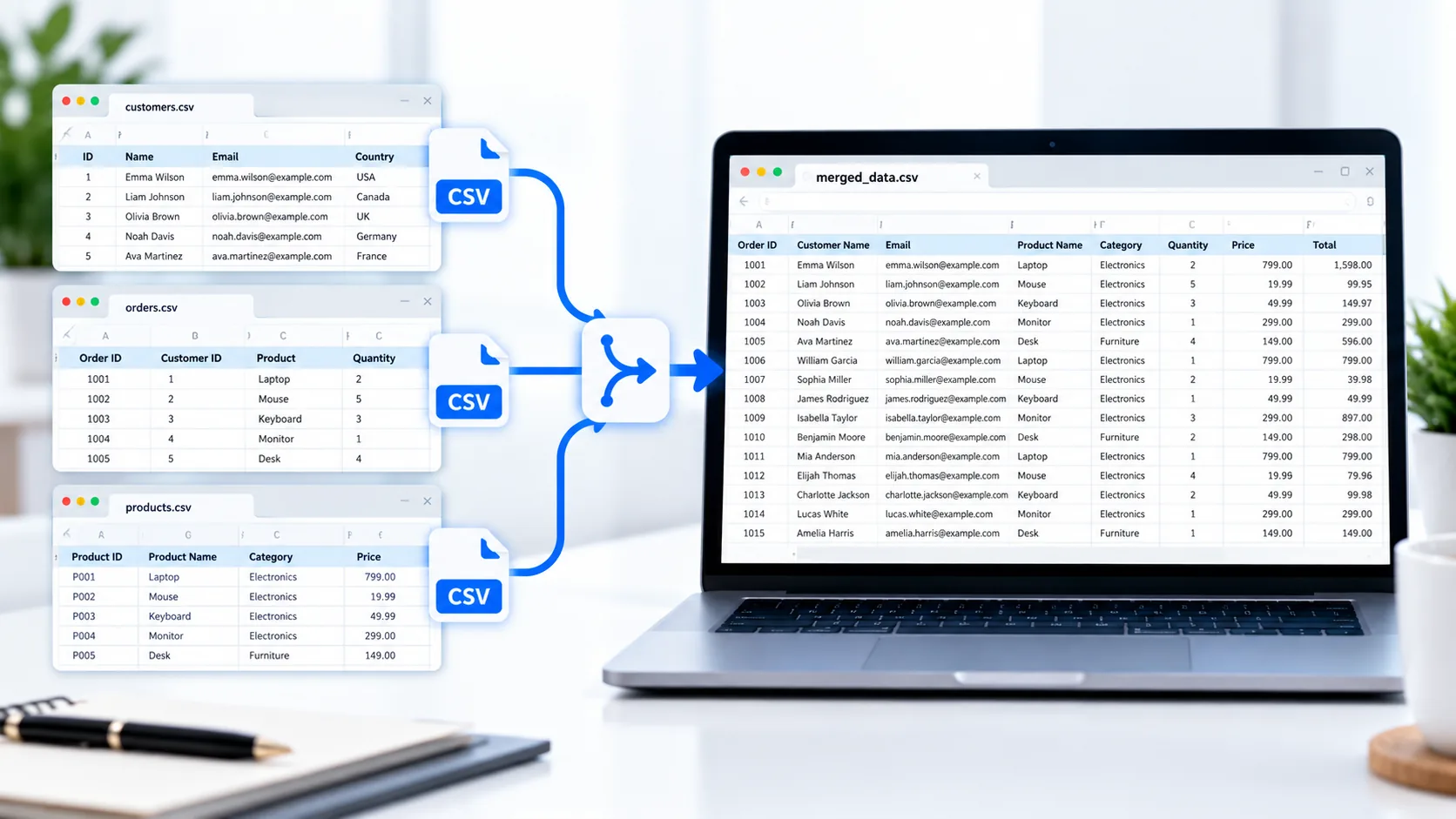
Merge CSV Files Online
When information is spread across several CSV files, combining everything into one dataset can save time and make the data easier to work with. PKCapra CSV Merger lets you combine multiple CSV files into a single CSV directly in your browser.
Upload your CSV files, review the files you selected, and merge their data into one downloadable CSV.
Whether you have customer records, product information, sales data, reports, or database exports, merging related CSV files can make the next step of your workflow much simpler.
CSV Merger
Merge multiple CSV files into one file while keeping matching columns organized.
How to Merge CSV Files
Using the CSV Merger is straightforward:
- Select or drag and drop your CSV files into the tool.
- Review the uploaded files.
- Make sure the files contain the data you want to combine.
- Start the merge process.
- Download the resulting CSV file.
The tool combines the data rows from your uploaded files while keeping the column structure organized.
Combine Multiple CSV Files into One
Suppose you have separate CSV files for January, February, and March. Instead of working with three files individually, you can merge them into one CSV containing the combined records.
This can be useful for:
- Customer databases
- Product catalogs
- Sales records
- Inventory exports
- Marketing lists
- Website data
- Business reports
- Database exports
The result is a single CSV that is easier to sort, filter, analyze, or import into another application.
Keep the Header Organized
When multiple CSV files have the same column headings, simply joining the files together can accidentally create duplicate header rows.
PKCapra’s CSV Merger is designed to keep the header organized rather than repeatedly adding the same header between datasets.
For example, if each file contains:
ID,Name,Email,City,Country
the merged result keeps the column headings as the header for the combined dataset.
Merge CSV Files with Different Data
CSV files often contain information that includes commas, quotation marks, or multiline values. A reliable merger needs to recognize these values correctly rather than treating every comma or line break as a new field.
PKCapra’s CSV processing is designed to handle standard CSV structures, including quoted fields and commas inside values.
For technical background on the CSV format, you can refer to the RFC 4180 CSV specification.
Match Columns by Header Name
When working with multiple CSV files, column order may not always be identical.
For example, one file might contain:
ID,Name,Email,City
while another contains:
Name,Email,City,ID
A header-aware merger can use the column names to organize matching fields instead of blindly relying only on their position.
This is particularly useful when combining exports produced by different systems.
Process CSV Files in Your Browser
PKCapra’s CSV Merger is designed for browser-side processing. Your CSV data is processed directly in your browser instead of requiring the dataset to be uploaded to a remote processing service.
This can be useful when working with business records or other datasets that you prefer to keep on your own device during processing.
If you need to convert the resulting CSV into another format, you can also use the CSV to Excel Converter or CSV to PDF Converter.
Merge CSV Files Without Installing Software
Traditional desktop spreadsheet applications can be useful, but they are not always convenient when you simply need to combine several CSV files.
An online CSV merger provides a focused workflow: select your files, merge the data, and download the result.
There is no need to manually copy and paste rows from one spreadsheet into another.
When Should You Merge CSV Files?
A CSV merger can be useful when:
- You have several CSV exports containing related data.
- Monthly files need to become one annual dataset.
- Separate department reports need to be combined.
- Multiple product lists need to be consolidated.
- Customer lists are stored in separate files.
- You need one file before importing data into another system.
If you have a large CSV that needs to be divided rather than combined, use the CSV Splitter instead.
Features
Multiple CSV Upload
Select multiple CSV files or drag and drop them into the tool.
Combine Data
Merge records from multiple CSV files into one CSV dataset.
Header Handling
Avoid unnecessary duplicate header rows when combining files.
Header-Aware Columns
Matching column names can be organized even when their positions differ between files.
CSV-Aware Processing
Quoted fields, commas, and multiline values are handled as part of the CSV structure.
Browser-Based
CSV data is processed directly in your browser.
Easy Download
Download the completed merged CSV when processing finishes.
Mobile-Friendly
The interface is designed to work across desktop and mobile screens.
FAQ
What is a CSV merger?
A CSV merger is a tool that combines data from multiple CSV files into one CSV file.
Can I merge multiple CSV files at once?
Yes. PKCapra CSV Merger supports selecting multiple CSV files for one merge operation.
Will duplicate headers be removed?
The merger is designed to keep the header organized rather than adding the same header between every dataset.
Can CSV files have different column orders?
Yes. The tool is designed to match columns using their header names where applicable.
Can CSV fields contain commas?
Yes. Properly quoted CSV fields can contain commas, and the merger is designed to handle standard quoted CSV values.
Is my CSV uploaded to a server?
The CSV Merger is designed for browser-side processing, so the CSV data is processed locally in your browser.
Is the CSV Merger free?
Yes. PKCapra provides the CSV Merger as a free online tool.
What if I want to split a CSV instead?
Use the CSV Splitter to divide one CSV into multiple smaller files.