
Split CSV Files Online Without Installing Software
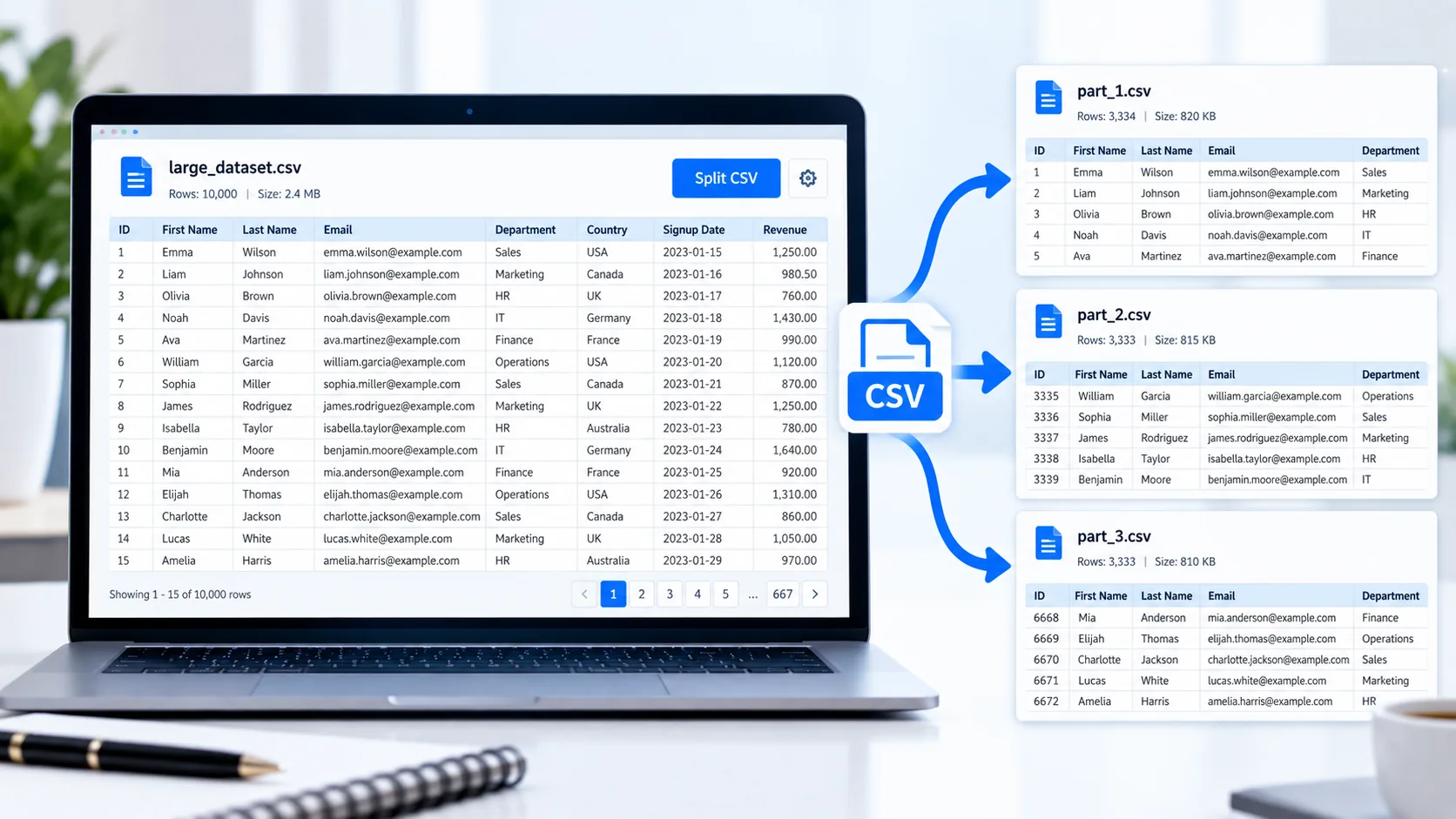
Large CSV files can be difficult to manage, especially when you need to upload them to another system, share smaller datasets, or work with files that have row limits. PKCapra CSV Splitter lets you divide a CSV file into smaller files directly in your browser.
Upload your CSV file, choose how many data rows you want in each output file, and let the tool create separate CSV files for you.
The original header row is automatically included in every resulting file, making each split file easier to use independently.
CSV Splitter
Split a large CSV into smaller CSV files while keeping the header in every part.
How to Split a CSV File
Using the CSV Splitter is simple:
- Upload your CSV file or drag and drop it into the tool.
- Review the CSV preview.
- Choose the number of rows you want in each output file.
- Start the splitting process.
- Download individual CSV files or download all generated files together as a ZIP archive.
This approach is useful when a single CSV contains more data than you want to process or upload at once.
Split Large CSV Files by Rows
When working with large datasets, splitting the file by row count can make the data easier to handle.
For example, if your CSV contains 12,000 data rows and you choose 2,000 rows per file, the tool can divide the dataset into multiple smaller CSV files while preserving the column headers in each part.
This is particularly useful for:
- Customer lists
- Product catalogs
- Sales records
- Marketing data
- Inventory exports
- Website data
- Business reports
- Database exports
Your CSV Header Stays With Every File
A common problem when manually splitting CSV files is forgetting to copy the column headings into every new file.
PKCapra’s CSV Splitter automatically keeps the header row with each generated CSV file. This means every output file remains understandable and can be opened or imported independently.
For example, a file containing:
ID,Name,Email,City,Country
will keep those headings in every split part.
Handles Commas, Quotes and Multiline CSV Values
CSV data is not always as simple as one value per line. Fields can contain commas, quotation marks, or even line breaks.
The splitter uses CSV-aware parsing so values such as:
"Smith, John"
can remain a single field instead of being incorrectly separated into two columns.
This is important when splitting real-world exports rather than simple test files.
Process Your CSV in Your Browser
The tool is designed for browser-based processing. Your CSV is handled locally in the browser rather than requiring you to upload the dataset to a remote processing server.
That can be useful when working with business spreadsheets, customer exports, reports, or other files you prefer not to send to an online service.
For additional spreadsheet conversions, you can also use our CSV to Excel Converter and Excel to CSV Converter.
Download Individual Files or a ZIP
After splitting your CSV, you can download the generated parts individually or package all the output files into a single ZIP archive.
The ZIP option is especially convenient when a large CSV produces many smaller files.
When Should You Split a CSV File?
Splitting a CSV can be useful when:
- A platform has a maximum row limit.
- You need smaller files for easier sharing.
- A spreadsheet becomes difficult to work with.
- You need separate datasets for different processing jobs.
- You are importing data in batches.
- You want to divide a large export into manageable pieces.
If you work with structured data frequently, you may also find our JSON to Excel Converter and Excel to JSON Converter useful.
CSV Splitter vs. Manually Splitting a CSV
Manually opening a large CSV, selecting rows, copying them into new files, and repeatedly adding the header can be time-consuming and error-prone.
A dedicated CSV splitter automates those repetitive steps. You simply specify the desired number of rows per output file and let the tool create the separate files.
Features
Simple CSV Upload
Upload your CSV file using the file picker or drag and drop.
Row-Based Splitting
Choose how many data rows should be included in each output file.
Header Preservation
The original CSV header is automatically included in every split file.
CSV-Aware Parsing
Quoted values, commas, and multiline fields are handled appropriately.
Individual Downloads
Download generated CSV parts separately when you only need specific files.
ZIP Download
Download all generated parts together in a convenient ZIP archive.
Browser-Based Processing
The tool processes the CSV directly in your browser.
Mobile-Friendly Interface
The interface is designed to remain usable on smaller screens.
FAQ
What is a CSV splitter?
A CSV splitter divides one CSV file into multiple smaller CSV files, usually based on a selected number of data rows per file.
Can I split a large CSV file by rows?
Yes. Upload your CSV and select how many data rows you want in each output file.
Will the header be included in every split file?
Yes. The original header row is preserved in every generated CSV file.
Can CSV files contain commas inside fields?
Yes. Properly quoted CSV fields can contain commas, and the splitter is designed to handle quoted CSV values correctly.
Can I download all split CSV files at once?
Yes. You can download the generated files individually or download them together as a ZIP archive.
Is the CSV uploaded to a server?
The PKCapra CSV Splitter is designed for browser-side processing, so the CSV is processed locally in your browser.
Is the CSV Splitter free?
Yes. The PKCapra CSV Splitter is available as a free online tool.