
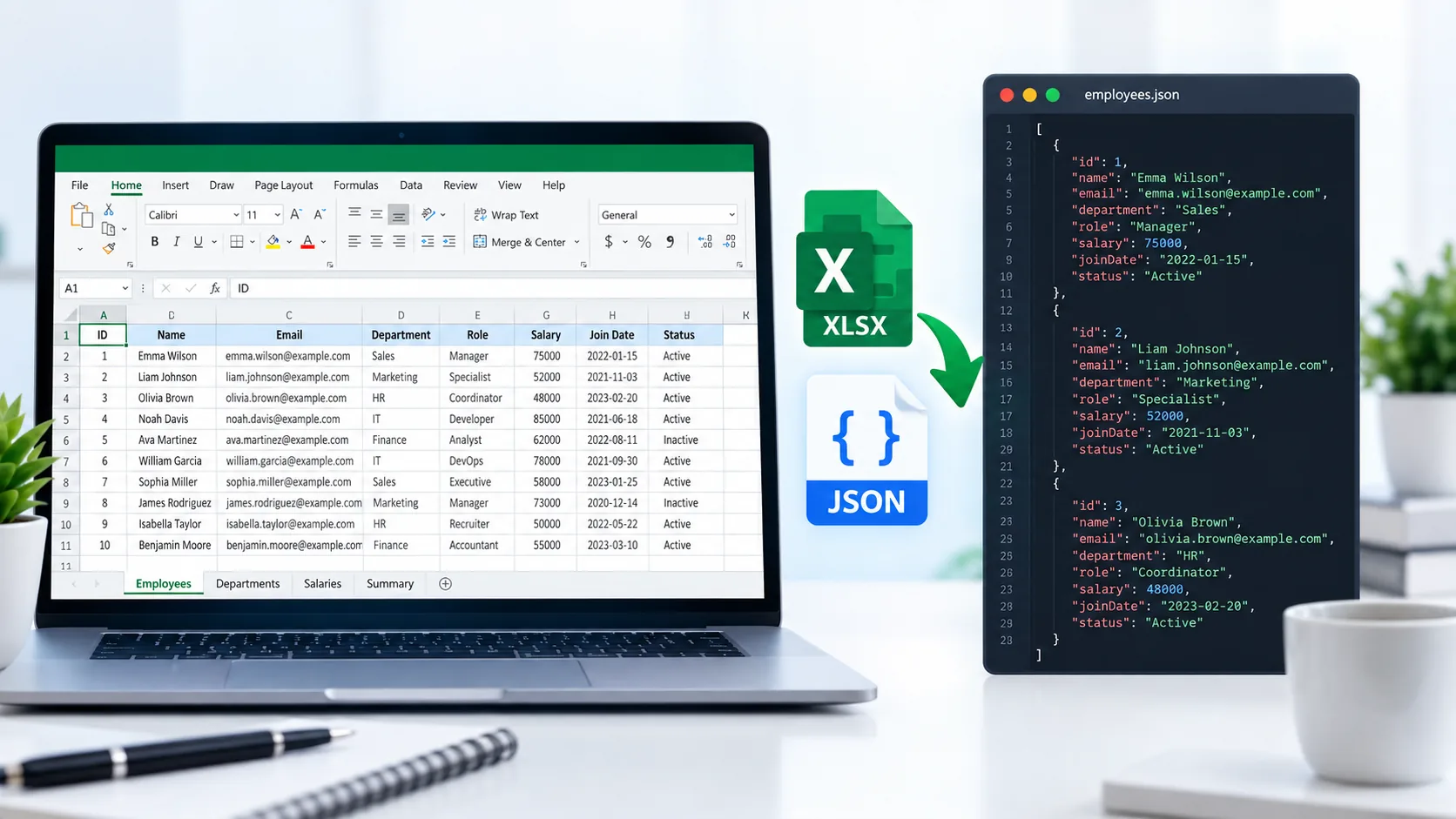
Convert Excel to JSON Online
Need to convert spreadsheet data into structured JSON? PKCapra’s Excel to JSON Converter lets you convert Excel workbook data into JSON directly in your browser.
Upload your Excel file, select the worksheet you want to process, preview the spreadsheet data, and download the resulting JSON file.
For more data and file utilities, explore PKCapra’s All Free Online Tools or browse the PKCapra Categories
Excel to JSON Converter
Convert an Excel worksheet into structured JSON directly in your browser.
Worksheet Preview
The first row is used as JSON property names. Blank or duplicate headers are made unique automatically.
How to Convert Excel to JSON
Converting Excel data to JSON is simple:
- Open the Excel to JSON Converter.
- Upload your Excel workbook.
- Select the worksheet you want to convert.
- Preview the worksheet data.
- Start the conversion.
- Download the generated JSON file.
The first row of the worksheet is used as the property names for the resulting JSON objects.
What Is an Excel to JSON Converter?
An Excel to JSON Converter transforms tabular spreadsheet data from an Excel workbook into JSON format.
Excel workbooks use spreadsheet structures such as worksheets, rows, columns, formulas, and formatting. JSON, or JavaScript Object Notation, represents structured data using objects, arrays, properties, and values.
Converting Excel to JSON can be useful when spreadsheet data needs to be consumed by web applications, APIs, scripts, databases, or other software systems that work with JSON.
Why Convert Excel to JSON?
Use Spreadsheet Data in Applications
JSON is widely used for exchanging structured information between applications. Converting spreadsheet rows into JSON objects can make the data easier to use in software workflows.
Prepare Data for Development
Developers often work with JSON when building web applications, APIs, and data-processing scripts. Converting an Excel table to JSON can provide a convenient starting point.
Preserve Row and Column Relationships
Each spreadsheet row can be represented as a JSON object, with the column headings becoming property names.
Work With Structured Data
JSON provides a structured representation that can be processed by many programming languages and development tools.
XLSX to JSON Conversion
The .xlsx format is designed for Excel workbooks and can contain multiple worksheets and spreadsheet-specific features.
JSON has a different purpose. It represents structured information in a text-based format that is particularly convenient for software applications.
When you convert XLSX to JSON, the spreadsheet’s tabular data is represented as JSON objects rather than as an Excel workbook.
For technical information about Microsoft Office file formats, see Microsoft’s Office file format documentation.
How Excel Rows Become JSON Objects
Suppose an Excel worksheet contains columns such as:
| Product | Category | Price |
|---|---|---|
| Laptop | Electronics | 850 |
| Keyboard | Accessories | 45 |
The first row provides the property names, while each following row becomes a JSON object.
The resulting structure can conceptually look like:
[
  {
    "Product": "Laptop",
    "Category": "Electronics",
    "Price": 850
  },
  {
    "Product": "Keyboard",
    "Category": "Accessories",
    "Price": 45
  }
]
This structure makes spreadsheet records easier to consume in software that accepts JSON.
Select a Specific Excel Worksheet
Excel workbooks can contain multiple worksheets. PKCapra’s converter provides a worksheet selection step so you can choose the sheet you want to convert.
This is useful when a workbook contains separate sheets for products, customers, sales, inventory, or other datasets.
Only the selected worksheet is converted into the JSON output.
What Happens to the First Row?
The first row is treated as the header row.
The header values become the JSON property names for each resulting object.
For example, if your spreadsheet has:
Name | Email | Country
the generated JSON objects use:
Name, Email, and Country as their property names.
If a worksheet contains blank column headings, the converter assigns column names such as column_1 so the resulting JSON remains structured.
Duplicate column headings are also handled so that each JSON property name remains unique.
Excel to JSON for Business Data
Excel spreadsheets are widely used for structured business information.
You might convert an Excel worksheet containing:
- Product catalogs
- Inventory records
- Customer information
- Sales data
- Order records
- Employee lists
- Price lists
- Marketing data
- Website exports
- Contact records
Once converted to JSON, the data can be used in compatible development or data-processing workflows.
If you need a simpler text-based data format instead, PKCapra also provides an Excel to CSV Converter.
Excel vs JSON
Excel and JSON are designed for different purposes.
Excel is a spreadsheet format intended for people to view, edit, organize, calculate, and analyze tabular information.
JSON is a structured data format primarily used by software applications for storing and exchanging information.
Excel can contain formatting, formulas, charts, multiple worksheets, and other workbook features. JSON does not reproduce those spreadsheet features as workbook features.
Therefore, an Excel-to-JSON conversion focuses on the worksheet’s structured data rather than reproducing the complete Excel workbook.
Features of the Excel to JSON Converter
PKCapra’s Excel to JSON Converter includes:
- Excel workbook upload
- Drag-and-drop support
- Worksheet selection
- Worksheet data preview
- First-row header mapping
- Automatic handling of blank headers
- Duplicate-header handling
- Structured JSON output
- JSON download
- Browser-based processing
- Support for common Excel workbook extensions
- Mobile-friendly interface
The current converter uses practical browser-side limits for file size, rows, and columns.
Is My Excel File Uploaded to PKCapra?
The Excel workbook is processed directly in your browser as part of the conversion workflow. The source workbook is not uploaded to PKCapra’s server for conversion.
Browser-side processing can be useful when you want the source workbook to remain within the browser during the conversion.
For confidential or regulated information, always follow your organization’s data-handling requirements.
What Excel Formats Are Supported?
The converter is designed to work with common Excel workbook extensions, including:
.xlsx.xls.xlsm.xltx.xltm
The resulting JSON represents the data from the selected worksheet.
Frequently Asked Questions
Can I convert Excel to JSON online?
Yes. PKCapra’s Excel to JSON Converter lets you upload an Excel workbook, select a worksheet, preview the data, and download structured JSON.
Can I convert XLSX to JSON?
Yes. XLSX workbook data can be converted into JSON using the converter.
Can I select a worksheet?
Yes. You can select the worksheet you want to convert from the uploaded Excel workbook.
Does the first row become JSON keys?
Yes. The first row is used as the property names for the generated JSON objects.
What happens if an Excel column has no header?
The converter automatically assigns a column name such as column_1 so that the resulting JSON remains structured.
What happens if two columns have the same header?
Duplicate headers are automatically made unique so they can be used safely as JSON property names.
Does the converter preserve Excel formatting?
No. The tool converts worksheet data into JSON. Excel-specific features such as cell formatting, charts, formulas, and workbook layout are not reproduced as JSON spreadsheet features.
Is my Excel file processed in the browser?
Yes. The conversion is performed in your browser rather than uploading the source workbook to PKCapra’s server.
Can I use the JSON in an API?
The generated JSON is structured data and can be used in compatible applications, scripts, APIs, and development workflows. The exact requirements depend on the system receiving the JSON.
Convert Excel to JSON
Ready to convert your spreadsheet data?
Open the Excel to JSON Converter and convert your selected worksheet into structured JSON directly from your browser.