
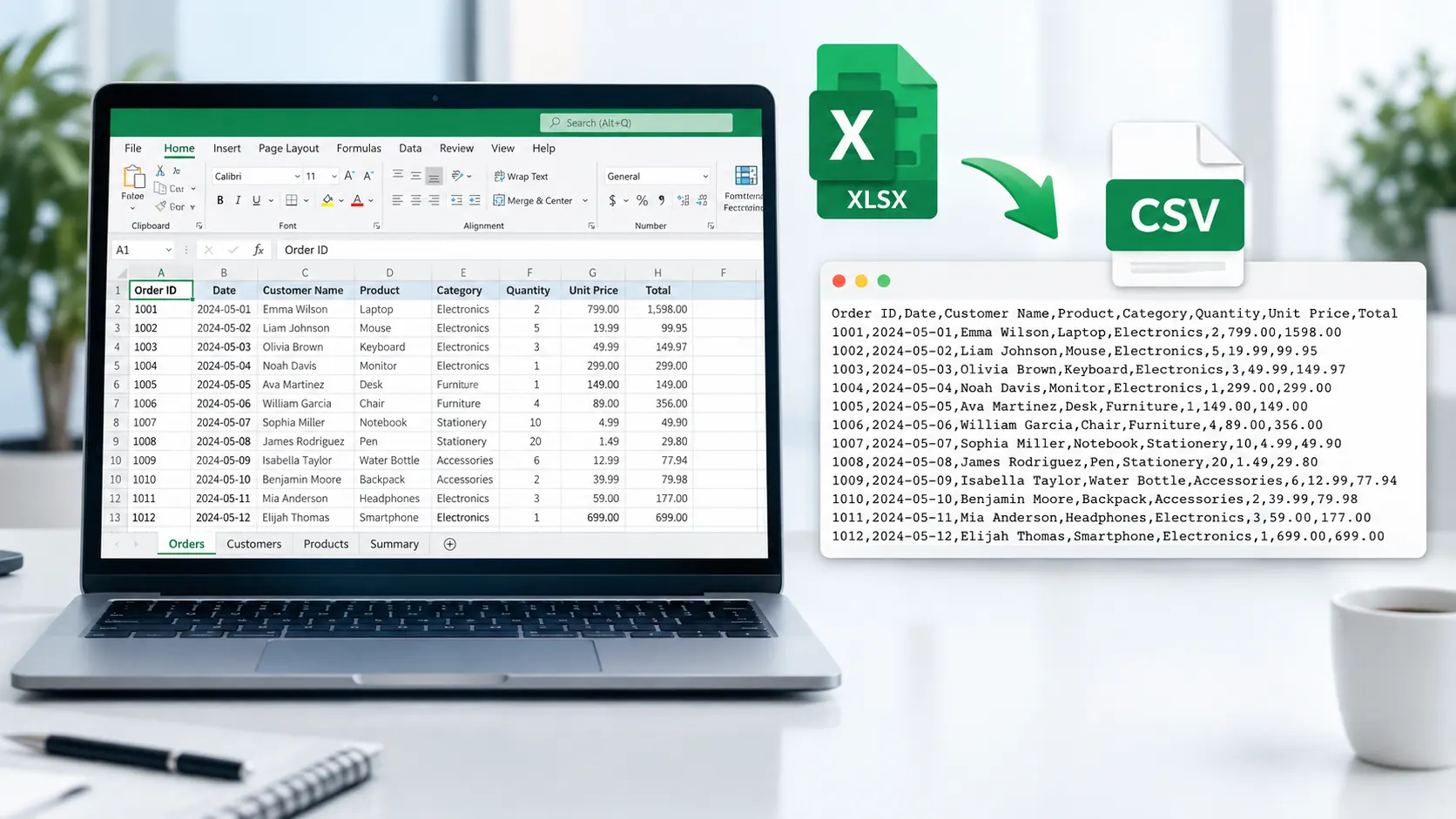
Convert Excel to CSV Online
Need to convert an Excel spreadsheet into a CSV file? PKCapra’s Excel to CSV Converter lets you convert Excel workbooks into CSV format directly in your browser.
Upload your Excel file, select the worksheet you want to convert, preview the spreadsheet data, and download the resulting CSV file.
For more file and data utilities, explore PKCapra’s All Free Online Tools or browse the PKCapra Categories
Excel to CSV Converter
Convert an Excel workbook or worksheet into a downloadable CSV file directly in your browser.
Worksheet Preview
The preview shows up to 40 rows. The downloaded CSV contains the complete selected worksheet within the supported limits.
How to Convert Excel to CSV
Converting an Excel file to CSV is straightforward:
- Open the Excel to CSV Converter.
- Upload your Excel workbook.
- Select the worksheet you want to export.
- Preview the worksheet data.
- Start the conversion.
- Download the generated CSV file.
This workflow is useful when you need to extract the tabular data from a particular worksheet and save it in a simple CSV format.
What Is an Excel to CSV Converter?
An Excel to CSV Converter changes spreadsheet data from an Excel workbook into a CSV file.
Excel workbooks use formats such as .xlsx and can contain multiple worksheets and richer spreadsheet features. CSV, or Comma-Separated Values, is a simpler text-based format designed primarily for structured tabular data.
Converting Excel to CSV is useful when another application, database, website, or data-processing workflow requires CSV instead of an Excel workbook.
Why Convert Excel to CSV?
Simple Data Exchange
CSV is widely used for moving structured data between different applications and systems.
Import Data Into Other Applications
Many platforms accept CSV files for importing lists, records, products, contacts, and other structured information.
Work With Plain Text Data
Unlike an Excel workbook, CSV represents the table as text values separated by delimiters, making it useful for data-processing workflows.
Export a Specific Worksheet
When an Excel workbook contains multiple worksheets, selecting a specific worksheet lets you convert the relevant table rather than the entire workbook.
XLSX to CSV Conversion
The .xlsx format is Microsoft’s modern XML-based Excel workbook format. A workbook can contain multiple worksheets and spreadsheet-specific features.
CSV has a much simpler structure. It represents tabular data as rows and fields, with values separated by a delimiter.
Therefore, converting XLSX to CSV is particularly useful when you need the raw table data rather than the full workbook structure.
For technical information about Microsoft Office file formats, see Microsoft’s Office file format documentation.
Excel to CSV for Business Data
Excel files are frequently used for business records and structured information.
You may need to convert an Excel worksheet containing:
- Product catalogs
- Inventory records
- Customer lists
- Sales data
- Order information
- Employee records
- Price lists
- Marketing data
- Website exports
- Contact information
After conversion, the CSV file can be imported into another compatible application or data-processing workflow.
If you need to convert spreadsheet data into a document instead, PKCapra also provides an Excel to PDF Converter.
Excel vs CSV
Excel and CSV are not interchangeable formats in terms of functionality.
Excel is a spreadsheet workbook format that can contain multiple worksheets, formulas, formatting, charts, and other spreadsheet features.
CSV is a simpler text-based format that represents structured rows and fields.
When you need spreadsheet functionality, Excel is generally more appropriate. When you need straightforward tabular data for exchange or import, CSV can be more convenient.
Converting Excel to CSV therefore changes the representation of the data and does not preserve every Excel workbook feature.
What Happens During Conversion?
PKCapra reads the selected worksheet and converts its tabular values into CSV format.
The generated CSV uses appropriate escaping when values contain characters such as commas, quotation marks, or line breaks.
This helps keep structured data intact when the resulting CSV is opened or imported by compatible software.
Features of the Excel to CSV Converter
PKCapra’s Excel to CSV Converter includes:
- Excel workbook upload
- Drag-and-drop support
- Worksheet selection
- Worksheet preview
- XLSX to CSV conversion
- CSV download
- Proper CSV escaping
- Browser-based processing
- Support for common Excel workbook extensions
- Mobile-friendly interface
The current tool supports practical browser-side limits for file size, rows, and columns.
Is My Excel File Uploaded to PKCapra?
The Excel workbook is processed directly in your browser as part of the conversion workflow. The source workbook is not uploaded to PKCapra’s server for the conversion.
Browser-based processing can be useful when you prefer to keep the source file within your browser during conversion.
For confidential or regulated information, always follow your organization’s own data-handling policies.
Can I Convert One Worksheet From an Excel Workbook?
Yes. The converter provides a worksheet selection step, allowing you to choose the sheet you want to convert to CSV.
This is useful when a workbook contains multiple sheets but you only need the data from one of them.
What Excel Formats Are Supported?
The tool is designed to work with common Excel workbook formats including:
.xlsx.xls.xlsm.xltx.xltm
The actual data that can be exported depends on the structure and contents of the workbook.
Frequently Asked Questions
Can I convert Excel to CSV online?
Yes. PKCapra’s Excel to CSV Converter lets you upload an Excel workbook, select a worksheet, preview its data, and download the converted CSV file.
Can I convert XLSX to CSV?
Yes. The converter can convert XLSX Excel workbooks into CSV format.
Can I select a worksheet?
Yes. You can select the worksheet you want to export from the uploaded workbook.
Does the converter process my Excel file in the browser?
Yes. The conversion is performed in your browser rather than uploading the source workbook to PKCapra’s server.
Does converting Excel to CSV preserve formulas?
The converter is intended to export worksheet data into CSV format. CSV does not preserve Excel workbook features such as formulas, formatting, charts, or multiple worksheets as workbook features.
Does CSV support multiple worksheets?
No. CSV represents a single tabular dataset. If an Excel workbook contains multiple worksheets, each worksheet needs to be handled separately.
Can CSV contain commas inside values?
Yes. CSV supports values containing commas when they are properly quoted. The converter generates CSV with appropriate escaping.
What is the difference between XLSX and CSV?
XLSX is an Excel workbook format with support for spreadsheet features and multiple worksheets. CSV is a simpler text-based format primarily used for structured tabular data exchange.
Convert Excel to CSV
Ready to convert your spreadsheet?
Open the Excel to CSV Converter and export your selected Excel worksheet to CSV directly from your browser.