
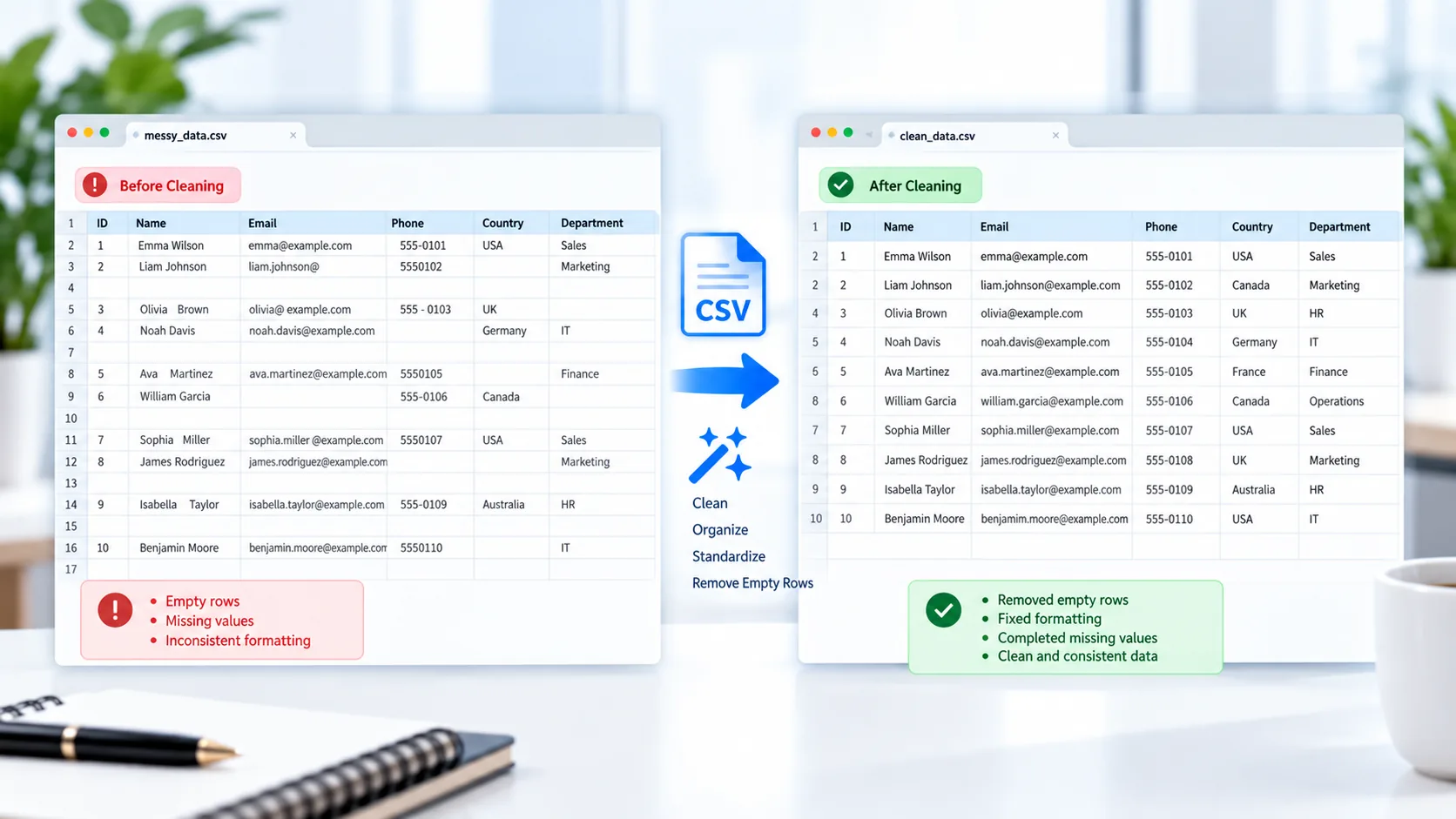
Clean CSV Files Online
CSV files are convenient for moving data between spreadsheets, databases, websites, and business applications. However, exported CSV files can sometimes contain empty rows, blank columns, inconsistent spaces, or duplicate column headings.
PKCapra CSV Cleaner helps you clean up common CSV formatting issues directly in your browser.
Upload your CSV file, review the detected data, choose the available cleaning options, and download a cleaner version of the file.
CSV Cleaner
Clean CSV data by removing empty rows and columns, trimming spaces, and organizing headers.
How to Clean a CSV File
Cleaning a CSV file with PKCapra takes only a few steps:
- Upload your CSV file or drag and drop it into the tool.
- Review the CSV preview.
- Select the cleaning options you need.
- Process the file.
- Download the cleaned CSV.
This can be useful before importing a CSV into a spreadsheet, database, CRM, analytics platform, or another data-processing application.
Remove Empty Rows From a CSV
Exported datasets sometimes contain completely blank rows. These rows can make a CSV harder to review and may create unnecessary records when the file is imported elsewhere.
The CSV Cleaner can remove rows where all available fields are empty, leaving the actual dataset more compact.
For example, a CSV containing:
ID,Name,Email
001,Ali Khan,ali@example.com

002,Sara Ahmed,sara@example.com
can be cleaned so the empty row between the records is removed.
Remove Empty Columns
A CSV may also contain columns that contain no useful data.
Removing completely empty columns can make the dataset easier to understand and reduce unnecessary fields before further processing.
This is especially helpful with CSV exports generated by systems that include optional fields even when those fields contain no values.
Trim Unnecessary Spaces
Extra spaces can cause problems when data is searched, compared, sorted, or imported into another application.
For example:
" Ali Khan "contains unnecessary whitespace around the value.
The cleaner can trim surrounding whitespace so values are more consistent.
Clean Duplicate or Blank Headers
Column headings are important because they identify what each field represents.
CSV exports can sometimes contain duplicate or blank column names. The cleaner can normalize these headings by making them unique and usable.
For example, duplicate headings can be adjusted into unique column names rather than leaving several columns with exactly the same heading.
Handle Standard CSV Data Correctly
CSV files can contain more than simple comma-separated values. Fields may contain commas, quotation marks, or line breaks.
For example:
"Smith, John","New York"should represent two fields, not three.
PKCapra’s CSV Cleaner is designed around CSV-aware parsing so quoted values and common CSV structures can be processed without treating every comma as a new column.
For additional technical information about the CSV format, see the RFC 4180 CSV specification.
Clean CSV Data Before Importing
Cleaning data before importing it into another system can prevent unnecessary formatting problems.
You might want to clean a CSV before using it with:
- Microsoft Excel
- Google Sheets
- Databases
- CRM systems
- Marketing platforms
- Analytics software
- E-commerce systems
- Data-processing workflows
If you need to convert the cleaned CSV into Excel format afterward, you can use the CSV to Excel Converter.
Process CSV Files in Your Browser
PKCapra’s CSV Cleaner is designed for browser-side processing. The CSV data is processed locally in your browser rather than requiring the dataset to be uploaded to a remote processing server.
This can be useful when working with business exports or datasets that you prefer to keep on your own device.
Clean CSV Files Without Installing Software
You don’t need a dedicated desktop data-cleaning application for basic CSV cleanup.
A focused online CSV cleaner can handle common cleanup tasks such as removing completely empty rows and columns, trimming unnecessary spaces, and normalizing headers.
After cleaning, simply download the resulting CSV and continue working with your data.
CSV Cleaner for Everyday Data Work
The tool can be useful for many common datasets, including:
- Customer lists
- Product catalogs
- Inventory data
- Sales reports
- Employee records
- Marketing exports
- Survey results
- Database exports
For larger workflows, you can combine this tool with the CSV Merger to combine multiple CSV files before cleaning them.
If the opposite operation is needed and you want to divide a large CSV into smaller files, use the CSV Splitter.
3. Features
Remove Empty Rows
Remove rows containing no actual data.
Remove Empty Columns
Clean out completely blank columns.
Trim Whitespace
Remove unnecessary spaces around values.
Normalize Headers
Make duplicate or blank column headings unique.
CSV-Aware Processing
Handle quoted fields, commas, and multiline values correctly.
Preview Your Data
Review the CSV before and after cleaning.
Browser-Based Processing
Process the CSV directly in your browser.
Easy Download
Download the cleaned CSV when processing is complete.
Mobile-Friendly
Use the tool across desktop and mobile devices.
FAQ
What is a CSV cleaner?
A CSV cleaner is a tool that helps remove common unwanted formatting and structural issues from CSV data.
Can I remove empty rows from a CSV?
Yes. PKCapra CSV Cleaner can remove completely empty rows from your CSV.
Can I remove empty columns?
Yes. Completely empty columns can be removed from the dataset.
Can I remove extra spaces from CSV data?
Yes. The cleaner can trim unnecessary whitespace around values.
What happens to duplicate CSV headers?
Duplicate or blank headers can be normalized into unique usable column names.
Does the CSV Cleaner support quoted values?
Yes. The tool is designed to handle standard CSV structures including quoted fields, commas, and multiline values.
Is my CSV uploaded to a server?
The CSV Cleaner is designed for browser-side processing, so your CSV data is processed locally in your browser.
Is the CSV Cleaner free?
Yes. PKCapra provides the CSV Cleaner as a free online tool.
Can I merge CSV files before cleaning them?
Yes. You can first use the CSV Merger and then clean the combined dataset.