
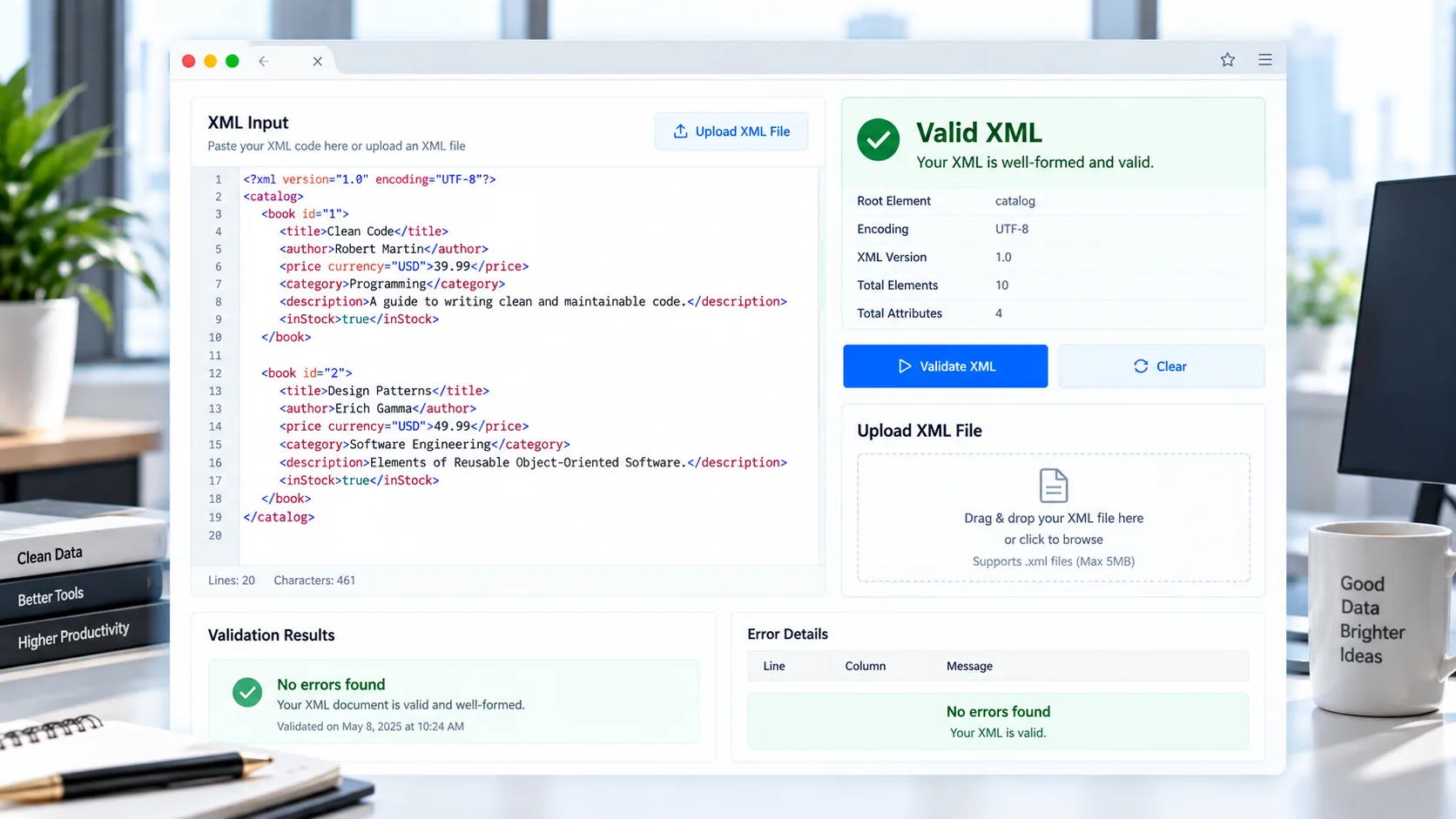
XML is still widely used for data exchange, configuration files, feeds, APIs, application settings and structured documents. A small syntax mistake can cause an XML parser to reject an entire document. An XML validator helps you catch those problems before the file is used elsewhere.
With the PKCapra XML Validator, you can paste XML directly into the tool or upload an .xml file and check whether the document is well-formed. The validation happens directly in your browser, making it convenient for quick checks without sending the XML content to a server.
XML Validator
Check XML syntax and well-formedness before using or sharing your file.
Your XML is checked in your browser. This tool checks well-formedness, not XSD or DTD schema validation.
What Is an XML Validator?
An XML validator is a tool that checks XML content for structural and syntax problems.
XML is stricter than HTML. Elements generally need matching closing tags, nesting must be correct, attributes must follow XML syntax, and the document needs a valid overall structure.
For example, this XML is well-formed:
<?xml version="1.0"?>
<product>
    <name>Example Product</name>
    <price>29.99</price>
</product>
But this example contains a structural error:
<product>
    <name>Example Product</price>
</product>
The <name> element cannot be closed with </price>. An XML parser can identify this as malformed XML.
Validate XML Online
You can use the PKCapra XML Validator to check an XML document quickly.
Paste your XML into the validator, or upload an .xml file. The tool parses the document and reports whether the XML is well-formed.
If the XML contains a parsing error, the validator can display useful error information where the browser makes that information available.
What Does the XML Validator Check?
The tool is designed for practical XML syntax and well-formedness checks, including problems such as:
- Incorrectly closed elements
- Mismatched opening and closing tags
- Incorrect element nesting
- Malformed XML syntax
- Invalid document structure
- Parsing errors
- Problems with XML markup
- Invalid XML documents that cannot be parsed successfully
The validator does not require an XML declaration. For example, both of these can be valid XML documents:
<?xml version="1.0"?>
<catalog>
    <item>Book</item>
</catalog>
and:
<catalog>
    <item>Book</item>
</catalog>
An XML declaration can be useful, but it is not automatically required for every XML document.
How to Validate an XML File
Validating an XML file with PKCapra is straightforward.
1. Open the XML Validator
Go to the XML Validator on PKCapra.
2. Paste or Upload XML
Paste your XML content into the editor or upload an .xml file.
3. Start Validation
Run the validation check. The browser’s XML parser examines the document and determines whether it can be parsed as well-formed XML.
4. Review the Result
A valid XML document will receive a successful validation result.
If the document is malformed, the tool displays an error message and, where available, useful line or column information.
5. Review or Download the XML
After a successful check, you can review the parsed XML and use the available copy or download functions.
Common XML Errors
XML problems often come from small syntax mistakes. Some of the most common include:
Mismatched Tags
The opening and closing tags must correspond.
Incorrect:
<customer>
    <name>John</email>
</customer>
Correct:
<customer>
    <name>John</name>
</customer>
Missing Closing Tags
An element that requires a closing tag must be closed correctly.
Incorrect:
<customer>
    <name>John
</customer>
Correct:
<customer>
    <name>John</name>
</customer>
Incorrect Nesting
XML elements must be nested properly.
Incorrect:
<order>
    <customer>
    </order>
    </customer>
Correct:
<order>
    <customer>
    </customer>
</order>
Invalid Attribute Syntax
XML attributes need a valid name and quoted value.
Incorrect:
<product name=Example>Correct:
<product name="Example">Multiple Root Elements
An XML document normally needs one document element.
Incorrect:
<product>One</product>
<product>Two</product>
Correct:
<products>
    <product>One</product>
    <product>Two</product>
</products>
Why XML Validation Matters
A malformed XML file can fail when it is processed by another application, service or parser.
Checking the XML before submitting or importing it can help identify structural problems early. This is particularly useful when working with:
- API requests and responses
- XML feeds
- Sitemap-related XML files
- Configuration files
- Data exchange documents
- Application exports
- Enterprise systems
- Software integrations
- Structured data files
For XML-related workflows, you can also explore the XML Formatter when you need to make XML easier to read.
XML Validation vs XML Formatting
Validation and formatting solve different problems.
An XML validator answers:
“Is this XML well-formed?”
An XML formatter answers:
“How can I make this XML easier to read?”
For example, if XML has been compressed into a single line, an XML formatter can improve its readability. However, formatting alone does not mean that an XML document satisfies a particular schema or business rule.
PKCapra provides both tools so you can choose the workflow you need.
XML Validation vs Schema Validation
It is important to distinguish between well-formed XML and schema-valid XML.
Well-formedness checks focus on XML syntax and structure. Schema validation goes further by checking a document against rules defined by technologies such as XSD.
The PKCapra XML Validator focuses on XML well-formedness and parsing errors. It does not claim to perform full XSD schema validation.
If your application requires schema validation, you should use a dedicated XML schema validation workflow.
Browser-Based XML Validation
PKCapra’s XML Validator uses browser-side XML parsing. Modern browsers provide the DOMParser API, which can parse XML and return a document representation. When the supplied content is not well-formed XML, browsers can expose a parser error in the resulting document. MDN documents this XML parsing behavior.
This makes browser-based validation useful for quick XML checks without requiring users to install desktop XML software.
Is My XML Uploaded to a Server?
The PKCapra tool is designed for browser-side processing. The XML validation itself takes place in the browser rather than requiring server-side XML processing.
This is particularly convenient when you are checking a configuration file, development sample, API response or other XML content and simply need a quick syntax check.
As always, avoid placing confidential information into any online service unless you are comfortable with its privacy model.
XML Tools for Developers
XML validation is often only one step in a larger development workflow.
For example, you might:
- Generate or receive XML.
- Validate the XML structure.
- Format the XML for easier inspection.
- Check the resulting data in your application.
- Validate against a schema separately if your workflow requires it.
The PKCapra XML Formatter can help with readability, while other PKCapra developer and data tools can be useful for JSON, CSV and spreadsheet workflows.
Frequently Asked Questions
What is XML validation?
XML validation can refer to checking an XML document for well-formed syntax or validating it against a schema. The PKCapra XML Validator focuses on checking whether XML is well-formed and can be parsed successfully.
How can I validate XML online?
Open the PKCapra XML Validator, paste your XML or upload an XML file, and run the validation check.
Can I upload an XML file?
Yes. The tool supports uploading XML files for browser-based validation.
Can the validator find mismatched XML tags?
Yes. Incorrectly matched opening and closing tags are common XML parsing errors and can cause the document to fail validation.
Does XML need an XML declaration?
No. An XML declaration such as <?xml version="1.0"?> is useful but is not required for every XML document to be well-formed.
Does this tool validate XSD schemas?
No. The PKCapra XML Validator checks XML syntax and well-formedness. It is not an XSD schema validator.
Is XML validation the same as XML formatting?
No. Validation checks whether the XML can be parsed as well-formed XML. Formatting changes presentation and readability.
Can I validate large XML files?
The PKCapra tool currently uses a practical browser-side file limit. Very large XML documents may require more memory and processing time in the browser.
Final Thoughts
Checking XML before using it in another system can save time and prevent avoidable parsing errors. A quick validation can reveal mismatched tags, incorrect nesting and other syntax problems before the document reaches an application or integration.
Use the PKCapra XML Validator to check XML online, and use the XML Formatter when you need a cleaner, more readable representation of your XML.