
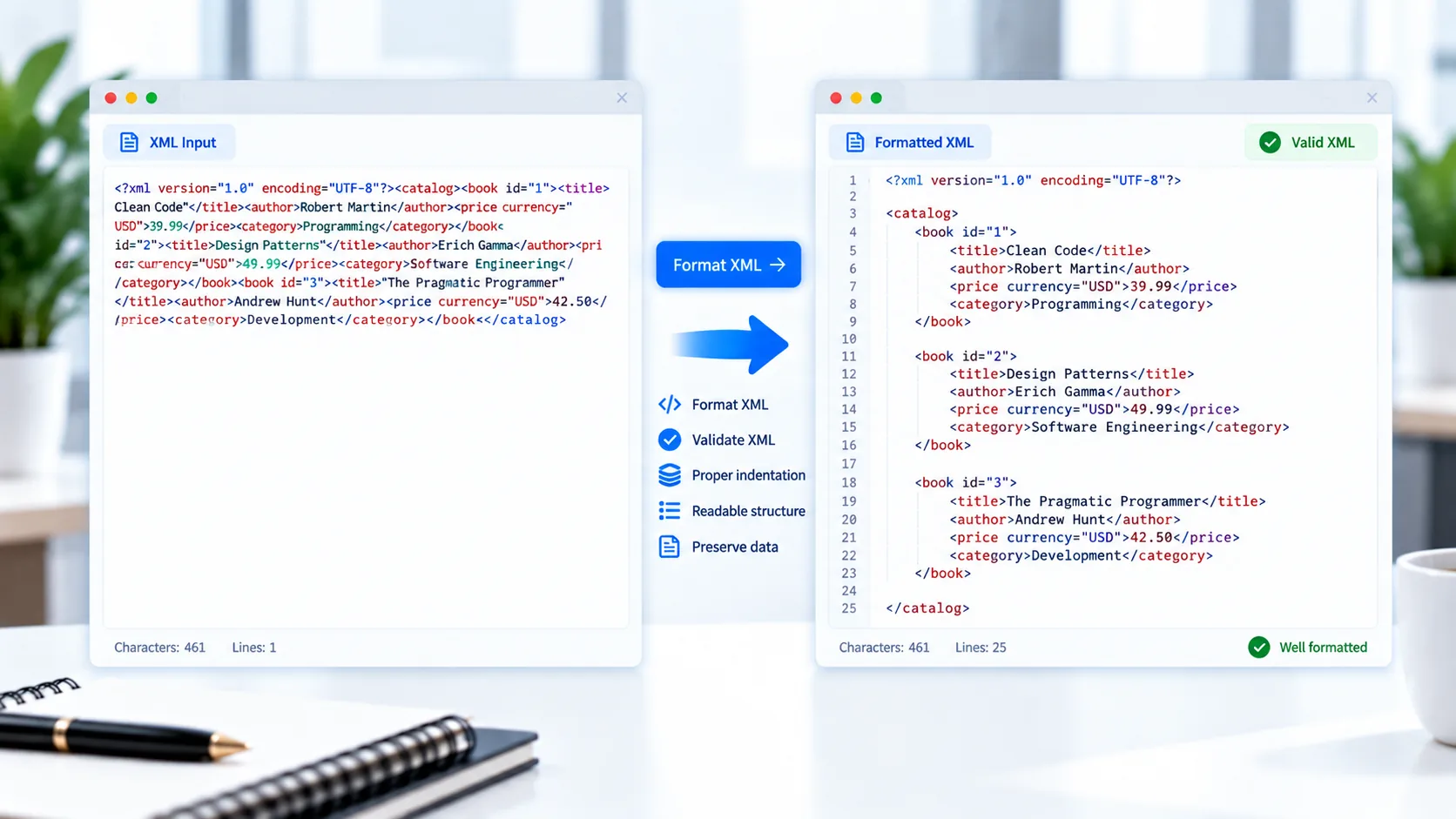
Format XML Online
XML is commonly used for structured data, configuration files, feeds, integrations, and data exchange. However, XML copied from an application or generated by another system can sometimes appear compressed or difficult to read.
PKCapra XML Formatter makes XML easier to inspect by formatting it into a structured, readable layout directly in your browser.
You can paste XML or upload an .xml file, validate its syntax, pretty-print it, minify it, copy the result, or download the processed XML.
XML Formatter
Format, beautify, validate, and minify XML directly in your browser.
Paste or upload XML and choose an action.
What Is an XML Formatter?
An XML formatter takes XML content and presents it with indentation and line breaks so the hierarchy is easier to understand.
For example, compact XML can be difficult to inspect:
<user><name>Ali</name><city>Dubai</city></user>A formatted version makes the structure clearer:
<user>
  <name>Ali</name>
  <city>Dubai</city>
</user>
The XML data remains structured the same way; the formatter improves its presentation.
How to Format XML
Using PKCapra XML Formatter is simple:
- Paste your XML into the tool.
- Or upload an
.xmlfile. - Validate the XML.
- Select the formatting option.
- Review the formatted result.
- Copy or download the XML.
You can also minify the XML when you need a more compact representation.
XML Pretty Print
Pretty printing adds indentation and line breaks to XML so nested elements are easier to follow.
This is useful when working with:
- XML documents
- Configuration files
- RSS feeds
- Sitemap files
- API data
- Application exports
- Structured datasets
- Integration files
Readable indentation makes it easier to understand parent and child relationships within an XML document.
Validate XML Syntax
Formatting is most useful when the XML itself is valid.
PKCapra XML Formatter includes XML syntax validation so you can identify structural problems before working with the document.
Common XML problems can include:
- Unclosed elements
- Incorrectly nested elements
- Missing closing tags
- Invalid markup
- Malformed attributes
- Incorrect quotation marks
- Invalid document structure
If XML is invalid, the validator can report an error rather than silently formatting incorrect content.
For the XML standard and related specifications, see the W3C XML documentation.
Format XML Files
You can upload an .xml file instead of manually copying its contents.
This is useful when you already have an XML document saved on your computer and want to make it easier to read or inspect.
After processing, you can download the resulting XML file.
Minify XML
Sometimes you need the opposite of pretty formatting.
XML minification removes unnecessary whitespace and line breaks while maintaining the XML structure.
A useful workflow can therefore be:
Validate → Format → Review → Minify
This lets you inspect XML in a readable form before producing a compact version.
Work With Nested XML Elements
XML commonly uses nested elements to represent relationships between pieces of data.
For example:
<customer>
  <profile>
    <name>Ali Khan</name>
    <location>
      <city>Dubai</city>
    </location>
  </profile>
</customer>
Formatting makes these parent-child relationships much easier to see.
XML Attributes
XML elements can also contain attributes:
<product id="101" category="books">
  <name>Example Book</name>
</product>
A good formatter keeps attributes associated with their corresponding elements while improving the overall document layout.
XML Comments and CDATA
Real-world XML documents can contain comments and CDATA sections.
PKCapra XML Formatter is designed to preserve common XML structures such as comments and CDATA while formatting the document.
This can make the output more useful when working with existing XML files rather than only simple examples.
Copy Formatted XML
Once your XML has been formatted, you can copy the result and use it elsewhere.
This can be useful when moving XML into:
- Code editors
- Development projects
- Configuration files
- Documentation
- API tools
- Debugging workflows
Download Formatted XML
If you need to keep the formatted XML as a file, you can download the processed document directly from the tool.
This is useful when you want to preserve a readable version of an XML document for later use.
Process XML in Your Browser
PKCapra XML Formatter is designed for browser-side processing. Your XML is processed directly in your browser instead of requiring the document to be uploaded to a remote processing server.
This can be useful when working with configuration files, feeds, application exports, or other XML data you prefer to keep on your device.
XML Formatting Without Installing Software
You don’t need to install a dedicated XML editor simply to format or inspect a document.
PKCapra provides a focused online workflow for validating, formatting, minifying, copying, and downloading XML directly from your browser.
XML Tools for Data Workflows
If your XML contains structured records that need to be converted into spreadsheet data, you can also use the XML to Excel Converter.
For JSON workflows, PKCapra also provides a JSON Formatter and JSON Validator.
Features
XML Formatting
Turn valid XML into a readable, indented structure.
XML Validation
Check XML syntax before formatting or minifying it.
XML Minification
Convert formatted XML into a compact representation.
XML File Upload
Upload .xml files directly.
Paste XML
Paste XML into the formatter for quick processing.
Nested Elements
Format XML containing multiple levels of nested elements.
Attributes
Preserve XML attributes while formatting the document.
Comments & CDATA
Support common XML document structures.
Copy Result
Copy formatted or minified XML.
Download XML
Save the processed XML as a file.
Browser-Based Processing
Process XML directly in your browser.
Mobile-Friendly
Use the formatter across desktop and mobile devices.
FAQ
What is an XML formatter?
An XML formatter makes XML easier to read by adding indentation and line breaks while preserving its document structure.
How do I format XML online?
Paste your XML or upload an .xml file into PKCapra XML Formatter and select the formatting option.
What is XML beautification?
XML beautification, also called pretty printing, adds indentation and line breaks to make nested XML easier to read.
Can I validate XML with this tool?
Yes. PKCapra XML Formatter includes XML syntax validation before formatting.
Can I minify XML?
Yes. You can convert formatted XML into a more compact representation.
Can I upload an XML file?
Yes. .xml files can be uploaded directly into the tool.
Does formatting change my XML data?
Formatting changes whitespace and presentation rather than intentionally changing the XML structure or data.
Does it support nested XML?
Yes. The formatter supports XML containing nested elements.
Does it support XML attributes?
Yes. XML attributes are preserved during formatting.
Does it support comments and CDATA?
Yes. The tool is designed to support common XML comments and CDATA sections.
Is my XML uploaded to a server?
The tool is designed for browser-side processing, so your XML is processed locally in your browser.
Is the XML Formatter free?
Yes. PKCapra provides the XML Formatter as a free online tool.