
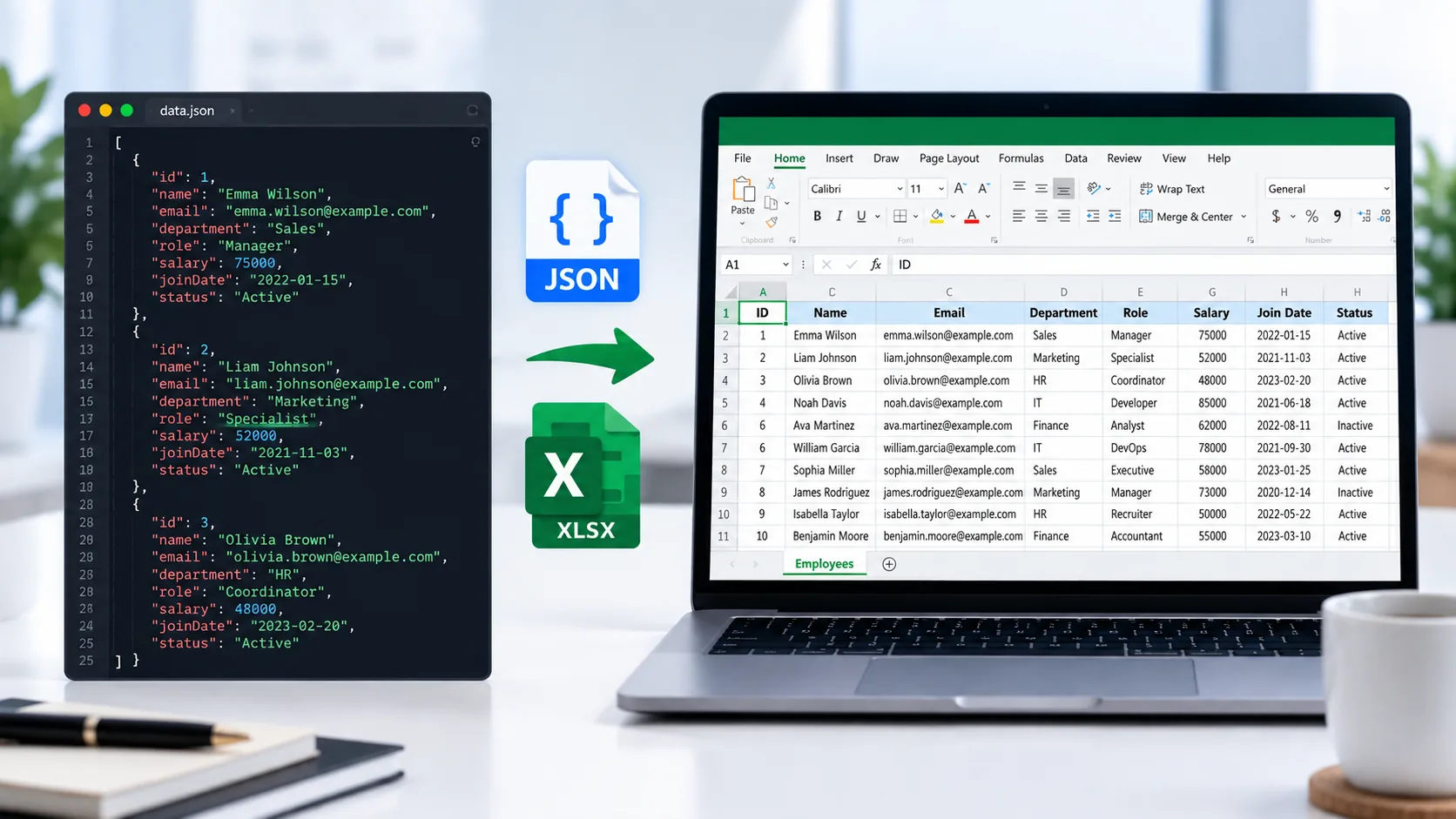
Need to turn structured JSON data into an editable spreadsheet? PKCapra’s json file to excel lets you convert JSON data into an Excel .xlsx workbook directly in your browser.
Upload a JSON file or paste JSON into the tool, validate the data, preview the records, and download the resulting Excel workbook.
For more data and file utilities, explore PKCapra’s All Free Online Tools or browse the PKCapra Categories
JSON to Excel Converter
Convert structured JSON data into an editable Excel workbook directly in your browser.
JSON Preview
JSON arrays of objects are converted into worksheet rows. Nested objects and arrays are safely represented as JSON text inside cells.
How to Convert JSON to Excel in 3 Simple Steps
Transforming complex text data arrays into clear spreadsheet columns only takes a few standard actions inside our client-side framework:
- Select or Drop Your File: Use the “Upload JSON” tab to drop your
.jsonfile (up to 25 MB) directly into the processing window, or switch to “Paste JSON” to clear and paste raw data text strings directly. - Validate Data Schema: The application automatically scans the code alignment to ensure your JSON parameters parse cleanly into readable data tables.
- Export XLSX Sheets: Initiate the browser-based matrix conversion process and click to save your new editable Excel spreadsheet workbook directly to local computer storage.
Why Choose PKCapra for JSON to XLSX Conversion?
Bridges the gap between technical software development ecosystems and core business intelligence by transforming complex application data into a standard two-dimensional Excel landscape for sorting, filtering, and auditing. For precise object rules and formatting requirements, consult the official MDN JavaScript JSON documentation.
Strategic Benefits: Why Convert JSON to Excel?
- Enhanced Readability: Transforms unformatted nested arrays and bracket strings into clean, familiar visual grids.
- Tabular Data Analysis: Enables native desktop column sorting, mathematical formulas, and advanced conditional formatting rules.
- Spreadsheet Report Generation: Converts production data extractions, API log sheets, and external website database footprints into professional executive reports.
- Cross-Team Data Sharing: Ensures structural compatibility with non-technical team members who primarily work with spreadsheets rather than raw code repositories.
Understanding JSON to XLSX Conversion Mechanics
Root-level JSON records map directly to individual spreadsheet rows, while object properties and values determine the layout of your column headers. For deep technical specifications on modern workbook architectures, consult the official Microsoft Office documentation.
Visual Mapping Matrix Example
Input arrays transform into flat tabular layouts where objects represent rows and structural attributes determine your column headings:
// Input Application Data (JSON Array Matrix)
[
  { "item": "Cloud Server", "tier": "Production", "cost": 1200 },
  { "item": "Database Hub", "tier": "Staging", "cost": 450 }
]| item | tier | cost |
|---|---|---|
| Cloud Server | Production | 1200 |
| Database Hub | Staging | 450 |
What Happens to Deeply Nested JSON Objects?
Converting multi-dimensional datasets into flat, two-dimensional spreadsheet tables requires absolute precision. Instead of dropping complex data paths or forcibly flattening arrays into separate spreadsheet columns, our local converter engine safely stores nested structures and child values as clear JSON text formats inside their individual spreadsheet cells. This preserves underlying data integrity for advanced filtering workflows.
JSON to Excel for Diversified Business Intelligence
Easily process high-volume product catalogs, customer service lists, server inventory arrays, API logs, and marketing datasets. If your engineering workflows require structural changes in the opposite direction, access our dedicated Excel to JSON Converter or export to alternative tabular layouts using the integrated Excel to CSV Converter.
Developer Snippets (Automate JSON to Excel Offline)
If you need to bypass manual browser interfaces and automate structured file processing within your local environment, use these native platform execution scripts.
1. Convert JSON to Excel via Python Pandas
Data scientists can ingest complex JSON structures and write them to a clean .xlsx workbook using the pandas framework:
import pandas as pd

# Ingest your structured data file
df = pd.read_json('data.json')

# Export target records to an editable Excel spreadsheet workbook
df.to_excel('output_report.xlsx', index=False, engine='openpyxl')
2. PowerShell Export JSON to Excel Columns
System administrators can parse configuration files or API log outputs natively inside Windows environments using this command chain:
# Import the target data file and decode the system object array
$jsonData = Get-Content -Raw -Path ".\server_logs.json" | ConvertFrom-Json

# Export directly to a comma-separated format compatible with Excel engines
$jsonData | Export-Csv -Path ".\system_report.csv" -NoTypeInformation
3. Node.js JSON to XLSX Workbook Export
For JavaScript runtime environments, you can process file arrays directly using the standard xlsx (SheetJS) package library:
const XLSX = require('xlsx');
const fs = require('fs');

# Read raw data input
const rawData = fs.readFileSync('data.json');
const jsonData = JSON.parse(rawData);

# Convert array of objects into a worksheet data matrix
const worksheet = XLSX.utils.json_to_sheet(jsonData);
const workbook = XLSX.utils.book_new();
XLSX.utils.book_append_sheet(workbook, worksheet, "DataExport");

# Write out the physical workbook file to local storage
XLSX.writeFile(workbook, 'output_report.xlsx');
Import JSON to Excel Table via Native Power Query
If you prefer a native desktop approach that bypasses third-party tools entirely for recurring data imports, build a direct data connection inside Microsoft Excel:
- Launch your target Excel file workbook application.
- Navigate to the top main toolbar menu and choose Data -> Get Data -> From File -> From JSON.
- Select your dataset path file and select Import.
- Within the automated Power Query Editor window, click Into Table to draw out your object columns.
- Click Close & Load to drop the live connected data table directly onto your operational spreadsheet worksheet.
Core Features of the PKCapra Converter Engine
Our platform handles file processing variables seamlessly by offering drag-and-drop support, text validation, mobile-friendly interface components, and automatic column-width optimization arrays tailored for local systems.
Frequently Asked Questions
Is my sensitive JSON data uploaded to external servers?
No. Your privacy is protected via browser-based processing. PKCapra uses client-side JavaScript execution, meaning all file processing happens locally in your browser and your data never touches our servers. It is 100% safe for confidential corporate data logs.
Can this platform handle large multi-megabyte JSON arrays?
Yes, the current converter is designed to handle large file sizes, limited only by your local browser’s memory capabilities and operational hardware limits.
Can I paste raw text instead of uploading a separate file?
Yes. The tool features a dedicated “Paste JSON” tab that allows you to drop raw strings directly from your development environment, API responses, or code editors for instant conversion.
Does the converter validate syntax errors automatically?
Yes. The parsing software validates the dataset structure prior to running the conversion, allowing you to catch invalid syntax rules before compiling the final Excel spreadsheet workbook.
Can I edit the converted file after downloading?
Yes. The generated output is a fully native, standard .xlsx workbook file that can be instantly opened, updated, and modified inside Microsoft Excel or any compatible spreadsheet software.