
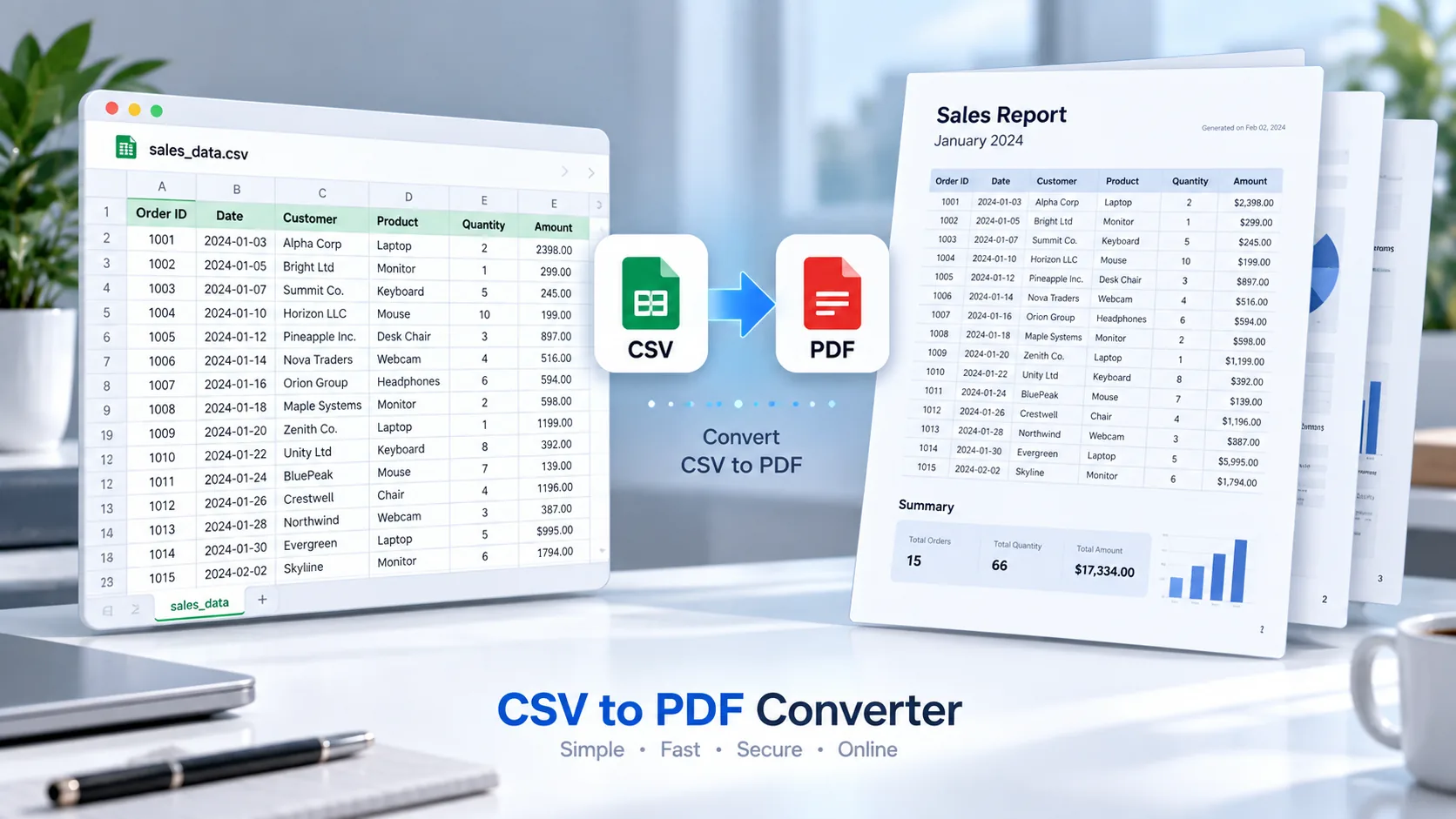
Convert CSV to PDF Online
Need to turn a CSV spreadsheet into a clean PDF document? PKCapra’s CSV to PDF Converter lets you convert CSV files into downloadable PDF documents directly in your browser.
Upload your CSV file, preview the table, generate the PDF, and download the finished document. The tool is designed for simple CSV tables and everyday data-sharing needs.
If you need more tools for working with files and data, explore our All Free Online Tools or browse the PKCapra Categories to find related utilities.
CSV to PDF Converter
Convert a CSV spreadsheet into a clean, printable PDF table directly in your browser.
CSV Preview
The preview shows a sample of your CSV. The generated PDF includes the complete supported dataset.
How to Convert CSV to PDF
Converting a CSV file to PDF takes only a few steps:
- Open the CSV to PDF Converter.
- Upload your
.csvfile or drag it into the upload area. - Review the CSV data in the preview table.
- Start the PDF conversion.
- Download your generated PDF.
The converter is useful when you want to present tabular CSV data in a document format that is easier to share or print.
What Is a CSV to PDF Converter?
A CSV to PDF Converter transforms comma-separated values stored in a CSV file into a PDF document.
CSV files are commonly used for structured data because they are lightweight and easy to process. However, a PDF can be more convenient when the goal is to share a fixed document, print a report, or provide a readable snapshot of tabular information.
PKCapra converts the CSV table into a multi-page PDF layout so larger datasets can continue across multiple pages.
Why Convert CSV to PDF?
There are several reasons to convert CSV data into PDF format.
Easier Sharing
PDF files are convenient for sharing because the document layout remains fixed when opened on different devices.
Better Printing
A PDF version of a CSV table can be easier to print as a structured document rather than printing raw spreadsheet data.
Fixed Document Format
CSV files are designed primarily for structured data. PDF files are better suited for distributing a document where the presentation should remain consistent.
Create Simple Reports
If your CSV contains product lists, inventory information, customer data, financial records, or other tables, converting it to PDF can create a convenient report-style document.
CSV to PDF for Tables and Business Data
CSV files are frequently used for lists and tabular information. For example, you might have a CSV containing:
- Product information
- Inventory records
- Sales data
- Customer lists
- Employee information
- Price lists
- Order records
- Website exports
The CSV to PDF Converter can turn this structured information into a document suitable for viewing, sharing, and printing.
For other document workflows, you can also use PKCapra’s Excel to PDF Converter when your source data is already stored in an Excel workbook.
CSV vs PDF
CSV and PDF serve different purposes.
CSV is primarily a structured data format. It stores information using rows, columns, and separators and can be opened or processed by spreadsheet applications and software.
PDF is primarily a document format designed to preserve the presentation of information.
Therefore, CSV is generally better when you need to manipulate or analyze raw data, while PDF can be more useful when you need to distribute or print a fixed version of that data.
For information about the CSV format and related web technologies, you can also refer to the MDN Web Docs for technical reference material about media types and file formats.
Features of the CSV to PDF Converter
PKCapra’s CSV to PDF Converter includes practical features for everyday CSV conversion:
- CSV file upload
- Drag-and-drop support
- CSV table preview
- Multi-page PDF generation
- PDF download
- Browser-based CSV processing
- Support for quoted CSV values
- Support for CSV fields containing commas
- Support for multiline CSV fields
- Mobile-friendly interface
The converter currently uses conservative browser-side limits to keep processing practical for larger CSV files.
Is My CSV Uploaded to PKCapra?
The CSV processing is performed in your browser. Your CSV data is not uploaded to PKCapra’s server as part of the conversion process.
This browser-based approach can be useful when you want to convert a CSV file without sending the source data to an online processing server.
You should still review your organization’s privacy and data-handling requirements before processing confidential information in any online tool.
When Should You Use CSV to PDF?
The tool is useful when you have structured CSV data but need a document that is easier to distribute.
For example, you can convert a CSV product list into a PDF price sheet, turn exported records into a printable document, or create a simple PDF snapshot of tabular data.
If your source is a Word document instead, you can use PKCapra’s Word to PDF Converter.
For a wider selection of conversion and document utilities, visit PKCapra’s free online tools.
Frequently Asked Questions
Can I convert CSV to PDF online?
Yes. PKCapra’s CSV to PDF Converter lets you upload a CSV file, preview the data, generate a PDF, and download the result directly from your browser.
Can I convert a large CSV file to PDF?
The converter has browser-side limits designed to keep PDF generation practical. The current maximum file size is 25 MB, with limits on rows and columns.
Does the CSV get uploaded to a server?
No. The CSV data is processed in the browser rather than uploaded to PKCapra’s server as part of the conversion.
Can CSV files with commas inside fields be converted?
Yes. The converter supports quoted CSV values, including fields containing commas.
Can a CSV create a multi-page PDF?
Yes. Larger tables can continue across multiple PDF pages.
Can I print the converted PDF?
Yes. After downloading the generated PDF, you can open it with a compatible PDF viewer and print it.
Convert Your CSV to PDF
Ready to turn your CSV table into a PDF?
Open the CSV to PDF Converter and convert your CSV data into a downloadable PDF directly from your browser.