
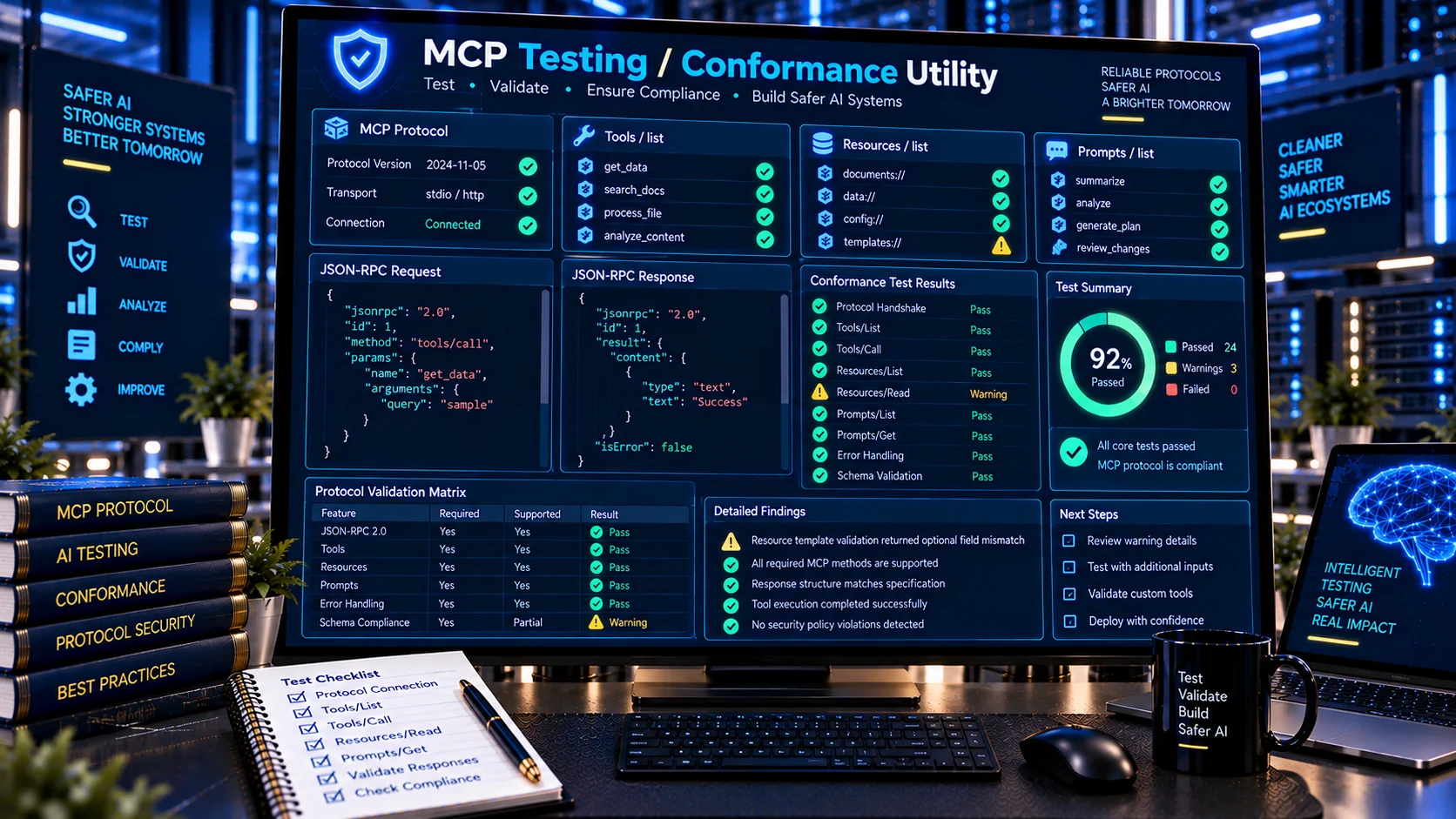
MCP Testing / Conformance Utility helps developers check MCP requests, responses, protocol behavior, tool/resource/prompt structures, and common conformance signals before integrating an MCP server or client. The utility is designed as a browser-based static testing aid for inspecting supplied MCP data and test fixtures without requiring a live MCP connection.
MCP Testing / Conformance Utility
Run a browser-side conformance review against supplied MCP JSON request/response fixtures. Check JSON-RPC structure, protocol-version handling, common MCP method shapes, result/error envelopes, tool/resource/prompt list structures, and selected 2026-07-28 protocol signals without connecting to a live server.
Conformance Summary
Test Cases
Method Coverage
JSON Report
What Is an MCP Testing / Conformance Utility?
Model Context Protocol (MCP) defines a standardized way for AI applications to interact with tools, resources, prompts, and other server capabilities. As MCP implementations evolve, developers need to verify that messages and declared interfaces follow the expected protocol structures.
The PKCapra MCP Testing / Conformance Utility provides a practical browser-based way to test common MCP protocol structures and identify potential conformance problems.
It is intended for development checks, debugging, fixture validation, interoperability preparation, and pre-integration review. It does not provide official MCP certification and does not replace an MCP client, server, SDK test suite, or the official MCP testing ecosystem.
The current MCP standards process includes a dedicated conformance program, and the MCP conformance tracker reports test coverage against the finalized 2026-07-28 revision.
What Does the MCP Testing / Conformance Utility Check?
JSON-RPC Request and Response Structure
The utility can examine MCP messages built on JSON-RPC and identify structural problems involving requests, results, errors, and identifiers.
Checks can include:
- JSON-RPC version
- Request method
- Request parameters
- Request IDs
- Result envelopes
- Error envelopes
- Error codes and messages
- Unexpected structural fields
- Missing required structures
This makes it useful when an MCP implementation produces a message that looks valid at first glance but does not match the expected protocol shape.
MCP Protocol Version Signals
MCP has evolved through multiple protocol revisions. The 2026-07-28 revision introduced the modern protocol era, replacing the earlier initialize handshake model with server/discover and per-request protocol metadata. Earlier revisions use the handshake-based lifecycle.
The PKCapra utility can therefore help identify protocol-version signals and highlight structures that should be reviewed against the intended MCP revision.
Tools List Testing
MCP servers commonly expose tools that an AI application can invoke.
The utility can inspect tool-list structures for issues such as:
- Missing tool names
- Missing descriptions
- Invalid or incomplete input schemas
- Duplicate tool names
- Incorrect tool structure
- Unexpected fields
- Schema-related structural problems
Tool schemas matter because they define the arguments that MCP clients and hosts use when interacting with tools. Official MCP SDK documentation describes servers as exposing tools, resources, and prompts as core MCP primitives.
Resources List Testing
The utility can inspect resource-related structures and identify common formatting and structural problems.
Checks may include:
- Missing resource URIs
- Missing resource names
- Invalid resource structures
- Duplicate resource identifiers
- Incomplete resource metadata
- Resource-list structural issues
Resources provide a standardized way for MCP servers to expose information that clients can retrieve.
Prompts List Testing
MCP prompts are another core server primitive.
The utility can inspect prompt definitions for structural issues such as:
- Missing prompt names
- Missing descriptions
- Invalid argument definitions
- Duplicate prompt names
- Incomplete prompt structures
Testing these definitions before integration can make interoperability debugging easier.
Tool Call Response Testing
A tool definition may be structurally correct while the response generated by an implementation is not.
The MCP Testing / Conformance Utility can therefore examine supplied tool-call response fixtures for common response-structure problems, including result and error handling.
This complements a dedicated MCP Response Validator when deeper response validation is required.
MCP Testing vs MCP Server Inspection
The MCP Server Inspector and the MCP Testing / Conformance Utility address related but different problems.
An MCP server inspection workflow is primarily concerned with understanding what a server declares: its identity, capabilities, tools, resources, prompts, and related structures.
Conformance testing goes one step further by checking whether supplied protocol messages and test cases follow expected structural patterns.
For broader server-definition inspection, PKCapra’s MCP Server Configuration Validator and MCP Tool Schema Validator can also be used as part of a development workflow.
MCP Testing vs MCP Response Validation
These tools overlap in the area of response checking but have different purposes.
The MCP Response Validator focuses specifically on MCP tool responses and their expected response structures.
The MCP Testing / Conformance Utility is broader. It can test different MCP message types and protocol surfaces, including requests, responses, tools, resources, prompts, protocol-version signals, and conformance-oriented fixtures.
Use response validation when the main question is:
“Is this MCP response structured correctly?”
Use conformance testing when the broader question is:
“Does this MCP message or fixture behave consistently with the protocol structures I am testing?”
MCP Testing Workflow
A practical MCP testing workflow can be:
- Prepare the MCP JSON, request, response, or test fixture you want to inspect.
- Paste or load the supported test data into the utility.
- Run the conformance checks.
- Review pass, warning, and failure findings.
- Correct the implementation or fixture.
- Run the test again.
- Export the JSON report when you need a record of the findings.
This workflow is particularly useful during development because the same fixture can be tested repeatedly after implementation changes.
Common MCP Conformance Problems
Invalid JSON-RPC Envelopes
An MCP implementation can fail before higher-level MCP behavior is even considered if the underlying JSON-RPC structure is malformed.
Typical problems include missing IDs, incorrect request/result structures, or invalid error envelopes.
Incorrect Method Structures
Different MCP operations have different method names and parameter structures. A test fixture should use the structure expected by the protocol revision being targeted.
Invalid Tool Definitions
Tool names, descriptions, input schemas, and related fields should form a coherent definition. A malformed tool definition can cause interoperability problems even when the underlying tool implementation works independently.
Duplicate Definitions
Duplicate tool, resource, or prompt identifiers can make server discovery and client-side handling ambiguous.
Protocol-Version Mismatch
An implementation may be designed around one MCP protocol revision while its test fixture or peer expects another.
This is especially important as MCP now has distinct legacy and modern protocol behavior. The 2026-07-28 revision uses a stateless model with server/discover, while earlier revisions use the initialize handshake.
Incorrect Modern-Era Structures
Modern MCP implementations need to account for changes introduced in the 2026-07-28 revision, including per-request protocol information and the modern discovery/lifecycle model.
A conformance-oriented fixture can help developers identify assumptions that were based on an older protocol era.
Why Test MCP Implementations Before Integration?
MCP sits between AI applications and external tools or information sources. A small protocol or schema mismatch can therefore create confusing integration failures.
Testing before integration can help developers:
- Catch malformed fixtures earlier
- Identify protocol-version assumptions
- Review tool definitions
- Validate resource and prompt structures
- Check request and response envelopes
- Reproduce interoperability problems
- Maintain repeatable test cases
- Document validation findings
The official MCP ecosystem also provides an interactive Inspector for connecting to servers, listing exposed features, and manually calling tools and reading resources.
PKCapra’s utility is intended as a complementary static testing aid rather than a replacement for that live interactive workflow.
Static MCP Testing vs Live MCP Testing
Static testing and live testing answer different questions.
Static testing works with supplied JSON, fixtures, definitions, and protocol messages. It is useful when you want repeatable validation without connecting to an MCP server.
Live testing interacts with an actual MCP implementation and can reveal runtime behavior that a static fixture cannot reproduce.
For example, a static test can identify that a supplied tools/list response has a structural problem. A live Inspector session can additionally show what an actual server exposes and how it behaves when a tool is called.
For this reason, the PKCapra utility should be considered one layer in an MCP testing workflow rather than a complete substitute for integration testing.
Use MCP Testing With Other PKCapra MCP Tools
A broader MCP development workflow can combine several focused checks.
Start with the MCP Server Configuration Validator when reviewing configuration structure.
Use the MCP Tool Schema Validator when the main concern is tool input or output schema structure.
Use the MCP Tool Description Checker to review tool descriptions and their clarity.
Use the MCP Configuration Security Checker for configuration-level security signals.
Use the MCP Tool Permission Analyzer when reviewing tool-level permissions and potentially high-impact capabilities.
Use the MCP Tool Poisoning Checker when inspecting tool descriptions and metadata for suspicious instruction patterns.
Then use the MCP Testing / Conformance Utility to test protocol messages and fixtures across the broader MCP surface.
Privacy-Friendly MCP Testing
PKCapra’s MCP Testing / Conformance Utility is designed for browser-side analysis of the supplied test data.
It does not require a live connection to an MCP server for its static testing workflow and does not require an external AI API to perform its heuristic checks.
Because MCP data can contain sensitive information, developers should still avoid pasting credentials, API keys, private tokens, or other secrets into any web-based diagnostic tool unless they have reviewed the processing model and are comfortable doing so.
Who Can Use an MCP Testing / Conformance Utility?
The tool can be useful for:
- MCP server developers
- MCP client developers
- AI application developers
- Agent developers
- SDK developers
- Security engineers
- QA engineers
- Integration teams
- Developers debugging MCP interoperability
- Teams maintaining MCP test fixtures
It is particularly useful when a developer wants a quick structural review before moving to full live integration testing.
Frequently Asked Questions
What is an MCP Testing / Conformance Utility?
It is a diagnostic tool for testing supplied MCP protocol messages, definitions, responses, and fixtures against common structural and conformance expectations.
Does it connect to my MCP server?
No. The PKCapra utility is designed as a browser-based static testing aid. It does not require a live MCP server connection for its core testing workflow.
Does it officially certify an MCP server?
No. A PKCapra test result is a diagnostic finding, not official MCP certification or a formal standards-compliance certificate.
Which MCP protocol version does it support?
The utility includes protocol-version checks and modern MCP signals, including structures relevant to the finalized 2026-07-28 revision. MCP also maintains earlier handshake-based protocol revisions, so the target revision should always be considered when interpreting a test result.
Can it test MCP tools?
Yes. It can inspect tool-list structures, tool definitions, schemas, and supplied tool-call-related test data.
Can it test MCP resources?
Yes. Resource-list structures and supplied resource-related fixtures can be reviewed for common structural problems.
Can it test MCP prompts?
Yes. Prompt definitions and related list structures can be checked for common conformance issues.
Is this the same as the official MCP Inspector?
No. The official MCP Inspector is an interactive tool for connecting to an MCP server, inspecting what it exposes, and manually interacting with those capabilities.
PKCapra’s utility is intended for browser-based static testing and repeatable fixture validation.
Does passing a test prove that an MCP server is secure?
No. Conformance and structural testing are not the same as security testing. A passing result does not prove that a server is secure, correctly authorized, free of malicious behavior, or safe for production use.
Can I export the test results?
Yes. The utility provides a JSON report workflow so findings can be copied or downloaded for further review.
MCP Testing for Repeatable AI Infrastructure QA
MCP implementations are becoming more protocol-aware and increasingly require developers to account for differences between protocol revisions. The finalized 2026-07-28 revision represents a significant lifecycle change, while the MCP ecosystem is also developing explicit conformance coverage for standards-track features.
A focused testing utility gives developers a practical place to validate protocol fixtures before relying on live integration testing.
For the best results, treat conformance testing as one layer of the engineering workflow: validate definitions, test protocol messages, inspect security-sensitive surfaces, and then perform live interoperability testing against the actual MCP implementation.