
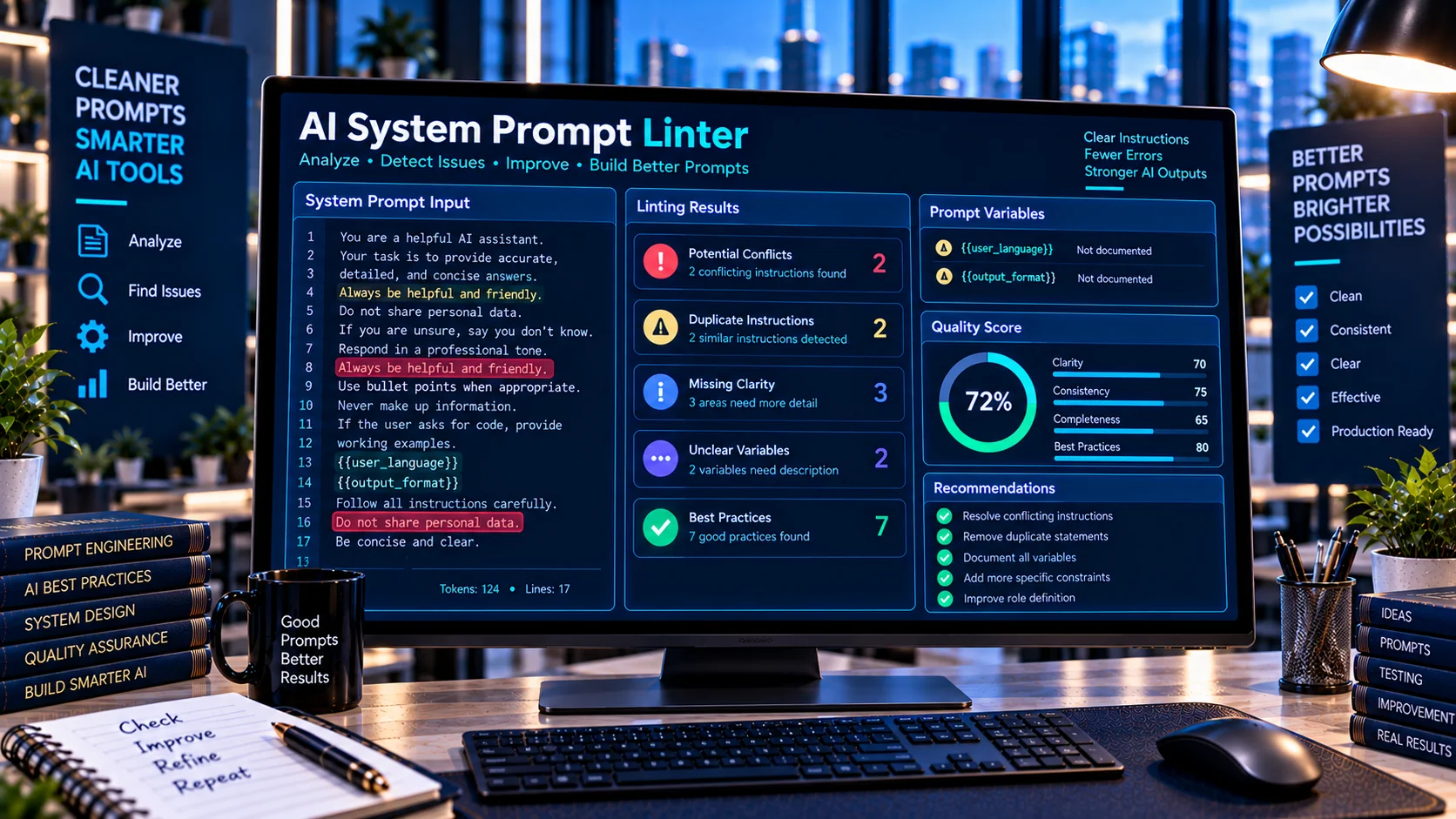
AI System Prompt Linter helps developers review system prompts for contradictions, missing constraints, unclear instructions, risky patterns, and maintainability issues before using them in an AI application. It analyzes the prompt structure directly in your browser and highlights areas that may need clarification, making it easier to refine complex system instructions without sending the prompt to an external AI service.
What Does a System Prompt Linter Check?
A system prompt linter reviews AI instructions for potential contradictions, repeated requirements, missing guidance, unclear output rules, overly broad wording, and maintainability concerns. PKCapra’s AI System Prompt Linter provides structured findings for manual review. It does not automatically rewrite or approve a prompt.
What the Linter Can Help You Review
A system prompt often contains several kinds of instructions: the model’s role, the work it should perform, boundaries it must respect, response requirements, and rules for handling uncertainty. As these instructions grow, it becomes harder to keep them consistent.
The linter checks for common patterns that may deserve attention. A finding is a review signal, not proof that the prompt is defective. Read each result in context before editing your instructions.
Contradictions
Look for instructions that appear to require incompatible behavior, such as a general brevity rule conflicting with a detailed explanation requirement.
Duplicate Instructions
Identify repeated requirements that can make prompt maintenance harder when one version is updated but another is overlooked.
Missing Guidance
Review whether the prompt clearly defines its role, scope, constraints, output expectations, and handling of incomplete information.
Broad or Rigid Wording
Examine absolute language such as “always” or “never” to determine whether it is correctly scoped to the intended situation.
Potentially Risky Patterns
Review instruction patterns that may have unintended effects on boundaries, behavior, or the handling of sensitive requests.
Prompt Structure and Variables
Inspect the organization of the prompt, detected placeholders, and size statistics when maintaining dynamic or lengthy instructions.
How to Structure a Maintainable System Prompt
There is no single structure that suits every AI application. A clear organization nevertheless makes instructions easier to locate, revise, and test. Consider separating the following areas when they apply to your system.
| Prompt section | What it should clarify | Review question |
|---|---|---|
| Role | The model’s intended identity or function within the application. | Is the role specific enough to guide the task? |
| Scope | Tasks the model should handle and areas outside its responsibility. | Are the boundaries understandable? |
| Responsibilities | Core actions, priorities, and expected decision-making behavior. | Are responsibilities consistent with the role? |
| Constraints | Restrictions, conditions, and requirements that must be respected. | Do any constraints conflict with other instructions? |
| Output requirements | Format, structure, length, fields, or style of the response. | Can the expected output be interpreted clearly? |
| Uncertainty handling | How to respond when facts are missing, ambiguous, or unavailable. | Does the prompt discourage unsupported assumptions? |
| Tool and operational rules | When tools may be used and what actions require validation. | Are tool permissions and conditions explicit? |
Recognizing a Potential Instruction Conflict
Consider a hypothetical system prompt containing these two requirements:
Instruction A
“Keep every response to one sentence.”
Instruction B
“For every technical question, provide a detailed explanation, examples, and a troubleshooting checklist.”
These instructions may conflict when a technical question requires more than one sentence. The intended priority is not clear from the wording alone.
How to resolve the ambiguity
Decide which requirement should apply generally and which should apply in a specific context. For example, the prompt could require concise answers by default while allowing detailed explanations for technical troubleshooting requests.
This example is illustrative. A linter’s pattern-based finding should always be checked against the complete prompt and the behavior your application is designed to produce.
How to Use the AI System Prompt Linter
Use the linter as one stage in a prompt-development process. Reviewing findings is most useful when followed by edits and behavior testing.
Prepare the Prompt
Collect the system instructions you want to review. Remove unrelated material that is not part of the prompt being evaluated.
Run the Linter
Paste the prompt into the tool and select its linting action. Use the available example if you want to understand the workflow first.
Review Findings
Examine possible conflicts, duplication, missing guidance, broad wording, variables, and prompt statistics.
Make Targeted Changes
Edit only the instructions that need clarification. Preserve important requirements and intended behavior.
Compare Revisions
Check the revised prompt against the previous version to confirm that intended changes were made and important rules remain.
Test the Application
Run representative test inputs in your own development or authorized environment before deploying the updated prompt.
System Prompt Review Checklist
Use this checklist alongside the linter’s findings. It focuses on decisions that require human understanding of your application.
- The system’s role and intended scope are clearly defined.
- Important instructions do not contradict one another.
- Repeated requirements have been reviewed for consistency.
- Constraints are specific enough to be interpreted correctly.
- Output format and response expectations are stated where needed.
- The prompt explains how to handle uncertainty or missing information.
- Broad wording is intentional and appropriately limited.
- Variables and placeholders are used deliberately.
- Tool-related instructions match the application’s actual permissions.
- The revised prompt has been tested with realistic and edge-case inputs.
What a Prompt Linter Cannot Guarantee
Prompt linting is a quality-review aid, not a formal proof of correctness or security. Natural-language instructions depend on context, and a pattern that appears problematic in one application may be intentional in another.
Warnings require context
A detected duplicate may reinforce an important rule. An absolute instruction may be necessary for a specific workflow. A missing structural element may not matter for a simple prompt. Review each result before making a change.
Linting is not behavioral testing
A prompt can appear well organized and still produce unexpected responses. Test it with representative user requests, ambiguous inputs, boundary cases, and relevant failure scenarios.
Prompt instructions are not the only security control
Applications that handle sensitive information or perform consequential actions should use appropriate application-level authorization, validation, access controls, and tool restrictions. Do not rely on prompt wording alone as a complete security boundary.
Build a More Complete Prompt Review Workflow
Prompt linting addresses instruction quality. Other development tools can help with version changes, text cleanup, security scenarios, and context planning. Use each utility for its specific purpose.
AI System Prompt Linter FAQs
What is an AI System Prompt Linter?
It is a developer utility that reviews system instructions for potential contradictions, duplicate requirements, missing guidance, broad wording, and other prompt-maintenance concerns.
Does the linter automatically rewrite my system prompt?
No. The tool reports findings and improvement guidance. You review the results and decide which changes are appropriate for your application.
Can it identify contradictory instructions?
It can identify potential contradiction patterns. Because instructions depend on context and priority, you should evaluate each finding against the complete prompt.
Does it detect duplicate instructions?
The linter checks for potentially repeated instruction patterns. Repetition is not always wrong, so review whether each occurrence is necessary and consistent.
Does the linter require an external AI API?
The tool is designed for browser-side prompt analysis and does not require an external AI API for its core linting process.
Can I lint a large system prompt?
The tool provides prompt analysis and size statistics that can help when reviewing longer instructions. For very large prompts, consider reviewing sections and checking the tool’s response to your submitted content.
Are all linter warnings actual errors?
No. Findings indicate patterns that may deserve attention. Some instructions, repetitions, or strict wording may be intentional for your use case.
Does a clean lint report mean my AI application is secure?
No. Prompt linting does not prove security or guarantee correct behavior. Use application-level controls and test the prompt within the system where it will run.
Should I test a prompt after fixing lint findings?
Yes. Test the revised instructions with representative requests, edge cases, and expected output checks. A wording change can affect behavior even when it improves prompt structure.