
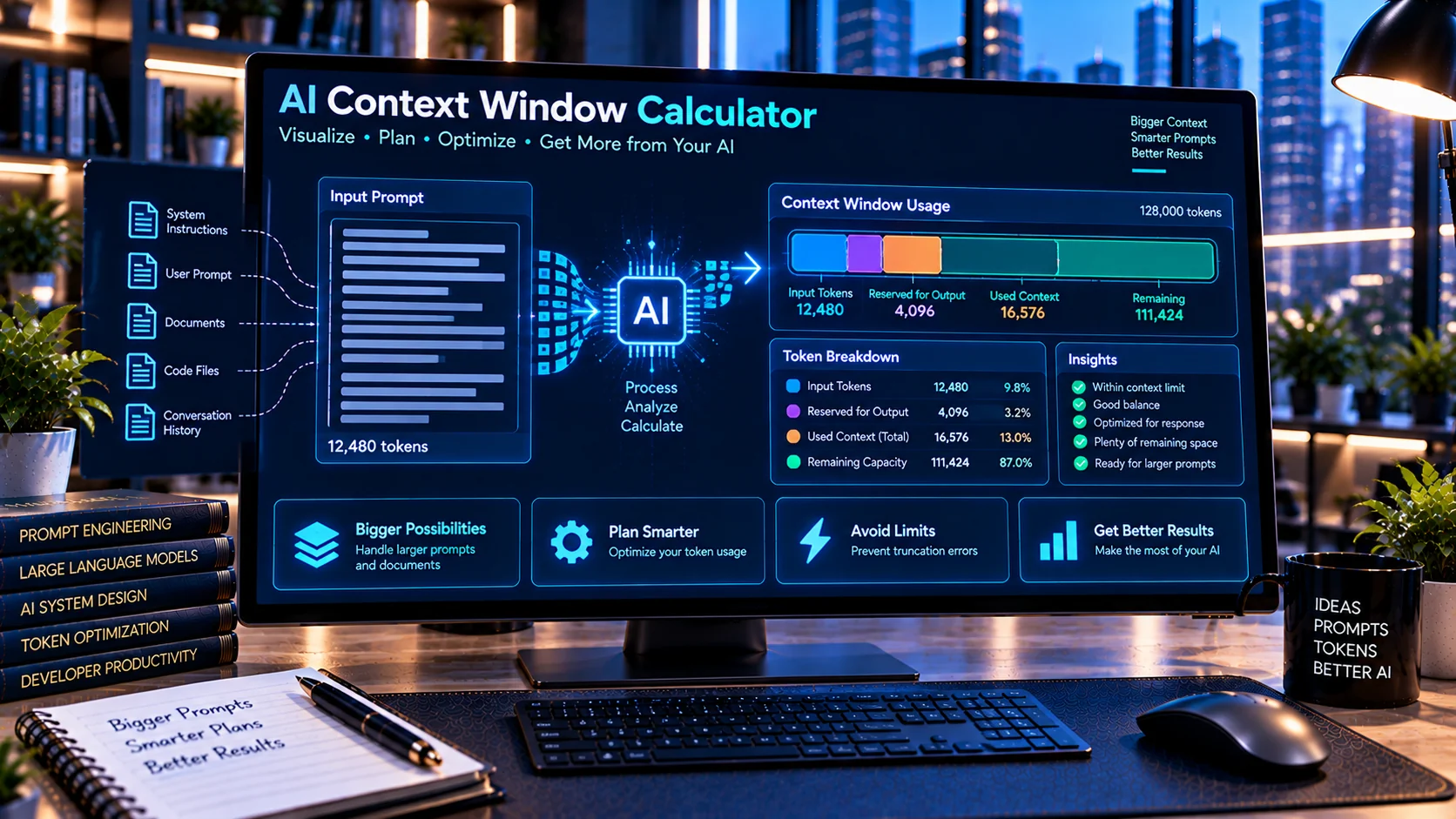
AI Context Window Calculator helps developers estimate how much of an AI model’s context window a prompt or text input may consume before sending it to a model. Paste your content, choose a context-window size from common presets or enter a custom limit, reserve space for the expected output, and review estimated token usage, remaining input capacity, and whether the content fits within the selected budget. The calculation runs directly in your browser without sending your text to an external AI service.
What Is an AI Context Window?
A context window is the amount of tokenized information an AI model can process within a request or interaction, subject to the rules and limits of the specific model and API being used.
That context may include more than the text you type manually. Depending on the application, it can include:
- System instructions
- Developer instructions
- User messages
- Conversation history
- Documents
- Retrieved context
- Tool-related content
- Structured data
- Expected output
Because model limits and tokenization methods vary, understanding your available context budget can help when designing AI applications.
Calculate AI Context Window Usage
The AI Context Window Calculator provides a quick way to estimate how much context your text may require.
Paste your content into the calculator and select the context-window size you want to evaluate.
The tool can show:
- Estimated tokens
- Conservative token estimate
- Selected context-window limit
- Reserved output tokens
- Available input-token budget
- Estimated context usage percentage
- Remaining input capacity
- Character count
- Word count
- Line count
- Fit or exceeds-budget status
This provides a practical overview before you send large content to an AI model.
Choose a Context Window Size
The calculator includes common context-size presets ranging from smaller windows to very large contexts.
Available calculations can include sizes such as:
- 4K
- 8K
- 16K
- 32K
- 64K
- 128K
- 256K
- Larger context sizes up to 1M
You can also enter a custom context-window size when working with a different limit.
These values are calculation presets rather than claims that every AI model supports each size. Always check the documentation for the specific model and API you are using.
Reserve Tokens for AI Output
One important part of context planning is leaving room for the response.
For example, if you calculate against a hypothetical 128,000-token context budget but want to reserve 8,000 tokens for output, your effective input budget becomes:
128,000 - 8,000 = 120,000 tokensThe AI Context Window Calculator lets you account for this output reserve when evaluating your input.
This helps avoid treating the entire selected context limit as available exclusively for prompt text.
Check Whether Your Prompt Fits
After calculating the input, the tool can indicate whether the estimated content fits within the available input budget.
This is useful when working with:
- Long system prompts
- Large user messages
- AI agent instructions
- Retrieved documents
- RAG context
- Knowledge-base content
- Long conversation histories
- Structured JSON
- Large prompt templates
If the estimated input exceeds the configured budget, you can reduce the content or reconsider how much information needs to be included.
Estimate Remaining Context Capacity
Knowing that a prompt fits is useful, but knowing how much capacity remains can be even more helpful.
The calculator estimates the remaining input capacity after accounting for the supplied text and output reserve.
Developers can use this information when deciding whether additional documents, examples, instructions, or retrieved passages can be included.
Context Window Calculator vs Token Counter
These tools solve related but different problems.
A token counter focuses primarily on estimating or counting tokens in supplied content.
A context window calculator uses token estimates as part of a larger context-budget calculation.
For example:
Token question:
How many tokens might this text use?
Context question:
Will this text fit inside my selected context budget after reserving room for output?
The second question requires both an estimate of the input and a defined context budget.
Why Token Estimates Are Approximate
Tokenization is not identical across every AI model.
Different tokenizers may split words, punctuation, numbers, code, Unicode characters, and other content differently.
For this reason, the AI Context Window Calculator should be used as a planning and estimation tool rather than as an authoritative tokenizer for every AI model.
When exact billing, API validation, or model-specific limits matter, use the tokenizer and documentation provided for the model you are actually using.
Conservative Token Estimation
A conservative estimate can provide additional planning headroom when you do not know the exact tokenizer that will process the content.
This can be useful during early development when:
- The final model has not been selected
- Multiple models may process the same prompt
- Content varies significantly between requests
- You want extra capacity for unexpected input
The calculator provides estimation information so you can make more informed context-budget decisions.
Context Windows and Long System Prompts
Large system prompts can consume part of the available context before user content and other application data are considered.
If you maintain extensive system instructions, you can analyze them separately and then consider their contribution to the broader request.
The AI System Prompt Linter can also help review system prompts for contradictions, duplicate instructions, missing guidance, and maintainability issues.
If the prompt contains unnecessary repetition, the AI Prompt Compression Tool can help clean supported redundancy and formatting before you recalculate its estimated context usage.
Context Planning for AI Agents
AI agents may combine several sources of information in a single workflow.
A request might contain:
- System instructions
- Agent instructions
- Conversation history
- Tool definitions
- Retrieved information
- Current user request
- Tool results
- Reserved output capacity
All of these can contribute to the effective context used by the application.
Context planning therefore becomes increasingly important as AI workflows grow more complex.
Context Windows and RAG Workflows
Retrieval-Augmented Generation workflows may insert retrieved passages into the model context.
More retrieved text does not automatically mean better results. Applications often need to balance relevance, available context, output requirements, and the amount of supporting material supplied.
A context-window calculator can help estimate whether the planned retrieved content fits within a chosen budget.
It does not evaluate whether the retrieved information is relevant or high quality; it focuses on context-size planning.
Analyze Large Prompt Templates
Prompt templates can also contain dynamic placeholders.
For example:
Customer: {{customer_name}}
Question: {{customer_question}}
Retrieved context: {{retrieved_context}}
The final runtime values may be much larger than the template itself.
You can use the AI Prompt Variable Checker to review variables in the template, then use the Context Window Calculator with realistic populated content to estimate actual usage.
Compare Prompt Versions Before Recalculating
Context usage can change when a prompt is revised.
Adding examples, constraints, output rules, or supporting information increases the amount of text that must be processed.
The AI Prompt Diff Checker can help identify changes between prompt versions before you calculate the context requirements of the revised prompt.
This creates a useful workflow:
- Compare the old and new prompt.
- Review the changes.
- Clean unnecessary content where appropriate.
- Calculate the revised context requirement.
- Reserve sufficient output capacity.
- Test against the actual model and API.
Browser-Based Context Calculation
The AI Context Window Calculator performs its calculations directly in the browser.
This can be useful when working with:
- Internal prompts
- Development instructions
- Private text
- Proprietary AI workflows
- Prompt templates
- Documents
- Application configuration content
No external AI service is required for the calculator itself.
You should still follow your organization’s security and privacy policies when handling sensitive information.
Common Context Window Planning Mistakes
Using the full context limit for input
Remember that output and other application content may also require context capacity.
Treating estimates as exact tokenization
Token estimates are useful for planning, but actual tokenization depends on the model and tokenizer.
Ignoring hidden application context
Your visible prompt may not represent everything included in the final request. System instructions, history, tools, and other application data can contribute to total usage.
Forgetting dynamic variable sizes
A short placeholder such as {{document}} may become thousands of words when populated at runtime.
Assuming every model supports the same context size
Context limits vary by model and can change over time. Verify the current documentation for the model you use.
Frequently Asked Questions
What is an AI Context Window Calculator?
An AI Context Window Calculator estimates how much of a selected AI context budget your text may use and how much input capacity may remain after reserving space for output.
Does it provide exact token counts?
No. The calculator provides estimates for context planning. Exact tokenization can vary by model and tokenizer.
Can I reserve tokens for the AI response?
Yes. You can specify an output-token reserve so the calculator can determine the remaining input budget.
Can I use a custom context-window size?
Yes. In addition to available presets, the tool supports custom context-window values.
Can I calculate large prompts?
Yes. The tool is designed to help evaluate long prompts and other large text inputs against a selected context budget.
Does the tool send my prompt to an AI API?
No. The calculation is designed to run directly in your browser without requiring an external AI API.
Can I use it for RAG context planning?
Yes. It can help estimate whether retrieved passages and other input content fit within a context budget. It does not evaluate the relevance or quality of the retrieved content.
Conclusion
The AI Context Window Calculator provides a practical way to estimate prompt size against a selected AI context budget. By combining token estimation, output reservation, remaining-capacity calculations, usage percentages, and basic text statistics, it can help developers plan larger AI requests before sending them to a model.
For more reliable AI workflows, use context calculation alongside prompt comparison, compression, variable checking, and model-specific testing rather than relying on context estimates alone.