
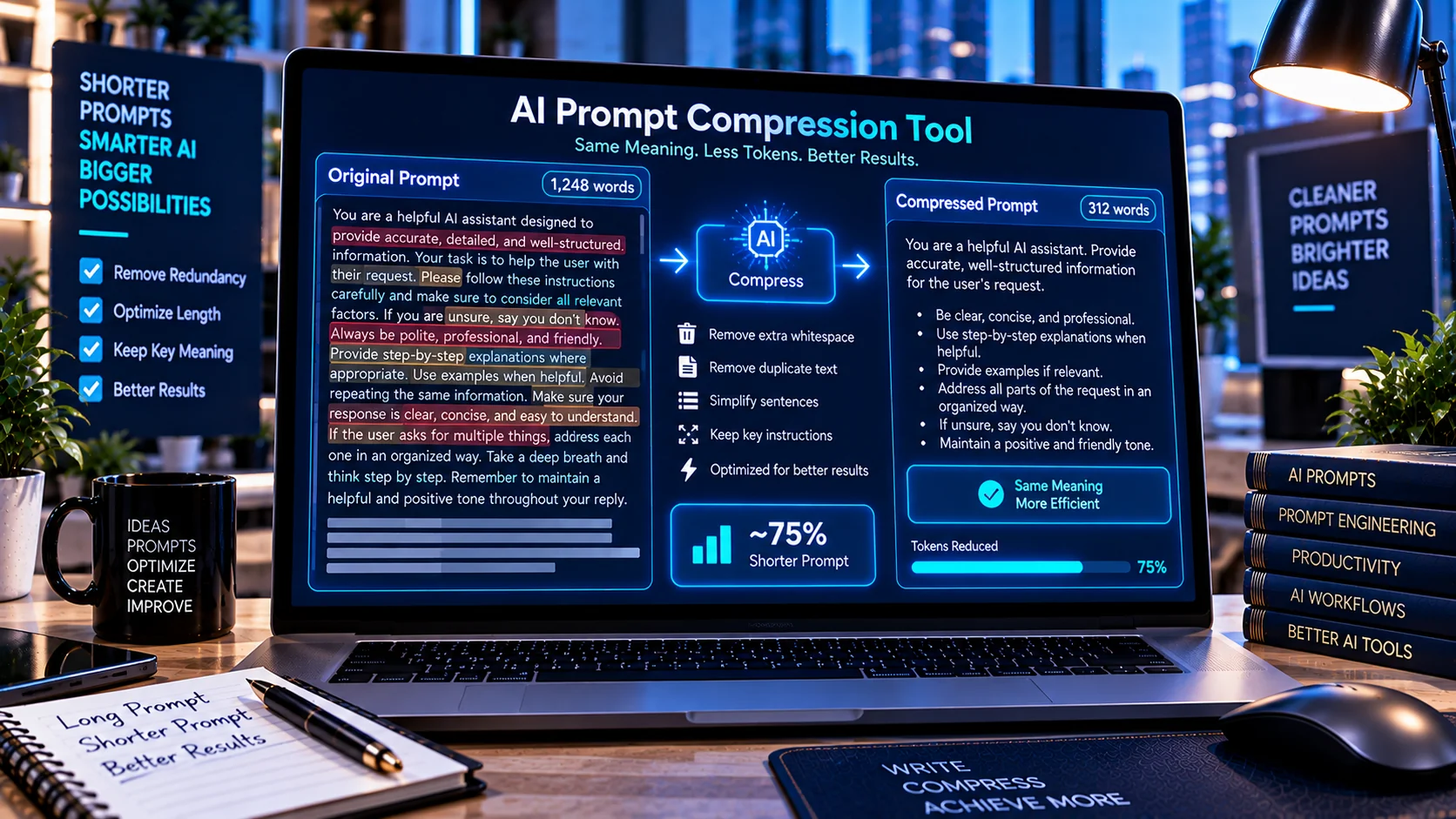
AI Prompt Compression Tool helps developers shorten and clean AI prompts while preserving their overall structure and intended instructions. It can normalize unnecessary whitespace, identify repeated lines, simplify certain redundant wording patterns, and show before-and-after statistics such as word count, character count, and estimated compression percentage. The processing happens directly in the browser, making it useful for reviewing long prompts before using them in AI applications, agents, and automation workflows.
Why Compress an AI Prompt?
AI prompts can become unnecessarily long as instructions, examples, formatting rules, and constraints accumulate during development.
A longer prompt is not automatically a worse prompt, but unnecessary repetition and formatting can make instructions harder to maintain and may increase the amount of text that an AI system needs to process.
Prompt compression can help developers review whether a prompt contains:
- Repeated instructions
- Excessive blank lines
- Unnecessary whitespace
- Repetitive wording
- Duplicate lines
- Formatting that can be simplified
- Sections that may be shorter without changing their basic meaning
The goal is not simply to remove as much text as possible. The goal is to identify unnecessary content while keeping important instructions intact.
How the AI Prompt Compression Tool Works
The AI Prompt Compression Tool analyzes the prompt directly in your browser and applies available compression and cleanup operations.
Depending on the selected options, it can perform tasks such as:
- Normalize whitespace
- Remove repeated blank lines
- Detect duplicate lines
- Simplify common redundant phrases
- Clean unnecessary formatting
- Compare the original and compressed versions
- Calculate word-count differences
- Calculate character-count differences
- Calculate compression percentage
The original prompt remains available for comparison so you can review the result before using the compressed version.
Before and After Prompt Statistics
One useful part of prompt compression is being able to measure the change.
The tool can provide statistics such as:
- Original word count
- Compressed word count
- Original character count
- Compressed character count
- Words saved
- Characters saved
- Compression percentage
These measurements help you understand whether a cleanup produced a meaningful reduction rather than relying only on visual inspection.
Prompt Compression Is Not the Same as Rewriting
Prompt compression should be distinguished from AI-assisted rewriting.
A rewriting system may change wording, restructure instructions, or generate a new version of the prompt.
The PKCapra AI Prompt Compression Tool focuses on deterministic text cleanup and compression operations available in the tool. It does not require an external AI model to rewrite your prompt.
This makes it useful when you want more predictable processing of prompt text.
Reduce Repetition in Long Prompts
Repeated instructions are one area where prompt maintenance can become difficult.
For example, a long prompt may accidentally contain the same instruction multiple times because different sections were copied together during development.
Duplicate-line detection can help identify these repetitions so you can decide whether they are intentional or unnecessary.
However, developers should review every suggested change. Repetition may sometimes be deliberate when an instruction needs to appear in a particular context.
Clean Prompt Formatting
Prompts copied between editors, documentation systems, code files, and AI interfaces can accumulate unnecessary whitespace.
The tool can normalize common formatting issues such as excessive blank lines and unnecessary whitespace.
This can make prompts easier to read and maintain while reducing characters that do not contribute to the actual instructions.
Review Redundant Wording
The tool also provides optional redundancy cleanup for supported wording patterns.
This can help identify language that may be shortened without changing the basic instruction.
For example, developers may have phrases that communicate the same idea more than once. A shorter formulation can sometimes make the prompt easier to maintain.
Because natural language instructions can have subtle meanings, every compressed result should be reviewed before being used in a production AI workflow.
Use Prompt Compression During Prompt Engineering
Prompt engineering is often an iterative process.
A typical workflow may look like this:
- Write the initial prompt.
- Test the prompt.
- Add missing instructions.
- Remove unnecessary instructions.
- Compare prompt versions.
- Compress repetitive or unnecessary text.
- Review the compressed prompt.
- Test the revised prompt again.
- Keep the validated version as the new baseline.
For version comparison, the AI Prompt Diff Checker can help identify exactly what changed between the original and revised prompts.
For broader system-prompt analysis, the AI System Prompt Linter can help identify contradictions, duplicate instructions, missing guidance, and other potential issues.
Prompt Compression and Context Limits
AI applications may operate within context limits that depend on the model and configuration being used.
Reducing unnecessary prompt text can therefore be useful when a prompt has accumulated substantial repetition or formatting overhead.
However, compression should not be treated as a substitute for understanding the context requirements of your specific AI system.
Important instructions, examples, schemas, constraints, and output requirements should remain intact when they are necessary for correct behavior.
Keep Important Instructions Intact
The shortest prompt is not necessarily the most effective prompt.
A production prompt may intentionally contain:
- Detailed role instructions
- Safety requirements
- Output schemas
- Examples
- Tool-use rules
- Validation requirements
- Business logic
- Formatting constraints
- Edge-case handling
Removing these simply to achieve a higher compression percentage can change application behavior.
For this reason, the compression result should always be reviewed against the original prompt.
Privacy and Browser-Based Processing
The AI Prompt Compression Tool is designed to perform its processing directly in the browser rather than requiring an external AI service.
This can be useful when reviewing:
- Internal prompts
- Proprietary instructions
- Agent configurations
- Business workflows
- Development prompts
- Private prompt templates
Browser-side processing can reduce the need to send prompt text to an external AI API for basic compression operations.
You should still follow your organization’s privacy and security requirements when handling sensitive information.
AI Prompt Compression Workflow
A practical workflow for developers can combine several PKCapra tools:
Step 1 — Compare versions
Use the AI Prompt Diff Checker to understand how the prompt changed.
Step 2 — Compress unnecessary content
Use the AI Prompt Compression Tool to clean formatting and reduce supported redundancy.
Step 3 — Lint the revised prompt
Use the AI System Prompt Linter to review the resulting system prompt.
Step 4 — Test application behavior
Run the revised prompt through your normal AI application and test important use cases.
Step 5 — Keep the validated version
Store the approved prompt as the new baseline for future changes.
This workflow separates text cleanup from prompt validation and application testing.
Common AI Prompt Compression Mistakes
Compressing without keeping the original
Always retain the original version so you can compare the compressed result.
Chasing the highest compression percentage
A large reduction is not automatically desirable. Important instructions should not be removed merely to make a prompt shorter.
Skipping behavior testing
Even a small wording change can affect how an AI application interprets an instruction. Test important workflows after compression.
Removing intentional repetition
Some repeated instructions may serve a deliberate purpose. Review detected duplicates before removing them.
Treating formatting cleanup as semantic optimization
Removing whitespace is generally different from changing the meaning of an instruction. Keep these two concepts separate when reviewing a compressed prompt.
Frequently Asked Questions
What is an AI Prompt Compression Tool?
An AI Prompt Compression Tool helps developers reduce unnecessary prompt text through supported cleanup and compression operations while providing before-and-after statistics.
Does the tool rewrite prompts using AI?
No. The PKCapra tool is designed for browser-based prompt compression and cleanup rather than sending prompts to an external AI model for rewriting.
Can it remove duplicate lines?
Yes. Duplicate-line detection is one of the available compression and review features.
Can I see how much text was removed?
Yes. The tool provides before-and-after word and character statistics along with compression information.
Should I use the compressed prompt immediately?
It is better to review the compressed result first, especially for system prompts, agent instructions, tool-use instructions, and other production-critical prompts.
Can prompt compression change AI behavior?
It can if important wording or instructions are changed or removed. That is why compressed prompts should be reviewed and tested before production use.
Conclusion
The AI Prompt Compression Tool provides a practical way to clean and reduce unnecessary prompt text without requiring an external AI service. By combining whitespace normalization, duplicate detection, supported redundancy cleanup, and before-and-after statistics, it helps developers review long prompts more efficiently.
For production AI workflows, prompt compression works best as part of a broader process that includes version comparison, prompt linting, and application testing.