
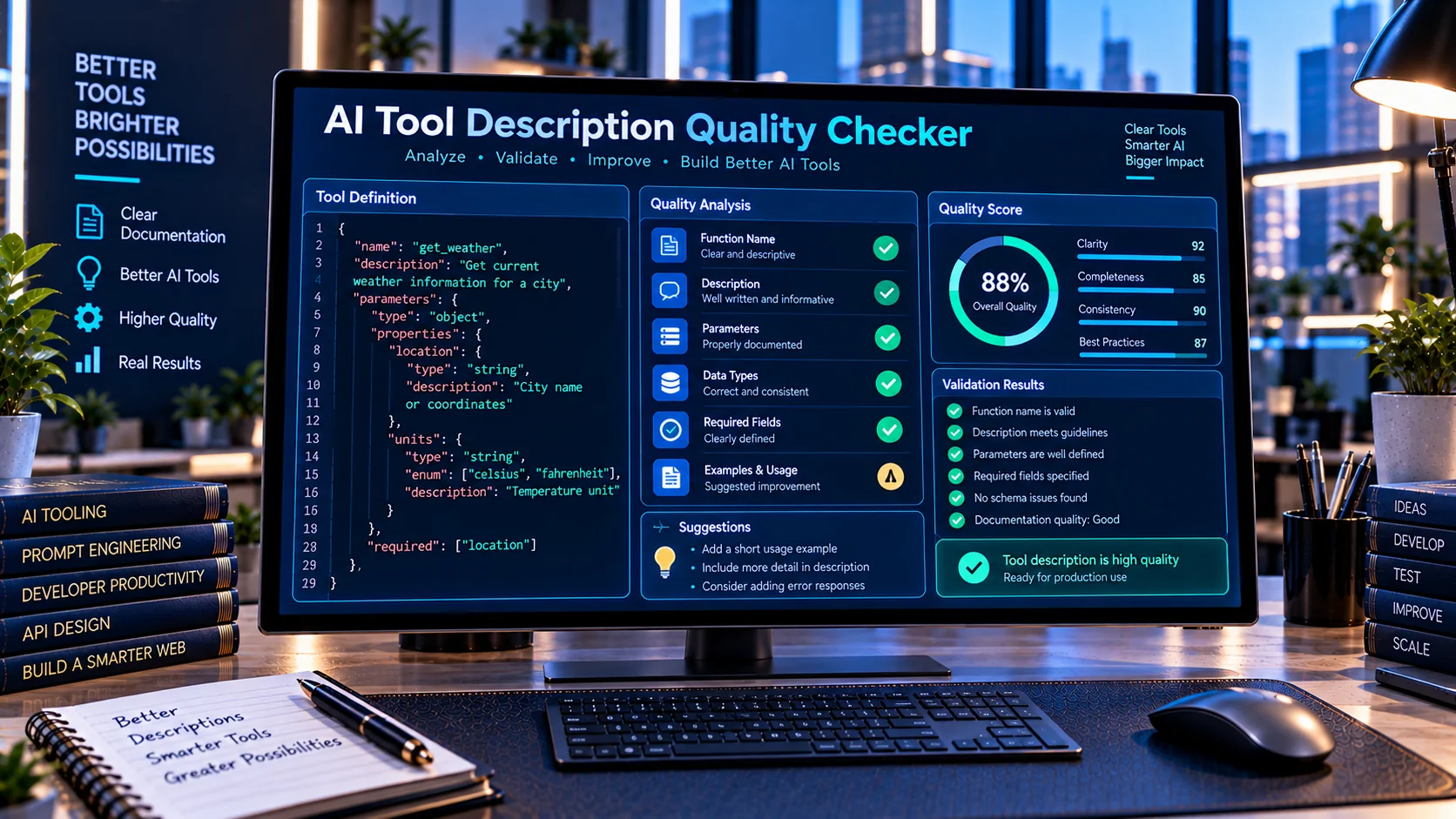
AI Prompt Diff Checker helps developers compare two versions of a prompt and quickly identify what changed between them. It highlights added and removed lines, compares prompt structure, shows useful text statistics, and provides a clear difference report directly in the browser. This makes it easier to review prompt revisions, debug unexpected behavior changes, document prompt iterations, and maintain AI instructions without sending prompt content to an external AI service.
Compare AI Prompts Before Using Them
Prompt changes can sometimes be difficult to spot, especially when system prompts, developer instructions, or large tool-use prompts contain many lines. A small wording change can alter how an AI application interprets an instruction.
The AI Prompt Diff Checker provides a simple way to compare an earlier prompt with a revised version and see the differences clearly.
You can use it when reviewing:
- System prompt revisions
- Developer instructions
- AI agent prompts
- Tool-use instructions
- Structured AI workflows
- Prompt templates
- Prompt engineering experiments
- Production prompt updates
How the AI Prompt Diff Checker Works
The tool compares two prompt versions directly in your browser.
Paste the original or previous prompt into one input and the revised prompt into the other. The checker analyzes both versions and identifies differences between them.
It can help show:
- Added lines
- Removed lines
- Changed sections
- Prompt length differences
- Word and character statistics
- Line-count changes
- Similarity information
- A structured comparison report
This makes prompt revision easier to inspect before moving the updated version into an AI application.
Why Prompt Version Comparison Matters
AI prompts are often edited repeatedly during development. Without a clear comparison process, it can become difficult to determine exactly what changed between two versions.
For example, a developer may change:
Always return valid JSON.
to:
Always return valid JSON and include all required fields.
The second version adds an important requirement, but that change can be easy to overlook inside a large prompt.
A prompt diff tool makes these modifications easier to identify and review.
Review System Prompt Changes
System prompts can contain role definitions, behavioral instructions, restrictions, output requirements, formatting rules, and other application-level instructions.
When maintaining these prompts, comparing versions can help developers verify whether an intended change was actually made and whether unrelated instructions were accidentally removed.
After comparing a prompt revision, you can also use the AI System Prompt Linter to review the resulting prompt for contradictions, duplicate instructions, missing guidance, and other potential issues.
Compare AI Agent Instructions
AI agents may use large instruction sets that define how they should reason about tasks, select tools, process information, and format responses.
When an agent behaves differently after a prompt update, comparing the previous and current instructions can help identify textual changes that may be relevant to the new behavior.
For workflows involving function calling and tool usage, PKCapra also provides the AI Function Calling Tester for testing simulated function calls and validating their arguments.
Track Prompt Iterations
Prompt engineering commonly involves repeated experimentation.
A developer might maintain:
- Version 1 — initial prompt
- Version 2 — clearer instructions
- Version 3 — additional constraints
- Version 4 — revised output format
- Version 5 — production version
Comparing these versions makes it easier to document how the prompt evolved.
The AI Prompt Diff Checker can therefore be useful as part of a broader prompt development workflow.
Prompt Diff vs Prompt Quality Checking
Prompt comparison and prompt quality analysis solve different problems.
A prompt diff checker focuses on what changed between two versions.
A prompt quality checker focuses on characteristics of the prompt itself.
For example:
- Diff checking → “What did I change?”
- Quality checking → “Is the prompt clearly written?”
- Prompt linting → “Are there contradictions or structural issues?”
- Function testing → “Do the generated tool arguments match the schema?”
For quality-focused analysis, use the AI Tool Description Quality Checker.
For structured AI instructions, the AI System Prompt Linter can provide another layer of review.
Keep Sensitive Prompts in the Browser
The AI Prompt Diff Checker is designed for browser-side comparison rather than requiring your prompt to be sent to an external AI service.
This can be useful when working with:
- Internal system instructions
- Proprietary prompt templates
- Business workflows
- Private agent instructions
- Development prompts
- Configuration text
Even when a tool processes data locally, you should still follow your organization’s own privacy and security requirements when handling sensitive information.
Useful Prompt Comparison Workflow
A practical prompt development workflow can look like this:
- Save the current production prompt.
- Create a revised version.
- Compare the two versions with the AI Prompt Diff Checker.
- Review added and removed instructions.
- Check whether important requirements were accidentally changed.
- Run the revised prompt through the AI System Prompt Linter.
- Test related tool or function behavior where applicable.
- Keep the approved version as the new baseline.
This separates change detection from quality validation and application testing.
Who Can Use an AI Prompt Diff Checker?
The tool can be useful for anyone who maintains or experiments with AI prompts, including:
- AI developers
- Prompt engineers
- AI agent developers
- Software developers
- Automation builders
- AI product teams
- API developers
- Researchers
- Technical writers
- Teams maintaining production prompts
It can also be useful for smaller projects where manually comparing two long prompts would be inconvenient.
Common Prompt Comparison Mistakes
Comparing prompts manually
Long prompts can contain many similar lines, making manual comparison unreliable.
Replacing the original prompt
Always keep the previous version available when making significant changes. This gives you a reference point for future comparisons.
Testing only the final output
A changed prompt can affect behavior in ways that are not immediately obvious from one test. Reviewing the actual prompt differences can provide useful context.
Mixing prompt comparison with quality analysis
A diff tells you what changed; it does not automatically determine whether the change is appropriate. Use a separate validation or linting step when needed.
Frequently Asked Questions
What is an AI Prompt Diff Checker?
An AI Prompt Diff Checker compares two prompt versions and identifies differences such as added and removed lines, changed sections, and prompt statistics.
Can I compare system prompts?
Yes. You can use the tool to compare system prompts, developer instructions, agent prompts, templates, and other text-based AI instructions.
Does the tool use an AI API?
No. The PKCapra AI Prompt Diff Checker is designed to perform its comparison directly in the browser without requiring an external AI or API call.
Can I compare large prompts?
The tool is designed for comparing longer prompt text and provides statistics and structured differences to make revisions easier to review.
Does it rewrite my prompt?
No. Its primary purpose is comparison and change detection. It helps you understand what changed rather than automatically rewriting the prompt.
Is prompt comparison useful for AI agents?
Yes. Comparing agent instructions can help developers review changes to tool-use rules, workflow instructions, output requirements, and other agent configuration text.
Build a More Reliable Prompt Development Workflow
Prompt changes should be treated like other important application changes: review what changed, validate the revised instructions, and test the resulting behavior.
The AI Prompt Diff Checker provides the comparison step in that workflow, while other PKCapra AI developer tools can help validate schemas, tool calls, descriptions, and system prompts.
Explore the AI Tool Schema Validator when working with structured tool definitions, or browse the AI Tool Schema Converter when converting tool schemas between supported formats.
Conclusion
The AI Prompt Diff Checker provides a practical way to compare prompt versions without manually searching through large blocks of text. By identifying additions, removals, structural changes, and useful prompt statistics, it can make prompt maintenance and revision review more manageable.
For developers building AI applications, agents, and tool-calling workflows, prompt comparison can be a useful step between editing an instruction and deploying it into a production workflow.