
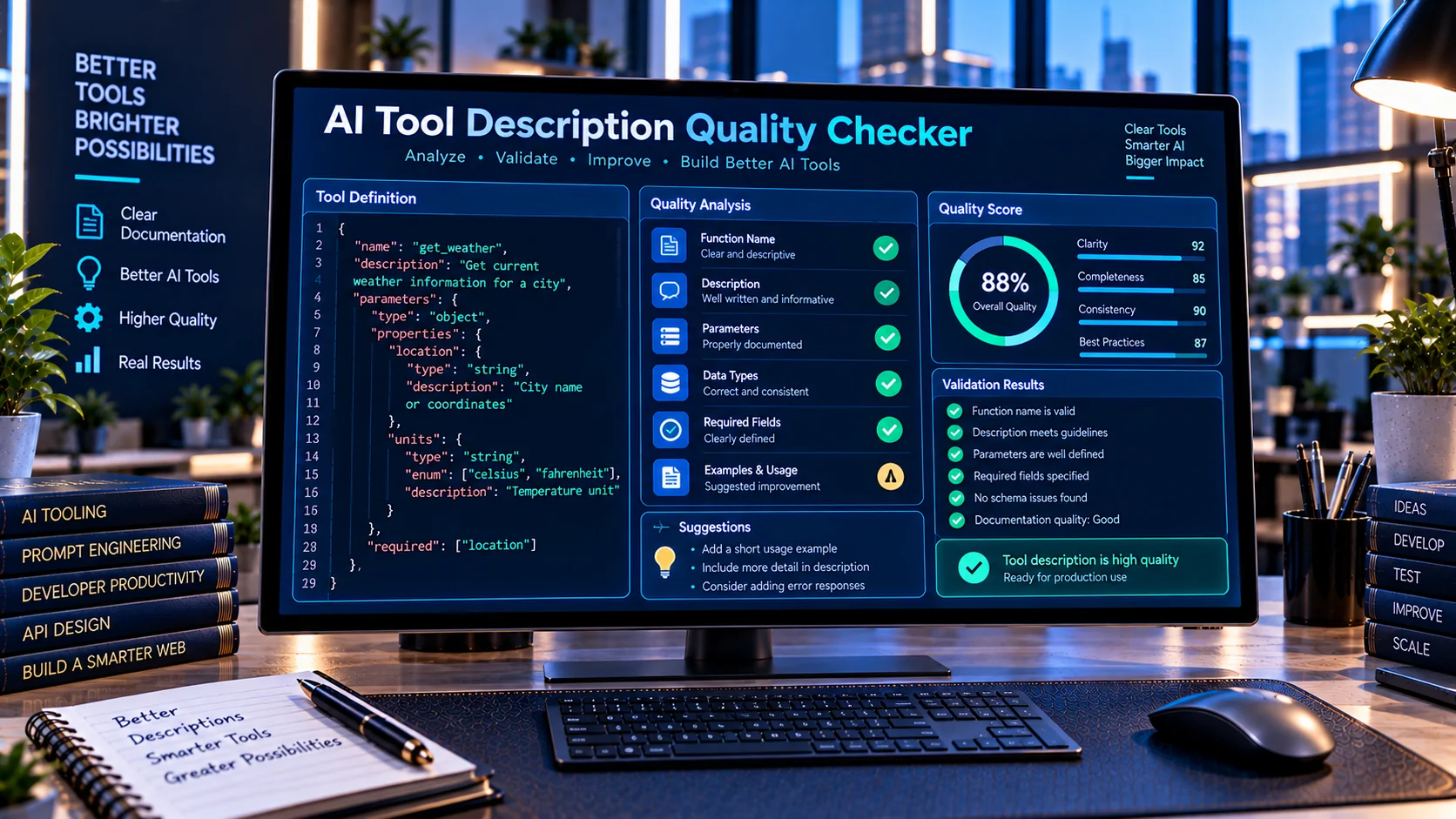
AI Tool Description Quality Checker helps developers review AI tool and function descriptions for clarity, completeness, and consistency before using them in AI agents or function-calling workflows. It checks whether a tool clearly explains what it does, when it should be used, and what its parameters mean, while identifying ambiguous wording, missing documentation, and other description-quality issues directly in your browser.
Why Tool Description Quality Matters
AI tools and functions depend on clear descriptions to help models understand when a tool should be selected, what the tool does, and which parameters it expects. A technically valid schema can still create problems when its descriptions are vague, incomplete, ambiguous, or inconsistent with the actual function behavior.
The AI Tool Description Quality Checker helps developers review tool and function descriptions for these issues before using them in AI agents, function-calling systems, or automated workflows.
What the AI Tool Description Quality Checker Checks
The tool examines important parts of an AI tool definition, including:
- Tool or function name clarity
- Tool description completeness
- Description clarity
- Tool-selection guidance
- Parameter descriptions
- Required parameter documentation
- Parameter-purpose clarity
- Missing parameter explanations
- Name and description consistency
- Schema and description consistency
- Ambiguous wording
- Potentially problematic instruction patterns
The goal is to make tool definitions easier for AI systems and developers to understand.
Why Clear AI Tool Descriptions Matter
When an AI system has access to several tools, descriptions help it distinguish between those tools and determine which one is relevant to a particular request.
For example, a vague description such as:
{
  "name": "search",
  "description": "Search things"
}
provides very little information about what should trigger the tool or what type of information it can retrieve.
A more specific description can define the tool’s purpose, expected use, and important limitations.
Clear descriptions can therefore make tool definitions easier to maintain and test, particularly as the number of available functions grows.
Check Tool Selection Guidance
AI agents may have multiple tools with overlapping capabilities. A description should provide enough context to distinguish one function from another.
For example, if an application contains separate tools for:
- Searching products
- Searching documents
- Searching customers
- Searching websites
a generic description such as "Search data" does not clearly explain when that particular tool should be selected.
The AI Tool Description Quality Checker helps identify descriptions that may not provide sufficient selection guidance.
Review Parameter Descriptions
Parameters are another important part of tool documentation.
Consider a parameter such as:
{
  "location": "Dubai"
}
A description like "Location" provides little context.
A clearer description could explain what the parameter represents and what type of value the function expects.
The checker reviews parameter documentation to help identify missing or weak explanations.
Required Parameters and Documentation
A tool may define several required parameters while providing incomplete descriptions for those parameters.
This can make a function harder to understand and maintain.
The checker can identify situations where important parameters are present in the schema but are not adequately documented.
This is especially useful for tools with larger argument structures.
Detect Ambiguous Tool Descriptions
Ambiguous wording can make tool definitions harder to interpret.
Descriptions should explain the actual purpose of the function rather than relying on broad terms such as:
- Process data
- Handle request
- Get information
- Manage things
- Perform action
- Search data
The checker can flag potentially unclear wording and provide findings that help developers make the description more specific.
Check Tool Name and Description Consistency
A tool name should generally communicate the same purpose as its description.
For example, a function named:
get_customer_ordersshould have a description related to retrieving customer orders rather than a generic description about managing customers.
Checking both elements together can help reveal inconsistencies that may otherwise be overlooked.
Review Description Completeness
A useful tool description should provide enough information to understand the function’s intended purpose.
Depending on the tool, useful documentation may explain:
- What the tool does
- When it should be used
- What information it needs
- What important parameters mean
- What type of operation it performs
The checker helps identify missing documentation areas so developers can improve the definition before deployment.
AI Tool Description Quality Score
The checker provides a quality-oriented analysis of the submitted tool definition and reports findings that require attention.
Instead of relying only on whether a JSON document is syntactically valid, the tool focuses on the quality and clarity of the documentation surrounding the tool.
This distinction is important because a schema can be technically valid while still being difficult for an AI system or developer to interpret.
Use It With Other PKCapra AI Developer Tools
Tool description quality is only one part of building reliable AI function-calling systems.
You can use the AI Tool Schema Validator to check the technical structure of a tool schema.
The AI Function Calling Tester can then be used to test function arguments and simulated calls.
If you need to convert between different tool formats, the AI Tool Schema Converter can help transform compatible tool definitions.
For OpenAPI-based applications, the OpenAPI to AI Tool Schema Converter can convert API operations into AI tool definitions.
A Practical AI Tool Development Workflow
A useful workflow for developing AI tools is to separate schema validation, documentation review, and function-call testing.
Step 1: Create the tool schema
Define the tool name, description, parameters, types, and required fields.
Step 2: Validate the schema
Use a schema validation tool to identify structural problems.
Step 3: Review the description
Check whether the tool clearly communicates what it does and when it should be used.
Step 4: Review parameters
Make sure important parameters are clearly documented and their expected values are understandable.
Step 5: Test function calls
Test realistic arguments against the completed schema.
Step 6: Refine and repeat
Update the schema and descriptions when testing reveals ambiguity or inconsistencies.
This separates different classes of problems and makes AI tool development easier to troubleshoot.
Common AI Tool Description Problems
Vague descriptions
The description does not clearly explain the function’s purpose.
Missing usage guidance
The description does not indicate when the tool should be selected.
Poor parameter documentation
Parameters exist but their purpose or expected values are unclear.
Name-description mismatch
The function name suggests one operation while the description explains another.
Generic wording
Broad phrases make it difficult to distinguish the tool from similar functions.
Incomplete documentation
Important behavior or parameter information is missing.
Unclear instructions
The description contains wording that could be interpreted in multiple ways.
Identifying these problems before deployment can make tool definitions easier to maintain and test.
Who Should Use This Tool?
The AI Tool Description Quality Checker is useful for developers and teams working with:
- AI agents
- Function calling
- Tool-use systems
- API integrations
- Automation platforms
- Structured AI workflows
- Multi-tool agents
- Developer APIs
- AI assistants
It can also be useful when reviewing an existing collection of tools before adding them to an AI agent.
Frequently Asked Questions
What is an AI Tool Description Quality Checker?
It is a developer utility that reviews AI tool and function descriptions for clarity, completeness, parameter documentation, selection guidance, and related quality issues.
Does it validate the technical schema?
Its primary purpose is description quality rather than replacing structural schema validation. For technical schema validation, use the AI Tool Schema Validator.
Can it check parameter descriptions?
Yes. It can identify missing or weak parameter documentation as part of the tool-quality analysis.
Can it detect ambiguous descriptions?
Yes. The checker looks for potentially unclear or overly generic wording and reports relevant findings.
Does the tool use an external AI API?
No. The checker is designed for browser-side analysis and does not require an external AI API for its core validation.
Can I use it with function-calling tools?
Yes. It is designed for reviewing tool and function definitions used in AI function-calling workflows.
Why should I check descriptions if my schema is already valid?
A technically valid schema does not necessarily mean that its descriptions clearly communicate the tool’s purpose or selection criteria. Description quality is a separate part of tool design.
Improve Your AI Tool Definitions
Use the AI Tool Description Quality Checker to review tool names, descriptions, parameters, selection guidance, and documentation quality before deploying functions to an AI-powered application.