
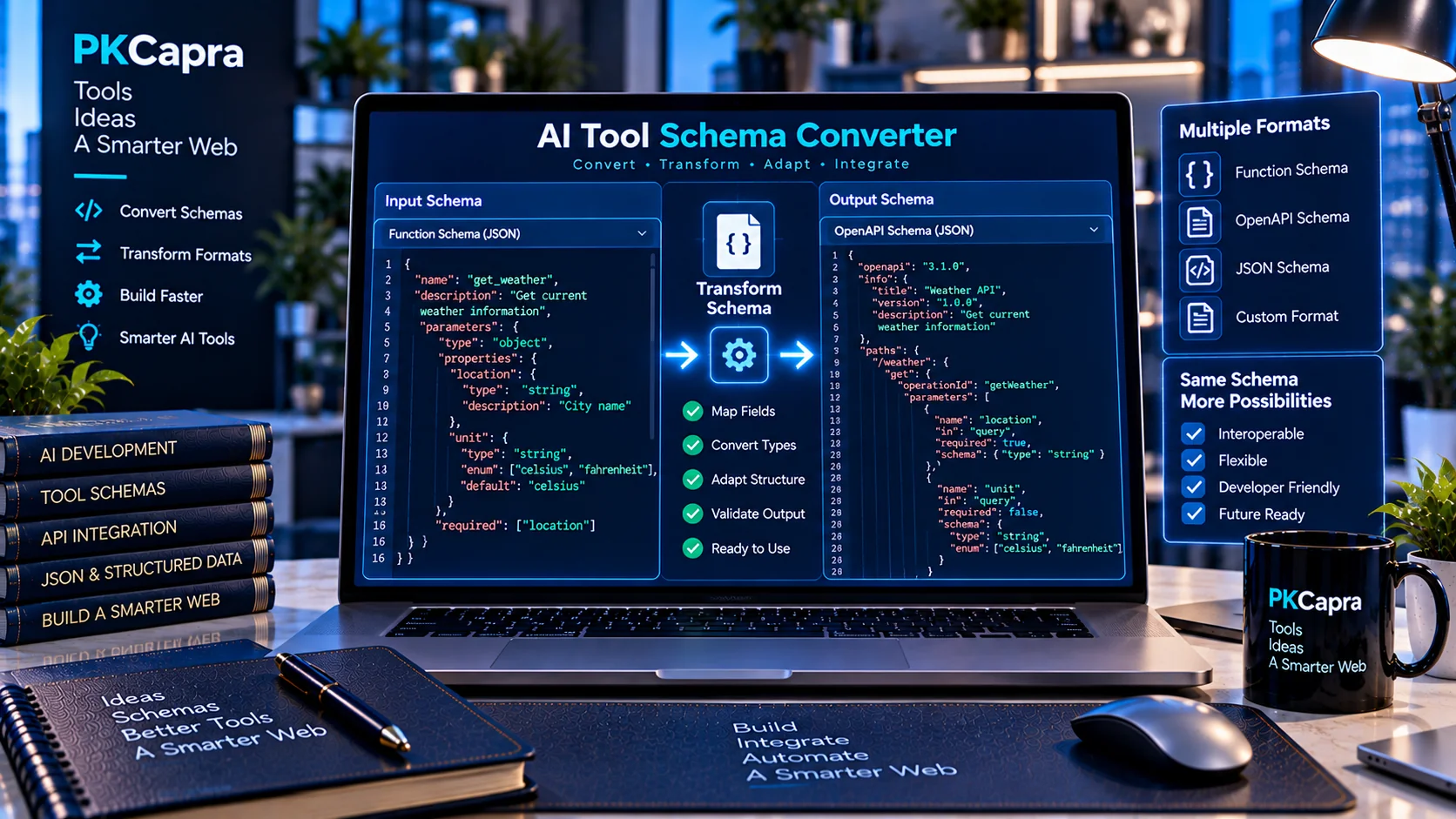
AI applications often use different tool and function schema formats depending on the platform, framework, or API being used. Moving the same tool definition between these formats manually can introduce structural errors, missing fields, or incompatible parameter definitions.
The AI Tool Schema Converter helps developers convert tool and function schemas between common AI tool formats while preserving important schema information such as names, descriptions, parameters, properties, required fields, nested structures, and enum values.
AI Tool Schema Converter
Convert common AI tool and function schema formats locally in your browser.
Runs locally in your browser. No AI provider is called and your schema is not sent to PKCapra. Conversions preserve common names, descriptions, parameters, properties, required fields, enums and nested JSON Schema where the target format supports them.
What Is an AI Tool Schema Converter?
An AI Tool Schema Converter is a developer utility for transforming structured AI tool definitions from one supported schema representation into another.
Instead of manually rewriting a function or tool definition when changing platforms, developers can provide an existing schema, select the source and target format, and generate a converted JSON representation.
This can be useful when developing applications that work with multiple AI APIs, experimenting with different model providers, or maintaining reusable tool definitions across development environments.
Why Convert AI Tool Schemas?
AI tool definitions can contain multiple layers of structured information, including:
- Tool or function names
- Descriptions
- Parameters
- Parameter types
- Object properties
- Required parameters
- Nested schemas
- Enum values
- Arrays and objects
- Additional schema constraints
Manually converting these structures can make it easier to accidentally omit an important field or change the intended parameter structure.
A schema converter provides a more consistent way to transform these definitions while keeping the underlying information organized.
What Can the AI Tool Schema Converter Do?
The PKCapra AI Tool Schema Converter supports conversion workflows for common AI tool-definition formats.
Auto-Detect Input Format
When possible, the converter can identify the structure of the supplied JSON and help determine the appropriate source format.
This is useful when working with an existing tool definition without immediately knowing which supported representation it follows.
Convert Tool Definitions
Developers can convert supported tool definitions into another supported representation without rebuilding the entire schema manually.
Preserve Tool Information
The conversion workflow is designed to retain important information such as:
- Tool names
- Function names
- Descriptions
- Parameters
- Parameter properties
- Required fields
- Data types
- Enum definitions
- Nested structures
Convert Multiple Tools
Where multiple tool definitions are provided, the converter can process the collection as structured JSON rather than requiring each definition to be rebuilt separately.
Format JSON
The converter also provides JSON formatting functionality, making generated schemas easier to inspect, copy, and use during development.
Common AI Tool Schema Formats
Different AI development platforms can represent callable tools in different ways. A developer may encounter structures such as:
- OpenAI-style tool definitions
- Function-based tool definitions
- Anthropic-style tool definitions
- Gemini function declarations
- Generic JSON Schema representations
Although these formats can represent similar concepts, their structure and field organization may differ.
A conversion utility can therefore be useful when the same underlying function needs to be represented across multiple development environments.
AI Tool Schema Conversion Workflow
A typical workflow can be completed in a few steps:
- Open the AI Tool Schema Converter.
- Select or identify the source schema format.
- Select the target format.
- Paste or load the tool schema.
- Convert the schema.
- Review the generated JSON.
- Copy or download the converted result.
- Test the converted schema in the target application.
Reviewing the converted output before deploying it is important, particularly for complex schemas containing nested objects, required parameters, arrays, or provider-specific features.
AI Tool Schema Conversion for Developers
Schema conversion becomes especially useful when a development project supports multiple AI providers or when a team is migrating an existing application.
For example, a developer may already have a function definition used by one AI API but need to represent the same functionality using another provider’s tool format.
Rather than manually reconstructing every parameter and property, the converter can provide a structured starting point for the target representation.
The resulting schema should still be tested against the target API because provider-specific requirements and supported features can differ.
AI Tool Schema Converter vs. AI Tool Schema Validator
Conversion and validation solve different problems.
The AI Tool Schema Converter is designed to transform a tool definition from one supported representation into another.
The AI Tool Schema Validator is designed to identify structural problems in AI tool and function schemas, including issues involving parameters, required fields, data types, nested structures, and schema consistency.
A practical development workflow can therefore use both tools:
Convert → Validate → Test
This helps separate schema transformation from schema quality checking.
Working With Structured AI Outputs
Tool schemas are only one part of structured AI development. Applications may also need to validate structured responses generated by models.
For checking model-generated JSON and structured responses against defined schemas, use the AI Structured Output Validator.
Using dedicated validation tools can help developers catch structural problems before integrating generated data into an application workflow.
Browser-Based AI Tool Schema Conversion
PKCapra’s AI Tool Schema Converter is designed to perform conversion directly in the browser.
This means developers can prepare and transform schemas without requiring a separate development environment for basic conversion tasks.
Browser-based processing can also make the tool convenient for quick schema experiments, debugging, development checks, and documentation work.
For sensitive or proprietary schemas, developers should still review their organization’s data-handling requirements before using any online tool.
Common AI Tool Schema Conversion Problems
Several issues can appear when moving tool definitions between different formats.
Missing Required Fields
A target format may represent required parameters differently from the source format. Always review the generated required structure.
Different Parameter Structures
One format may wrap function parameters differently from another. This can affect how the converted schema is interpreted.
Unsupported Features
Not every schema feature necessarily has a direct equivalent in every provider format. Provider-specific extensions may require manual review.
Nested Objects
Complex nested parameters can become difficult to inspect after conversion. Check nested properties, object types, arrays, and required fields carefully.
Enum Definitions
Enum values should be reviewed after conversion to ensure that the allowed values remain intact.
Provider-Specific Differences
A schema can be structurally valid JSON while still requiring adjustments for the target AI platform. Conversion should therefore be followed by platform-specific testing.
Best Practices for AI Tool Schema Conversion
For reliable schema conversion:
- Keep tool names clear and consistent.
- Write precise tool descriptions.
- Use appropriate parameter types.
- Define required parameters explicitly.
- Review nested objects after conversion.
- Check enum values carefully.
- Validate the converted schema.
- Test the schema with the target AI platform.
- Avoid assuming that every provider supports identical schema features.
- Keep source schemas version-controlled when they are part of a production application.
A Practical AI Tool Development Workflow
For a development project using several AI tools, a useful workflow is:
Create → Convert → Validate → Test → Deploy
First create or maintain the canonical tool definition. Convert it when another representation is required. Validate the resulting structure, then test it against the target AI environment before deployment.
This approach can reduce manual schema editing and make multi-platform AI development easier to manage.
Limitations
The AI Tool Schema Converter is a schema transformation utility rather than a guarantee that a converted definition will work identically across every AI provider.
Different APIs, SDKs, models, and frameworks can impose their own requirements. Provider-specific features may not have a one-to-one equivalent in another representation.
Always review and test converted schemas before using them in production systems.
Frequently Asked Questions
What is an AI Tool Schema Converter?
It is a utility that converts AI tool or function definitions between supported schema representations.
Why would I need to convert an AI tool schema?
You may need conversion when moving a tool between AI providers, frameworks, APIs, or development environments that use different schema structures.
Does schema conversion guarantee compatibility?
No. Conversion can transform the structure, but the resulting schema should still be reviewed and tested against the target platform.
Can I convert multiple tools?
Yes, the converter supports structured tool collections where applicable.
Does the converter preserve required parameters?
The conversion process is designed to preserve important schema information, including required parameters, but developers should review the generated result.
Can I validate a converted schema?
Yes. After conversion, you can use the AI Tool Schema Validator to check the resulting tool definition for structural and consistency issues.
Is the AI Tool Schema Converter useful for API migration?
It can be useful as part of an API or AI-provider migration workflow when tool definitions need to be represented in another supported format.
Is the conversion performed in the browser?
PKCapra’s converter is designed for browser-based schema conversion, allowing developers to perform the basic conversion workflow directly in their browser.
Convert Your AI Tool Schema
If you work with AI function calling, structured tools, or multiple AI platforms, the PKCapra AI Tool Schema Converter provides a convenient way to transform supported tool definitions without manually rebuilding every schema.
Convert your schema, review the generated structure, validate it, and test it before integrating it into your AI application.