
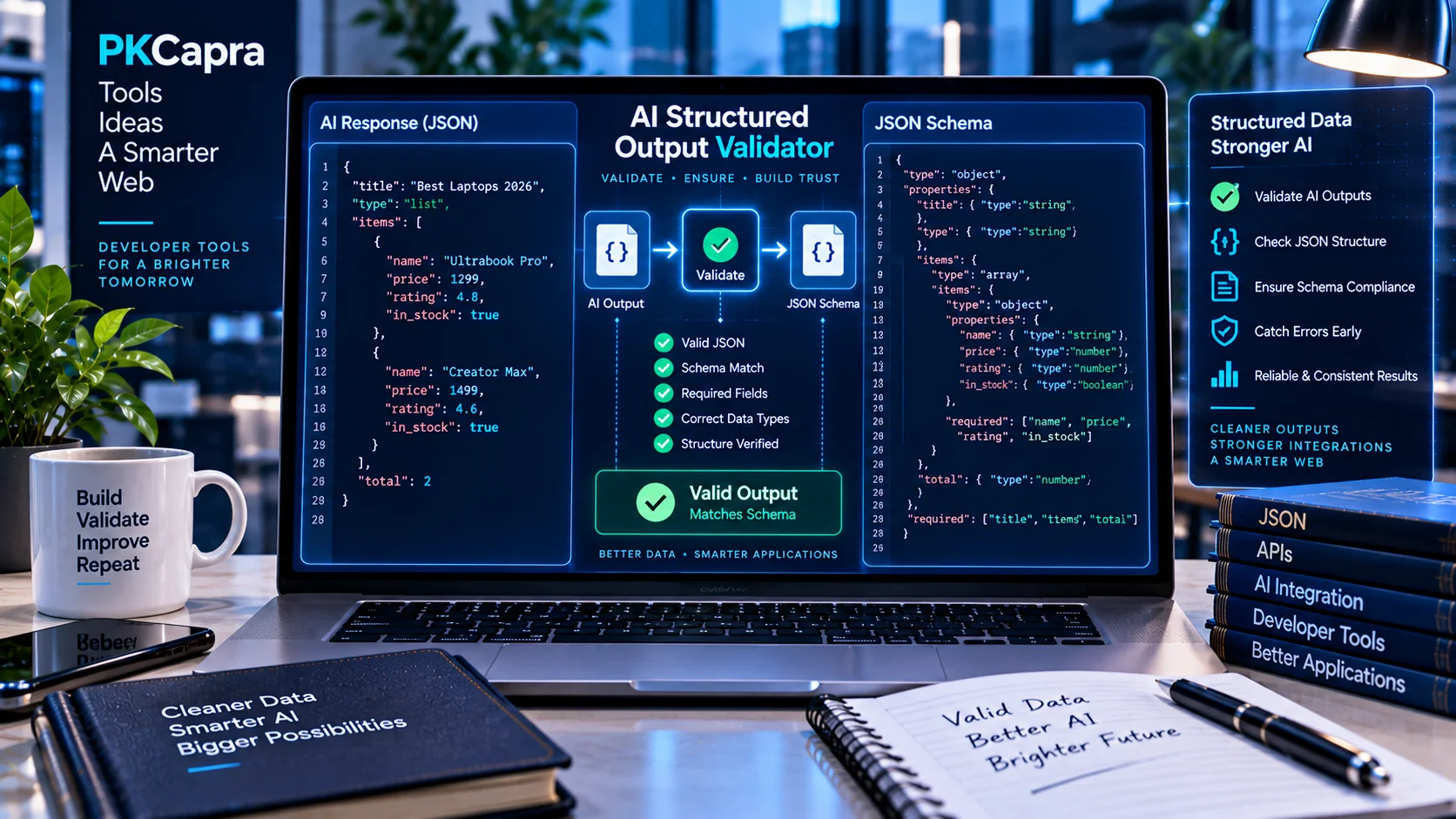
AI-generated JSON can be syntactically valid while still failing the exact structure required by an application, API, automation workflow, or AI-powered system. AI Structured Output Validator helps you validate model-generated JSON against a JSON Schema and identify problems before the data moves into the next stage of your workflow.
The validator checks JSON syntax, required properties, data types, nested structures, allowed values, and schema constraints, making it useful for developers working with structured AI responses, APIs, automation, and machine-readable data.
AI Structured Output Validator
Validate AI-generated JSON against a JSON Schema and pinpoint syntax, type, required-field, and constraint errors.
Runs locally in your browser. This validator checks JSON and a practical subset of JSON Schema commonly used for structured AI responses. It does not call an AI provider or send your pasted data to PKCapra.
What Is an AI Structured Output Validator?
An AI Structured Output Validator checks whether JSON produced by an AI model follows the rules defined by a JSON Schema.
For example, an application may expect:
{
  "name": "Sarah",
  "age": 28,
  "active": true
}
The schema may require all three properties and specify that name must be a string, age must be an integer, and active must be a Boolean.
An AI response can look correct to a human but still fail one or more of these requirements. Structured output validation helps identify those differences before the data is processed by another system.
Why Validate AI-Generated JSON?
AI-generated structured data can contain subtle errors that are easy to overlook during manual review.
Common problems include:
- Missing required fields
- Incorrect data types
- Unexpected properties
- Invalid enum values
- Incorrect nested structures
- Invalid arrays
- Values outside defined limits
- Malformed JSON
- Differences between the expected and actual response structure
These problems become particularly important when AI output is automatically passed to an API, database, application, or automation workflow.
Valid JSON vs. Valid Structured Output
Valid JSON does not necessarily mean valid structured output.
For example:
{
  "age": "28"
}
This is valid JSON because "28" is a string.
However, if the JSON Schema requires age to be an integer, the response does not satisfy the schema.
This distinction is important when software depends on predictable data types and structures.
What Does the AI Structured Output Validator Check?
JSON Syntax
The validator checks whether the supplied response is valid JSON.
It can help identify issues such as:
- Missing commas
- Incorrect quotation marks
- Unclosed brackets
- Invalid object structures
- Malformed arrays
- Other JSON syntax errors
JSON Schema Syntax
The JSON Schema must also be valid.
Checking the schema helps distinguish problems in the AI-generated response from problems in the schema itself.
Required Properties
Schemas can specify properties that must be present.
For example, if name, email, and status are required, the validator can identify an AI response where one of those properties is missing.
Data Types
The validator can check common JSON data types, including:
- String
- Number
- Integer
- Boolean
- Array
- Object
- Null
This is useful when an AI model returns a number or Boolean as text.
Object and Array Structure
AI responses often contain nested objects and arrays.
For example:
{
  "customer": {
    "name": "Alex",
    "contact": {
      "email": "alex@example.com"
    }
  }
}
The validator can check whether the nested structure follows the expected schema.
Enum and Constant Values
A schema can restrict a property to specific values.
For example, a status field may allow only:
pendingapprovedrejected
If the AI returns another value, validation can identify the mismatch.
Schema Constraints
Depending on the supplied schema, validation can also check rules involving:
- Minimum and maximum values
- String lengths
- Array lengths
- Required properties
- Additional properties
- Nested constraints
- Combined schema conditions
How to Use the AI Structured Output Validator
1. Prepare the AI-Generated JSON
Copy the structured JSON returned by your AI model, API, application, or automation.
2. Add the JSON Schema
Provide the schema describing the structure your application expects.
The schema can define required fields, data types, permitted values, and other constraints.
3. Run Validation
Submit the JSON and schema to the validator.
The tool checks whether the response satisfies the defined rules.
4. Review the Results
Review the reported validation issues and their paths.
This is especially useful for large JSON responses containing multiple nested objects and arrays.
5. Fix and Test Again
Depending on the validation result, you may need to modify the AI prompt, generated output, schema, or application logic.
Run the corrected response through validation again before using it downstream.
AI Structured Output for APIs
Structured AI output is commonly used when an AI model needs to communicate with software rather than simply provide conversational text.
A typical workflow can look like:
AI Model → JSON Output → Schema Validation → Application → Database or Automation
Validation adds a quality-control step before the data reaches the next system.
This can be useful for:
- AI APIs
- Data extraction
- Automated workflows
- Application backends
- Database preparation
- AI agents
- Structured content pipelines
- Machine-readable responses
AI Structured Output for Automation
Automation systems often depend on predictable fields.
For example:
{
  "category": "support",
  "priority": "high",
  "requires_followup": true
}
An automation may use these values to determine what happens next.
If the AI changes a property name, returns an unexpected value, or uses the wrong data type, the automation may not behave as intended.
Validating the response before triggering the next step provides an additional quality-control layer.
AI Structured Output for Developers
Developers working with AI APIs often need a predictable contract between the model and the application.
A JSON Schema can define that contract.
For example:
{
  "product": {
    "name": "Example Product",
    "price": 49.99
  },
  "available": true
}
If the model returns price as a string, removes a required property, or changes the structure of product, schema validation can expose the problem before application code processes the response.
Common AI Structured Output Problems
Missing Required Fields
The AI model may omit a property that the application expects.
Incorrect Data Types
A number may be returned as a string, or a Boolean may be returned as text.
Unexpected Properties
The response may contain additional properties that are not expected by the receiving system.
Invalid Enum Values
A field restricted to specific values may contain a value outside the permitted list.
Incorrect Nested Structures
An object may appear at the wrong level, or an application may expect an array while the model returns an object.
Constraint Violations
A value may have the correct data type but still violate a minimum, maximum, length, or other schema requirement.
Inconsistent AI Responses
AI models can produce different structures across requests. Testing multiple responses can reveal inconsistencies that a single successful response may not expose.
AI Structured Output Testing Workflow
For a production-oriented AI workflow, test more than one successful response.
Useful test cases include:
- Normal valid output
- Missing required properties
- Empty values
- Incorrect data types
- Unexpected properties
- Invalid enum values
- Boundary values
- Nested objects
- Arrays containing multiple objects
- Optional properties
This can reveal structural weaknesses before an AI integration is deployed.
Local Browser-Based Validation
PKCapra’s AI Structured Output Validator is designed for convenient browser-based validation of JSON and JSON Schema.
It can be useful during development, prompt testing, debugging, and quality assurance.
When working with confidential, personal, proprietary, or regulated information, always follow the privacy and security requirements applicable to your workflow.
AI Structured Output and AI Search Readiness
Structured AI output and AI-search readiness address different technical requirements, but they can be part of the same broader AI workflow.
For website content, PKCapra’s AI Content Extractability Checker can help examine whether important page content is accessible and structurally extractable.
For a broader assessment, the AI Search Readiness Analyzer focuses on wider signals associated with AI-search readiness.
For answer-focused content, the AI Answer Extractability Checker addresses whether important content is structured in a way that can make it easier for answer systems to extract and summarize.
These tools address different stages of AI-related workflows and should not be treated as substitutes for structured JSON validation.
Improve AI Output Reliability
A reliable structured-output workflow starts with a clearly defined expected structure.
A practical process is:
- Define the required output.
- Create the JSON Schema.
- Test the schema.
- Generate multiple AI responses.
- Validate each response.
- Review recurring validation errors.
- Improve the prompt or schema where necessary.
- Test again with different inputs.
- Add appropriate validation to the application’s processing workflow.
The objective is not simply to generate JSON. The objective is to generate predictable structured data that downstream systems can process correctly.
Limitations
Schema validation determines whether supplied JSON follows the rules defined by the supplied schema. It does not determine whether the information itself is factually correct.
For example:
{
  "temperature": 25
}
may satisfy a schema requiring temperature to be a number. That does not prove that 25 is the actual temperature.
Similarly, schema validation does not guarantee that an AI response is semantically appropriate for a particular application.
The model, prompt, schema design, application logic, and validation requirements all remain important parts of the overall workflow.
Frequently Asked Questions
What is an AI Structured Output Validator?
An AI Structured Output Validator checks AI-generated JSON against a JSON Schema and identifies problems with syntax, required fields, data types, structure, allowed values, and other schema rules.
Is valid JSON enough for an AI application?
Not always. JSON can be syntactically valid while failing the structure or constraints required by an application.
Can the validator check required fields?
Yes. Required properties defined by the JSON Schema can be checked against the AI-generated response.
Can it detect incorrect data types?
Yes. The validator can identify values that do not match the data type specified in the schema.
Can nested JSON be validated?
Yes. Nested objects and arrays can be validated when the supplied JSON Schema defines their expected structure.
Does the validator fact-check AI responses?
No. It validates structure and schema compliance. It does not verify whether the underlying information is true.
Who can use this tool?
Developers, AI engineers, API developers, automation builders, QA teams, prompt engineers, and anyone testing machine-readable AI responses can use an AI Structured Output Validator.
Validate AI-Generated JSON
AI-generated structured data is becoming an important part of applications, APIs, automation systems, and AI agents. A small structural difference can create problems when that data is passed to another system.
Use the AI Structured Output Validator to compare AI-generated JSON against a JSON Schema, identify structural problems, and test whether the response follows the format your workflow expects.