
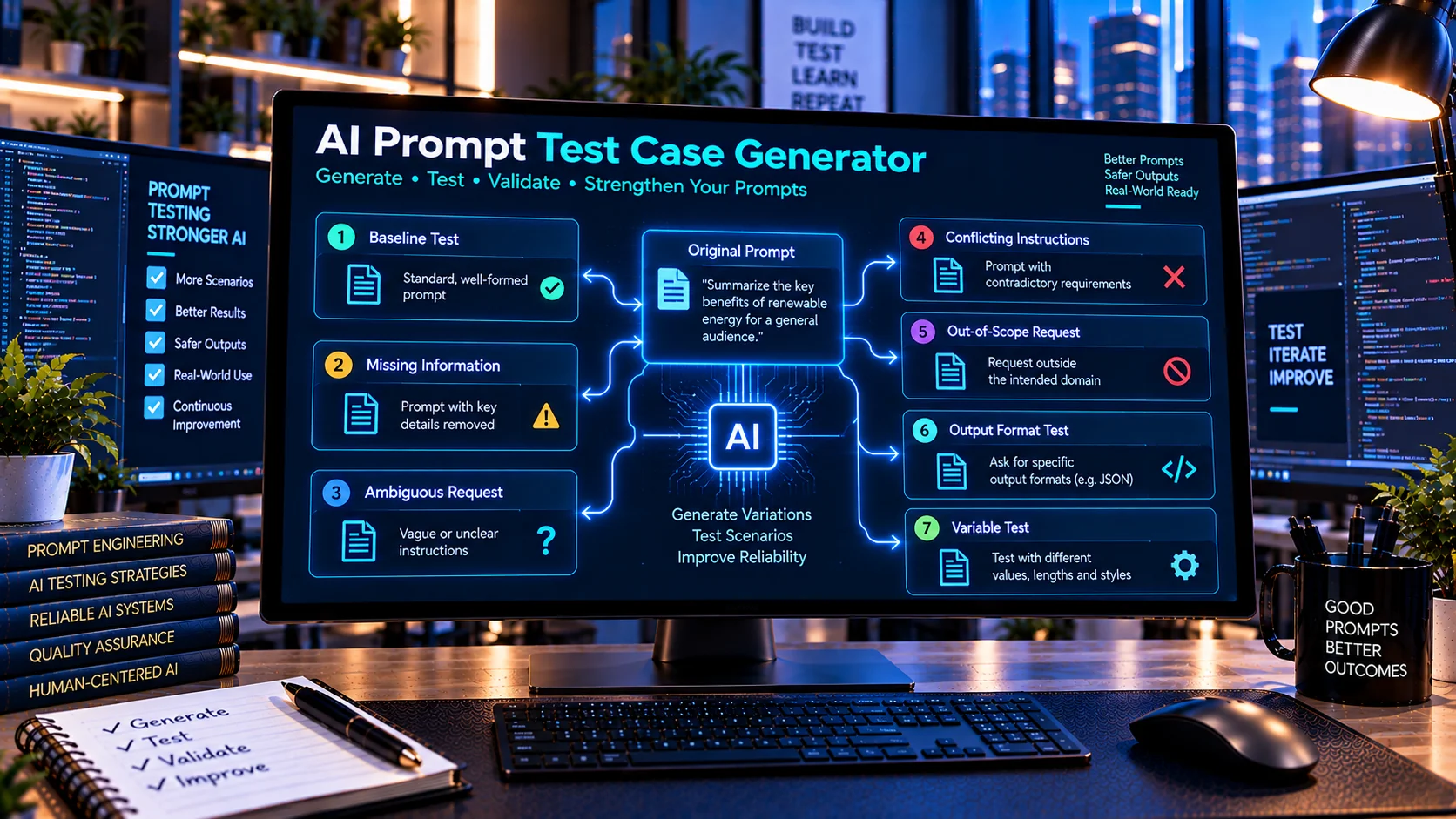
AI Prompt Test Case Generator helps developers create structured test cases for evaluating AI prompts before they are used in production workflows. Define a prompt specification, expected behavior, constraints, and variables, then generate test scenarios covering normal inputs, missing information, ambiguity, conflicting instructions, out-of-scope requests, output-format requirements, and other important edge cases directly in your browser.
Prompt Specification
Generates deterministic prompt test cases from the supplied specification. It does not call an external AI service.
What Is an AI Prompt Test Case Generator?
An AI Prompt Test Case Generator is a testing utility for developers who need to evaluate whether an AI prompt behaves as intended across different types of inputs.
Testing only one successful example can leave important weaknesses undiscovered. A prompt may work correctly with a straightforward request but produce unexpected results when information is missing, instructions conflict, the request is ambiguous, or the user asks for something outside the intended scope.
The PKCapra AI Prompt Test Case Generator creates structured test scenarios that can be reviewed and used as part of a repeatable prompt-testing workflow.
Why Test AI Prompts?
AI prompts can behave differently depending on the input and surrounding instructions.
A useful prompt-testing process should consider scenarios such as:
- Normal expected requests
- Minimal inputs
- Missing information
- Ambiguous requests
- Conflicting instructions
- Out-of-scope requests
- Unexpected input
- Long inputs
- Output-format requirements
- Instruction-override attempts
- Distracting information
- Prompt variables
Creating these cases systematically makes it easier to identify weaknesses before deploying a prompt.
What Does the AI Prompt Test Case Generator Create?
Baseline Test Cases
Baseline cases represent normal situations where the prompt receives the type of request it was designed to handle.
These cases establish the expected behavior against which more challenging scenarios can be compared.
Minimal-Input Tests
Minimal-input scenarios test what happens when a request contains only the essential information.
This can reveal whether the prompt can operate with limited context or whether it needs additional information.
Missing-Information Tests
These cases deliberately omit information that the prompt may require.
They can help determine whether the AI asks for clarification, handles the missing information appropriately, or makes unsupported assumptions.
Ambiguous-Request Tests
Ambiguous scenarios test requests that could reasonably have multiple interpretations.
These cases can help developers evaluate whether the prompt handles uncertainty appropriately.
Conflicting-Instruction Tests
These scenarios introduce competing instructions to test how the prompt handles conflicts within the intended testing environment.
They can reveal unclear priorities or weaknesses in prompt structure.
Out-of-Scope Tests
Out-of-scope cases test requests that fall outside the purpose of the prompt.
These scenarios help determine whether the prompt stays within its intended role rather than attempting unrelated tasks.
Output-Format Tests
If a prompt requires a particular response format, test cases can be used to verify whether the expected structure is maintained.
Examples include:
- JSON output
- Specific fields
- Structured lists
- Required sections
- Specific response formats
Instruction-Override Tests
These test cases examine how a prompt behaves when additional input attempts to change or bypass its intended instructions.
They can be useful when evaluating prompts used in applications where user input is not fully controlled.
How to Use the AI Prompt Test Case Generator
1. Define the Prompt Specification
Describe the purpose of your prompt and what it is expected to accomplish.
Include relevant requirements, constraints, expected output, and variables.
2. Define Expected Behavior
Specify what a successful response should do.
For example, a customer-support prompt might be expected to answer product questions while asking for clarification when essential information is missing.
3. Generate Test Cases
Use the generator to create structured scenarios covering different input conditions.
The generated cases can include both normal and challenging situations.
4. Review Each Scenario
Read each test case and determine what outcome should be considered correct.
A generated test case is a testing starting point, not a guaranteed representation of every possible real-world interaction.
5. Run the Tests Against Your Prompt
Use the generated scenarios with your actual AI workflow in an appropriate development or testing environment.
Record the actual output for comparison with the expected behavior.
6. Refine the Prompt
When a test reveals unexpected behavior, update the prompt, constraints, examples, or application-level validation.
Then repeat the relevant tests to determine whether the change improves the intended behavior without creating new problems.
Prompt Test Categories
A structured test suite can cover multiple dimensions of prompt behavior.
| Test Category | What It Tests |
|---|---|
| Baseline | Normal expected usage |
| Minimal Input | Behavior with limited information |
| Missing Information | Handling incomplete requests |
| Ambiguity | Handling unclear intent |
| Conflicting Instructions | Instruction consistency |
| Out of Scope | Maintaining the intended role |
| Long Input | Behavior with larger requests |
| Output Format | Required response structure |
| Instruction Override | Resistance to unintended instruction changes |
| Distracting Information | Ability to focus on relevant content |
| Variables | Prompt placeholder handling |
AI Prompt Test Case Generator vs AI System Prompt Linter
The AI System Prompt Linter focuses on analyzing the prompt itself.
It can identify issues such as contradictory instructions, missing constraints, duplicate instructions, and other structural concerns.
The AI Prompt Test Case Generator takes a different approach: it creates scenarios that can be used to test how the prompt behaves.
A useful workflow is:
Prompt → Lint → Generate Test Cases → Run Tests → Review Results → Refine Prompt
AI Prompt Test Case Generator vs AI Prompt Diff Checker
The AI Prompt Diff Checker is useful when comparing different versions of a prompt.
The AI Prompt Test Case Generator is focused on creating repeatable scenarios for evaluating prompt behavior.
When a prompt changes, developers can compare the versions and then rerun relevant test cases to check whether the behavioral changes match expectations.
Using Prompt Variables in Test Cases
Prompts often contain reusable variables such as:
{{customer_name}}
{{product}}
{{language}}
{{request}}
Testing these variables can help identify problems caused by missing, inconsistent, or unexpected values.
The AI Prompt Variable Checker can be used separately to analyze variables and placeholder patterns before creating a larger prompt test suite.
Recommended Prompt Testing Workflow
For a structured AI prompt development process:
- Write the initial prompt.
- Review it with the AI System Prompt Linter.
- Check variables with the AI Prompt Variable Checker.
- Generate structured test cases with the AI Prompt Test Case Generator.
- Run the cases against the prompt.
- Record actual and expected behavior.
- Investigate failed cases.
- Modify the prompt where necessary.
- Rerun affected tests.
- Compare prompt versions with the AI Prompt Diff Checker when changes are made.
This creates a repeatable testing cycle instead of relying only on manual experimentation.
Benefits of Structured Prompt Testing
A structured test-case approach can help developers:
- Find prompt weaknesses earlier
- Test more than one normal example
- Identify ambiguous behavior
- Test missing information
- Check output requirements
- Evaluate out-of-scope handling
- Create repeatable regression tests
- Compare behavior after prompt changes
- Improve prompt-development workflows
- Document expected AI behavior
Important Limitations
Generated test cases cannot guarantee complete coverage of all possible AI behavior.
Real-world AI outputs can vary based on the model, model version, system configuration, surrounding context, sampling settings, tools, retrieved information, and application implementation.
Prompt testing should therefore be combined with application-level validation and other appropriate testing methods.
For production systems, especially those involving external actions or sensitive information, do not rely on prompt instructions alone to enforce important security or business rules.
Frequently Asked Questions
What is an AI Prompt Test Case Generator?
It is a developer utility that creates structured scenarios for testing how an AI prompt behaves under normal, incomplete, ambiguous, conflicting, and other challenging input conditions.
Why should I create multiple prompt test cases?
A prompt can perform correctly for a simple example while behaving differently with missing information, ambiguous requests, long inputs, or unexpected instructions. Multiple test cases provide broader behavioral coverage.
Can it test missing information?
Yes. Missing-information scenarios can be generated to help evaluate whether a prompt handles incomplete requests appropriately.
Can it test ambiguous prompts?
Yes. Ambiguous-request scenarios can be used to evaluate whether the AI asks for clarification or otherwise handles uncertainty according to the intended behavior.
Can I test output formatting?
Yes. Output-format test cases can help evaluate whether a prompt follows specified response structures.
Can it test prompt variables?
Yes. Variable-related scenarios can be included, while the AI Prompt Variable Checker can be used for dedicated variable analysis.
Does the tool use an external AI API?
The PKCapra AI Prompt Test Case Generator is designed for browser-side test-case generation and does not require an external AI API to create the structured test cases.
Are generated test cases a complete security test?
No. They are useful testing scenarios but should not be treated as a complete security assessment. Production applications should use appropriate application-level security controls and validation.
Conclusion
AI Prompt Test Case Generator provides a structured way to test AI prompts beyond a handful of successful examples. By creating scenarios for missing information, ambiguity, conflicting instructions, output requirements, variables, out-of-scope requests, and other conditions, developers can build more repeatable prompt evaluation workflows.
Combining test-case generation with prompt linting, variable checking, version comparison, and application-level validation can make AI prompt development more systematic and easier to maintain.