
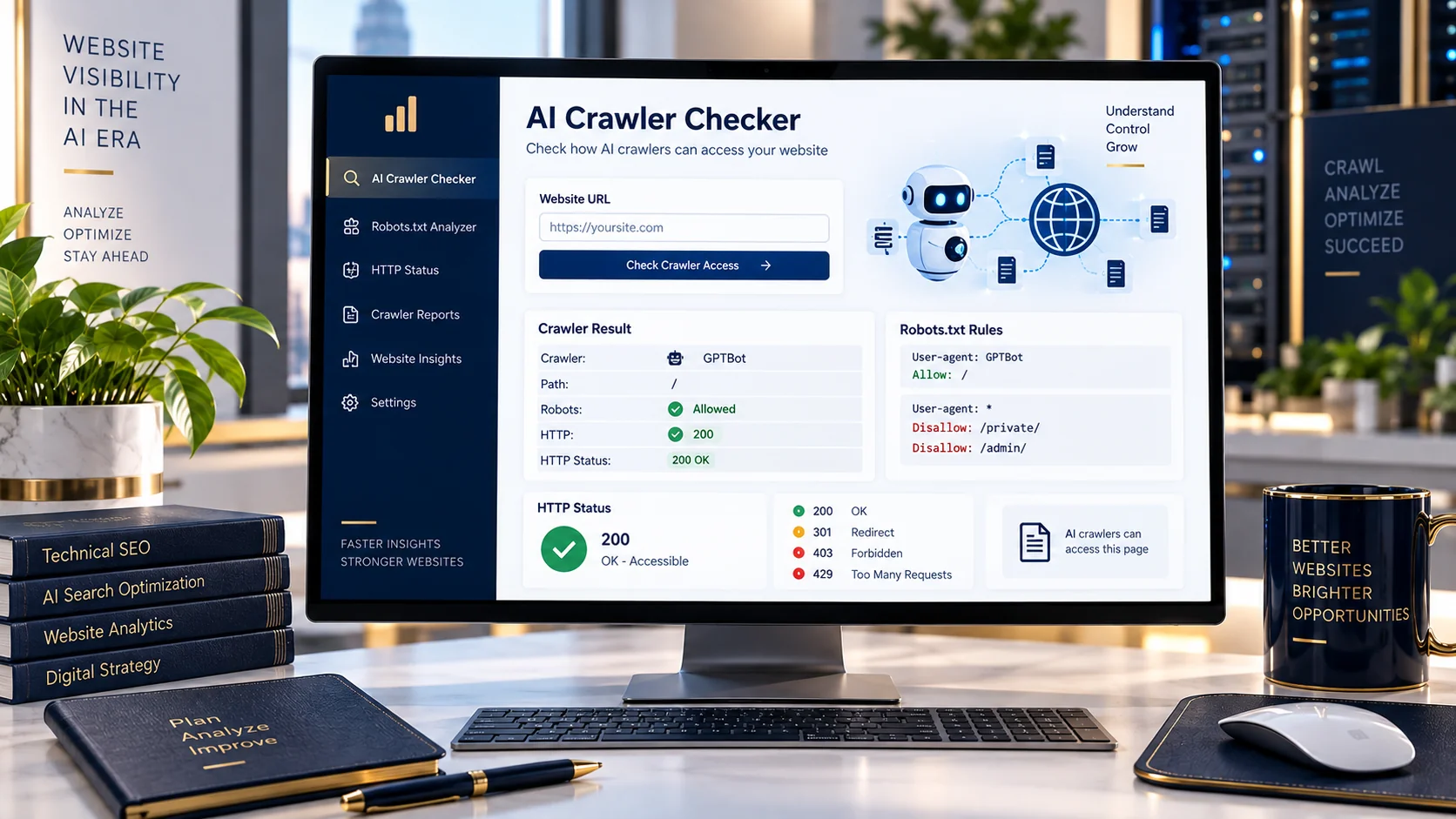
Test a specific AI crawler against your website and see how robots.txt rules and observed HTTP behavior affect access to a selected URL path.
AI Crawler Checker
Check one known AI crawler against a specific website path using its robots.txt rules and observed HTTP behavior.
What Does an AI Crawler Checker Do?
An AI crawler checker helps website owners review whether important pages and technical access settings are suitable for automated crawlers used by AI search and assistant services. Depending on the checks provided, it can help identify crawl restrictions, response problems, or configuration signals that deserve closer review. A crawl check is a technical diagnostic—not a guarantee that an AI service will index, retrieve, or cite a page.
Review Crawler Access
Understand whether site-level crawler instructions may prevent automated agents from requesting selected resources.
Spot Technical Obstacles
Use crawler checks as part of investigating blocked paths, unavailable pages, and access-related configuration issues.
Plan a Better Review
Combine crawler findings with robots.txt, HTTP responses, indexing directives, and content quality checks.
How AI Crawlers Discover and Request Website Content
Automated crawlers request URLs, receive server responses, and may process the returned content according to the service that operates them. The exact behavior, user-agent string, supported directives, and purpose differ between providers.
A crawler may be used to collect information for a search index, retrieve pages for an AI-powered search experience, or support other automated services. These purposes are not interchangeable. A crawler’s ability to fetch a page does not establish that the page will be indexed or included in an answer.
What to Check When Reviewing AI Crawler Access
Use the following technical signals to interpret a crawler check and decide what to investigate next. The precise checks available depend on the implementation of the checker and the data it can retrieve.
| Signal | What It Means | What to Review |
|---|---|---|
| robots.txt | Site-level crawl instructions for matching user-agent groups. | Check whether relevant paths are disallowed and whether rules are placed in the intended group. |
| HTTP response | The status returned when a crawler requests a resource. | Investigate errors, redirects, access challenges, or unexpected responses. |
| Page availability | Whether the requested URL can be reached by the checking process. | Confirm the URL is public, correctly formed, and not dependent on a logged-in session. |
| Meta robots | Page-level instructions that may affect search indexing or link handling. | Review directives such as noindex where search indexing is relevant. |
| X-Robots-Tag | HTTP header directives that can apply indexing instructions to responses. | Check the response headers for directives that differ from the page’s intended configuration. |
| Content rendering | The content available in the response or rendered page. | Ensure essential information is not available only through inaccessible interactions or scripts. |
Not every AI crawler follows the same rules or uses the same identity. Verify the documentation for the specific provider before changing access policies or interpreting a user-agent match as proof of a crawler’s identity.
How to Use an AI Crawler Checker
Follow a repeatable review process so that crawler findings lead to meaningful technical decisions rather than isolated pass-or-fail labels.
Choose the Target URL
Start with a representative public page, such as an important service page, article, category, or documentation URL.
Run the Available Check
Enter the requested URL or details and use the checker’s controls to review the information it supports.
Interpret the Findings
Read each result in context. A warning may indicate a configuration to inspect, not necessarily a confirmed crawling failure.
Verify on the Website
Confirm important findings using the actual robots.txt file, response headers, server logs, or a provider’s official crawler documentation.
Crawling, Indexing, Retrieval, and AI Citations
These stages are related, but a successful result at one stage does not guarantee the next. Keeping them separate helps avoid incorrect conclusions when evaluating AI search visibility.
| Stage | Meaning | What a Crawler Check Can Tell You |
|---|---|---|
| Crawling | A bot requests and receives a page or resource. | It may help assess access and request-related conditions. |
| Indexing | A search or content system processes and stores information for later use. | Access alone cannot confirm that a page has been indexed. |
| Retrieval | A system selects content in response to a query or task. | A technical access check cannot predict whether a page will be selected. |
| Citation | A service references a source in an answer or result. | No crawler checker can guarantee that a page will be cited. |
Common AI Crawler Access Problems
1. A robots.txt rule blocks a relevant path
Review the user-agent group and the path rules that apply to the requested URL. A broad Disallow rule may restrict more content than intended. Check the complete rule set rather than relying on a single line in isolation.
2. The server returns an unexpected response
Errors, redirects, authentication requirements, rate limits, or bot-protection challenges can affect whether a crawler receives the intended page. Compare the response with what an ordinary public request receives, while recognizing that servers may treat automated traffic differently.
3. The page is accessible but carries indexing restrictions
Access and indexing are separate. If search visibility is the goal, review meta robots directives and the X-Robots-Tag response header as well as crawl access.
4. Important information is difficult to extract
Keep essential page information in clear, meaningful text and use a logical heading structure. Avoid making the primary answer or key details available only after complex interactions when a crawlable alternative is possible.
5. A test result does not match provider behavior
A checker may use a particular request method, user-agent, network location, or limited set of checks. Confirm important findings against the relevant provider’s documentation and your own server logs.
AI Crawler Readiness Checklist
Use this checklist when reviewing a page or preparing a broader technical crawl assessment.
- Important URLs return an appropriate public response.
- robots.txt rules match the intended crawler access policy.
- Relevant sitemap URLs are discoverable and accurate.
- Unintended redirects or access challenges are investigated.
- Indexing directives are reviewed separately from crawl rules.
- Primary page content is clear and accessible.
- Internal links help crawlers discover related pages.
- Provider-specific crawler documentation has been consulted.
Continue Your Technical SEO Review
Use these related tools to examine crawler access alongside other website discovery and indexing signals.
AI Crawler Checker FAQs
What is an AI crawler checker?
An AI crawler checker is a website diagnostic used to review technical conditions that may affect automated crawlers associated with AI search or assistant services. Its exact checks depend on the tool.
Why should I check AI crawler access?
Checking access can help identify unintended crawl restrictions or technical obstacles on important public pages. It is one part of a broader website and search-readiness review.
Does allowing an AI crawler guarantee that my page will appear in AI answers?
No. Crawl access does not guarantee indexing, retrieval, ranking, or citation. Each service applies its own processing and selection systems.
Can robots.txt control every AI bot?
Robots.txt communicates crawl instructions to compliant crawlers. It is not an enforcement mechanism, and different bots may interpret or support directives differently. Verify the policies of the specific provider.
What is the difference between an AI crawler and a search engine crawler?
The distinction depends on the crawler’s operator and purpose. Some bots collect content for search indexes, while others may support AI training, retrieval, or user-facing assistant features. Check the official documentation for the bot you are evaluating.
Should I block all AI crawlers?
That depends on your site’s goals, content rights, provider policies, and operational preferences. Review each crawler’s purpose and choose an access policy deliberately rather than applying a blanket rule without evaluation.
Can a crawler checker confirm whether a bot is genuine?
A user-agent string alone is not reliable proof of identity because it can be copied. For security-sensitive verification, use the crawler operator’s documented IP verification or reverse-and-forward DNS procedure where available.
How often should I review crawler access?
Review it after significant robots.txt, hosting, firewall, CDN, or site-structure changes, and periodically as part of technical maintenance. The appropriate frequency depends on how often your infrastructure changes.