
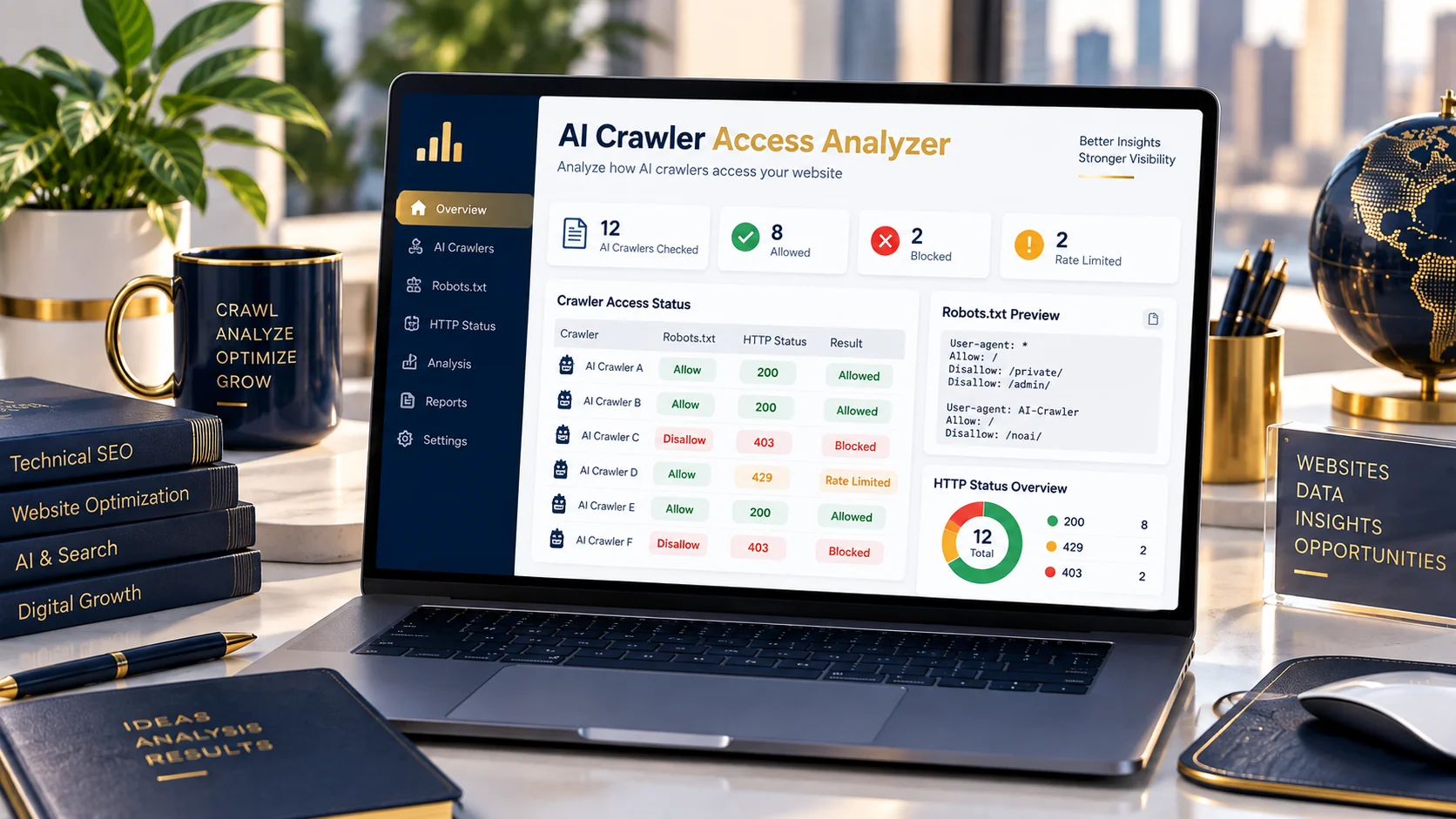
Check how your website’s robots.txt policy applies to major AI crawlers and see the HTTP responses observed by PKCapra when testing selected crawler user-agents.
AI Crawler Access Analyzer
Check robots.txt directives and observed HTTP access for selected AI crawlers.
Check AI Crawler Access and robots.txt Rules
AI crawlers website content ko different purposes ke liye access kar sakte hain, including search discovery, retrieval, training-related crawling and AI-powered search experiences.
A website’s robots.txt file can provide crawler-specific instructions, but robots.txt policy and actual server responses are two different things.
PKCapra’s AI Crawler Access Analyzer checks both.
Enter a public HTTP/HTTPS website URL and the analyzer checks the site’s robots.txt response, evaluates selected AI crawler rules, and performs representative HTTP requests using crawler user-agent strings.
The result helps you see whether a crawler is allowed or restricted by the reported robots.txt rules and what HTTP response the PKCapra server observed during testing.
What Does the AI Crawler Access Analyzer Check?
The analyzer checks selected AI-related crawler identities and control tokens, including:
- OAI-SearchBot — OpenAI search discovery and retrieval
- GPTBot — OpenAI model-development crawling
- Claude-SearchBot — Anthropic search retrieval
- ClaudeBot — Anthropic model-development crawling
- PerplexityBot — Perplexity search discovery
- Google-Extended — Google AI-related robots.txt control token
For conventional crawler user-agents, the tool performs an observed HTTP request and reports the resulting HTTP status.
For Google-Extended, the tool reports robots.txt policy only because it is a robots.txt control token rather than a conventional HTTP crawler identity to probe in the same way.
Why Check robots.txt and HTTP Responses Separately?
A robots.txt rule and an HTTP response describe different parts of a website’s access behavior.
For example, a website may have:
User-agent: *
Disallow:
which means there is no matching disallow rule for the tested path under that group.
However, an HTTP request can still return a status such as:
- 200 — successful response observed
- 403 — access forbidden
- 429 — request rate limited
- 5xx — server-side error response
Therefore, a crawler being allowed by the reported robots.txt rules does not automatically mean that every real crawler request will receive HTTP 200.
Likewise, an HTTP error such as 429 does not by itself mean that robots.txt explicitly blocks the crawler.
How to Check AI Crawler Access
Step 1: Enter your website URL
Enter a public HTTP or HTTPS website that you are authorized to analyze.
Step 2: Start the analysis
Click Analyze Access.
Step 3: Review robots.txt
Check the reported robots.txt HTTP status and the matching crawler policy.
Step 4: Review observed HTTP responses
Compare the HTTP response reported for each crawler user-agent.
Step 5: Investigate differences
If robots.txt allows access but the HTTP response is 403, 429, or another error, investigate your server, CDN, WAF or rate-limiting configuration.
Key Features
AI Crawler Policy Detection
Review reported Allow and Disallow rules for selected AI crawler user-agents.
Observed HTTP Testing
See the HTTP status observed when PKCapra tests selected crawler user-agent strings.
Multiple AI Crawlers
Check several important AI crawler identities from one interface.
robots.txt Inspection
Review the retrieved robots.txt response and relevant rules.
HTTP Status Visibility
Identify successful, forbidden, rate-limited and server-error responses.
Google-Extended Handling
Google-Extended is handled as a robots.txt control token rather than as a conventional HTTP crawler probe.
Security-Conscious URL Validation
The analyzer is designed to accept public HTTP/HTTPS website URLs rather than arbitrary local or private network targets.
Understanding the Results
Allowed by Default
This means the analyzer did not find a matching Allow or Disallow rule restricting the tested path under the robots.txt rules it parsed.
It should not be interpreted as a guarantee that every real crawler request will succeed.
Explicitly Disallowed
This indicates that the analyzer found a matching Disallow rule for the crawler and tested path.
HTTP 200
The PKCapra server observed a successful HTTP response from the target during the representative test.
HTTP 403
The target server returned Forbidden for the observed request.
HTTP 429
The target server returned Too Many Requests.
This can indicate rate limiting or another request-throttling mechanism. It should not automatically be described as a robots.txt block.
Google-Extended — N/A
Google-Extended is reported through robots.txt policy rather than the same HTTP crawler probe used for conventional crawler user-agents.
Important Limitation
What This Tool Does Not Prove
The analyzer provides diagnostic observations, not a guarantee of how every real AI crawler will behave.
The observed HTTP response comes from the PKCapra server’s test request. A user-agent string alone does not independently prove crawler identity.
Real crawler behavior may also depend on infrastructure such as:
- CDN configuration
- Web Application Firewall rules
- server-level security
- rate limiting
- network policies
- crawler-specific infrastructure
- changes made after the test
Therefore, use the results as a diagnostic starting point rather than as proof of universal crawler accessibility.
Privacy / Processing Note
The analyzer checks publicly accessible HTTP/HTTPS website URLs. Do not submit private, internal, localhost or unauthorized targets.
The tool sends representative HTTP requests from PKCapra’s server to the target website. The observed response therefore reflects what PKCapra’s testing infrastructure received at the time of analysis.
Related PKCapra Tools
Master Workflow ke exact verified existing URLs ko use karte hue:
Robots.txt Analyzer
Analyze the structure and directives of a website’s robots.txt file.
Indexability / Crawlability Analyzer
Investigate broader website crawlability and indexability signals.
HTTP Header Security Analyzer
Inspect HTTP response headers and security-related configuration.
Internal Links / Crawl Path Analyzer
Analyze internal linking and crawl paths across a website.
XML Sitemap Analyzer
Inspect and analyze XML sitemap information.
FAQ
What is an AI Crawler Access Analyzer?
An AI Crawler Access Analyzer checks a website’s robots.txt rules for selected AI crawlers and reports observed HTTP responses from representative crawler user-agent requests.
Does robots.txt control AI crawlers?
robots.txt can provide crawler-specific instructions, but actual crawler behavior and server access can also depend on other infrastructure and policies.
What AI crawlers does PKCapra check?
The analyzer currently checks OAI-SearchBot, GPTBot, Claude-SearchBot, ClaudeBot, PerplexityBot and the Google-Extended robots.txt control token.
What does HTTP 429 mean for an AI crawler?
HTTP 429 means the target server returned Too Many Requests. It commonly indicates rate limiting or request throttling. It does not by itself prove that robots.txt blocks the crawler.
What does HTTP 403 mean?
HTTP 403 means the target server returned Forbidden for the observed request.
Why does Google-Extended show N/A?
Google-Extended is treated as a robots.txt control token rather than a conventional crawler HTTP request in this analyzer, so the HTTP probe is not applicable.
Does an HTTP 200 guarantee that an AI crawler can access my website?
No. An HTTP 200 is only the response observed by PKCapra for its representative request. It does not guarantee the behavior of every real crawler or every future request.
Does this tool prove that a request came from a real AI crawler?
No. A user-agent string alone does not independently prove crawler identity.
Can CDN or WAF settings affect the result?
Yes. CDN, WAF, rate-limiting and other network/security infrastructure can affect HTTP responses independently of robots.txt.