
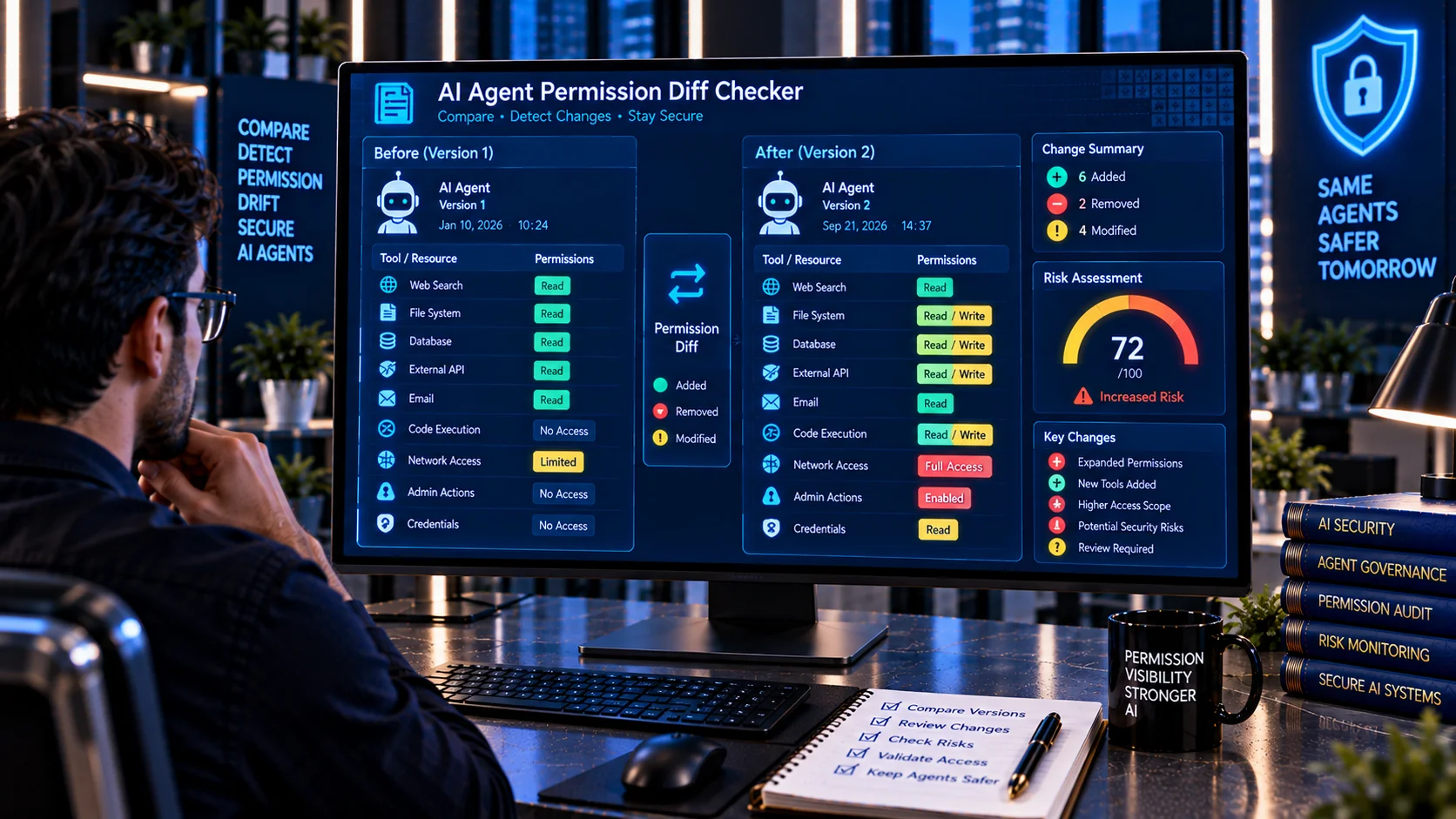
AI Agent Permission Diff Checker helps developers and security teams compare two AI agent or tool permission configurations and identify what has changed between them. It can highlight added permissions, removed permissions, changed capabilities, expanded access, and other security-relevant differences so permission changes can be reviewed before an updated agent configuration is deployed.
AI agents can accumulate permissions as new tools, integrations, roles, data sources, and workflows are added. Microsoft recommends reviewing aggregate and effective permissions and re-reviewing access when workflows, tools, data scope, or deployment environments materially change.
AI Agent Permission Diff Checker
Compare two AI agent or tool permission configurations and identify added, removed, and changed access, capabilities, scopes, and security-sensitive permissions.
Permission Diff
Security-Relevant Changes
Capability Summary
What Does an AI Agent Permission Diff Checker Do?
An AI agent permission diff checker compares two versions of an agent’s permission configuration and highlights differences between them. It helps developers, security reviewers and agent administrators identify newly granted access, removed permissions and changes to existing capabilities before approving or deploying an updated configuration.
The main purpose of a permission diff is to make configuration changes easier to review. A small change in a permission file can alter what an agent is allowed to read, execute, access or modify.
Why Compare AI Agent Permissions?
AI agent configurations often change as tools, integrations and workflows are added. A permission review based only on the latest configuration can miss an important change because it does not show what was different before the update.
Comparing a previous configuration with a proposed version creates a clearer change history. It helps answer a practical question: What new authority does this agent have after the update?
Spot newly granted access
Identify permissions that appear in the updated configuration but were absent from the previous version.
Review removed capabilities
Confirm whether a permission was intentionally removed or whether the change could interrupt an expected workflow.
Understand modified rules
Notice changes to permission values, scopes, resource paths or restrictions when those details are represented in the input.
Support change reviews
Use a comparison as part of a code review, deployment review or security approval process.
Common Types of Permission Changes
Permission differences are easier to assess when you understand what each change represents. The security impact depends on the permission itself, the agent’s environment and the resources it can reach.
| Change type | What it means | What to review |
|---|---|---|
| Added | A permission or configuration entry exists in the new version. | Does the agent need this new capability? |
| Removed | An entry present in the previous version is no longer present. | Was the restriction or capability removed intentionally? |
| Modified | An existing permission or value has changed. | Does the new value expand access or weaken a restriction? |
| Unchanged | The compared entry appears equivalent in both versions. | Is the underlying permission still appropriate? |
Permission Areas Worth Reviewing
When comparing agent configurations, pay particular attention to changes that affect access to data, tools, external systems and sensitive actions. The exact permission names depend on the framework or configuration format.
| Permission area | Potential change | Review question |
|---|---|---|
| File access | New directories, broader paths or write access | Can the agent reach files outside its intended workspace? |
| Tool execution | New tools, commands or execution permissions | Can the added tool perform sensitive operations? |
| Network access | New hosts, destinations or connection capabilities | Is outbound access limited to required destinations? |
| API access | New endpoints, scopes or service permissions | Does the agent receive more authority than its task requires? |
| Data access | Additional records, databases or information sources | Could the change expose confidential or unrelated data? |
| Administrative actions | New account, system or configuration privileges | Could the agent make high-impact changes without approval? |
| Secrets and credentials | New access to tokens, keys or secret stores | Is secret access necessary and properly restricted? |
How to Compare Two Agent Permission Configurations
A reliable comparison starts with the correct baseline and a clear understanding of the proposed change. Use the following review process when examining two versions of an agent configuration.
Choose the baseline
Select the previously approved or currently deployed permission configuration.
Prepare the new version
Use the proposed configuration that you intend to review before approval or deployment.
Run the comparison
Submit both versions according to the tool’s input instructions and review the differences it reports.
Inspect each change
Determine whether the difference adds access, removes a restriction or changes an existing permission.
Check the intended behavior
Verify that the updated permissions match the agent’s task and operational requirements.
Record the decision
Document why important permission changes were accepted, revised or rejected.
Illustrative Example: A Permission Change in a File Assistant
Consider a fictional AI agent that summarizes documents from a designated project folder. Its original configuration permits read access to that folder. A proposed update introduces write access and a broader file path.
The following simplified example demonstrates the kind of change a reviewer might investigate. It is illustrative only and does not represent an actual PKCapra tool result or a specific agent framework.
Previous configuration
{
  "file_access": {
    "read": ["/workspace/reports"],
    "write": []
  }
}
Proposed configuration
{
  "file_access": {
    "read": ["/workspace"],
    "write": ["/workspace/reports"]
  }
}
Questions raised by this comparison
- Has read access expanded from one folder to a larger workspace?
- Is write access required for the document-summary task?
- Could the agent modify files that should remain read-only?
- Are the paths interpreted consistently by the agent’s runtime?
The key lesson is that a permission diff should lead to a contextual security review. The presence of a changed value alone does not explain its full effect.
How to Interpret Permission Diff Results
A comparison is most useful when each difference is connected to the agent’s intended responsibilities and the controls surrounding it.
New permissions
Investigate newly added access or capabilities. Confirm the business or technical requirement that justifies the change, and check whether a narrower permission would achieve the same result.
Removed permissions
Determine whether the removal improves security or creates a functional problem. A permission that is no longer needed should generally remain absent, but essential workflow dependencies should also be tested.
Modified permission values
Look beyond the field name. A change from a restricted path to a broader path, from read-only to write access, or from a limited scope to a wider scope can materially alter the agent’s authority.
No reported differences
An unchanged comparison means the inputs appear equivalent according to the comparison method. It does not prove that the configuration is secure, correctly enforced or free from unrelated risks.
Best Practices for AI Agent Permission Reviews
Follow the principle of least privilege
Give an agent only the permissions required to complete its defined task. Avoid broad access simply because it is convenient during development.
Compare against a trusted baseline
Use a known, approved configuration rather than an arbitrary older file. A comparison is only meaningful when the baseline represents the state you intend to preserve or improve.
Review permission scope carefully
A permission may retain the same name while its scope changes. Check resource paths, allowed operations, target services and inherited settings where applicable.
Separate configuration changes from policy decisions
A diff identifies what changed. Your review process determines whether the change is acceptable, needs additional controls or should be reverted.
Test important changes in the intended environment
Configuration syntax and actual enforcement are different concerns. Validate critical permissions against the runtime, platform or integration that applies them.
Keep a review record
Record the baseline version, proposed version, reviewer, reason for the change and approval decision. This makes future reviews easier to understand and audit.
Common Mistakes When Comparing Agent Permissions
- Using the wrong baseline: Comparing against a development configuration instead of the approved deployment.
- Ignoring scope changes: Treating a permission as unchanged because its name remains the same.
- Assuming every addition is dangerous: Some additions are necessary; assess their purpose and boundaries.
- Assuming every removal is safe: Removing a restriction or control can increase risk even if an entry disappears from the file.
- Reviewing only the diff: A comparison does not replace checking the complete configuration and its surrounding security controls.
- Ignoring inherited permissions: Effective access may depend on defaults, roles, policies or runtime settings outside the two files being compared.
- Approving without testing: Important changes should be checked in the environment where the permissions are actually enforced.
Frequently Asked Questions
What is an AI agent permission diff checker?
It is a comparison utility for reviewing differences between two versions of an AI agent’s permission configuration. It helps identify added, removed or modified permission entries so a reviewer can investigate the changes.
Why should I compare permissions before deploying an agent?
Comparing permissions helps reveal changes in an agent’s access or capabilities before those changes become part of a deployed configuration. It supports a more deliberate review and approval process.
What does an added permission mean?
An added permission is an entry found in the new configuration that was not present in the previous one. Review whether it is necessary, appropriately scoped and consistent with the agent’s intended role.
Does a removed permission always improve security?
No. Removing an unnecessary permission can reduce exposure, but removing a restriction or protective control can have the opposite effect. Interpret the change in context.
Can a permission diff checker prove an agent is secure?
No. A configuration comparison identifies differences between inputs. It does not by itself prove that permissions are enforced correctly, that the configuration is secure, or that the agent cannot misuse its available capabilities.
What should I compare: JSON, YAML or another format?
Use the configuration format accepted by the tool you are working with. If the tool supports a particular format, prepare both versions consistently and follow its input instructions. Do not assume every diff checker supports every configuration language.
Why can two configurations look different but have the same meaning?
Formatting, key order, whitespace or equivalent representations can create textual differences without changing the effective configuration. Whether these are treated as equivalent depends on the comparison method and any normalization it performs.
What is the principle of least privilege for AI agents?
Least privilege means providing only the access and capabilities necessary for an agent to perform its intended task. It reduces unnecessary authority and limits the potential impact of errors or misuse.
Should I review the complete configuration after a diff?
Yes. A diff is a focused view of changes, not a complete security assessment. Review the full configuration, relevant inherited settings and the controls that enforce the permissions.