
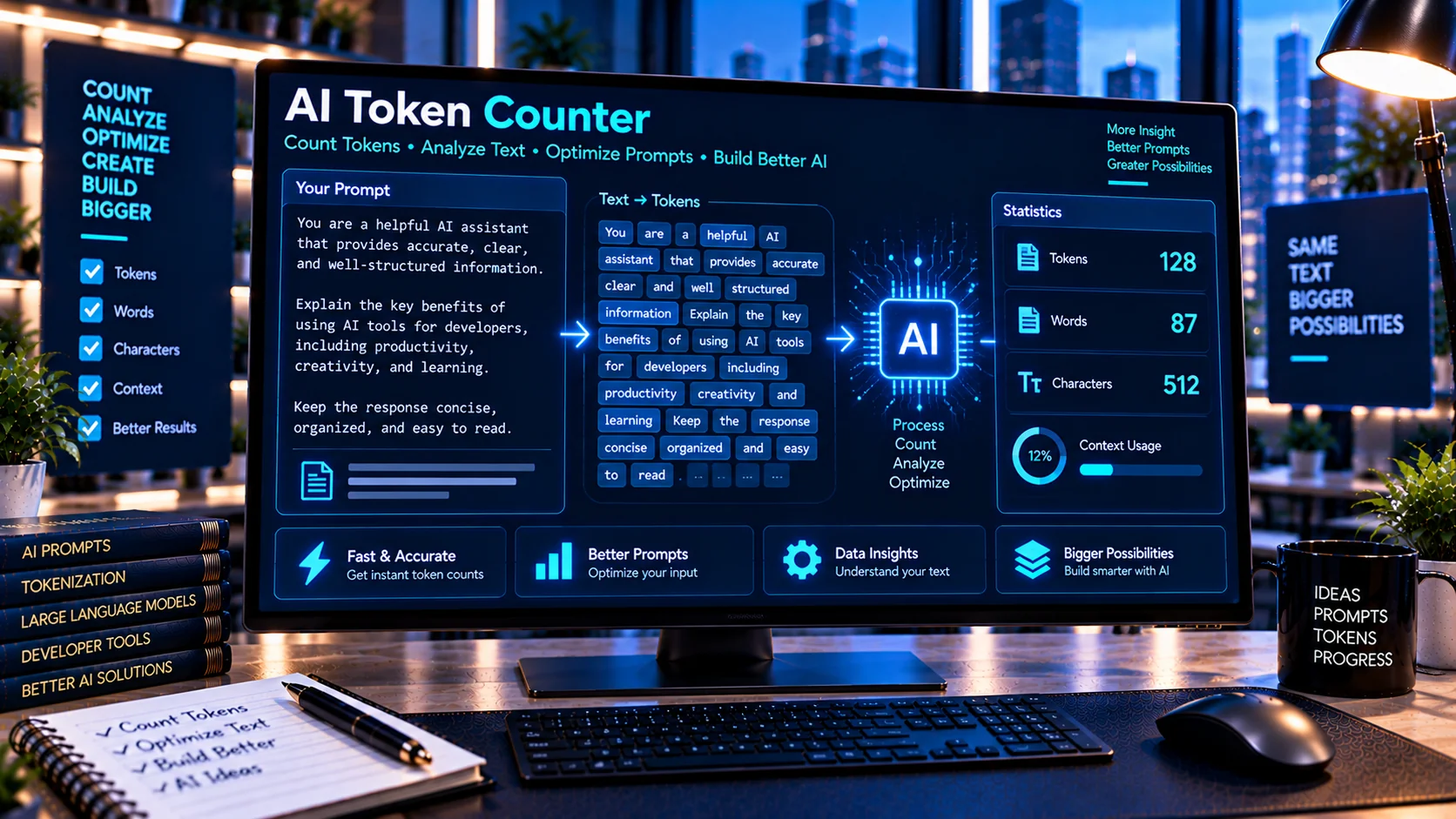
AI Token Counter helps developers estimate how much text may translate into tokens before using it in an AI application, prompt, agent, or API workflow. Enter your text to review estimated token usage alongside character, word, line, whitespace, and punctuation statistics. The tool uses browser-based calculations and provides both a general estimate and a more conservative estimate for context and prompt planning.
What Is an AI Token Counter?
AI systems process text using tokens, which are units used by language models to represent text. A token may correspond to part of a word, a complete short word, punctuation, whitespace-related information, or other pieces of text depending on the tokenizer.
For developers, estimating token usage can be useful when working with:
- AI prompts
- System instructions
- Chat conversations
- Documents
- API requests
- AI agents
- RAG context
- Structured data
- Long text inputs
The AI Token Counter provides a quick browser-based estimate without requiring an external AI API.
How the AI Token Counter Works
Paste your text into the tool and it analyzes the content using several text statistics.
The calculator provides information such as:
- Estimated token count
- Conservative token estimate
- Character count
- Non-space character count
- Word count
- Line count
- Whitespace count
- Punctuation count
These measurements provide additional context around the estimated token usage.
Why Count AI Tokens?
Token usage can affect how developers design AI applications.
A long prompt may consume substantially more tokens than a short instruction. Large documents, conversation histories, retrieved content, and structured data can also increase the amount of text processed by an AI system.
Token estimation can therefore help when:
- Designing prompts
- Planning context usage
- Comparing prompt versions
- Preparing documents for AI processing
- Estimating request size
- Optimizing long instructions
- Building AI-powered applications
Token Count vs Word Count
Words and tokens are not the same thing.
For example, a sentence containing ten words does not necessarily contain exactly ten tokens. Tokenization depends on the text and the tokenizer used by the particular AI model.
This is why a word count alone cannot reliably represent AI processing size.
The AI Token Counter provides word statistics alongside token estimates so you can compare the two measurements.
Why Token Counts Are Estimates
Different AI models may use different tokenization methods.
The same text can therefore produce different token counts depending on the tokenizer associated with the model.
This tool provides estimated token counts, not model-specific authoritative tokenization.
For applications where exact token usage matters for billing, API limits, or production validation, use the tokenizer or official tooling associated with the specific model you are using.
Conservative Token Estimates
The tool provides a conservative token estimate in addition to its general estimate.
A conservative estimate can provide additional planning room when you do not yet know the exact tokenizer or when you want to avoid designing a workflow too close to a token limit.
This can be useful during early-stage AI application development.
Count Tokens in AI Prompts
Prompt developers can use the tool to estimate the size of:
- System prompts
- Developer instructions
- User prompts
- Few-shot examples
- Output-format instructions
- Tool-use instructions
- Prompt templates
If a prompt becomes unusually large, token estimation can help identify when it may be worth reviewing the prompt structure.
The AI Prompt Compression Tool can then help clean supported redundancy and unnecessary formatting before you calculate the text again.
Count Tokens Before Context Planning
Token estimation is also useful when working with context windows.
A request may contain more than the visible user prompt. Depending on the application, the overall context may include system instructions, conversation history, retrieved documents, tool information, and other data.
The AI Context Window Calculator can help take estimated token usage and compare it with a selected context budget, including a reserved amount for expected output.
Token Counting for AI Agents
AI agents can process multiple types of content during a workflow.
For example, an agent request might contain:
- System instructions
- Agent configuration
- Conversation history
- Tool definitions
- User input
- Retrieved information
- Tool results
- Additional application context
Each component can contribute to the overall amount of text processed.
Estimating token usage for individual components can therefore help developers understand where large prompts or context payloads are coming from.
Token Counting for RAG Content
Retrieval-Augmented Generation workflows may insert retrieved documents or passages into an AI request.
Before adding large amounts of retrieved content, developers can estimate its size and determine how much context it may consume.
The token estimate does not determine whether the retrieved content is relevant or useful. It simply provides a size estimate that can be used during context planning.
Use the AI Token Counter for Prompt Iteration
Prompt development is often iterative.
A practical workflow can be:
- Create the initial prompt.
- Count its estimated tokens.
- Test the prompt.
- Revise the instructions.
- Compare the versions.
- Compress unnecessary content if appropriate.
- Count the revised prompt again.
- Test the final version.
The AI Prompt Diff Checker can help identify exactly what changed between two prompt versions.
Token Count and Prompt Variables
Dynamic prompt templates can make token usage difficult to estimate.
For example:
Customer: {{customer_name}}
Question: {{customer_question}}
Context: {{retrieved_context}}
The template itself may be short, but the values inserted at runtime could be very large.
The AI Prompt Variable Checker can help identify the variables used by the template, while the AI Token Counter can be used with realistic populated text to estimate the resulting size.
Browser-Based Token Estimation
The AI Token Counter performs its calculations directly in your browser.
This can be useful when reviewing:
- Private prompts
- Internal instructions
- Proprietary workflows
- Development text
- Business documents
- AI agent configurations
No external AI API is required for the estimation process.
You should still follow your organization’s privacy and security requirements when working with sensitive information.
Common AI Token Counting Mistakes
Assuming one word equals one token
Tokens and words represent different units. Their relationship varies depending on the text and tokenizer.
Treating an estimate as an exact model count
The calculator provides an estimate. Exact counts can differ between models and tokenizers.
Counting only the user prompt
The final AI request may include system instructions, history, tools, retrieved context, and other content.
Ignoring long documents
Documents can contribute significant amounts of context even when the visible instruction is short.
Optimizing purely for fewer tokens
Reducing token usage should not come at the expense of necessary instructions, examples, context, or output requirements.
Frequently Asked Questions
What is an AI Token Counter?
An AI Token Counter estimates the number of tokens contained in text and provides additional statistics such as word, character, line, whitespace, and punctuation counts.
Does it provide an exact token count?
No. It provides an estimate. Exact tokenization depends on the tokenizer used by the specific AI model.
Can I count tokens in a prompt?
Yes. You can paste a system prompt, user prompt, template, or other AI-related text into the tool.
Can I use it for long documents?
Yes. It can help estimate the size of larger text inputs and documents for AI workflow planning.
Does the tool require an API key?
No. The tool is designed to perform its calculations directly in the browser without requiring an external AI API.
What is a conservative token estimate?
A conservative estimate provides additional planning headroom when exact model-specific tokenization is not being used.
Is token counting useful for AI context windows?
Yes. Estimated token usage can be compared against a context budget when planning large AI requests. The AI Context Window Calculator can help with that broader calculation.
Conclusion
The AI Token Counter provides a simple way to estimate the token size of prompts and other AI-related text while also showing useful word, character, line, whitespace, and punctuation statistics.
Because tokenization varies between AI models, the estimates should be treated as planning information rather than an exact model-specific count. For production workflows, combine token estimation with the documentation and tokenizer associated with the model you actually use.