
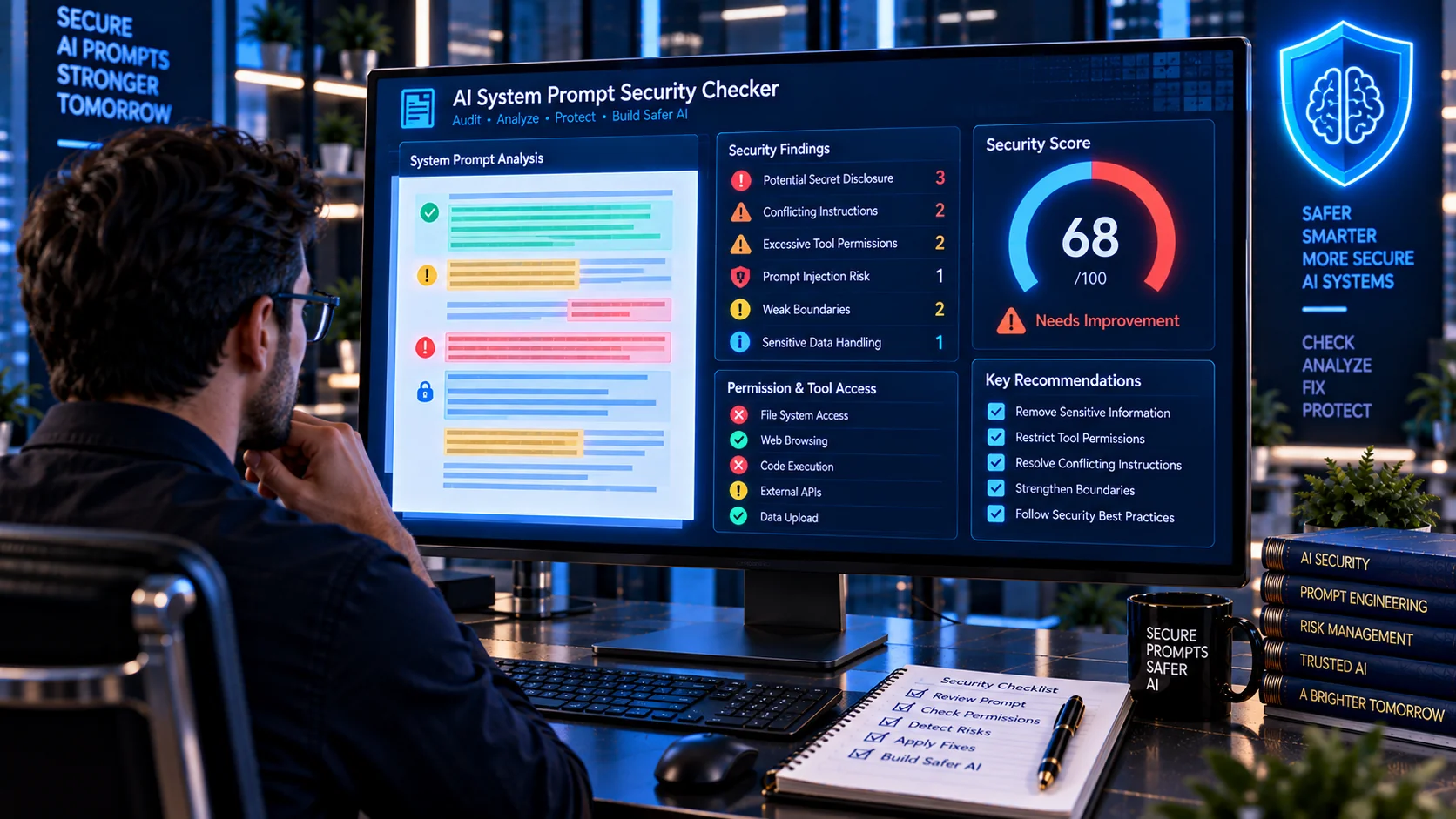
AI System Prompt Security Checker helps you review system prompts for common security weaknesses before they are used in an AI application or agent workflow. It checks for potential prompt leakage, embedded secrets, conflicting instructions, excessive tool authority, missing authorization boundaries, unsafe action permissions, weak trust boundaries, and other security-related patterns that can make an AI system harder to control.
A system prompt can define an AI application’s role, behavior, constraints, available capabilities, and interaction rules. However, security-critical controls should not depend entirely on instructions inside the prompt. OWASP recommends keeping sensitive information out of system prompts and enforcing critical authorization and privilege controls outside the language model.
AI System Prompt Security Checker
Review a system prompt for leakage risks, conflicting rules, unsafe tool authority, missing security boundaries, secret-like content, and other AI security signals.
Security Findings
What Does a System Prompt Security Checker Help You Review?
A system prompt security checker helps developers examine the instructions that govern an AI application for security-related weaknesses, unclear boundaries, sensitive-information exposure risks, and instructions that may create unsafe behavior. Use the findings as a review checklist before testing or deploying a prompt—not as proof that the prompt or application is secure.
Why System Prompt Security Matters
System instructions help define an AI application’s role, permitted behavior, restrictions, and response requirements. Security problems can arise when those instructions are incomplete, overly permissive, inconsistent, or poorly separated from untrusted input.
Unclear Trust Boundaries
A prompt may not clearly distinguish trusted system instructions from user messages, retrieved documents, webpages, or tool outputs. This ambiguity can make untrusted content harder to handle safely.
Unintended Disclosure
Prompts should avoid placing credentials, private configuration, confidential data, or other secrets in instructions that may be exposed through logs, debugging, or application mistakes.
Excessive Permissions
Instructions that grant broad tool access or allow consequential actions without appropriate authorization can increase the impact of manipulated or misunderstood model behavior.
Untrusted Instructions
User input and external content may contain attempts to override the intended task, change the model’s role, or influence connected tools and application behavior.
Unsafe Assumptions About Responses
A system prompt should not assume that generated text is automatically safe to execute, render, trust, or use as an authorization decision.
Missing Security Requirements
Important requirements such as refusal behavior, data handling, tool restrictions, escalation, and uncertainty handling may need to be stated more clearly.
Important Areas to Check in an AI System Prompt
A useful security review considers how the prompt interacts with the complete application—not only the wording of individual instructions.
| Review Area | What to Examine | Why It Matters |
|---|---|---|
| Role and scope | Clearly defined responsibilities and limits | Reduces ambiguity about the model’s intended task |
| Instruction hierarchy | How trusted instructions relate to user and external content | Helps prevent untrusted text from being treated as authoritative |
| Prompt injection handling | Rules for suspicious or conflicting instructions in input data | Supports safer processing of user and retrieved content |
| Data confidentiality | Restrictions on exposing secrets or private context | Reduces avoidable disclosure risks |
| Tool permissions | Allowed actions, prohibited actions, and approval requirements | Limits the consequences of unintended tool use |
| Output requirements | Validation, formatting, and safe handling of generated content | Makes downstream processing more predictable |
| Error and uncertainty handling | Behavior when information is missing or a request is unclear | Encourages appropriate clarification instead of unsupported assumptions |
| Application-level controls | Authentication, authorization, validation, and monitoring outside the prompt | Provides protections that prompt wording alone cannot enforce |
A system prompt is not a complete security boundary
Prompt instructions can guide model behavior, but they cannot replace application-enforced permissions, server-side validation, access controls, secret management, or review of sensitive actions. Treat prompt security as one layer of a broader application security design.
System Prompt Security Issues Worth Investigating
The following examples describe security concerns developers can investigate during a prompt review. Their presence does not automatically prove that an application is vulnerable.
Instructions That Trust Every Input
Treating all user messages, retrieved passages, and tool responses as reliable instructions can blur the boundary between data and commands.
Unrestricted Tool Language
Broad instructions to perform actions without defining permissions, scope, or approval requirements deserve careful review.
Secrets Embedded in Prompts
API keys, access tokens, passwords, and private configuration should not be used as ordinary prompt text or exposed in examples.
Weak Handling of Conflicting Requests
A prompt may need clearer rules for handling requests that conflict with its intended role, safety requirements, or application policy.
Missing Output Validation
Generated content that enters another system should be validated and handled according to that system’s security requirements.
Overreliance on Prompt Rules
Instructions such as “never reveal data” are not substitutes for limiting which data the model or connected tools can access.
How to Review a System Prompt for Security
Use a repeatable process to investigate findings, revise instructions, and test the application before relying on the prompt in production.
Define the Application’s Purpose
Identify what the AI is expected to do, what information it needs, and which actions it is permitted to perform.
Review Trust Boundaries
Identify user input, retrieved content, uploaded documents, and tool outputs that must be treated as untrusted data.
Inspect Security Findings
Review each reported concern in context. Determine whether it represents a real weakness, an intentional instruction, or a false positive.
Clarify Instructions
Make responsibilities, restrictions, data handling, and authorization requirements explicit where needed.
Test Adversarial Scenarios
Use controlled tests to examine how the application handles conflicting instructions, untrusted content, and unexpected tool-action requests.
Apply External Controls
Enforce permissions, validate inputs and outputs, protect secrets, and require approval for sensitive operations where appropriate.
Retest the Revised Prompt
Run representative normal and adversarial cases after changes. Confirm that the intended application behavior remains intact.
Maintain the Prompt
Keep prompt versions, document important changes, and repeat security reviews when tools, data sources, or permissions change.
Security Checker vs. Prompt Linter vs. Injection Testing
These workflows address related but different parts of AI application development. Combining them can help create a more complete review.
| Workflow | Main Focus | When to Use It |
|---|---|---|
| System Prompt Security Checker | Security-oriented review of system instructions | Before deploying or revising an AI application’s prompt |
| System Prompt Linter | Prompt structure, contradictions, duplication, and maintainability | When improving prompt clarity and consistency |
| Prompt Injection Scanner | Suspicious instruction patterns in submitted content | When inspecting untrusted text before AI processing |
| Prompt Injection Test Generator | Controlled scenarios for evaluating defensive behavior | When testing an AI application against injection attempts |
A prompt can be well structured and still have security weaknesses. Likewise, a prompt may contain suspicious wording without creating an exploitable vulnerability in the complete application. Review both the instructions and the surrounding implementation.
What a Prompt Security Review Cannot Guarantee
Automated prompt analysis can help identify patterns and areas that deserve attention, but it cannot prove that an AI system is secure. Security depends on the model, prompt, application code, connected tools, data sources, permissions, and deployment environment.
- A clean prompt review does not guarantee resistance to prompt injection.
- A reported issue does not automatically establish an exploitable vulnerability.
- New attack techniques may not match existing detection patterns.
- Prompt wording cannot enforce server-side access permissions.
- High-impact actions require controls beyond model instructions.
- Security testing should be performed only on systems you own or are authorized to assess.
System Prompt Security Checker FAQs
Answers to common questions about reviewing system instructions and improving AI application security.
What is an AI system prompt security checker?
It is a development utility for reviewing system instructions for security-related concerns, unclear restrictions, risky wording, and potential weaknesses in how an AI application’s behavior is defined.
Why should I review a system prompt before deployment?
System prompts influence how an AI application responds to requests and handles context. Reviewing them before deployment can help identify unclear boundaries, missing requirements, and assumptions that need testing.
Can a system prompt prevent every prompt injection attack?
No. Prompt instructions alone cannot guarantee protection against prompt injection. Applications should also use appropriate input handling, content isolation, tool permissions, validation, and monitoring.
Is a security finding always a vulnerability?
No. A finding is a signal that deserves investigation. Its significance depends on the prompt’s context, the model, application behavior, available permissions, and other controls.
Should API keys or passwords appear in a system prompt?
Avoid embedding secrets in prompt text. Store credentials in appropriate secret-management systems and provide access through controlled application mechanisms when required.
Does a secure system prompt make an AI agent safe?
Not by itself. Agent security also depends on tool permissions, data access, authorization checks, argument validation, action confirmation, and the application’s runtime controls.
What is the difference between prompt security and prompt linting?
Prompt security focuses on risks involving instructions, confidentiality, trust boundaries, and application behavior. Prompt linting focuses more broadly on structure, clarity, duplication, contradictions, and maintainability.
How often should I review my system prompt?
Review it whenever you change the application’s purpose, connected tools, data sources, permissions, model behavior, or important security requirements. Periodic reviews are also useful for prompts maintained over time.
Can I use prompt security checks for RAG applications?
Yes. RAG applications process retrieved content that may contain untrusted instructions. Review the system prompt’s handling of retrieved data and test how the application separates information from commands.
What should I do after reviewing my prompt?
Investigate relevant findings, revise unclear instructions, test representative and adversarial scenarios, and verify that application-level security controls are in place.
Related PKCapra AI Developer Tools
Use complementary tools to review prompt quality, inspect suspicious input, and test AI application behavior.
AI System Prompt Linter
Review prompt structure, potential contradictions, repeated instructions, and maintainability concerns.
AI Prompt Injection Scanner
Inspect submitted content for suspicious instruction patterns that may attempt to manipulate an AI workflow.
AI Prompt Injection Test Generator
Create controlled test scenarios for evaluating an application’s response to prompt-injection attempts.
AI Prompt Injection Document Scanner
Review document text for instruction-like patterns before using it in an AI or retrieval workflow.
AI PII & Secret Scanner
Identify possible personal information, credentials, tokens, and secret-like patterns in content.
AI Tool Schema Validator
Validate AI tool or function schemas to help identify structural issues in tool definitions.
Explore more AI utilities
Browse the complete PKCapra AI Tools collection for additional utilities covering prompt development, AI security, document workflows, and developer tasks.