
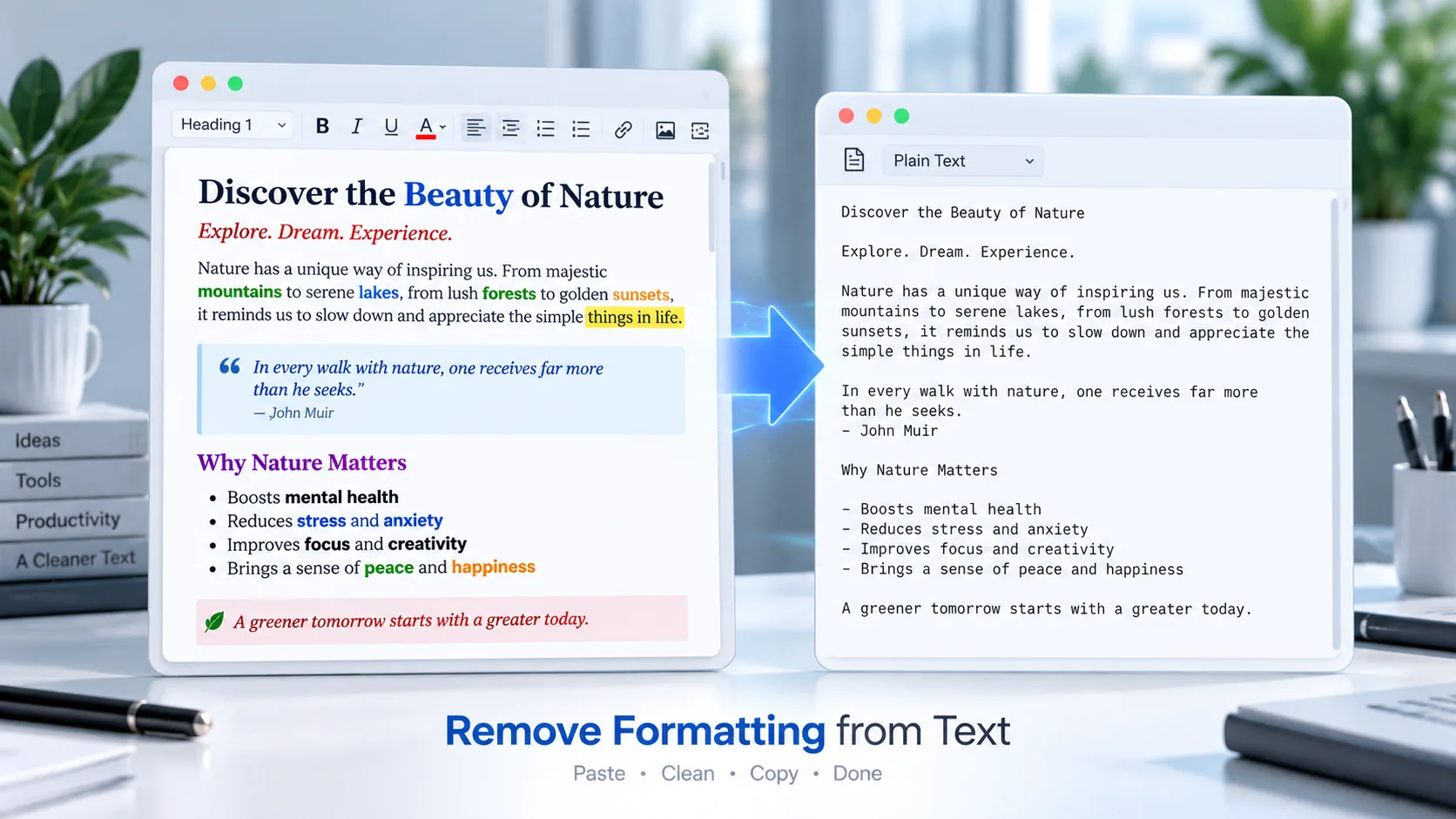
Remove Formatting from Text Online
Use Remove Formatting from Text to turn formatted content into clean, simple text. Paste text copied from Word documents, websites, emails, or other rich-text sources and remove unwanted styling before reusing it.
The tool is useful when you need plain text without rich formatting, unnecessary HTML, or styling carried over from another application.
Explore PKCapra’s free online tools or visit the Documents category for more document utilities.
Remove Formatting from Text
How to Remove Formatting from Text
Cleaning formatted text takes only a few steps:
- Paste your formatted text into the tool.
- Remove the unwanted formatting.
- Review the cleaned plain-text result.
- Copy the cleaned text or download it as a TXT file.
The processing takes place directly in your browser.
What Does Removing Text Formatting Mean?
Text formatting includes visual and structural styling such as bold, italic, underline, colors, highlights, headings, fonts, and other rich-text properties.
Removing formatting strips away those styling elements while keeping the underlying readable text.
For example, text copied from a Word document or webpage can sometimes bring unwanted styling with it. Converting that content to plain text provides a cleaner starting point for pasting it somewhere else.
What Formatting Can Be Removed?
The tool is designed to create clean plain-text content by removing rich-text styling.
This can help remove things such as:
- Bold formatting
- Italic formatting
- Underlines
- Text colors
- Highlights
- Heading styles
- Rich-text styling
- HTML-related formatting
- Other visual formatting
The exact visual result depends on the content that is pasted into the tool.
Why Remove Formatting from Text?
Removing formatting can be useful when copied content contains styling you do not want to keep.
Common uses include:
- Cleaning text copied from Microsoft Word
- Cleaning text copied from websites
- Removing formatting from emails
- Preparing content for a text editor
- Creating plain-text versions of content
- Cleaning content before pasting it elsewhere
- Removing unwanted rich-text styling
- Preparing text for another application
Plain text can provide a simpler starting point when formatting is not required.
Remove Word Formatting from Copied Text
Text copied from Word can contain formatting that follows the content into another application.
If you only need the words and not the original styling, a plain-text cleaning tool can make the content easier to reuse.
For DOCX files where you need to extract the actual document text, you can instead use the DOCX Text Extractor.
If you need to convert Word content into HTML while retaining useful document structure, use the DOCX to HTML Converter after verifying that its page is live.
Remove Formatting from Web Text
Content copied from a webpage can also contain formatting or HTML-related styling.
Pasting that content into a plain-text cleaning tool can help create a simpler version without the original rich-text presentation.
This can be useful before moving content into another editor, application, or content workflow.
Plain Text vs Formatted Text
Formatted text can contain styling such as fonts, colors, bold, italic, headings, and other presentation properties.
Plain text focuses on the actual characters and readable content without rich visual styling.
Neither format is universally better. Plain text is useful when simplicity and compatibility are more important than visual presentation.
Browser-Based Text Cleaning
PKCapra’s text formatting removal tool processes the content directly in your browser.
The purpose of the tool is to clean the text you provide and produce a plain-text result without requiring a remote document-processing service.
For sensitive information, always consider your own privacy requirements before using any online tool.
Remove Formatting from Text Features
The tool provides a simple workflow with:
- Formatted text input
- Plain-text output
- Rich formatting removal
- Browser-based processing
- Copy Text
- TXT download
- Reset option
- Simple interface
Who Can Use a Text Formatting Remover?
A text formatting remover can be useful for:
- Students
- Writers
- Bloggers
- Editors
- Researchers
- Content creators
- Digital marketers
- Developers
- Office workers
- Website owners
Anyone who frequently copies text between different applications can benefit from having a quick way to clean unwanted formatting.
Plain Text and HTML
Plain text contains the actual characters without HTML markup or rich-text styling. HTML, on the other hand, uses markup elements to structure content for web browsers.
If you want to learn more about the structure and elements used in HTML documents, the MDN HTML documentation provides detailed technical reference material.
Frequently Asked Questions
How do I remove formatting from text?
Paste your formatted text into PKCapra’s Remove Formatting from Text tool and process it to create a clean plain-text version.
Can I remove formatting from Word text?
Yes. You can copy text from a Word document and paste it into the tool to remove unwanted rich-text styling.
Can I remove formatting from text copied from a website?
Yes. Pasted web content can be cleaned into simpler plain text.
Does removing formatting delete the text?
No. The purpose is to remove styling while retaining the underlying readable content.
Can I remove bold and italic formatting?
Yes. The tool is designed to remove common rich-text styling such as bold and italic formatting.
Can I download the cleaned text?
Yes. The cleaned result can be downloaded as a TXT file.
Is my text uploaded to PKCapra?
The tool is designed for browser-based processing. The text is processed directly in your browser rather than sent through a remote PKCapra document-processing endpoint.
Clean Your Text Online
Need to remove unwanted styling before using copied content somewhere else?
Use Remove Formatting from Text to clean formatted content into simple plain text directly in your browser.
For more document and productivity utilities, explore PKCapra’s free online tools.