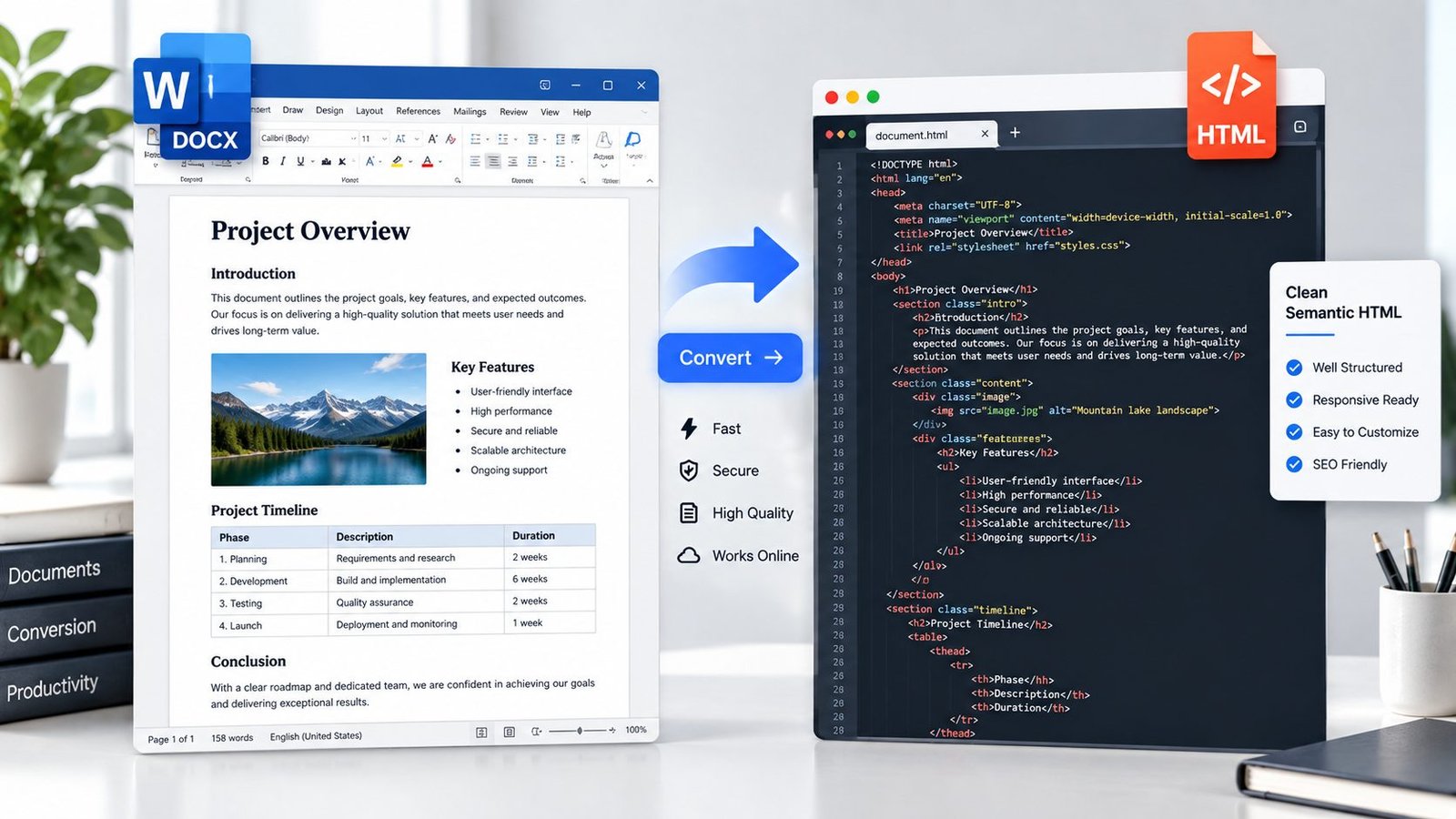
Convert Word documents into clean HTML with the DOCX to HTML Converter from PKCapra. Upload a .docx file, process it directly in your browser, preview the converted HTML, and download or copy the result.
The converter is designed for common Word document structures such as headings, paragraphs, formatting, lists, tables, links, and embedded images.
The conversion happens locally in your browser, so the document does not need to be uploaded to a remote conversion server.
What Is a DOCX to HTML Converter?
A DOCX to HTML converter transforms a Microsoft Word .docx document into an HTML document that can be opened in a web browser or used as part of a website.
DOCX files are designed primarily for word-processing applications, while HTML is designed for displaying structured content on the web. Converting between the two formats can make Word content easier to reuse online.
PKCapra converts common DOCX elements into corresponding HTML structures while preserving useful document formatting.
What Does PKCapra Convert from DOCX?
The converter supports many common Word document elements, including:
Headings
Paragraphs
Bold text
Italic text
Underlined text
Strikethrough text
Text colors
Highlighted text
Superscript and subscript
Hyperlinks
Line breaks
Tabs
Bulleted lists
Numbered lists
Tables
Embedded images
Basic text alignment
This makes the resulting HTML useful for many everyday document-to-web workflows.
Why Convert Word Documents to HTML?
HTML is useful when Word content needs to be displayed or reused on the web.
For example, you may want to convert DOCX content to HTML when:
Publishing document content on a website
Moving articles from Word into a CMS
Reusing Word documents in web projects
Extracting structured content from a DOCX file
Creating an HTML version of a document
Preparing content for further web editing
Moving formatted text from Word into an online workflow
If your goal is instead to create a PDF from a Word document, you can use the Word to PDF Converter.
DOCX to HTML vs Word to PDF
DOCX and HTML serve different purposes.
HTML is designed for web browsers and websites. It provides structured content that can be displayed and edited as web content.
PDF is designed primarily for consistent document presentation and sharing.
Choose DOCX to HTML when you need web-ready content. Choose Word to PDF when you need a document intended to retain a fixed page-oriented format.
Is DOCX to HTML Conversion Accurate?
PKCapra is designed to convert common DOCX document structures into clean, usable HTML. However, HTML conversion is not guaranteed to reproduce every detail of a complex Word document exactly.
Simple documents generally convert more predictably.
Complex Word features such as advanced page layouts, floating objects, unusual styles, headers and footers, tracked changes, macros, or complicated positioning may appear differently in HTML.
The goal is useful, structured HTML rather than pixel-perfect reproduction of every Word layout feature.
DOCX to HTML Conversion in Your Browser
PKCapra’s DOCX to HTML converter uses browser-based processing.
Your DOCX file is processed locally in the browser rather than being sent to a remote document-conversion service.
This can be useful when working with documents that you prefer to keep on your own device.
As always, avoid entering or processing sensitive information on any online service unless you are comfortable with its privacy model.
DOCX to HTML Features
The converter provides a straightforward workflow with:
DOCX file selection
Browser-based conversion
HTML preview
HTML download
Copy HTML option
Support for common Word formatting
Embedded image handling
List conversion
Table conversion
UTF-8 HTML output
Reset option
Who Can Use a DOCX to HTML Converter?
A DOCX to HTML converter can be useful for:
Bloggers
Website owners
Content writers
Developers
Students
Researchers
Digital marketers
Editors
Content managers
Businesses
It can save time when content already exists in Word format and needs to be reused as HTML.
Frequently Asked Questions
How do I convert DOCX to HTML?
Upload your .docx file to PKCapra’s DOCX to HTML Converter and start the conversion. You can then preview, copy, or download the generated HTML.
Can I convert a Word document to HTML online?
Yes. PKCapra provides a browser-based DOCX to HTML conversion tool for converting common Word document content into HTML.
Does the converter support images?
Yes. Embedded images in supported DOCX documents can be converted into embedded image data within the resulting HTML.
Does DOCX to HTML preserve formatting?
Common formatting such as headings, bold, italic, underline, lists, tables, links, colors, and basic alignment is supported. Complex Word layouts may not be reproduced exactly.
Is DOCX to HTML conversion free?
PKCapra provides its online DOCX to HTML tool as part of its free online tools platform.
Does PKCapra upload my DOCX file?
The converter is designed for browser-based processing, so the DOCX file is processed locally in your browser rather than uploaded to a remote conversion server.
Convert Your DOCX File to HTML
Ready to turn a Word document into web-ready HTML?
Use the DOCX to HTML Converter to convert your .docx file, preview the result, and download or copy the generated HTML.