
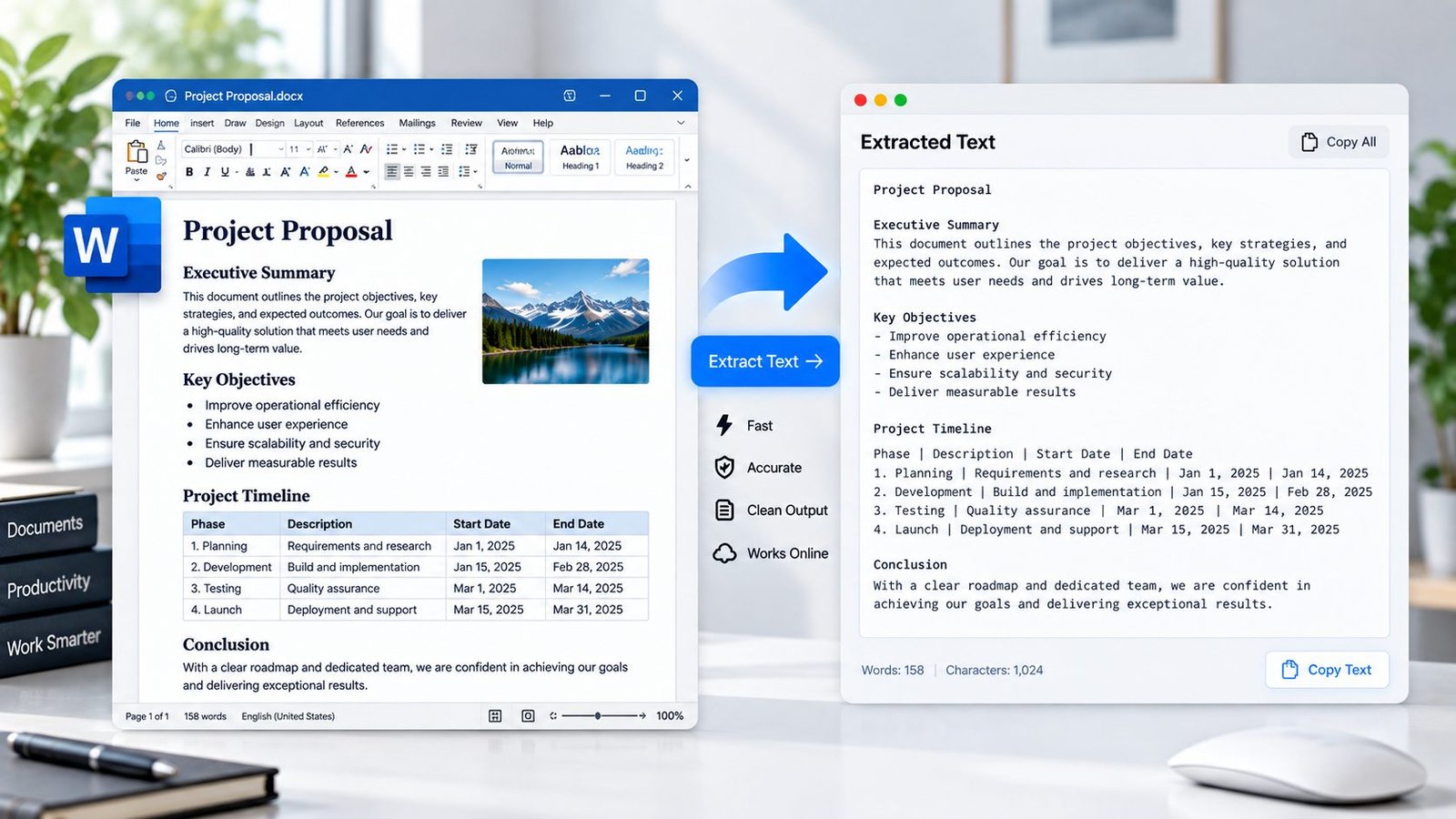
Extract Text from DOCX Online
Use the DOCX Text Extractor to extract readable text from Microsoft Word .docx files directly in your browser. Select a Word document, extract its text, then copy or download the result as a TXT file.
The tool is useful when you need the written content from a Word document without manually opening and copying everything.
You can also explore PKCapra’s free online tools or browse the Documents category for more document utilities.
DOCX Text Extractor
Extract text from a Word DOCX document directly in your browser.
or drag and drop a DOCX file here
DOCX • Maximum 25 MB • Browser-based processingHow to Extract Text from a DOCX File
Extracting text from a Word document takes only a few steps:
- Select or drop your DOCX file.
- Start the text extraction.
- Review the extracted text.
- Copy the text or download it as a TXT file.
The extraction is performed directly in your browser.
What Is a DOCX Text Extractor?
A DOCX Text Extractor is a tool that reads the text content stored inside a Microsoft Word .docx document and presents that content as plain text.
DOCX documents can contain paragraphs, headings, lists, tables, formatting, images, and other Word elements. A text extractor focuses primarily on the document’s readable textual content rather than reproducing the original Word layout.
This makes extracted text easier to copy, reuse, search, edit, or process in another application.
What Text Can Be Extracted?
PKCapra’s DOCX Text Extractor is designed to extract common textual content from Word documents, including:
- Paragraph text
- Headings
- Text from formatted paragraphs
- Bulleted list items
- Numbered list items
- Text contained in standard tables
- Line breaks
- Unicode text
Table content is extracted as text with tab-separated cell values, making it easier to reuse outside Word.
Why Extract Text from a Word Document?
There are many situations where you may need only the text from a DOCX file.
For example, you can use a DOCX text extractor to:
- Copy content from a Word document
- Prepare text for another application
- Analyze document content
- Reuse written content
- Search through document text
- Remove the need for manual copy and paste
- Convert Word content into a simple TXT file
- Prepare content for further editing
If you need to convert the complete document structure into HTML instead, use the DOCX to HTML Converter once that page is live and verified.
DOCX Text Extraction vs DOCX to HTML
These two tools have different purposes.
A DOCX Text Extractor focuses on retrieving the written content from a Word document and presenting it as text.
A DOCX to HTML Converter converts document content into HTML while attempting to retain useful structures such as headings, lists, tables, links, formatting, and embedded images.
Choose text extraction when you primarily need the document’s written content. Choose DOCX to HTML when you need web-ready structured content.
Browser-Based DOCX Text Extraction
PKCapra processes the selected DOCX file directly in your browser.
The document is read locally for text extraction, and the extracted result is generated on your device. This browser-based approach avoids sending the document to a remote document-upload conversion endpoint.
For sensitive documents, always consider the privacy requirements of your particular workflow before using any online tool.
DOCX Text Extractor Features
The tool provides a simple workflow with:
- DOCX file selection
- Drag-and-drop support
- Browser-based processing
- Text extraction
- Extracted text preview
- Copy Text option
- TXT download
- Table text extraction
- Unicode text support
- Reset option
- Up to 25 MB file size
Who Can Use a DOCX Text Extractor?
A Word document text extractor can be useful for:
- Students
- Writers
- Bloggers
- Researchers
- Developers
- Content managers
- Editors
- Businesses
- Digital marketers
- Anyone who needs to reuse text from a DOCX file
Frequently Asked Questions
How do I extract text from a DOCX file?
Select your .docx file in PKCapra’s DOCX Text Extractor and start the extraction. The resulting text can then be copied or downloaded as a TXT file.
Can I extract text from a Word document online?
Yes. PKCapra lets you extract text from a DOCX Word document directly in your browser.
Does the extractor preserve Word formatting?
The tool focuses on extracting textual content rather than reproducing the original Word formatting or page layout.
Can it extract text from tables?
Yes. Text from standard DOCX tables can be extracted and represented as tab-separated text.
Can I download the extracted text?
Yes. After extraction, you can download the result as a TXT file.
Is my DOCX file uploaded to PKCapra?
The tool is designed for local browser processing. The selected DOCX file is read in your browser rather than sent through a PKCapra document-upload conversion endpoint.
What is the maximum DOCX file size?
The tool supports DOCX files up to 25 MB.
Extract Text from Your DOCX File
Need the text from a Word document without manually copying it?
Use the DOCX Text Extractor to extract text from your DOCX file, review the result, copy it, or download it as a TXT file.
For more document utilities, explore PKCapra’s free online tools.