
Improve Your llms.txt Quality Before Publishing
A well-structured llms.txt file can give AI systems and automated tools a clearer way to understand important resources on a website. But simply creating an llms.txt file is not enough. Poor structure, duplicate links, unclear sections, broken Markdown links, inconsistent URLs, and unnecessary formatting can make the file harder to interpret.
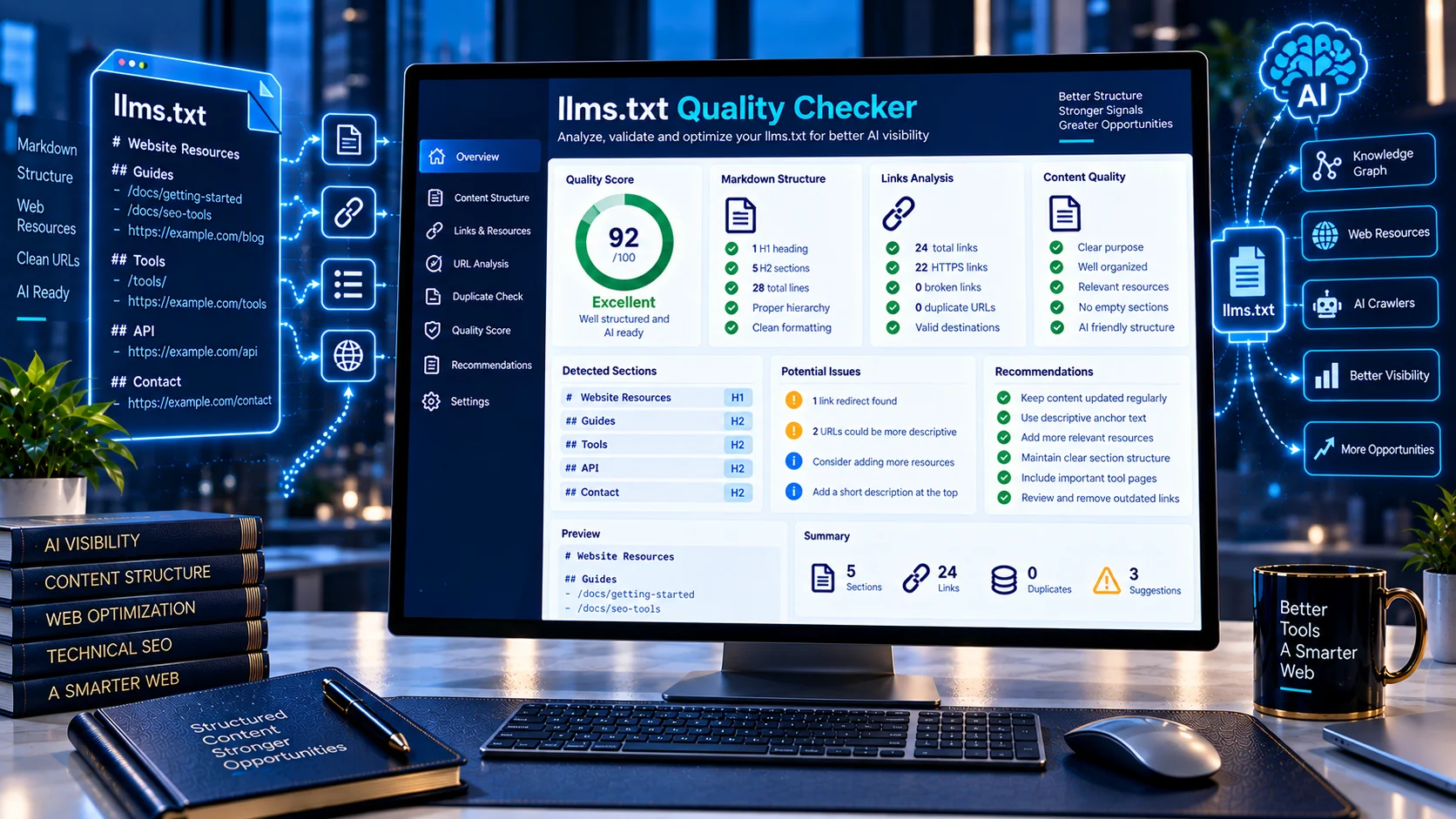
The llms.txt Quality Checker by PKCapra analyzes your public llms.txt file and checks its structure, content quality, links, sections, formatting, and resource organization.
Enter your website URL or direct llms.txt URL to generate a detailed quality report with a 0–100 quality score, individual checks, warnings, and actionable recommendations.
llms.txt Quality Checker
Assess an llms.txt file for completeness, consistency, organization, resource coverage, and practical usefulness.
What the llms.txt Quality Checker Analyzes
File Identity and Structure
The checker examines whether your file clearly identifies itself and follows a recognizable llms.txt-style structure.
It reviews elements such as:
- Main title and file identity
- Introduction or summary content
- Section organization
- Section headings
- Resource organization
- Overall document structure
A clear structure makes it easier for both humans and automated systems to understand what the file contains.
Introduction and Summary
The tool checks whether the beginning of your llms.txt file provides useful context about the website or its resources.
A meaningful introduction can help establish what the linked resources represent before individual sections are processed.
Section Coverage
The checker analyzes the sections within your file and identifies how effectively they organize website resources.
It looks for:
- Section headings
- Section content
- Resource links
- Useful categories
- Empty or weak sections
- Duplicate section headings
This helps identify files that contain links but lack meaningful organization.
Resource and Link Coverage
Links are one of the most important parts of an llms.txt file.
The analyzer checks:
- Markdown links
- Number of resource links
- Link destinations
- Resource organization
- Duplicate URLs
- Absolute URLs
- Relative URLs
- HTTP URLs
- HTTPS URLs
- Invalid Markdown link patterns
This provides a practical overview of how consistently your resources are represented.
Link Label Quality
The checker also reviews whether link labels are descriptive enough to explain what each destination contains.
For example, a descriptive label can provide substantially more context than generic text such as:
- Click here
- Read more
- Website
- Page
Clear resource labels make an llms.txt file easier to understand and maintain.
Duplicate URLs
Duplicate resource URLs can make a file unnecessarily repetitive.
The analyzer identifies repeated destinations so you can review whether the duplication is intentional or should be removed.
Duplicate Sections
The tool checks for repeated section headings that may indicate inconsistent organization or accidental duplication.
Keeping related resources within clearly differentiated sections can make the file easier to maintain.
Empty Sections
The checker identifies sections that appear to contain little or no useful content.
Empty or incomplete sections can make an llms.txt file look unfinished and may indicate areas that need additional resources or cleanup.
URL Security and Consistency
The analyzer reviews the URL format used by linked resources.
It identifies:
- HTTP resource links
- HTTPS resource links
- Absolute URLs
- Relative URLs
- URL consistency issues
Using consistent, secure resource URLs can make the file cleaner and easier to maintain.
Formatting Noise
The checker looks for unnecessary formatting patterns that may reduce the clarity of the file.
It reviews signals such as:
- Excessive formatting
- Code fences
- HTML-like content
- Malformed Markdown
- Unnecessary structural noise
The goal is to help keep your llms.txt file focused on useful information and resources.
How to Use the llms.txt Quality Checker
Step 1: Enter Your Website URL
Enter your website URL into the checker.
If your website uses the standard location, PKCapra can resolve the expected llms.txt path automatically.
Step 2: Analyze the File
Start the analysis and allow PKCapra to retrieve the publicly accessible llms.txt file.
The checker examines the document structure, sections, links, formatting, and resource organization.
Step 3: Review the Quality Score
The tool provides a quality score from 0 to 100 based on the signals analyzed.
The score is accompanied by individual checks so you can see which areas are contributing positively and which areas require attention.
Step 4: Fix the Identified Issues
Review the warnings and recommendations provided by the analyzer.
Depending on your results, you may need to:
- Add clearer introductory information
- Improve section organization
- Remove duplicate URLs
- Fix malformed links
- Replace insecure HTTP links
- Improve link labels
- Complete weak sections
- Remove unnecessary formatting
How to Interpret Your llms.txt Quality Score
The quality score is a diagnostic indicator rather than an official certification.
A higher score generally indicates that the analyzed file contains stronger structural, organizational, link, and formatting signals according to the checks performed by PKCapra.
A lower score indicates that the file has more areas that may benefit from review.
The individual checks are important because two files with similar overall scores can have very different underlying issues.
Use the detailed report to understand what needs improvement, rather than focusing only on the number.
llms.txt Quality Is Different From llms.txt Validation
A file can be technically readable while still having structural or organizational weaknesses.
PKCapra provides a separate llms.txt Validator & Analyzer for validation-oriented analysis.
The llms.txt Quality Checker focuses more specifically on the quality and organization of the file, including sections, resources, links, duplication, labels, and formatting.
Using both checks can provide a broader review of an llms.txt implementation.
Improve Your AI Search Infrastructure
An llms.txt file is only one component of a broader AI-search and website discoverability strategy.
You can also use the AI Search Readiness Analyzer to examine broader website signals related to AI search readiness.
For page-level content accessibility, use the AI Content Extractability Checker to analyze whether important webpage content can be structurally extracted.
For citation-oriented content analysis, the AI Citation Readiness Checker can examine sourceability and citation-related content signals.
Important Limitations
The llms.txt Quality Checker is a diagnostic tool. Its score and recommendations are based on the structure and signals that can be detected from the publicly accessible file.
A high quality score does not guarantee that any particular AI system will discover, crawl, interpret, cite, or use the listed resources.
AI systems can use different retrieval, crawling, indexing, ranking, and interpretation processes.
The tool also does not provide official certification or guarantee compliance with any particular AI platform’s requirements.
Privacy and Processing
PKCapra analyzes the publicly accessible llms.txt resource you provide.
The checker does not require you to upload a local file. It retrieves the specified public URL for analysis and generates the diagnostic report from the retrieved content.
Do not submit private, authenticated, or confidential URLs.
Frequently Asked Questions
What is an llms.txt Quality Checker?
An llms.txt Quality Checker analyzes an llms.txt file for structural, organizational, link, formatting, and content-quality signals.
What does the PKCapra llms.txt Quality Checker check?
It checks file identity, introduction content, sections, resource links, duplicate URLs, duplicate sections, empty sections, URL consistency, link labels, Markdown patterns, and formatting signals.
Does the checker validate llms.txt syntax?
It provides quality-oriented structural analysis. For dedicated validation and analysis, use the llms.txt Validator & Analyzer.
Can I enter my website URL instead of the llms.txt URL?
Yes. The tool can work from your website URL and resolve the standard llms.txt location.
Does a high score guarantee AI visibility?
No. The score is a diagnostic measure of the file’s analyzed quality signals. It does not guarantee crawling, indexing, retrieval, citation, or visibility in any AI system.
Does the tool check duplicate URLs?
Yes. The analyzer identifies repeated resource URLs within the analyzed file.
Does it check HTTP and HTTPS links?
Yes. The report identifies HTTP and HTTPS resource URLs so you can review inconsistent or insecure links.
Can it detect empty sections?
Yes. The checker reviews section content and identifies sections that appear empty or incomplete.
Does it check link labels?
Yes. The analyzer evaluates whether resource link labels provide useful descriptive context.
Is the llms.txt Quality Checker free to use?
The PKCapra tool is designed as an online website-analysis utility. Availability and usage limits may depend on the current implementation of the tool.
Continue Your AI and llms.txt Diagnostics
After improving your file with the quality report, use the llms.txt Validator & Analyzer for additional validation-oriented checks.
You can also combine llms.txt analysis with PKCapra’s AI Search Readiness Analyzer and AI Content Extractability Checker to review broader website signals.