
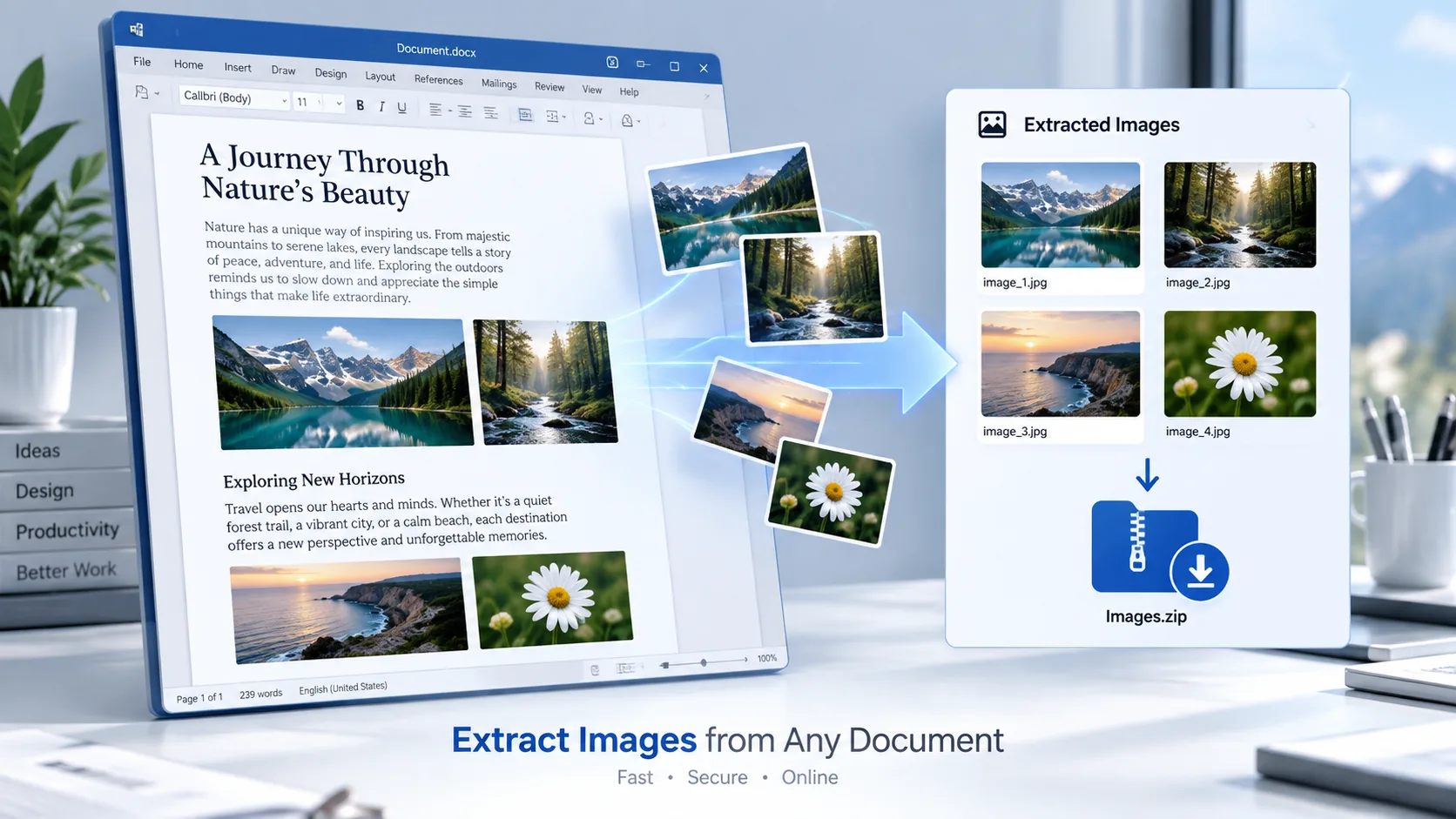
Extract Images from DOCX Online
Use the Document Image Extractor to extract embedded images from a Microsoft Word .docx document. Select a DOCX file and PKCapra will find the supported images inside the document and display them for easy preview and download.
You can download individual images or collect the extracted images into a ZIP file.
Explore PKCapra’s free online tools or visit the Documents category for more document utilities.
Document Image Extractor
Extract embedded images from a Word DOCX document in your browser.
or drag and drop a DOCX file here
DOCX • Maximum 25 MB • Browser-based processingHow to Extract Images from a Word Document
Extracting images from a DOCX file is straightforward:
- Select or drop your
.docxfile. - Start the image extraction process.
- Review the extracted image previews.
- Download individual images when needed.
- Use the ZIP download option to download all extracted images together.
The document is processed directly in your browser.
What Is a Document Image Extractor?
A Document Image Extractor is a tool that identifies embedded image files inside supported documents and makes them available separately.
A DOCX file is a packaged document format that can contain text, formatting, tables, and media. When images are embedded in a Word document, extracting them separately can be useful when you need to reuse, save, or review those images without manually copying them from the document.
PKCapra focuses on extracting supported embedded images rather than recreating the entire Word document.
What Images Can Be Extracted?
The tool is designed to extract embedded images stored inside a DOCX document.
After extraction, the tool can display information such as:
- Image preview
- Image filename
- Image type
- Image size
- Individual download option
Multiple extracted images can also be downloaded together using the ZIP option.
Why Extract Images from a DOCX File?
There are many reasons to extract pictures from a Word document.
For example, you may want to:
- Save images from an old Word document
- Reuse pictures in another project
- Collect images from a report
- Extract photographs from a document
- Retrieve graphics embedded in a DOCX file
- Separate document images from text
- Download multiple document images at once
This can be much easier than opening a document and manually saving each picture.
Extract Embedded Images from Word Documents
DOCX documents can contain media alongside their textual content. When supported images are embedded in the document package, the extractor can identify them and make them available for separate download.
The original Word document is not converted into another document format. Instead, the tool focuses specifically on finding and extracting its embedded images.
Download Extracted Images Individually or as a ZIP
After processing a DOCX file, PKCapra provides an image preview for each extracted image.
You can download images individually when you only need one or two files. If the document contains several images, the Download All as ZIP option provides a convenient way to collect them together.
Browser-Based Image Extraction
PKCapra’s Document Image Extractor processes the selected DOCX file directly in your browser.
The document is read locally for extraction, and the supported embedded images are generated for download on your device.
This means the tool does not require a remote PKCapra document-upload conversion endpoint for the extraction process.
For sensitive documents, always consider your own privacy requirements before using any online tool.
Document Image Extractor Features
The tool includes:
- DOCX file selection
- Drag-and-drop support
- Browser-based processing
- Embedded image extraction
- Image previews
- Image filename information
- Image type information
- Image size information
- Individual image downloads
- Download All as ZIP
- Reset option
- Up to 25 MB DOCX file size
Document Image Extractor vs DOCX Text Extractor
These tools solve different problems.
The Document Image Extractor focuses on finding and downloading embedded images from a DOCX file.
The DOCX Text Extractor focuses on extracting the written content from the document.
If you need text, use the text extractor. If you need pictures embedded in the Word document, use the image extractor.
For converting Word content into web-ready HTML, you can also use the DOCX to HTML Converter after verifying its page is live.
Who Can Use a DOCX Image Extractor?
An image extractor can be useful for:
- Students
- Writers
- Researchers
- Bloggers
- Content creators
- Designers
- Editors
- Website owners
- Businesses
- Digital marketers
It is especially useful when a Word document contains several images that need to be saved separately.
Understanding the DOCX Format
DOCX is the XML-based Word document format used by Microsoft Word. Microsoft provides technical documentation describing the structure and supported Word file formats. You can learn more about the format in Microsoft’s Word file format reference.
For developers or users who want to understand how Word document content is structured internally, Microsoft also documents the WordprocessingML document structure.
Frequently Asked Questions
Can I extract images from a DOCX file?
Yes. PKCapra’s Document Image Extractor is designed to find supported embedded images inside DOCX Word documents.
Can I extract pictures from a Word document online?
Yes. Select your DOCX file and process it directly in your browser to find and download its embedded images.
Can I download individual extracted images?
Yes. Each extracted image can be downloaded separately.
Can I download all extracted images together?
Yes. The tool provides a Download All as ZIP option for collecting the extracted images into one ZIP file.
Does the extractor show image previews?
Yes. Extracted images are displayed in a preview grid before downloading.
Does it extract images from DOCX tables?
If an image is embedded as supported media within the DOCX package, it can be extracted. The tool focuses on embedded image files rather than their visual position within the Word page.
Is my Word document uploaded?
The tool is designed for browser-based processing. The selected DOCX file is read locally in your browser rather than sent through a PKCapra document-upload conversion endpoint.
What is the maximum DOCX file size?
The current tool supports DOCX files up to 25 MB.
Extract Images from Your Word Document
Need to save pictures from a Word document?
Use the Document Image Extractor to find embedded images in your DOCX file, preview them, and download them individually or together as a ZIP.
For more document utilities, explore PKCapra’s free online tools.