
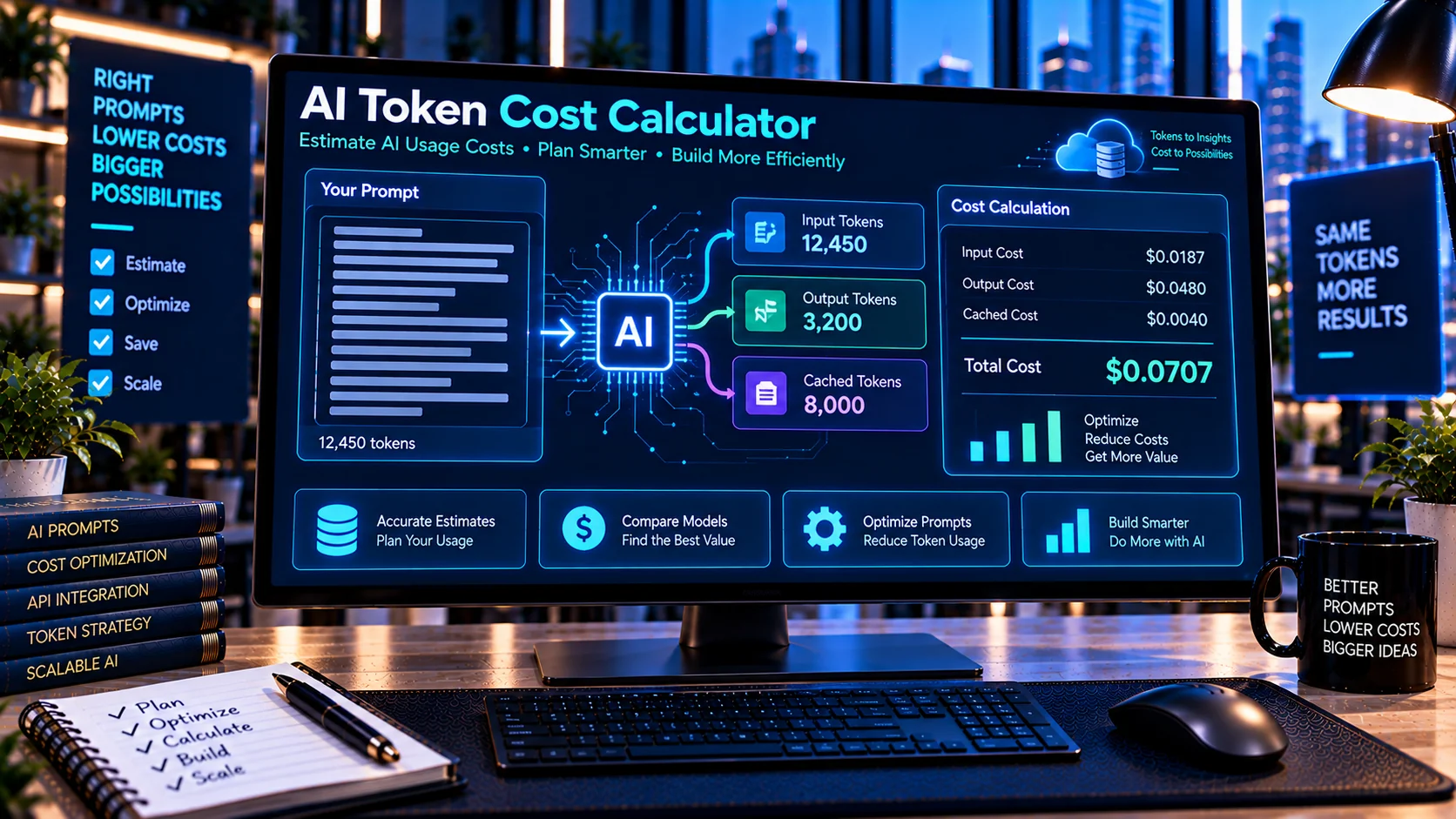
AI Token Cost Calculator helps developers estimate the potential cost of AI API usage based on input and output token volumes and configurable token pricing. Enter your estimated token usage, select or enter pricing values, and review separate input, output, and total cost calculations directly in the browser. The calculator can also account for cached-input pricing where applicable, making it useful for budgeting AI applications, comparing usage scenarios, and planning prompt-heavy workflows.
Token Cost Inputs
What Is an AI Token Cost Calculator?
AI services commonly price usage according to the number of tokens processed.
Depending on the provider and model, pricing may distinguish between:
- Input tokens
- Output tokens
- Cached input tokens
- Different model tiers
- Different pricing rates
The AI Token Cost Calculator provides a way to model these costs using configurable token quantities and pricing.
It does not connect to an AI provider to make an API request. Instead, it performs the calculation locally using the pricing values you provide.
How the AI Token Cost Calculator Works
Enter the estimated number of input and output tokens, then provide the corresponding price per million tokens.
The calculator can show:
- Input token cost
- Output token cost
- Cached-input cost where applicable
- Total estimated cost
- Billable input tokens
- Cost breakdown
- JSON calculation report
This makes it easier to understand how different token volumes affect an application’s estimated usage cost.
Calculate Input Token Costs
Input tokens represent content sent to an AI model.
Depending on the application, input can include:
- System instructions
- Developer instructions
- User messages
- Conversation history
- Retrieved documents
- Tool-related content
- Structured data
- Prompt templates
If your application sends a large amount of context with every request, input-token costs can become an important part of usage planning.
The calculator lets you enter the expected input volume and applicable price to estimate that portion of the request cost.
Calculate Output Token Costs
Output tokens represent the content generated by the model.
For example, an application may send 5,000 input tokens and request a response that uses approximately 1,000 output tokens.
The two token categories can have different pricing, so calculating them separately provides a clearer cost breakdown.
The AI Token Cost Calculator calculates the estimated output cost using the output-token volume and the pricing value you provide.
Calculate Total AI API Cost
A simplified token-cost calculation can be represented as:
Input Cost = Input Tokens ÷ 1,000,000 × Input Price

Output Cost = Output Tokens ÷ 1,000,000 × Output Price

Total Cost = Input Cost + Output Cost
If cached-input pricing is applicable, the calculation can also account for the cached portion separately.
Actual provider billing can include additional rules, so the calculator should be used for estimation and planning rather than treated as an invoice.
Cached Input Pricing
Some AI providers and models may offer different pricing for cached input.
Cached content can occur when an application repeatedly sends reusable context or other content that qualifies for a provider’s caching mechanism.
When applicable, cached input can be modeled separately from standard input.
The calculator includes cached-input pricing support so developers can explore scenarios where part of their input uses a different rate.
Always verify the current pricing and caching rules for the specific provider and model before using the calculation for financial decisions.
Use Custom Token Pricing
AI model pricing can change, and different providers can use different pricing structures.
For that reason, the calculator allows custom pricing values.
You can enter the current price per million tokens for:
- Input
- Output
- Cached input where applicable
This makes the calculator adaptable to different AI providers and models rather than being permanently tied to one pricing table.
Use Pricing Presets Carefully
Pricing presets can make calculations faster, but AI pricing changes over time.
If a preset is available, treat it as a convenient starting point rather than assuming it represents the provider’s current price.
Before using the result for budgeting or purchasing decisions, verify the current pricing published by the provider for the exact model and billing category.
Estimate AI Application Costs
Token cost estimation becomes more useful when you combine token usage with expected request volume.
For example, you might estimate:
- Tokens per request
- Requests per day
- Requests per month
- Input/output ratio
- Cost per request
- Estimated monthly cost
The calculator focuses on the token-cost calculation itself. You can use its results as the cost-per-request component of a larger application budget.
Calculate Cost for Different Usage Scenarios
Developers can compare different token-volume scenarios by changing the inputs.
For example:
Scenario A
- Lower input volume
- Shorter responses
- Fewer requests
Scenario B
- Larger context
- Longer responses
- Higher request volume
Comparing these scenarios can help reveal how prompt size and output length affect estimated API costs.
Token Cost and Prompt Size
Prompt size can directly affect input-token usage.
Long system instructions, large conversation histories, and retrieved documents can increase the number of input tokens processed by an application.
The AI Token Counter can help estimate the token size of text before you use that value in a cost calculation.
For larger context planning, the AI Context Window Calculator can help evaluate estimated input usage against a selected context budget.
Reduce Unnecessary Prompt Usage
If token calculations show that a prompt is unnecessarily large, reviewing the prompt structure may help.
The AI Prompt Compression Tool can help clean supported redundancy and formatting.
You can then recalculate the estimated token usage and compare the potential cost difference.
This creates a useful workflow:
- Count or estimate tokens.
- Calculate the current cost.
- Review unnecessary prompt content.
- Compress supported redundancy.
- Count the revised prompt.
- Calculate the revised cost.
- Compare the results.
Cost Planning for AI Agents
AI agents may generate multiple model requests during one user workflow.
For example, an agent could:
- Receive a user request.
- Process system instructions.
- Call a tool.
- Receive tool results.
- Process additional context.
- Generate a final response.
Each model request can have its own token usage.
For agent-based applications, estimating the cost of individual requests and then combining them can provide a more useful view of overall usage.
Cost Planning for RAG Applications
Retrieval-Augmented Generation applications may send retrieved passages along with the user’s request.
If retrieval adds substantial context, input-token usage can increase.
A practical workflow is to estimate the retrieved content with the AI Token Counter, then use the resulting token estimate with the AI Token Cost Calculator.
This can help developers evaluate how retrieval volume may affect estimated request costs.
Browser-Based Cost Calculation
The AI Token Cost Calculator performs its calculations directly in the browser.
This means you can enter token quantities and pricing values without requiring the calculator to send them to an external AI service.
This can be useful for reviewing:
- Internal usage estimates
- Private application metrics
- Prompt-development scenarios
- Business budgeting
- AI workflow costs
You should still follow your organization’s privacy and financial controls when handling sensitive information.
Important Pricing Considerations
AI pricing is provider- and model-specific and can change.
Before relying on a cost estimate, verify:
- Model name
- Input-token price
- Output-token price
- Cached-input price, if applicable
- Billing unit
- Minimum charges, if any
- Provider-specific pricing rules
- Current pricing date
The calculator does not automatically guarantee that entered pricing values are current.
Common AI Token Cost Calculation Mistakes
Using outdated pricing
AI providers can change prices. Always verify the current pricing for the model you intend to use.
Treating input and output tokens as the same price
Many pricing structures distinguish between input and output tokens.
Ignoring cached-input pricing rules
If your provider offers caching, verify which content qualifies and which price applies.
Calculating only one request
A low per-request cost can become significant when an application handles thousands or millions of requests.
Ignoring context growth
Conversation history and retrieved documents can increase input-token usage over time.
Treating an estimate as an invoice
The calculator provides an estimate based on the values you enter. Actual billing depends on the provider’s current pricing and billing rules.
Frequently Asked Questions
What is an AI Token Cost Calculator?
An AI Token Cost Calculator estimates the cost of AI model usage based on input tokens, output tokens, and configurable pricing values.
Can I calculate input and output costs separately?
Yes. The calculator provides separate input and output cost calculations before producing the overall estimated cost.
Can I enter my own token prices?
Yes. Custom pricing values can be entered so you can model different providers and models.
Does it support cached input?
Yes. The calculator supports cached-input pricing where applicable.
Does the calculator use an AI API?
No. It performs the cost calculation directly in the browser and does not need an external AI or API call.
Are the results exact?
The mathematical calculation is based on the values you enter, but the final real-world API bill depends on the provider’s current pricing, tokenization, billing rules, and actual usage.
Can I use it for monthly AI budgeting?
Yes. You can calculate estimated cost per request and use those results with your expected request volume to build a broader usage estimate.
Conclusion
The AI Token Cost Calculator provides a practical way to estimate AI API costs from token usage and configurable pricing. By separating input, output, and cached-input costs, it gives developers a clearer view of how different token volumes can affect estimated usage expenses.
For more reliable planning, combine token counting, context-window analysis, prompt optimization, and current provider pricing rather than relying on a single cost estimate.